
For years, investors looking for a centralized hub to monitor their wealth have turned to Empower, formerly known as Personal Capital. Operating as a comprehensive financial tool, Empower enables users to manage their entire financial picture from a single, unified dashboard. By pulling together checking, savings, credit cards, loans, investments, mortgages, and even real estate assets, the platform provides a real-time snapshot of overall net worth and financial health. Available at no cost for its core budgeting and tracking features, the platform has cultivated a strong following, backed by high user ratings across mobile application marketplaces, including a 4.8 out of 5-star rating from hundreds of thousands of reviews on the Apple App Store and a solid 4 out of 5-star rating on Google Play.
Getting Started and Linking Your Accounts
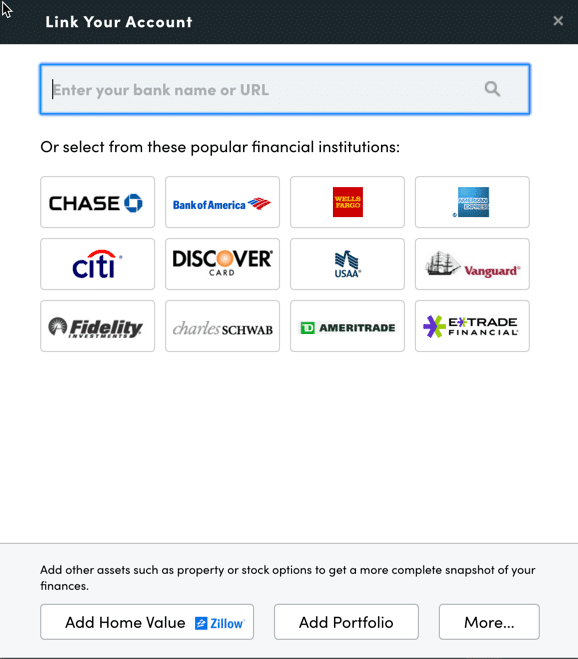
The foundation of the Empower experience begins with signing up for a free account and subsequently connecting a user’s various financial institutions. While the platform is widely recognized for its robust investment tracking and analysis capabilities, its utility extends far beyond the stock market. Users can link traditional bank accounts, credit cards, installment loans, mortgages, and even physical property such as a primary residence. For real estate holdings, Empower integrates with real estate databases like Zillow to automatically pull in estimated property values, ensuring that home equity is accurately reflected in the user’s broader financial portfolio.
Connecting an institution requires online access credentials, including the username and password associated with the specific financial provider. Users simply search for the name or web address of their financial institution within the platform’s link interface. In rare instances where an account cannot be digitally synced, the platform allows individuals to enter the asset or liability manually. While users must link at least one account to initiate the dashboard, adding a wide array of accounts is crucial to unlocking the full scope of features, including automated net worth tracking, cash flow monitoring, and detailed investment reporting.
Once accounts are synchronized, completing the settings and profile sections is vital. Security configurations within the settings menu allow users to enable multi-factor authentication, set up login alerts for foreign access attempts, and review a log of authorized devices, making it easy to revoke access from outdated phones or computers. Meanwhile, the profile section captures essential personal data—such as income sources, savings habits, and investment objectives—which feeds directly into the platform’s advanced planning calculators, including its retirement forecasting tools.
The Empower Dashboard: A Complete Financial Snapshot
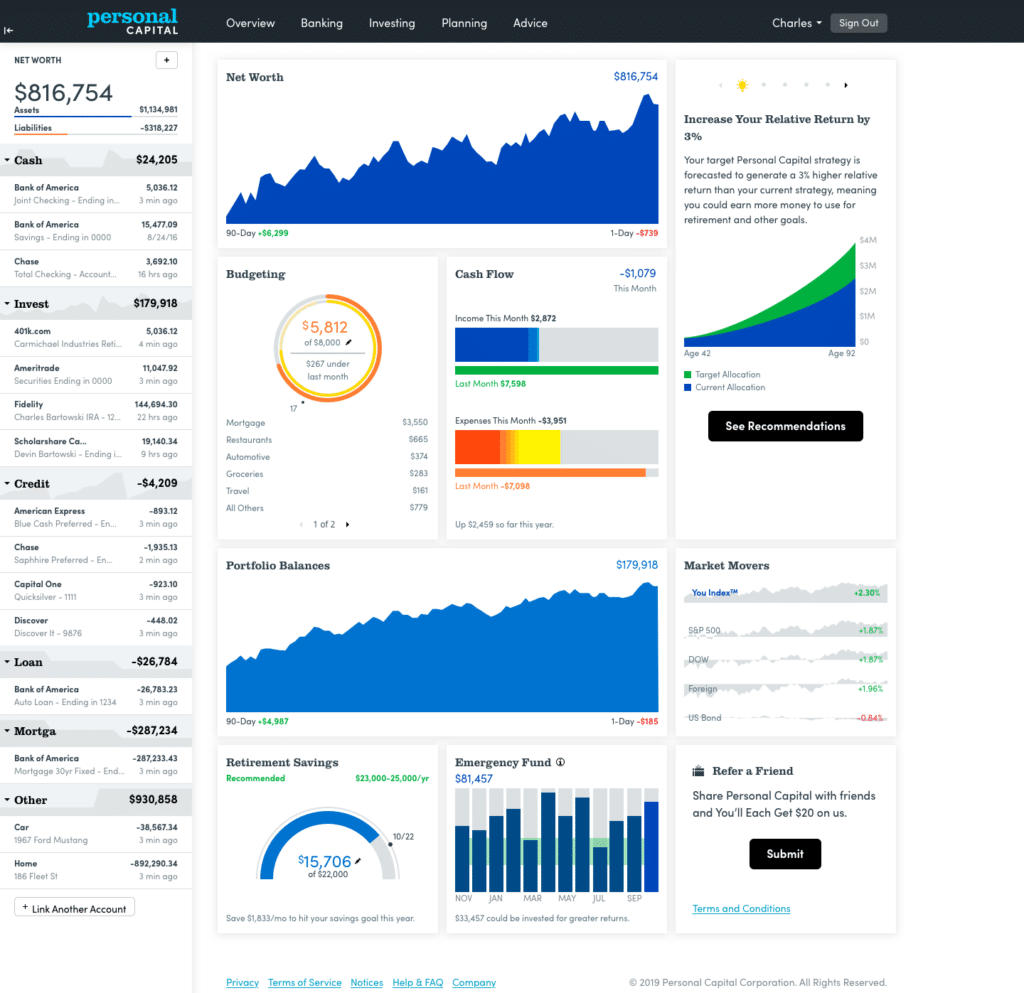
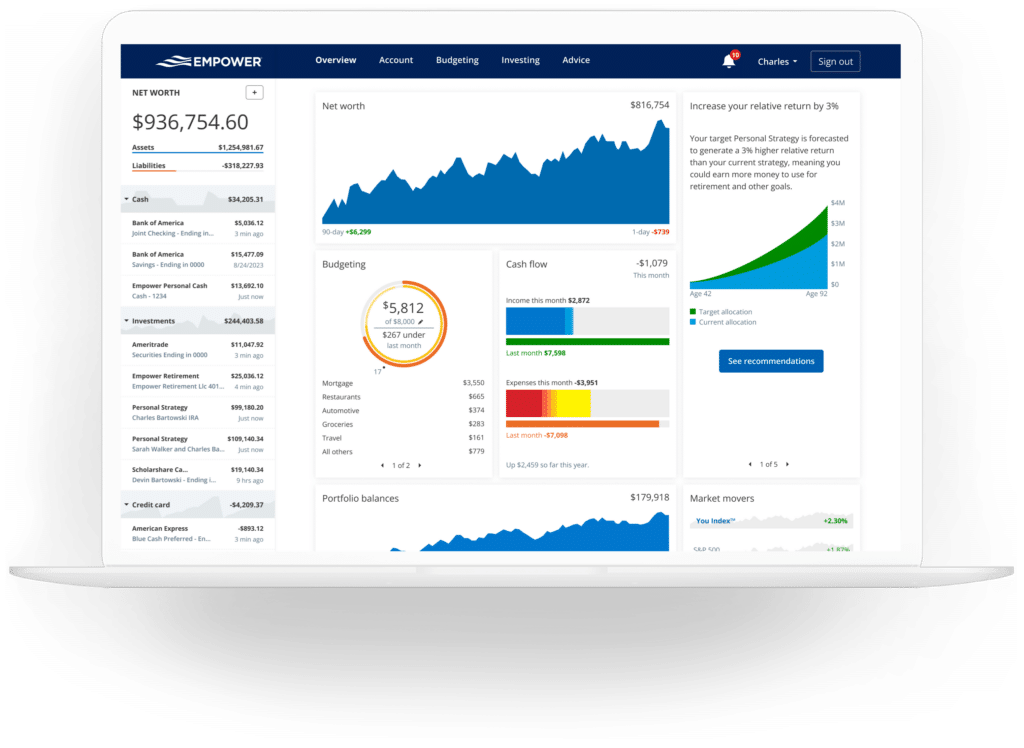
The central dashboard serves as the command center for the entire application, aggregating diverse financial streams into an easily digestible interface. Upon logging in, users are greeted with high-level summaries of their current net worth, monthly budgetary status, cash flow trends, investment performance, and progress toward long-term milestones like emergency savings and retirement readiness.
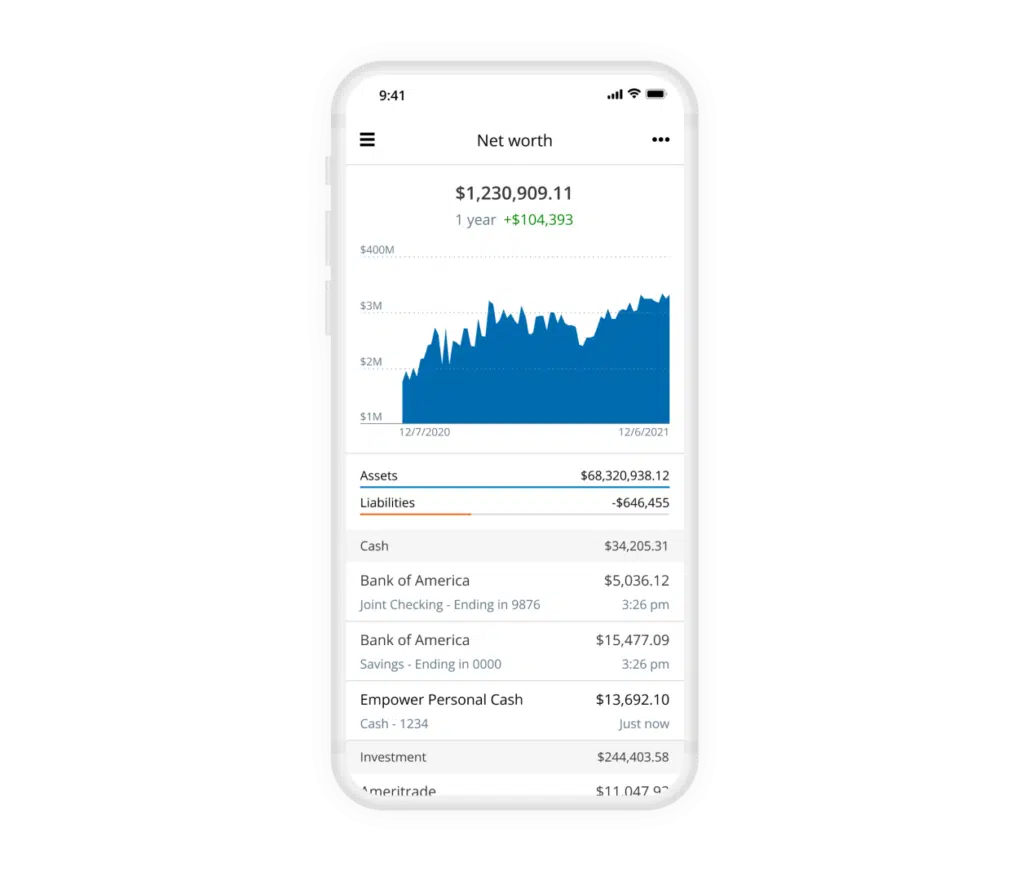
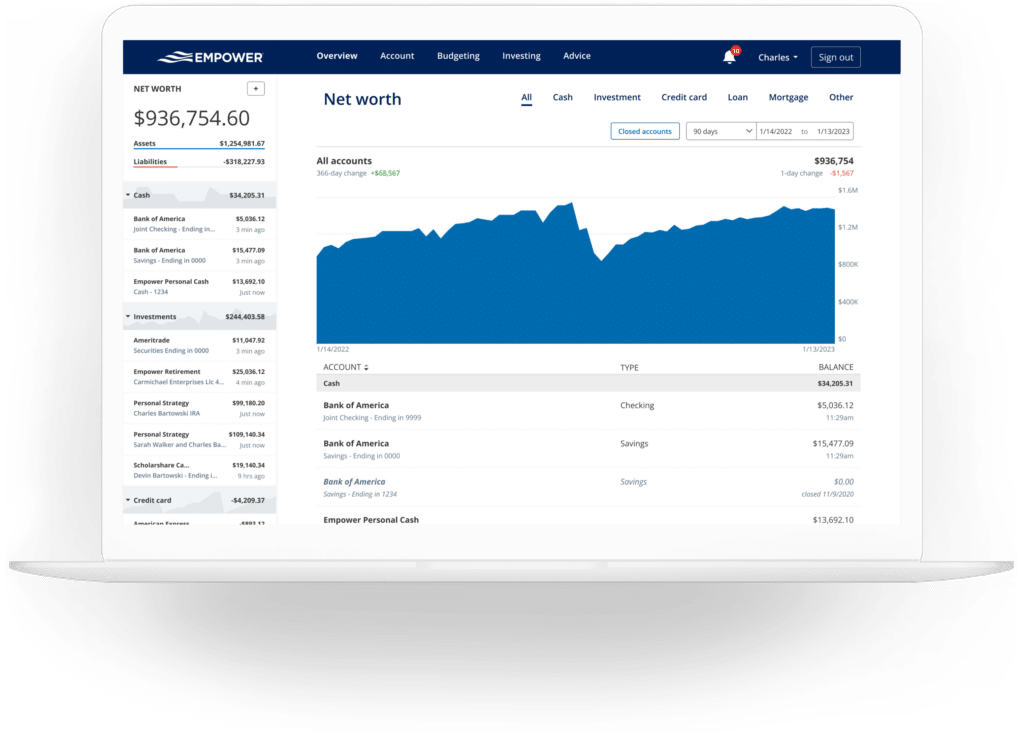
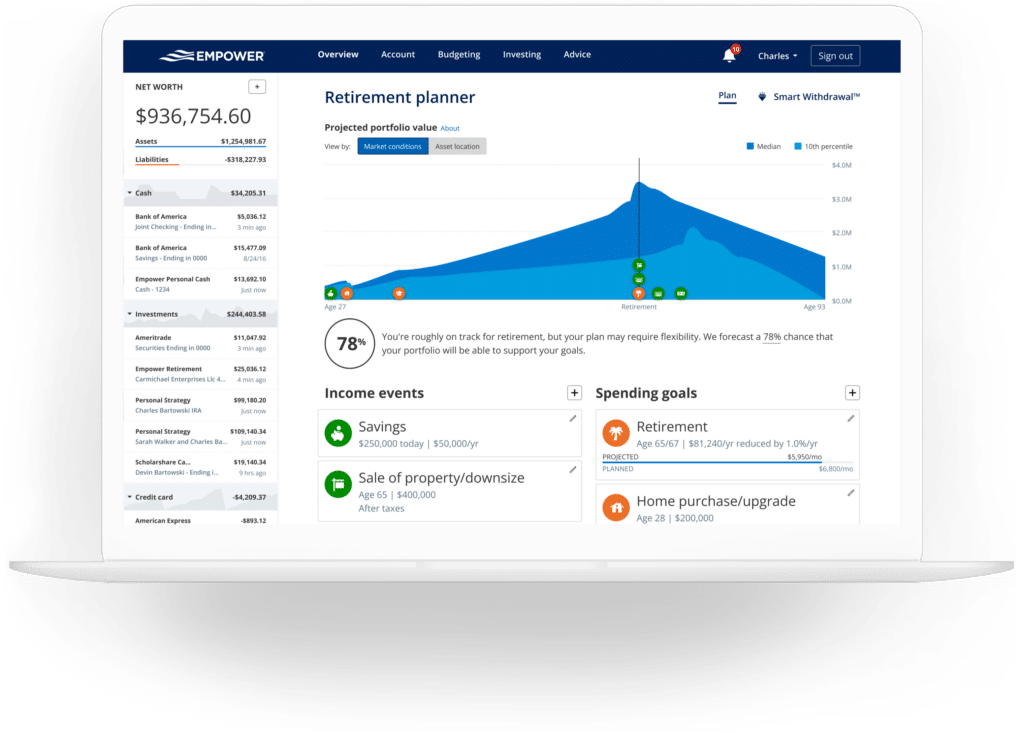
Tracking net worth remains one of the most critical components of long-term financial independence. By automating the aggregation of assets and liabilities, the platform continuously updates an individual’s net worth calculation without requiring manual spreadsheet maintenance. This automated tracking provides immediate visibility into how market fluctuations, debt paydowns, or real estate appreciation impact an individual’s overall wealth trajectory over time.
Banking, Cash Flow, and Budgeting Capabilities
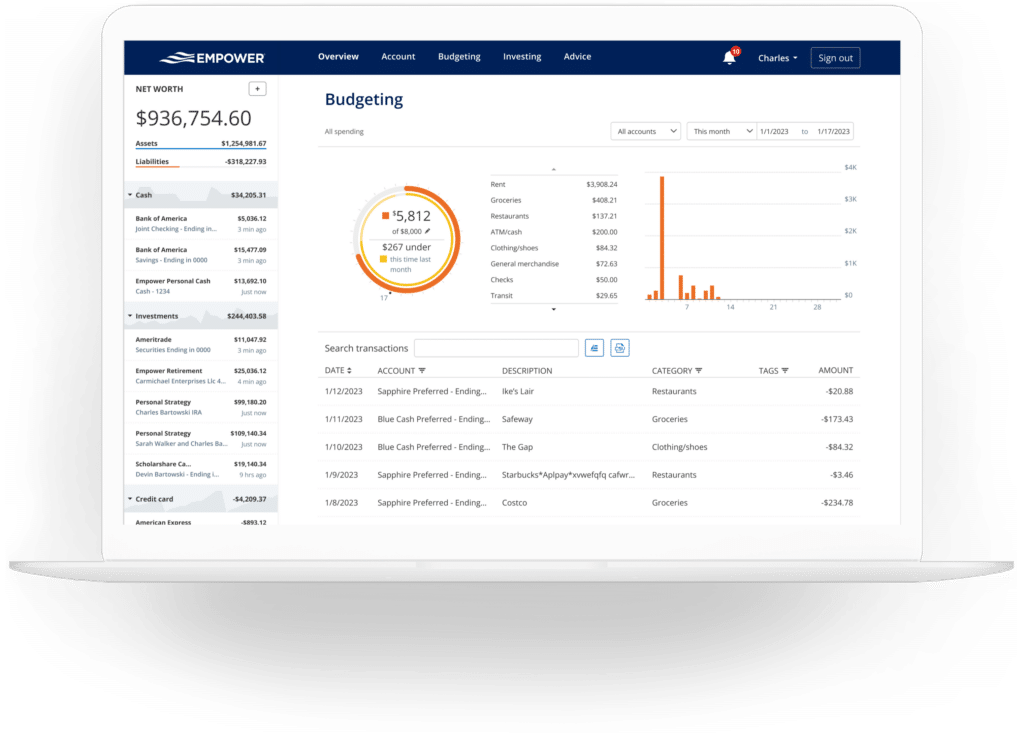
Beyond investments, the platform offers significant utility in day-to-day cash flow management and expense tracking. The cash flow feature breaks down income and expenses at the granular transaction level, automatically categorizing spending to help users understand where their money goes each month. Users can filter reports by specific accounts, allowing them to isolate business expenses from personal spending or review specific streams of income, such as monthly dividend and interest payments generated by an investment portfolio.
The budgeting functionality is designed to provide visibility rather than strict category-by-category spending caps. While users can establish an overarching monthly spending goal, the system does not enforce granular limits across individual expense categories, a feature better suited for dedicated envelope-style budgeting applications. Instead, Empower focuses on importing and categorizing transactions automatically. While the automated categorization is generally reliable, users typically spend a few minutes each month reviewing and refining transactions. Additionally, custom tags can be applied to specific purchases—such as tagging backyard maintenance costs under a specific project label—providing deeper categorization flexibility without requiring separate budget categories.
By syncing credit cards, mortgages, and loans, the platform also incorporates bill tracking functionality. This feature monitors payment due dates across linked accounts, helping individuals avoid late payments and plan their monthly cash flow more effectively.
Advanced Investment Tracking and Portfolio Analysis
Investment tracking is widely considered the platform’s strongest asset. Once retirement and taxable brokerage accounts are connected, the system automatically updates asset prices throughout the trading day, monitors fund expenses, evaluates asset allocation, and provides diagnostic tools to assess portfolio health.
The holdings view offers a detailed breakdown of every investment owned, tracking share prices, daily gains and losses, total returns, and portfolio weightings. Performance metrics are updated continuously, giving investors a clear view of how their portfolios weather various market conditions, including historical volatility and bear markets.
Asset allocation is evaluated automatically, dividing holdings between stocks and bonds while drilling down further into U.S. and international equities, fixed income, and alternative asset classes. The interactive allocation graphic allows users to click through and inspect the underlying investments within each category. Notably, the asset allocation tool accounts for cash holdings not only in dedicated money market accounts but also within the cash buffers held inside stock and mutual funds.
For cryptocurrency investors, the platform accommodates digital assets like Bitcoin, Ethereum, and Litecoin. Rather than requiring users to link private crypto wallets or hand over sensitive login credentials, the system allows for manual entry. Investors simply specify the token symbol, exchange, and amount held. The platform then tracks thousands of supported tokens across numerous exchanges, integrating crypto holdings into the user’s overarching net worth and asset allocation metrics.
Planning Tools: Retirement, Savings, and Fee Analysis
The platform separates itself from basic tracking applications through its robust suite of forward-looking planning tools. The retirement planner utilizes data from linked investment accounts to evaluate retirement readiness under various conditions. Users can build multiple custom scenarios to compare outcomes side-by-side, such as contrasting a traditional retirement age against an early retirement timeline. These models allow for adjustable assumptions regarding Social Security benefits, expected inflation rates, effective tax rates, and projected life expectancy.
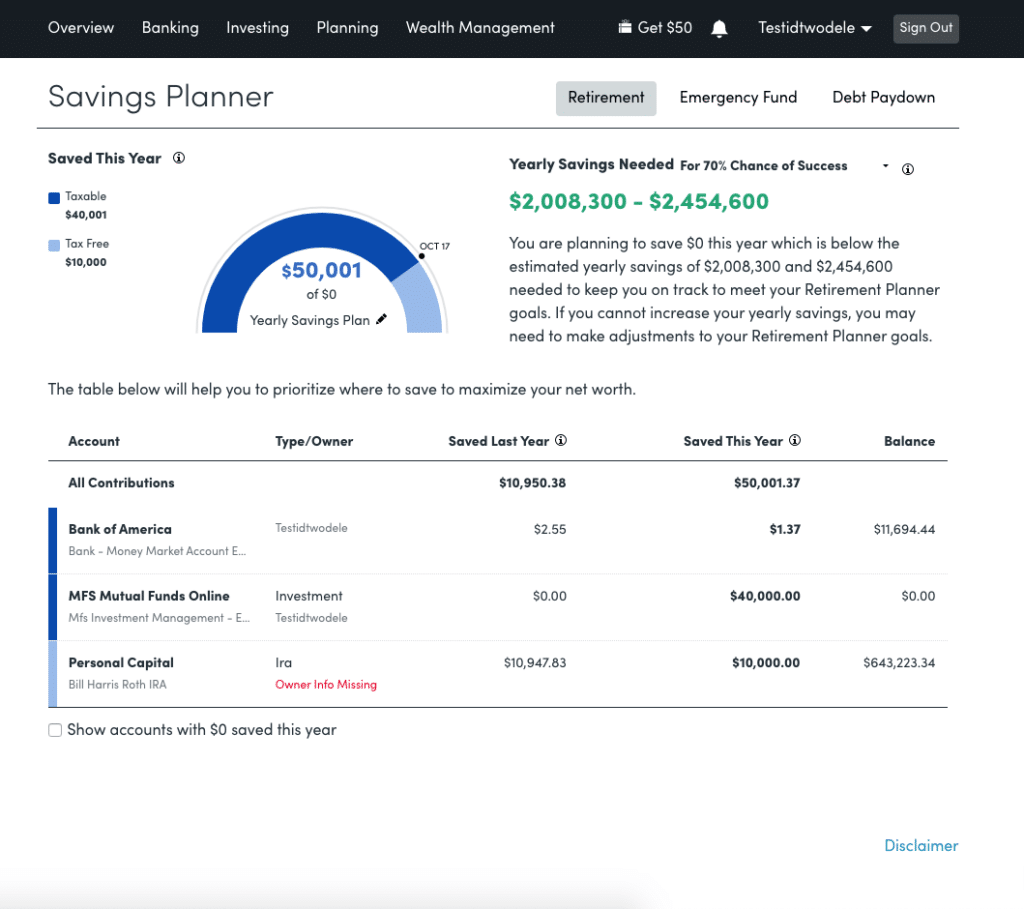
The savings planner integrates three distinct goals into a single interface: retirement savings, emergency funds, and debt paydown. The retirement savings planner tracks annual contributions across tax-advantaged accounts like 401(k)s and IRAs, as well as taxable accounts, linking directly to the primary retirement forecasting model. The emergency fund planner aggregates balances across connected bank accounts, recommending a reserve equivalent to three to six months of living expenses based on the user’s established budget. Meanwhile, the debt paydown planner tracks installment loans, mortgages, and credit cards that carry active balances, displaying current interest rates, year-to-date balance changes, and visual trend graphs.
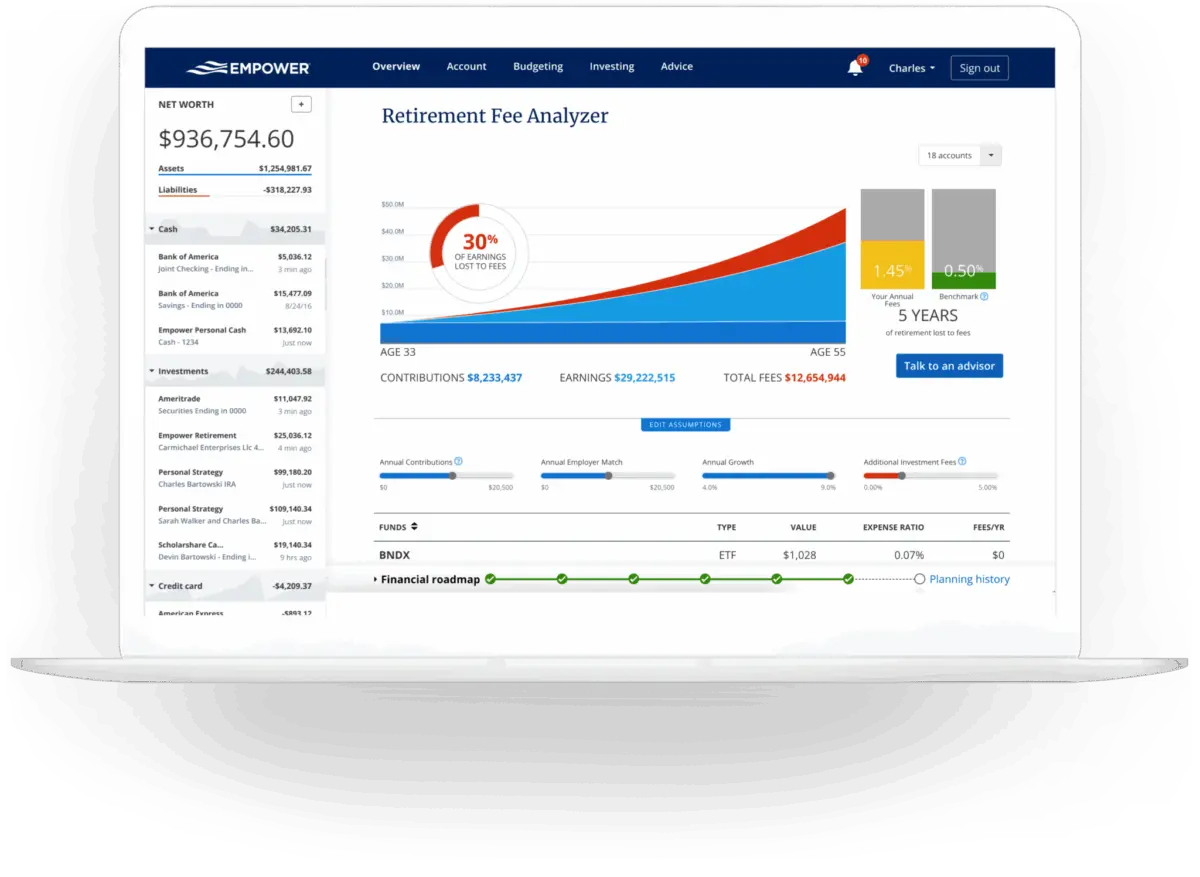
Perhaps one of the most compelling features of the platform is the retirement fee analyzer. Recognizing that seemingly minor investment management fees and mutual fund expense ratios can compound over decades to erode hundreds of thousands of dollars in wealth, the analyzer calculates a weighted average expense ratio for all linked accounts. By projecting the long-term cost of these fees over future years, the tool highlights the heavy financial impact of portfolio expenses, reinforcing the value of low-fee investing strategies.
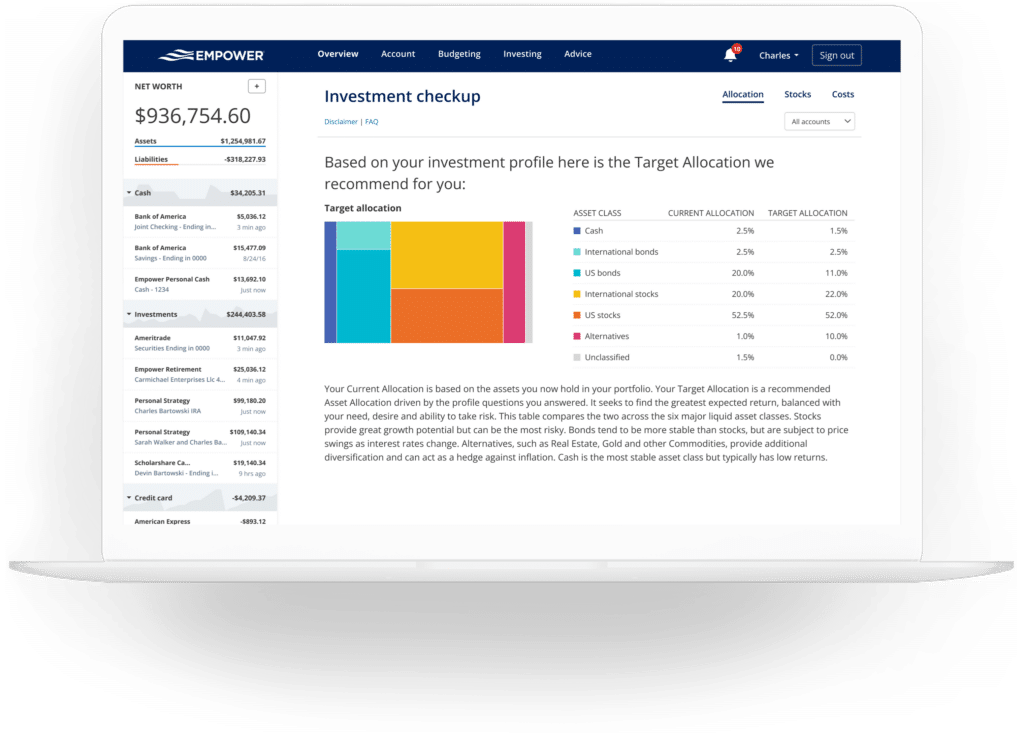
Finally, the investment checkup tool evaluates a user’s current portfolio allocation against a recommended benchmark tailored to their age, timeline, and risk tolerance. If a portfolio deviates significantly from the model, the tool provides specific guidance on which asset classes require rebalancing.
Security and Cost Structure
Security remains a primary consideration for users linking multiple financial accounts to a third-party application. The platform employs AES-256 encryption with multi-layer key management, utilizing rotating user-specific keys and salts to protect sensitive data. Employee access to user credentials is strictly prohibited, and any access attempts from unrecognized devices require multi-factor authentication via phone call, text, or email.
Regarding cost, the financial dashboard and its associated tracking, budgeting, and planning tools are provided entirely free of charge. The platform operates primarily as a marketing funnel for its optional, human-led wealth management and investment advisory services. While users of the free dashboard may receive outreach calls from financial advisors, these advisory services are entirely optional and carry separate fee structures starting at 0.89 percent for the first million dollars under management, scaling downward for larger portfolios. Utilizing the dashboard does not obligate individuals to enroll in these paid advisory services.







No comments yet. Be the first to join the conversation!