
Managing personal finances often feels like a fragmented chore. Between checking accounts, credit cards, mortgages, and various retirement funds scattered across multiple institutions, getting a cohesive picture of one’s financial health can be daunting. Empower, formerly known as Personal Capital, offers a centralized solution designed to aggregate 100% of an individual’s finances onto a single, comprehensive dashboard. Having been utilized by long-time users for years, the platform remains a prominent tool in the personal finance space, offering a robust suite of free tracking, budgeting, and planning features.
Quick Take
Empower delivers a complete view of an individual’s finances in one unified place. By automatically syncing checking, savings, credit card, loan, investment accounts such as 401(k)s and IRAs, and even mortgage accounts, the software provides a real-time snapshot of net worth and overall financial health. The platform delivers core functionalities that include cash flow and net worth tracking, investment tracking, and retirement planning. Furthermore, its investment tracking suite stands out by incorporating asset allocation analysis, investment fee evaluations, and comprehensive investment checkups. Notably, the foundational digital dashboard is available to users entirely for free, earning high marks across major mobile platforms with a 4.8 out of 5-star rating from hundreds of thousands of reviews on the Apple App Store and a 4 out of 5-star rating on Google Play.
Getting Started with Empower
The process of utilizing Empower begins by signing up for a free account and subsequently connecting all relevant financial accounts. While the platform has historically achieved its strongest reputation for analyzing and tracking complex investment portfolios, users frequently link everyday banking accounts, credit cards, loans, mortgages, and physical real estate holdings. For real estate assets, Empower integrates with Zillow to automatically pull in current estimated property values, ensuring that home equity is accurately reflected in the user’s overall balance sheet.
Linking Your Accounts
Users can link virtually any financial institution that offers online access by supplying the appropriate username and password. Initiating this process requires searching for the specific financial institution within the "Link Your Account" dialog box on the Empower dashboard, which is accessible by clicking the plus icon near the top left of the interface.
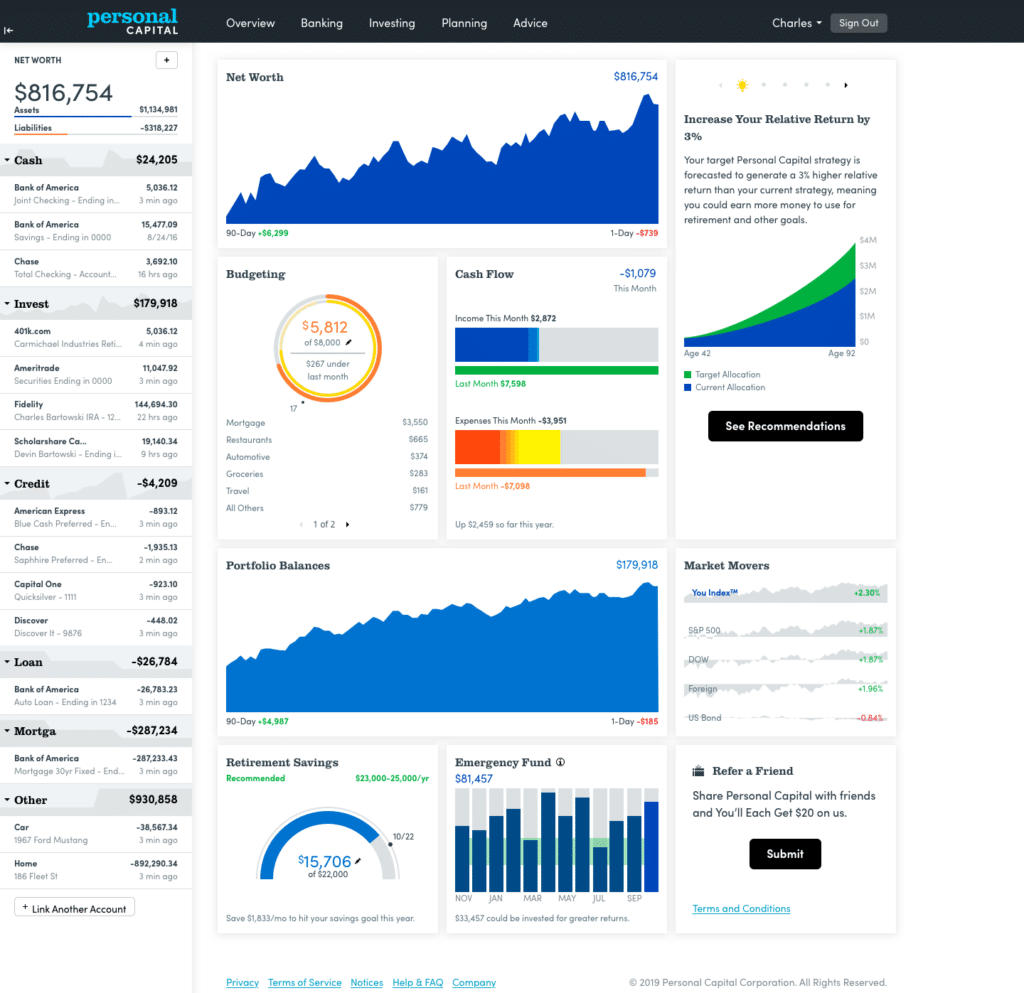
As a helpful tip for users, accounts can be searched by the name of the financial institution or by its direct website URL. In the rare scenario that a particular financial institution cannot be automatically linked, the platform allows users to enter the account information manually. Connecting multiple accounts is essential because Empower functions as much more than a simple investment tracker; it unites net worth, budgeting, cash flow tracking, and bill management into a single centralized dashboard.
While users must connect at least one account initially to begin utilizing the software, additional accounts can be entered manually thereafter. The initial linked account does not necessarily need to be an investment vehicle—users can begin with a credit card, for instance. However, failing to link all relevant accounts diminishes the depth and accuracy of Empower’s advanced investment tracking features.
Settings and Profile
Once accounts have been successfully linked, completing the settings and profile sections is a critical administrative step. Both areas are located by selecting the user’s name in the top right corner of the screen.
The settings menu grants users full control over email subscriptions, allowing them to receive daily or weekly updates detailing income, spending, and investment performance. Users can also configure preferences regarding whether investment income and dividends should be included in cash flow calculations, and determine which accounts should be excluded from the financial advice generated by the platform.
Crucially, the settings area houses robust security features. Empower strongly encourages users to configure multi-factor authentication and enable login alerts that trigger whenever an access attempt originates from a foreign country. Additionally, the platform maintains an audit list of all authorized devices that have accessed the account, displaying the timestamp of the most recent sign-on. Users frequently review this list to prune older, decommissioned devices from their authorized access history.
Meanwhile, the profile section serves as the repository for personal and demographic details concerning the user and their spouse, including savings rates, income streams, and stated investment objectives. These parameters are foundational inputs that Empower relies upon when executing its automated financial planning tools, most notably its free retirement planner.
Dashboard
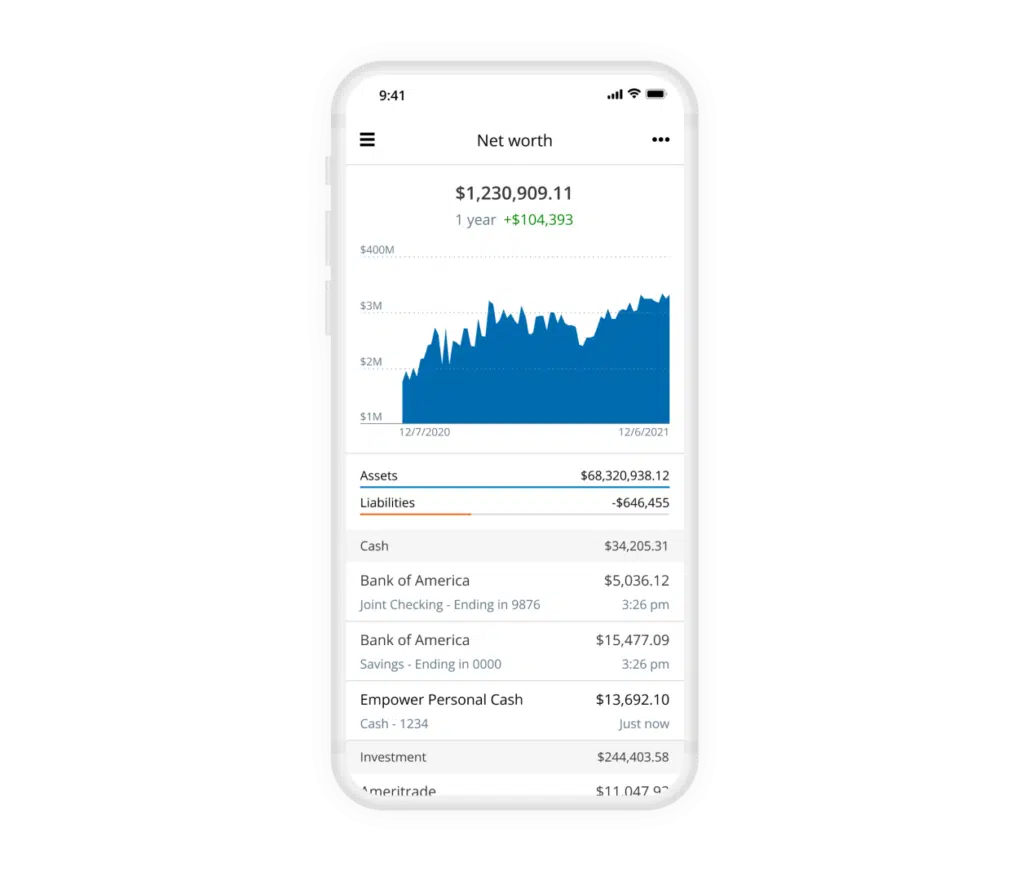
Upon successfully linking financial accounts, Empower aggregates the data into its core dashboard, presenting a holistic snapshot of the user’s entire financial ecosystem. The interface offers immediate visibility into net worth, monthly budgets, cash flow trends, investment performance, and ongoing progress toward long-term milestones such as retirement readiness and emergency fund accumulation.
Net Worth
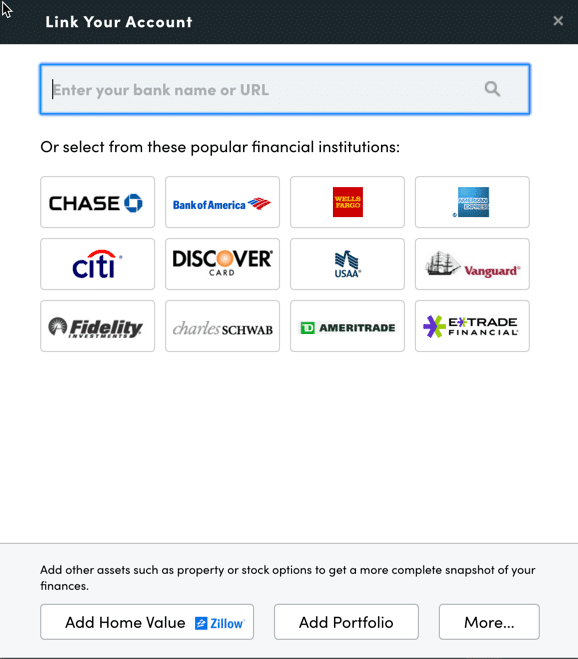
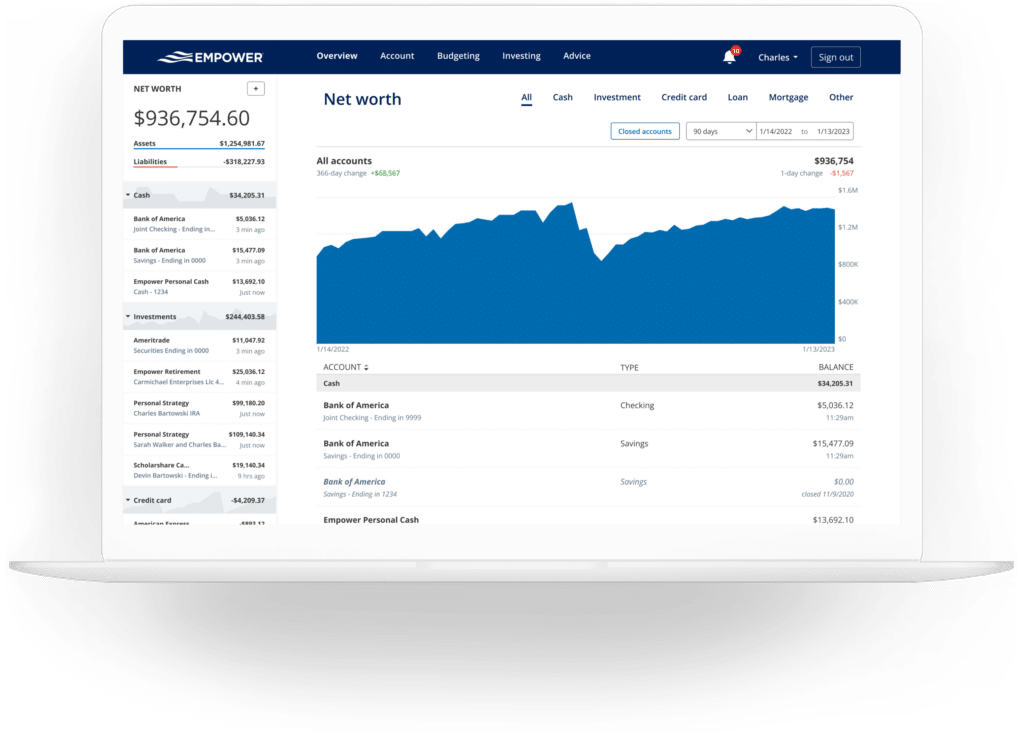
Tracking net worth remains a cornerstone of financial independence. While many disciplined individuals maintain long-standing personal spreadsheets for this purpose, Empower automates the process entirely once all financial accounts are securely integrated. The dedicated net worth screen presents a continuous, historical graph of asset growth versus liability reduction over time, offering a clear visual representation of long-term wealth accumulation.
Empower Banking
Despite its strong emphasis on investments, the platform’s banking and cash flow features provide significant utility for daily financial monitoring. The primary functionalities heavily relied upon by users include the cash flow and budgeting modules, which delineate monthly investment income—such as interest and dividends—alongside detailed breakdowns of household spending by category.
Cash Flow
The cash flow module displays income and expenses at the individual transaction level, automatically categorizing each entry. Users possess the flexibility to drill down into specific income or expense streams to examine granular details.
A particularly useful feature is the ability to filter reports by specific accounts. This capability allows self-employed individuals and business owners to isolate business checking and credit card transactions to review commercial cash flow independently from personal finances. Similarly, investors can filter reports to display income exclusively from investment accounts, enabling a rapid assessment of dividends and interest generated across a portfolio.
Budgeting
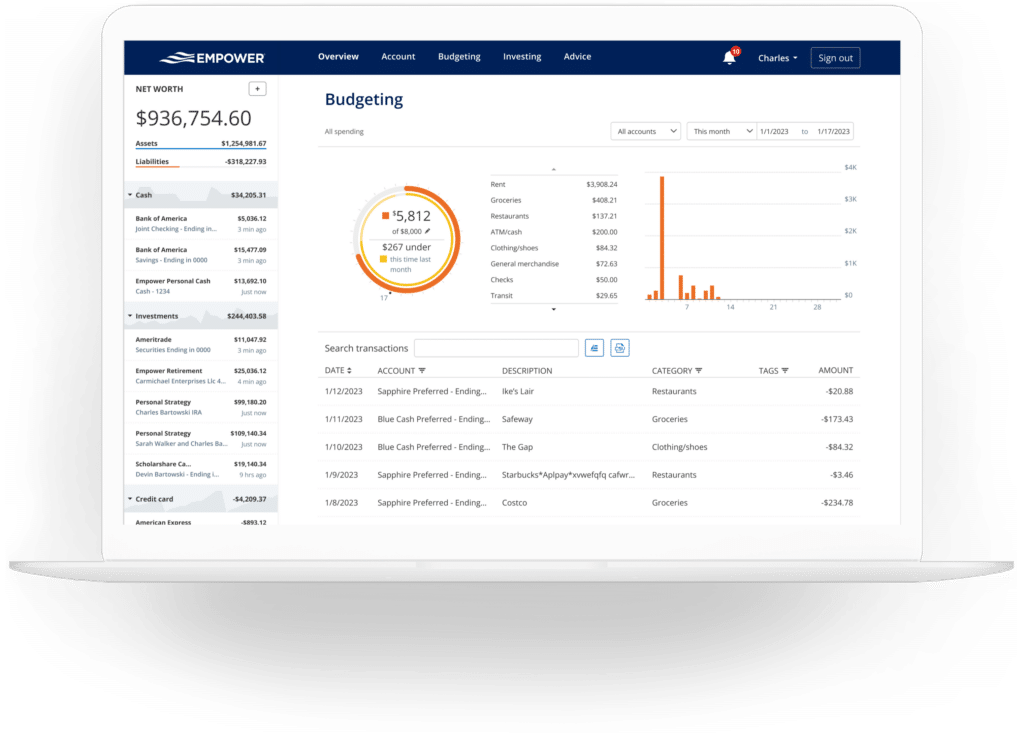
Empower’s budgeting tool diverges from traditional envelope-style budgeting applications. While users can establish an overarching monthly spending target, the platform does not currently support setting individual spending limits by specific sub-category. For users requiring strict category-level budget enforcement, alternative dedicated applications are often recommended.
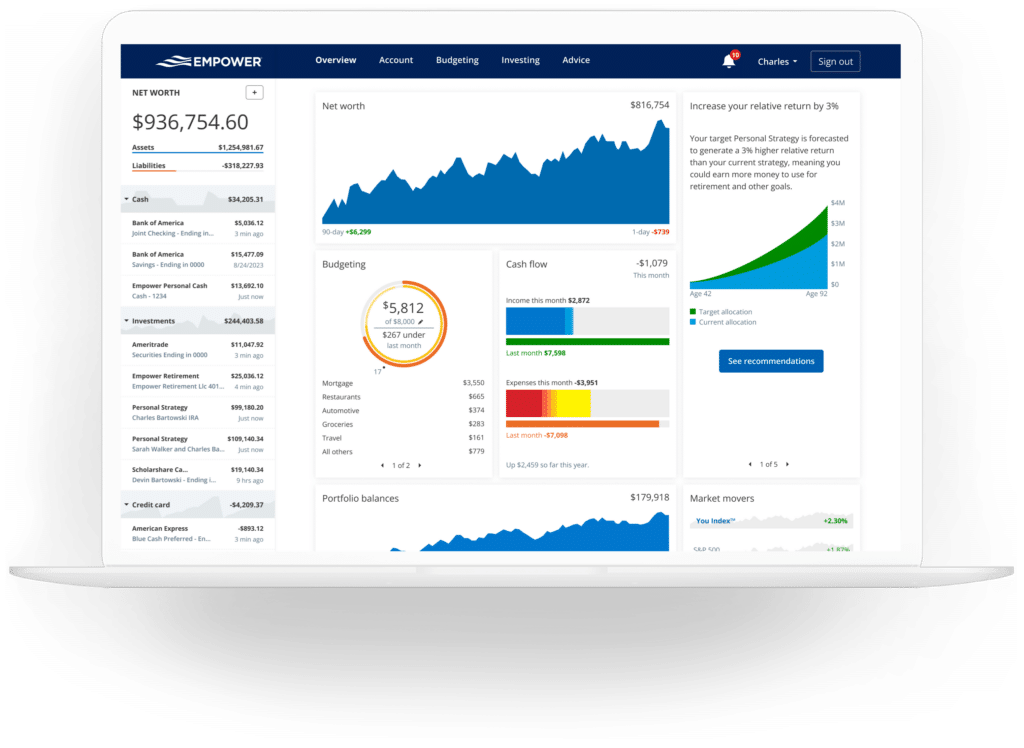
Instead, Empower excels at providing deep visibility into historical spending patterns by automatically importing and categorizing transactions from every linked account. Users can customize categories to fit their personal preferences. Although the system generally executes accurate categorizations, users typically spend a few minutes each month reviewing and correcting anomalous transactions.
Beyond standard categories, the platform supports transaction tagging, offering an additional layer of organizational flexibility. For instance, rather than establishing a separate category for home maintenance, a user might tag specific expenditures related to pool repairs with a custom "pool" tag, preserving a clean category structure while maintaining the ability to track niche expenses easily.
Bills
The bills feature reinforces the utility of linking credit cards, mortgages, and various installment loans. By monitoring the due dates associated with these linked accounts, Empower helps users track impending payment obligations, mitigating the risk of missed or late payments and assisting with short-term monthly cash flow planning.
Empower Investing
Investment management is widely regarded as the area where Empower performs most robustly. Once retirement and taxable brokerage accounts are connected, the platform tracks asset values automatically, updating market prices throughout the trading day and keeping close tabs on mutual fund expense ratios. It also evaluates asset allocation and provides a suite of analytical tools designed to assess portfolio health.
Holdings
The holdings interface delivers a comprehensive overview of individual investments. For every asset owned, the tool tracks share quantities, current market values, daily gains or losses, and overall performance metrics. Historical performance graphs allow investors to visualize portfolio volatility across varying market cycles, including historical downturns such as bear markets.
Allocation
Empower evaluates existing investments to report on broader stock and bond allocations, breaking asset classes down further into domestic and international equities, fixed income securities, and alternative investments.
The platform features an interactive graphical representation of portfolio allocation, allowing users to explore the underlying investments that comprise each asset class with a simple click. Notably, the asset allocation tool accounts for cash holdings comprehensively, identifying uninvested cash parked in money market funds as well as cash balances held internally within stock mutual funds.
Tracking Bitcoin and Crypto
Addressing the modern digital asset landscape, Empower incorporates functionality for tracking cryptocurrencies such as Bitcoin, Ethereum, and Litecoin. Crucially, investors are not required to surrender private wallet keys, passwords, or direct API access to their crypto exchange accounts.
Instead, users can establish manual accounts within the platform. By inputting the specific token symbol, trading exchange, and quantity owned, users enable Empower to track asset values across thousands of different digital tokens and hundreds of trading platforms.
Empower Planning
While the dashboard provides multiple visual perspectives of existing accounts and investments, the integrated planning tools elevate the platform’s utility into long-term financial forecasting.
Retirement Planner
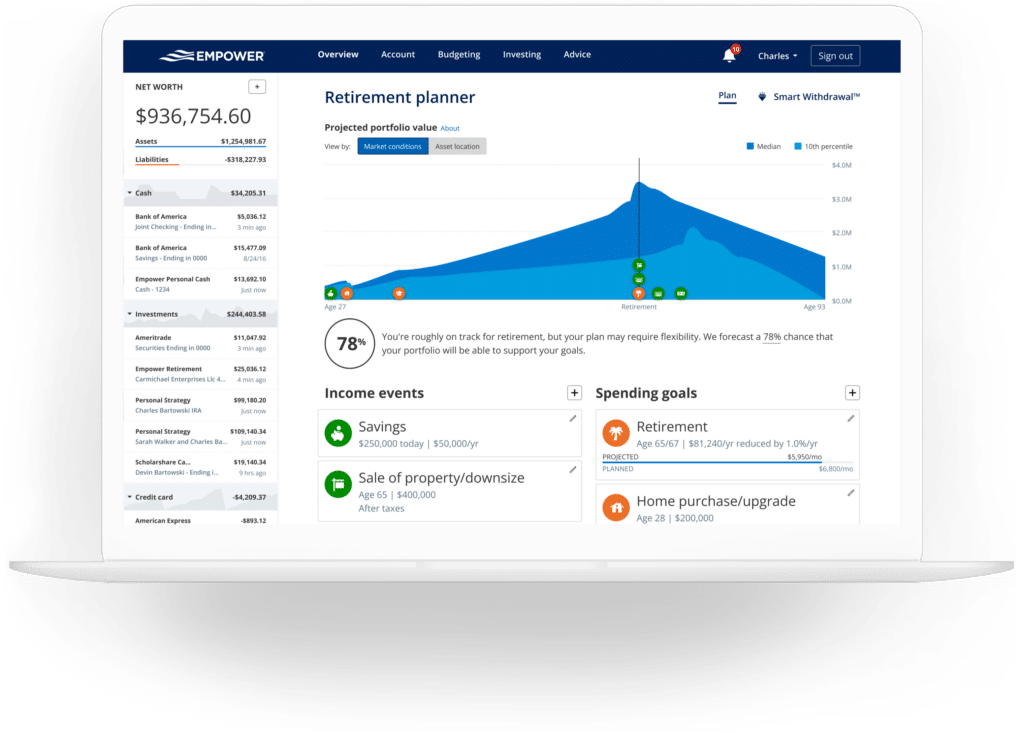
The retirement planner leverages data from all linked investment accounts to evaluate retirement readiness through a robust yet accessible interface. The calculator allows users to model numerous variables affecting their financial future.
Furthermore, the retirement planner enables the creation and side-by-side comparison of multiple financial scenarios. A user might configure one scenario reflecting traditional retirement age and another depicting early retirement. Different scenarios can incorporate or exclude estimated Social Security benefits, while adjustments can also be made to assumptions regarding effective tax rates, future inflation rates, and overall life expectancy.
Savings Planner
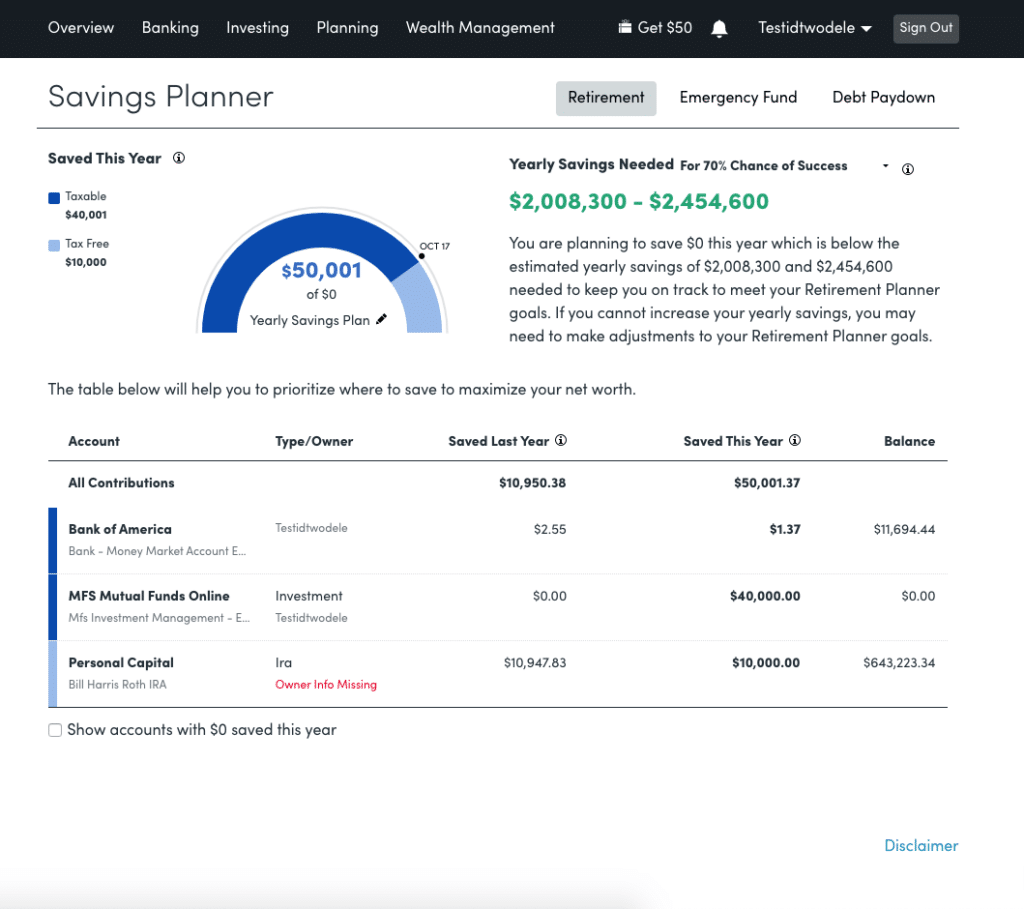
The savings planner integrates three distinct focus areas: retirement savings, emergency fund reserves, and debt paydown tracking. Each component empowers users to establish specific financial targets and monitor their ongoing progress.
Within the retirement savings planner, users can set annual contribution goals, which the platform tracks against actual contributions made throughout the year to tax-advantaged accounts like 401(k)s and IRAs, as well as taxable brokerage vehicles. This planner is directly linked to the broader retirement planner, meaning adjustments made to savings goals in one module automatically update the other.
The emergency fund planner aggregates the balances of all linked bank accounts, comparing them against a recommended reserve equal to three to six months of living expenses, derived from the user’s established monthly budget. Changes to the budgeted expense figure automatically update the banking budget module as well.
The debt paydown planner captures installment debts, including auto loans, mortgages, and personal loans. Credit card debt is also incorporated if the account has incurred interest charges within the preceding 90 days, distinguishing revolving balances that accrue interest from cards paid in full monthly. The planner displays current balances, annual percentage rates, year-to-date balance changes, and visual trend graphs.
Retirement Fee Analyzer
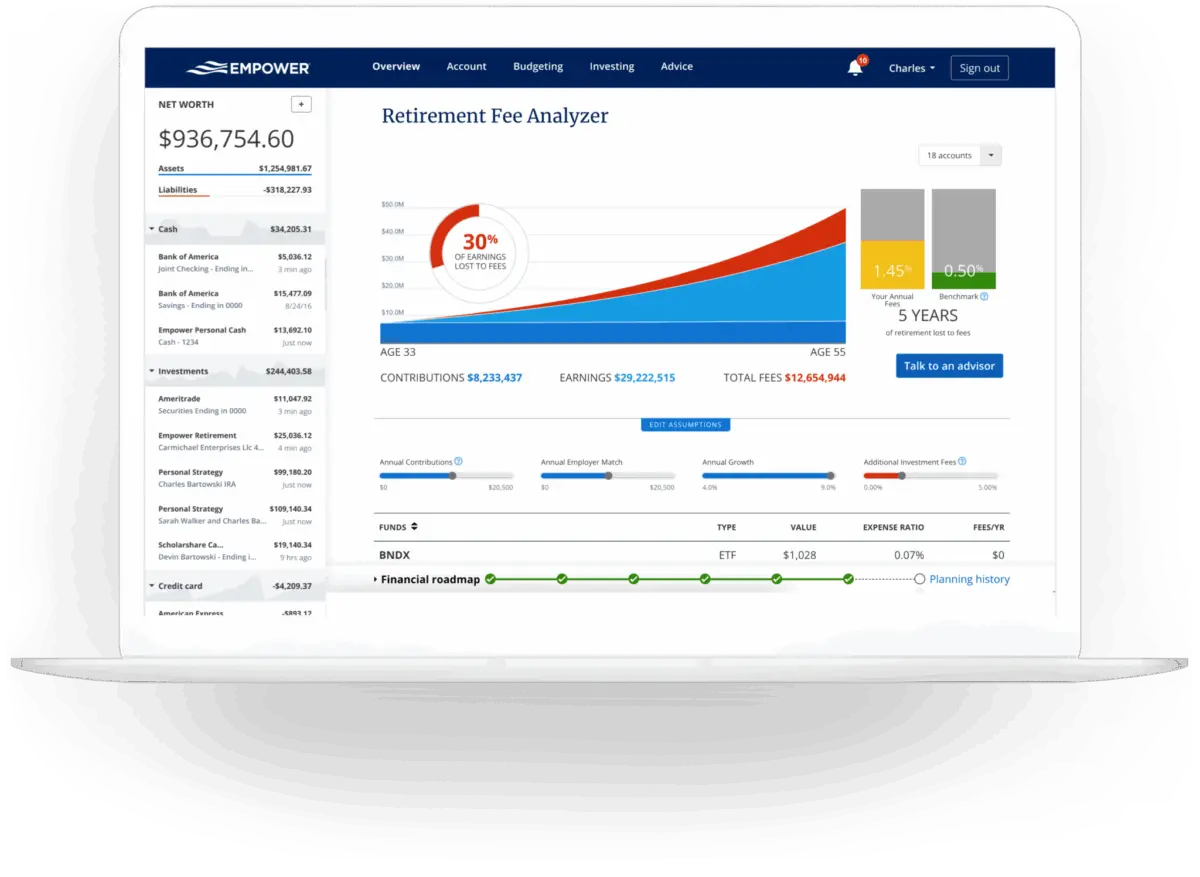
Investment fees represent a critical factor in long-term wealth accumulation, as seemingly minor advisory or mutual fund fees compound over decades to significantly erode portfolio value. Empower calculates a weighted average expense ratio across all linked accounts, translating those percentages into projected dollar costs over future time horizons. This visibility underscores the long-term financial impact of investment costs, making the fee analysis tool a standout feature for cost-conscious investors.
Investment Fee Checkup
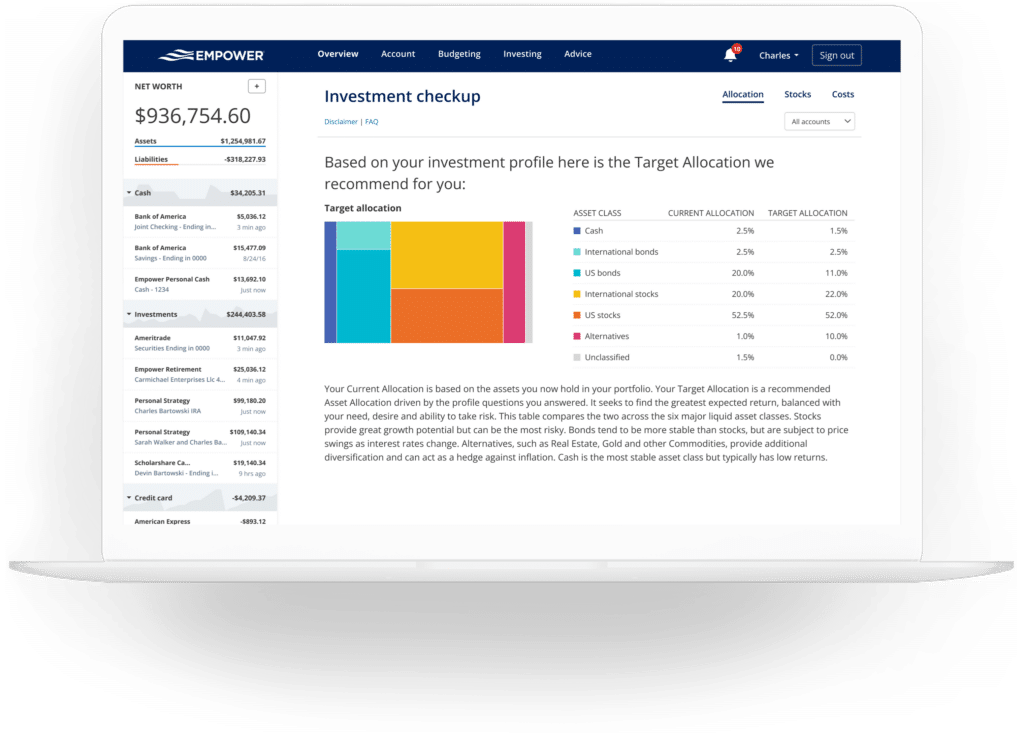
The investment checkup tool evaluates a user’s current asset allocation against a target allocation recommended by Empower, which is tailored to the individual’s age, timeline to retirement, and stated risk tolerance. The tool displays historical performance projections, risk-return profiles, and direct comparisons between the user’s actual portfolio and the recommended model. If adjustments are desired, the platform identifies specific asset classes that require rebalancing.
Empower FAQs
Is Empower safe?
Empower utilizes AES-256 data encryption supported by multi-layer key management, including rotating user-specific cryptographic keys and salts. Furthermore, internal personnel do not have access to user login credentials, and the platform requires device authentication via automated phone calls, emails, or text messages when access is attempted from unrecognized devices.
Is Empower really free?
Yes. While the firm’s optional wealth advisory services carry fees, the core digital financial dashboard and its associated tracking tools are entirely free to use.
Will Empower call me?
Because the financial dashboard serves in part as a marketing conduit for the firm’s wealth management services, users who link significant assets may receive outreach from financial advisors. However, users who prefer not to be contacted can request that advisors refrain from calling, and support staff routinely honor those requests.
Do I have to invest with Empower to use the dashboard?
No investment with the firm is required to access and utilize the comprehensive financial dashboard.
How much does Empower cost?
The financial dashboard software is free. For clients who choose to utilize the optional investment advisory services, fee structures begin at 0.89% annually for the first $1 million under management and scale downward to 0.49% for portfolios exceeding $10 million.







No comments yet. Be the first to join the conversation!