
Managing personal finances often feels like a fragmented chore, scattered across numerous banking apps, credit card portals, retirement accounts, and investment portfolios. For years, users seeking a unified view of their wealth have turned to Empower—formerly known as Personal Capital—as a centralized financial tool capable of organizing 100% of an individual’s financial life from a single dashboard.
Available completely free of charge, the platform has earned high praise across mobile app marketplaces, holding a 4.8 out of 5-star rating with over 366,000 reviews on the Apple App Store, and a 4 out of 5-star rating from nearly 30,000 reviews on Google Play. Designed to provide a real-time snapshot of an individual’s net worth and overall financial health, Empower automatically syncs checking accounts, savings, credit cards, loans, investments such as 401(k)s and IRAs, and mortgages.
Getting Started with Empower
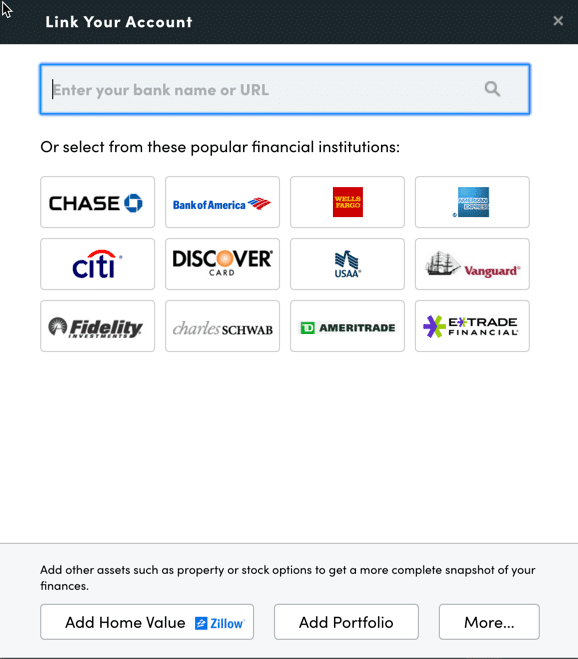
The process begins by signing up for a free account and systematically connecting all relevant financial institutions. While Empower has built its reputation on robust investment tracking and analysis, users frequently connect traditional bank accounts, credit cards, loans, mortgages, and even physical property. Real estate holdings can be integrated directly, with Empower pulling real-time property valuations automatically from Zillow.
Linking accounts requires online access credentials, including the username and password for each respective financial institution. Users can search for their bank or credit union by name or website address within the "Link Your Account" dialog box on the Empower dashboard. In the rare event that a specific financial institution cannot be linked electronically, users retain the option to enter the account manually.
While connecting at least one account is mandatory to initiate the service, additional accounts can be incorporated manually afterward. However, failing to link all major accounts diminishes the depth of Empower’s advanced investment tracking features.
Once accounts are successfully linked, completing the Settings and Profile sections is essential for optimizing the platform. Accessed by clicking the user’s name in the top right corner of the screen, the Settings menu controls email subscriptions—offering daily or weekly updates on income, spending, and investments—as well as preferences for including investment income and dividends in cash flow calculations.
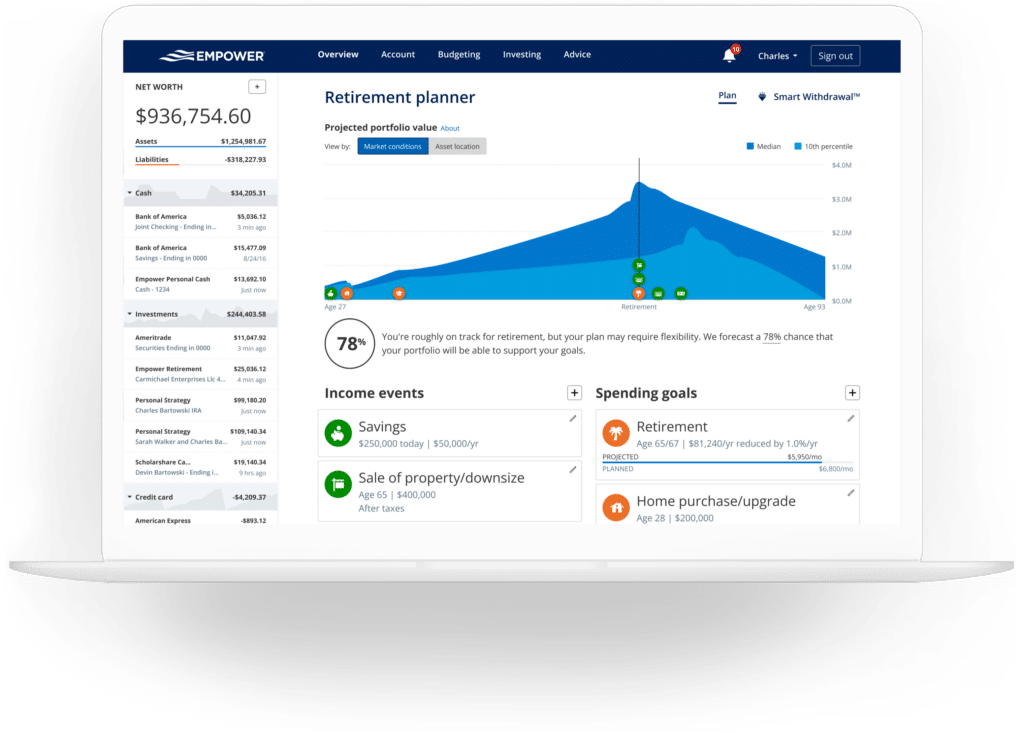
Crucially, the Settings area houses robust security features, including multi-factor authentication and automated alerts for login attempts originating from foreign countries. The platform also maintains an audit log of authorized devices and their last sign-on dates, allowing users to remove outdated hardware. Meanwhile, the Profile section captures personal data regarding spouses, savings rates, income sources, and investment objectives, feeding critical parameters into downstream planning tools such as the free Retirement Planner.
The Central Dashboard
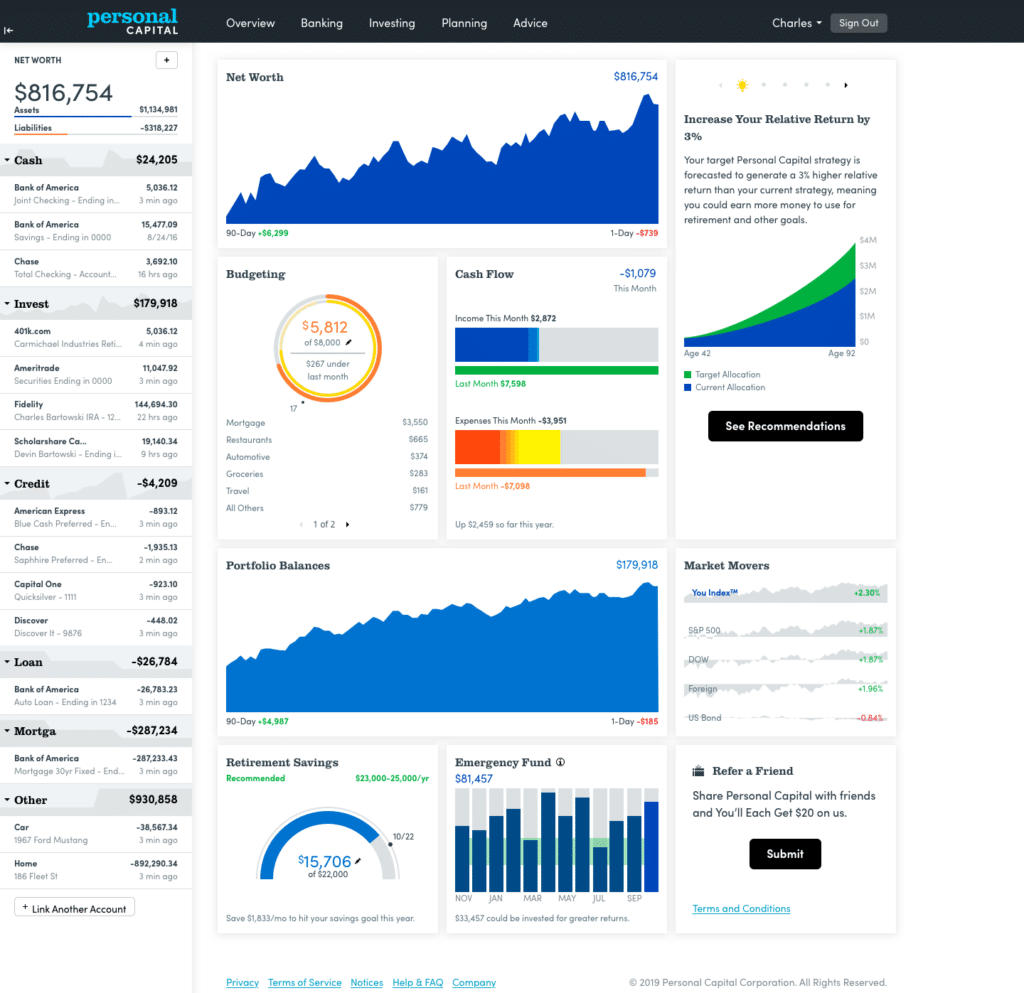
Aggregating all linked accounts into a single interface, the Empower Dashboard presents a comprehensive overview of an individual’s financial standing. Users are greeted with an immediate snapshot of their net worth, monthly budget, cash flow, investments, and progress toward retirement and emergency savings milestones.
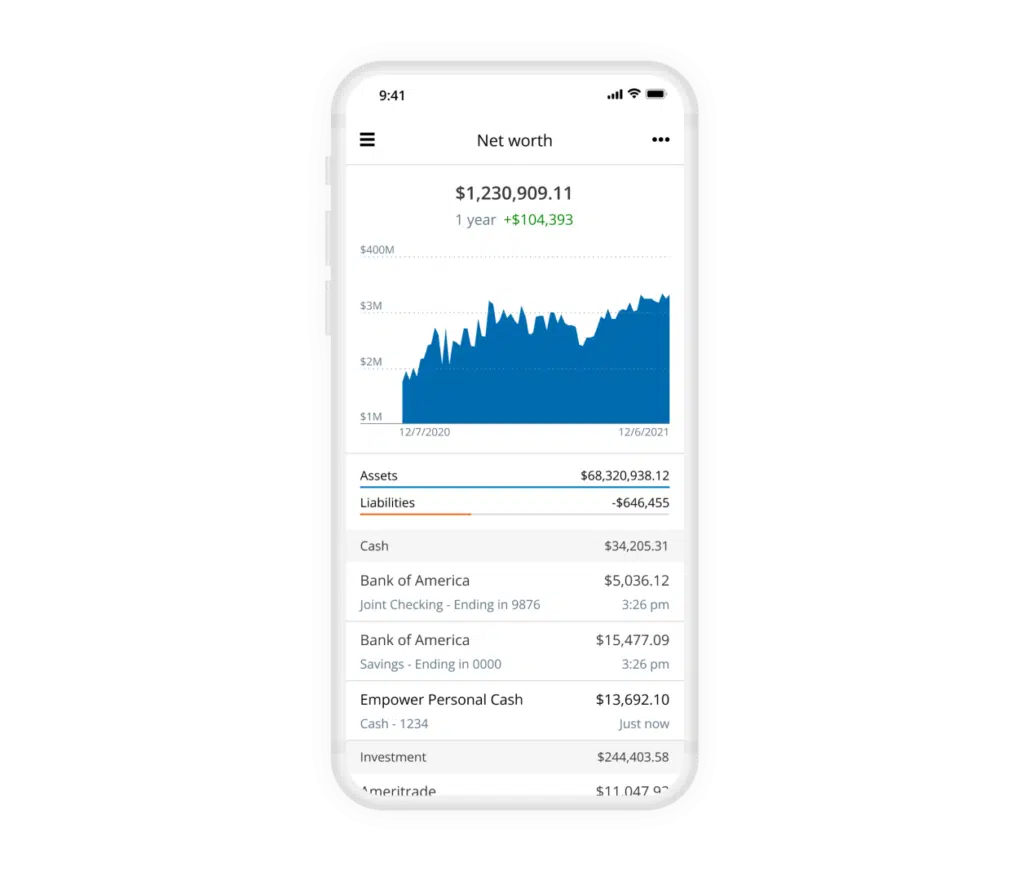
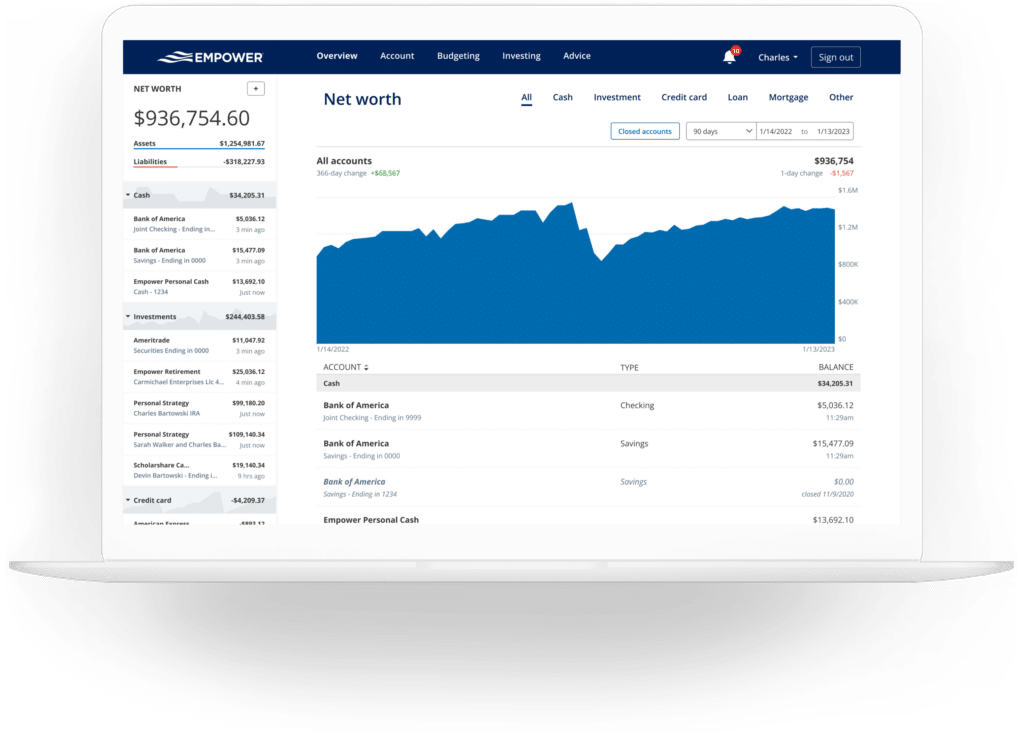
Tracking net worth remains a cornerstone of financial management. By automatically consolidating assets and liabilities from all linked institutions, Empower updates net worth dynamically without requiring manual spreadsheet maintenance.
Empower Banking and Cash Flow Management
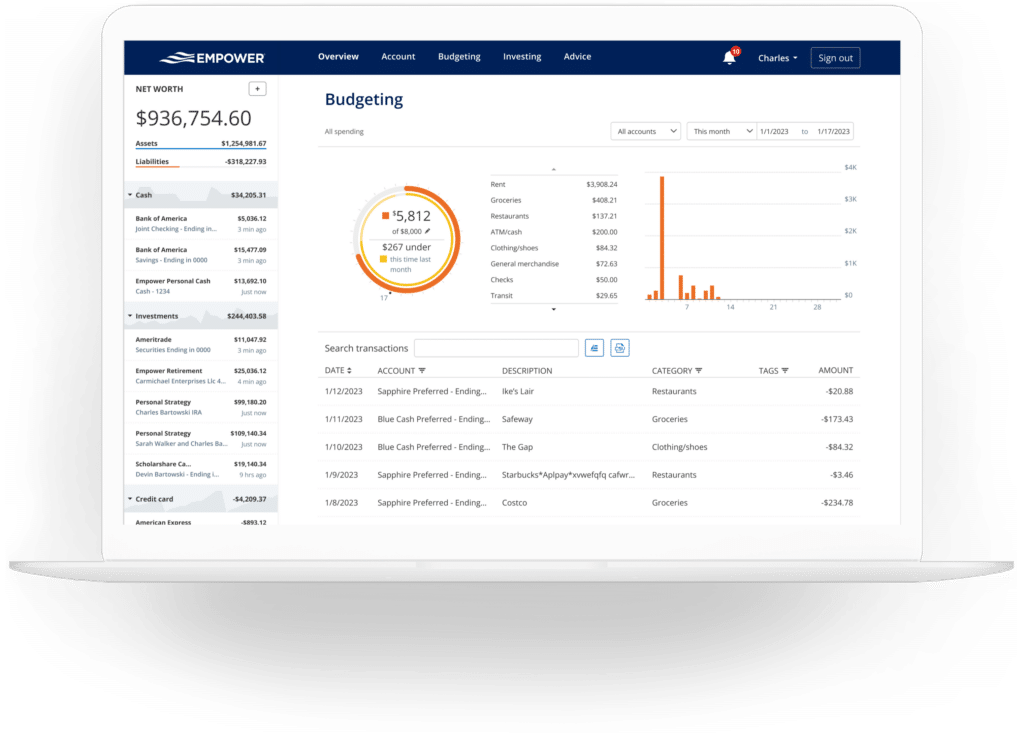
Beyond investments, the platform’s banking features offer deep visibility into cash flow and budgeting. The system operates at a granular, transaction-level scale, automatically categorizing expenses and allowing users to drill down into specific income and spending streams.
Account selection filters enable specialized reporting, such as isolating business checking and credit card accounts to review commercial overhead, or filtering specifically for investment accounts to calculate monthly dividends and interest earned.
While the budgeting feature is not structured like traditional envelope-style budgeting apps—meaning users cannot establish strict spending limits by individual category—it excels at providing clear visibility into historical spending habits. Empower imports transactions automatically and assigns default categories that users can customize. A typical user may spend a few minutes each month auditing and correcting transactions. Additionally, the platform supports transaction tagging, allowing users to track specific expenditures, such as pool maintenance within a broader home maintenance category, without creating redundant standalone budgets.
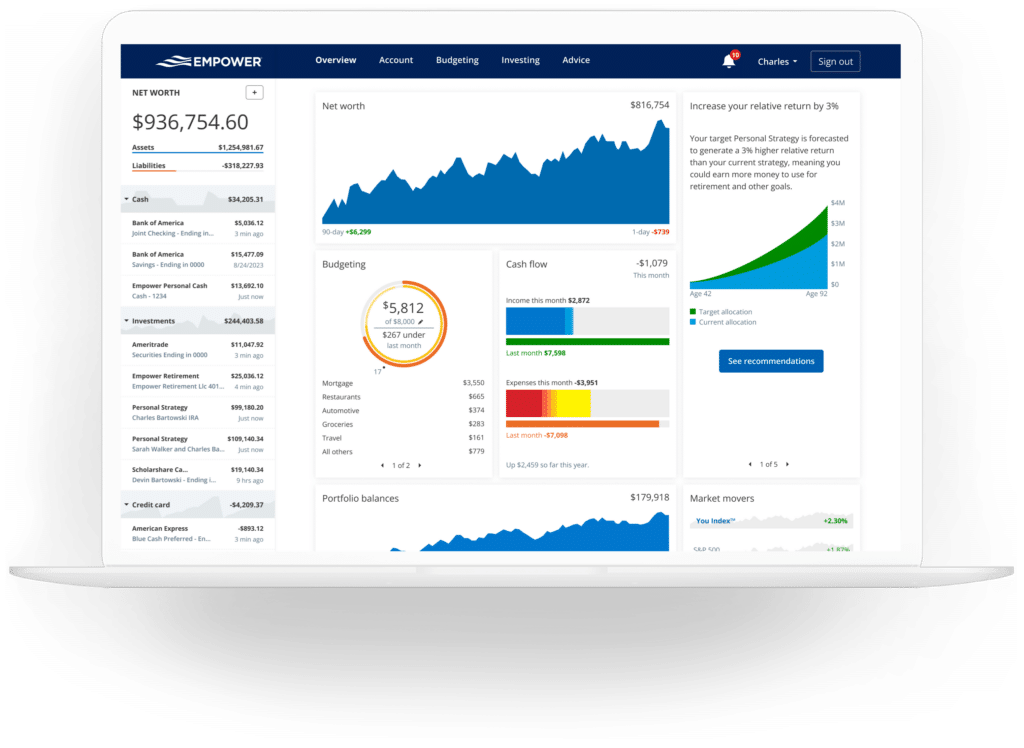
By integrating credit cards, mortgages, and other loans, the platform also tracks upcoming bill due dates to help users avoid late payments and manage monthly liquidity.
Investment Tracking and Portfolio Analysis
Investment monitoring represents Empower’s core strength. Once retirement and taxable brokerage accounts are connected, the software tracks asset prices throughout the trading day, monitors mutual fund expense ratios, displays asset allocations, and evaluates portfolio health.
The holdings overview details individual asset values, day-to-day performance, and historical returns. Furthermore, the platform evaluates asset allocations by automatically breaking down stock and bond holdings into domestic and international equities, fixed income, and alternative assets. An interactive graphical interface allows users to explore the specific investments comprising each asset class, even identifying cash holdings embedded within stock mutual funds or money market accounts.
In a significant update for digital asset investors, Empower now supports tracking for cryptocurrencies such as Bitcoin, Ethereum, and Litecoin. Rather than requiring users to surrender private wallet keys or exchange passwords, the platform allows investors to manually add crypto accounts by specifying the token symbol, exchange, and amount held, successfully tracking thousands of tokens across hundreds of platforms.
Planning Tools and Wealth Projection
While the dashboard visualizes current financial positions, Empower’s planning suite offers forward-looking analytical tools. The Retirement Planner utilizes connected investment data to model retirement readiness across multiple customizable scenarios. Users can simulate traditional versus early retirement dates, toggle Social Security benefit estimates, and adjust underlying assumptions regarding effective tax rates, future inflation, and life expectancy to compare outcomes side-by-side.
The Savings Planner integrates three distinct modules covering retirement savings, emergency fund accumulation, and debt paydown. The retirement savings planner tracks annual contributions across tax-advantaged accounts and taxable portfolios, synchronizing directly with the primary retirement calculator. The emergency fund module aggregates linked bank balances, recommending a safety net equivalent to three to six months of living expenses based on established budget figures. Meanwhile, the debt paydown planner monitors mortgages, car loans, and personal loans, alongside credit cards that carry revolving balances subject to interest charges.
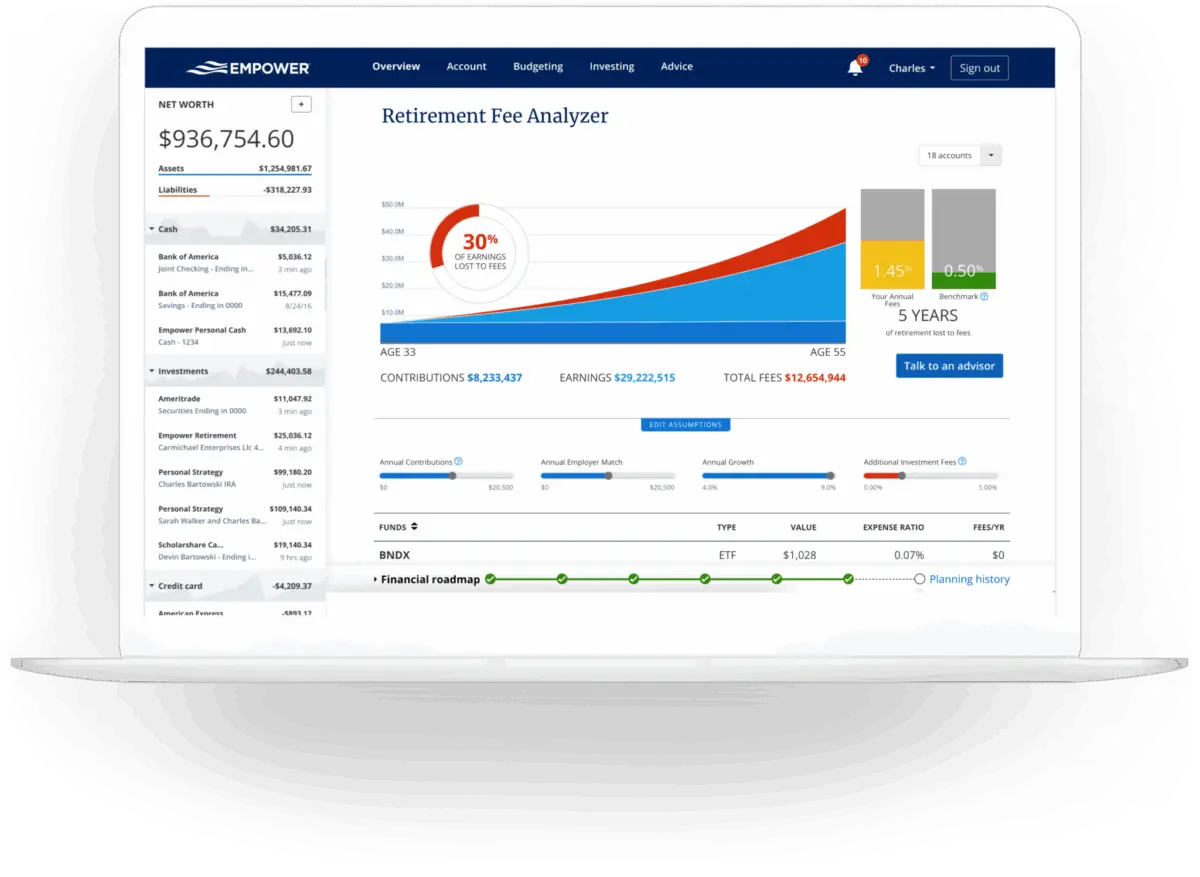
Perhaps one of the platform’s most impactful features is the Retirement Fee Analyzer. By calculating a weighted average expense ratio across all linked accounts, the tool exposes the long-term wealth erosion caused by seemingly small investment management fees. Even a low portfolio-wide expense ratio can equate to tens of thousands of dollars in cumulative costs over a multi-decade horizon, underscoring the platform’s value in identifying cost-efficient investment strategies.
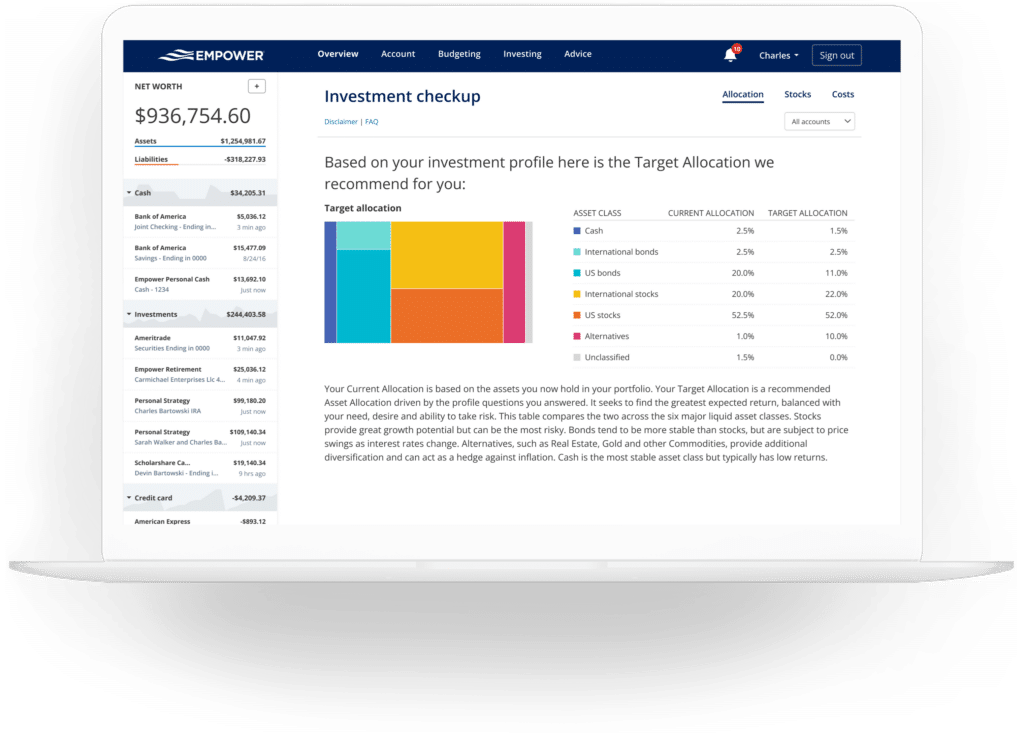
Finally, the Investment Checkup tool compares a user’s actual asset allocation against a model portfolio tailored to their age, timeline, and risk tolerance, providing historical performance projections and actionable rebalancing recommendations.
Frequently Asked Questions
Is Empower safe?
Empower employs AES-256 data encryption with multi-layer key management, including rotating user-specific keys and salts. Individual credentials are not accessible to company personnel, and device access requires multi-factor authentication via automated phone calls, emails, or text messages.
Is Empower really free?
Yes. The core financial dashboard and its associated planning tools are entirely free to use, though optional wealth management and investment advisory services carry separate fees.
Will Empower call me?
Because the financial dashboard serves as a marketing tool for the company’s paid advisory services, users may receive outreach calls from financial advisors. However, users who prefer not to be contacted can request to be removed from call lists.
Do I have to invest with Empower to use the dashboard?
No. Utilization of the free dashboard tools does not obligate users to engage Empower’s investment advisory services.
How much does Empower cost?
The financial software dashboard is free. For clients who choose to utilize the firm’s optional human investment advisory services, management fees start at 0.89% for the first $1 million under management and scale downward to 0.49% for balances exceeding $10 million.







No comments yet. Be the first to join the conversation!