
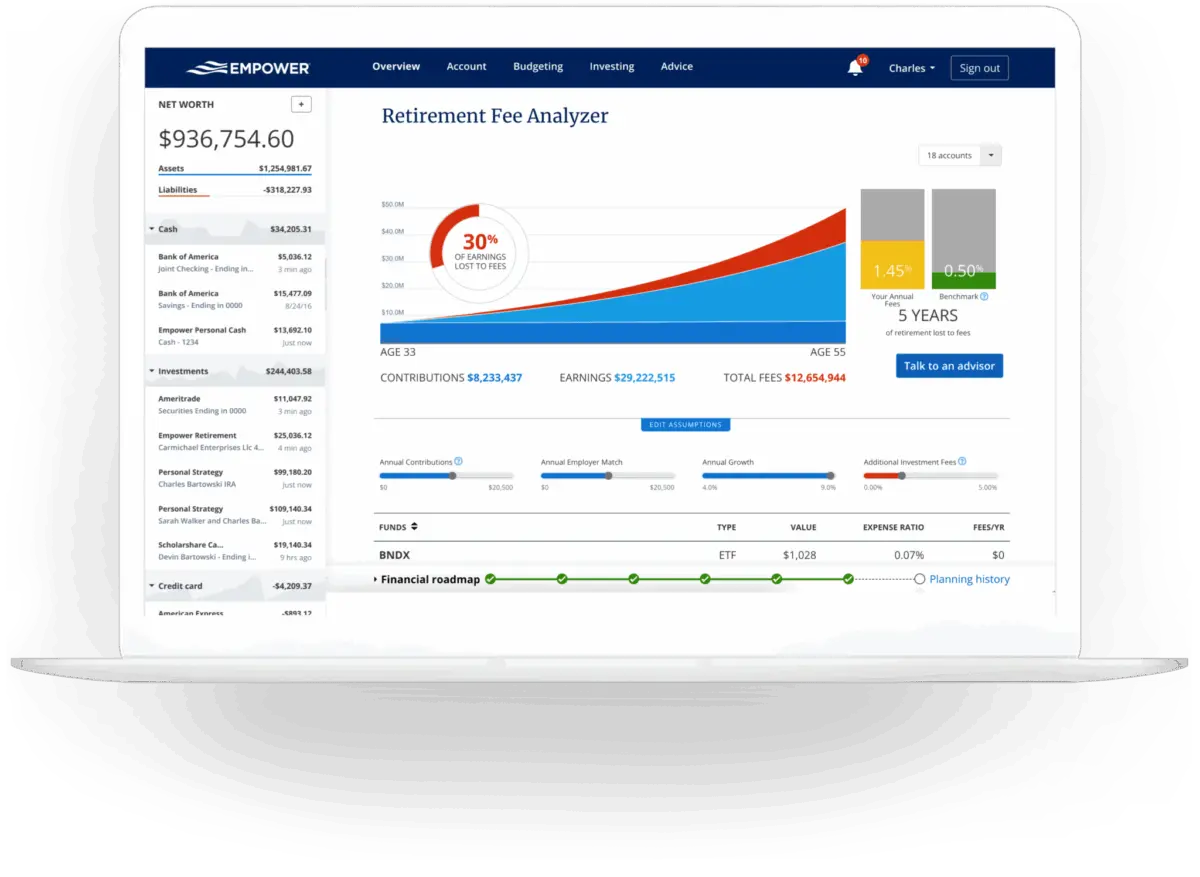
For years, millions of consumers have looked for a unified way to oversee their entire financial lives without juggling multiple apps and spreadsheets. Empower, formerly known as Personal Capital, has long stood out as a premier digital wealth-management platform designed to consolidate 100% of an individual’s finances onto a single, comprehensive dashboard. Available completely free of charge for its core digital tools, the platform automatically synchronizes a wide variety of accounts—ranging from daily checking and savings to credit cards, loans, mortgages, and complex investment portfolios such as 401(k)s and IRAs.
Quick Take on Empower
The platform delivers a complete, real-time snapshot of an individual’s net worth and overall financial health. By aggregating diverse financial accounts into one central hub, Empower offers robust cash flow tracking, net worth monitoring, advanced investment analysis, and comprehensive retirement planning. Its specialized investment tracking suite includes detailed asset allocation breakdowns, investment fee analyses, and thorough portfolio checkups. While the platform offers these digital tools entirely for free, its mobile applications maintain exceptionally strong user ratings, securing 4.8 out of 5 stars across hundreds of thousands of reviews on the Apple App Store, and 4 out of 5 stars on Google Play.
Getting Started and Linking Your Accounts
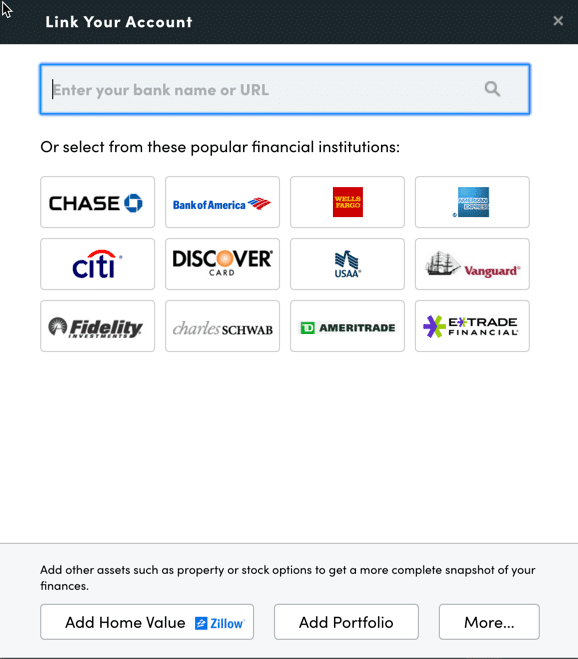
The onboarding process begins by signing up for a free account and subsequently connecting all relevant financial institutions. While Empower is widely recognized for its elite investment tracking and analysis capabilities, users frequently connect traditional bank accounts, credit cards, mortgages, and personal loans to gain a holistic view of their personal economy. Users can even link their primary residence, allowing Empower to automatically pull in up-to-date real estate valuations directly from Zillow.
Connecting accounts requires online access credentials, including usernames and passwords for each respective financial institution. Users simply search for the name of their bank or credit union within the account linking dialog box, which is accessible via the dashboard interface. For added flexibility, accounts can be searched by institution name or web URL, and any account that cannot be automatically linked can still be entered manually.
Establishing these connections is essential for unlocking the full suite of features. Without linking all external accounts, users miss out on automated net worth tracking, precise budgeting, cash flow monitoring, and integrated bill management. Although users must initially connect at least one account to activate the service, subsequent accounts can be added manually. However, failing to link investment and banking accounts diminishes the analytical depth of Empower’s proprietary tools.
Settings, Profile Security, and the Central Dashboard
Once accounts are successfully linked, configuring the settings and profile sections is a critical step for maximizing the platform’s utility. Accessible through the user profile menu, the settings area grants full control over email notifications, including daily or weekly digests covering income, spending, and investment performance. Users can also determine whether to factor investment income and dividends into their overall cash flow calculations and manage account exclusions for financial advisory recommendations.
Security features are heavily emphasized within the settings menu. Users are strongly encouraged to configure multi-factor authentication and enable immediate login alerts for access attempts originating from foreign countries. Additionally, the platform maintains a transparent log of all authorized devices, displaying the date and time of the last sign-on, allowing users to routinely purge outdated or unused devices from their security profile.
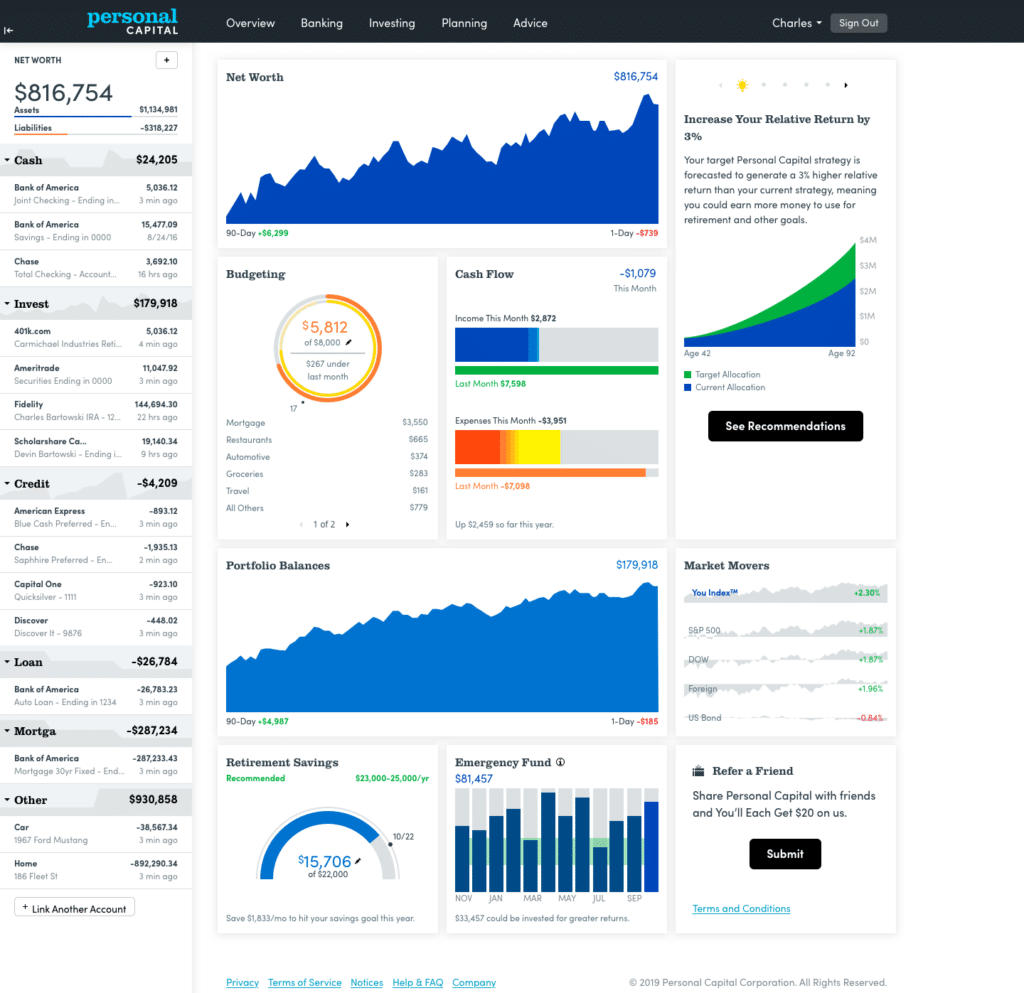
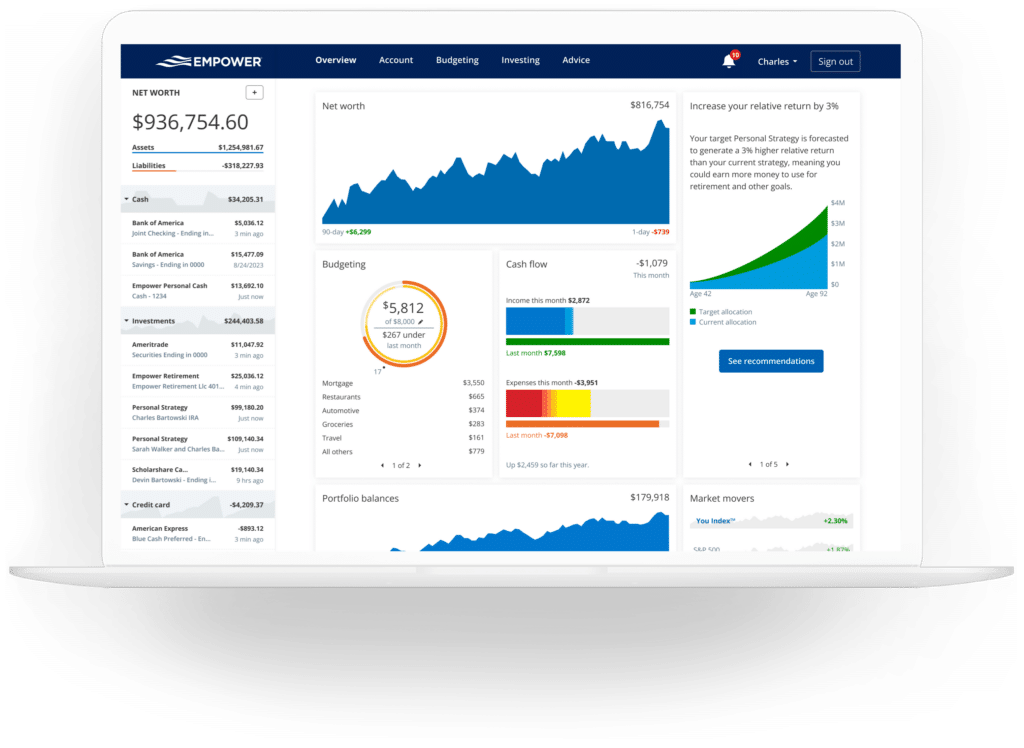
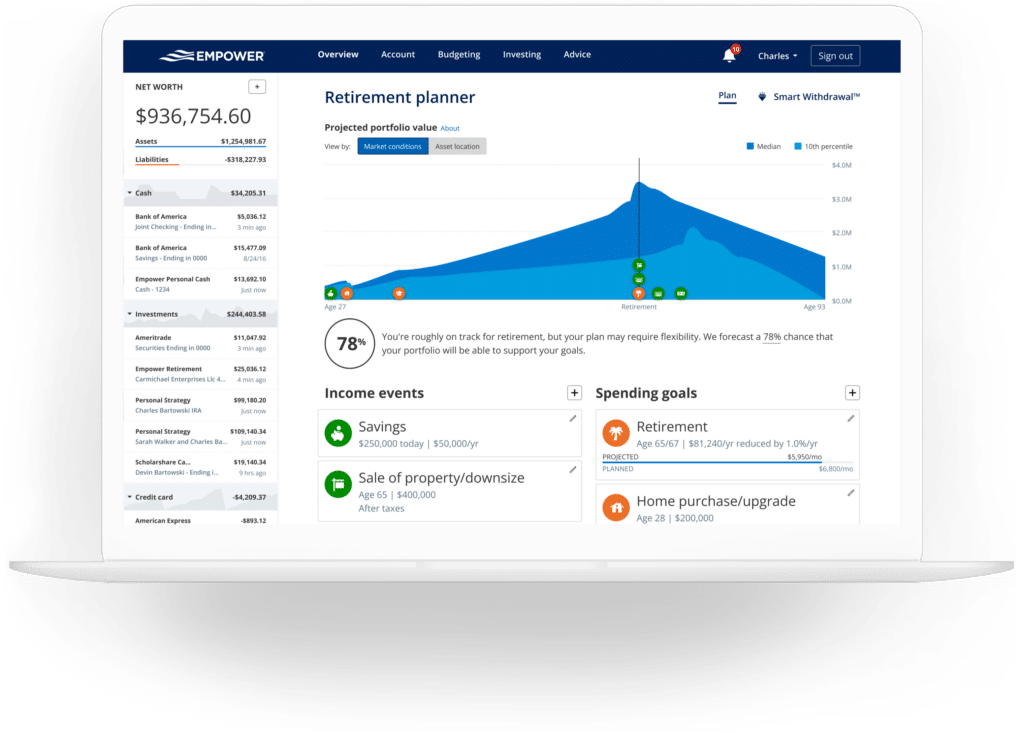
The user profile section houses essential demographic and financial data—such as income sources, savings rates, and long-term investment objectives for both individuals and spouses. This data feeds directly into Empower’s sophisticated planning calculators, including its widely utilized retirement planner. Once all parameters are established, the central dashboard aggregates the incoming data into a cohesive visual overview, displaying net worth progression, monthly budgets, cash flow trends, and ongoing progress toward emergency savings and retirement milestones.
Tracking Net Worth and Empower Banking Features
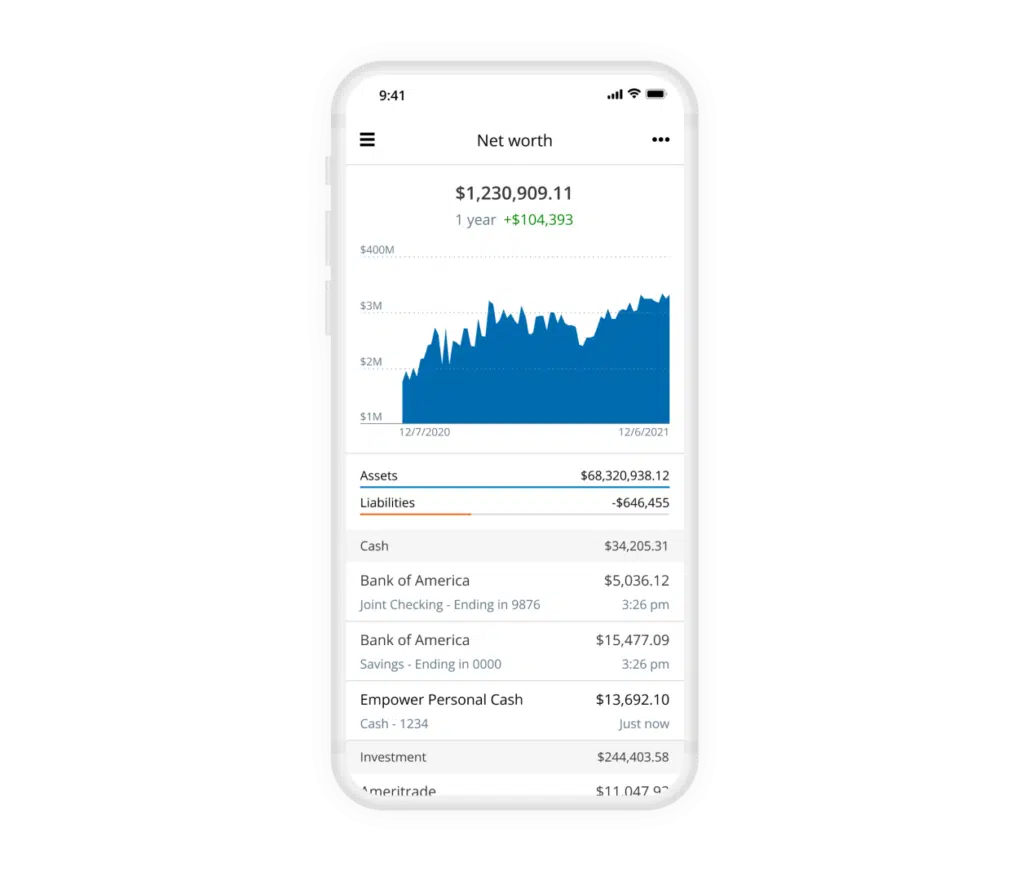
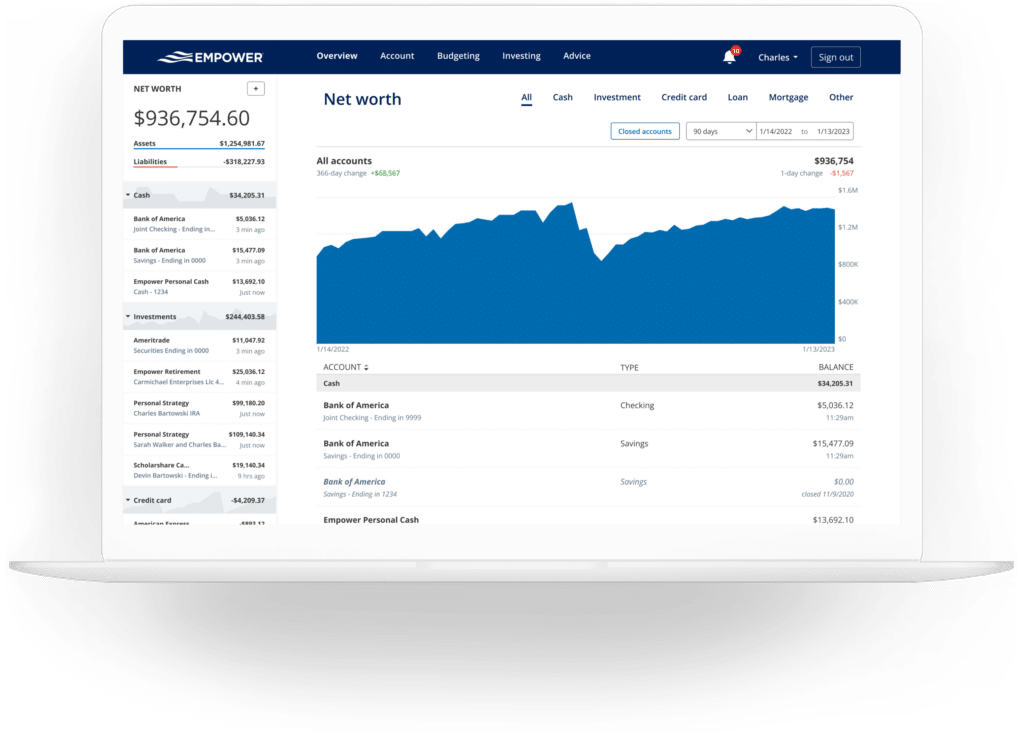
Tracking net worth remains a cornerstone of financial independence, and Empower automates this process entirely once all assets and liabilities are linked. The dedicated net worth screen provides a continuous, graphical representation of financial growth over time, replacing or supplementing traditional manual spreadsheets with real-time updates.
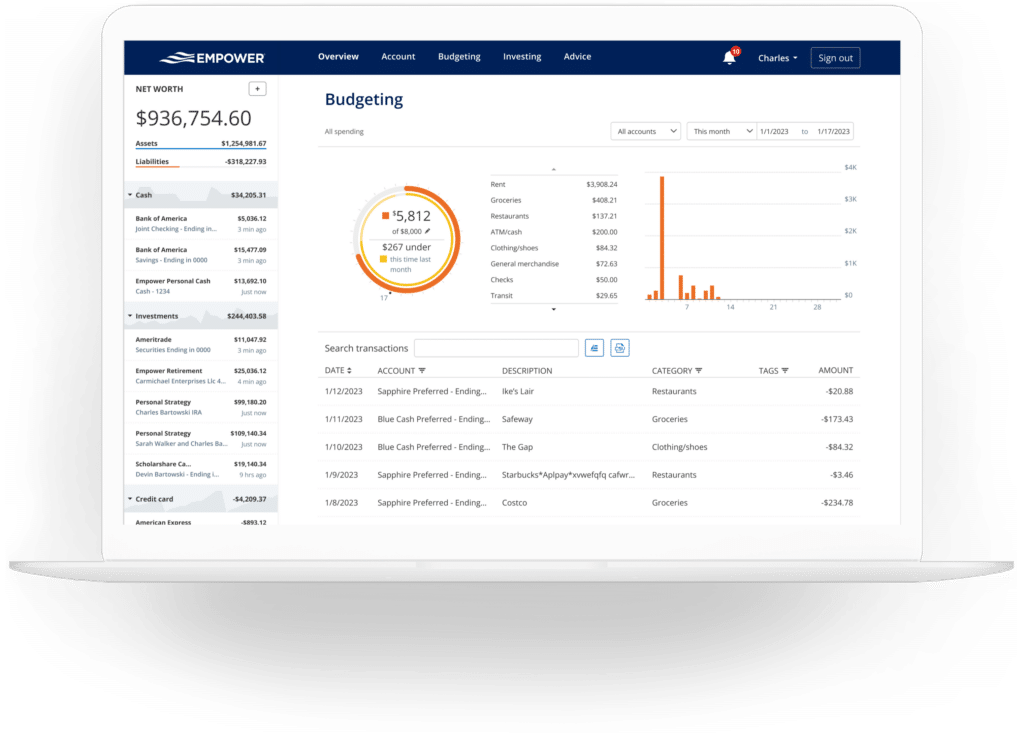
Beyond high-level net worth tracking, the platform includes robust banking and cash flow features that monitor income and expenses at a granular, transaction level. Expenses are automatically categorized upon import, and users retain the ability to drill down into specific details or filter reports by individual accounts. This account-filtering capability is particularly useful for separating business expenses from personal spending or isolating investment income, such as monthly dividend and interest payouts.
While the budgeting component does not function like traditional envelope-style budgeting apps that enforce strict category-specific spending caps, it excels at providing transparent visibility into monthly spending habits. Empower automatically categorizes transactions imported from linked accounts, and users can make quick adjustments or apply custom tags to specific expenditures—such as tagging individual home maintenance costs—to monitor particular expenses without creating entirely new budget categories. Furthermore, by linking credit cards, mortgages, and loans, the platform tracks upcoming bill due dates, helping users avoid late payments and plan their monthly cash flow more effectively.
Advanced Investment Tracking and Cryptocurrency Support
Investing is the arena where Empower traditionally commands the most attention. Once retirement and taxable brokerage accounts are connected, the platform automatically monitors investments, updates asset prices throughout the trading day, and evaluates mutual fund expenses.
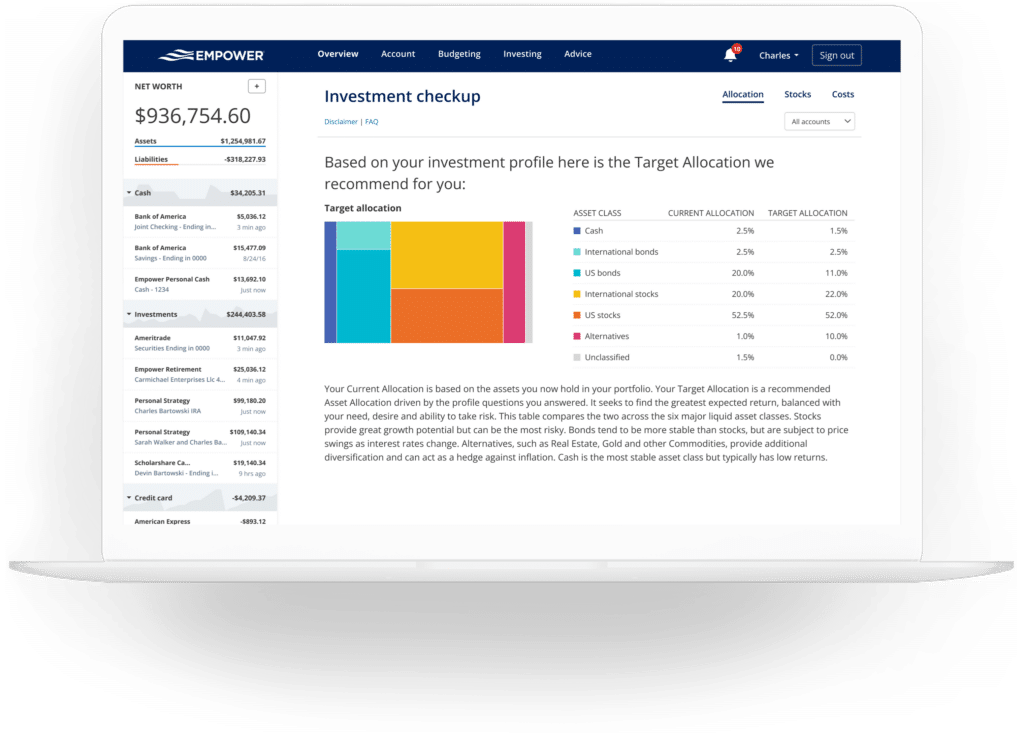
The holdings overview provides detailed metrics for every individual investment, while the asset allocation tool evaluates portfolios to determine the precise balance between stocks, bonds, and alternative assets. It further divides equities and fixed income into U.S. and international categories, offering an interactive graphical breakdown. Notably, the cash allocation tool accounts not only for explicit money market balances but also detects uninvested cash held within mutual funds.
Addressing the growing demand for digital asset visibility, Empower allows investors to track major cryptocurrencies—including Bitcoin, Ethereum, and Litecoin—without requiring direct access or password sharing for private crypto wallets. Users can add manual accounts by specifying the token symbol, exchange, and total amount owned, enabling the platform to monitor thousands of digital tokens across hundreds of exchanges alongside traditional financial assets.
Comprehensive Financial Planning Tools
The platform extends far beyond basic account aggregation by incorporating sophisticated planning tools designed to evaluate long-term financial readiness. The retirement planner utilizes data from all linked investment accounts to project future financial security under various economic conditions. Users can construct multiple parallel scenarios—such as comparing traditional retirement against early retirement, or testing the inclusion versus exclusion of projected Social Security benefits—and adjust variables like inflation, tax rates, and life expectancy to compare outcomes side-by-side.
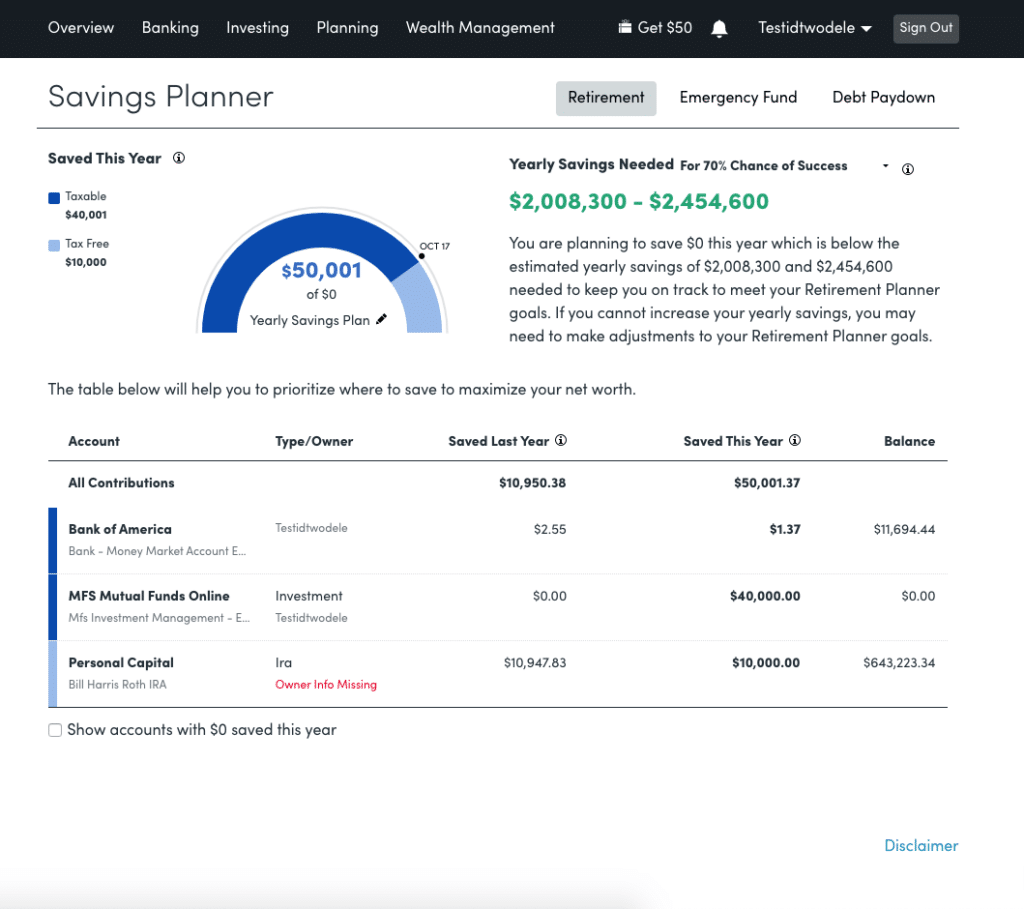
The savings planner consolidates three distinct tracking mechanisms into a single interface: retirement savings, emergency fund reserves, and debt paydown milestones. The retirement savings planner monitors annual contributions across all tax-advantaged and taxable accounts, synchronizing automatically with the primary retirement projection model. The emergency fund planner evaluates total liquid bank balances against a recommended reserve threshold of three to six months’ worth of budgeted expenses. Meanwhile, the debt paydown planner tracks loans, mortgages, and interest-bearing credit card balances, displaying current figures, year-to-date balance changes, and annual percentage rates.
Perhaps most notably, the retirement fee analyzer calculates a weighted average expense ratio across all linked investment portfolios, translating seemingly minor percentages into concrete financial figures over time. By demonstrating how incremental advisory or fund fees can accumulate into substantial wealth reductions over decades, the fee analyzer underscores the long-term impact of portfolio costs. Similarly, the investment fee checkup compares a user’s actual asset allocation against a model portfolio recommended based on age, risk tolerance, and time horizon, providing actionable guidance for portfolio rebalancing.
Frequently Asked Questions
Security remains a primary consideration for users linking multiple financial institutions to a single digital dashboard. Empower employs AES-256 encryption supported by multi-layer key management, which includes rotating user-specific keys and salts to protect sensitive data. Internal protocols ensure that no individual employee has direct access to user login credentials, and device authentication protocols require identity verification via phone, email, or text message whenever a new device attempts access.
While the comprehensive financial dashboard and its extensive suite of planning tools are provided entirely free of charge, Empower utilizes its consumer-facing software as part of a broader wealth management advisory business. Users who utilize the free dashboard may receive outreach from financial advisors offering professional investment management services. However, these advisory services are entirely optional, and users are not required to invest capital with the firm to maintain access to the free digital tools. For those who choose to engage professional management, fee structures start at 0.89% for the first $1 million under management and scale downward to 0.49% for portfolios exceeding $10 million.







No comments yet. Be the first to join the conversation!