
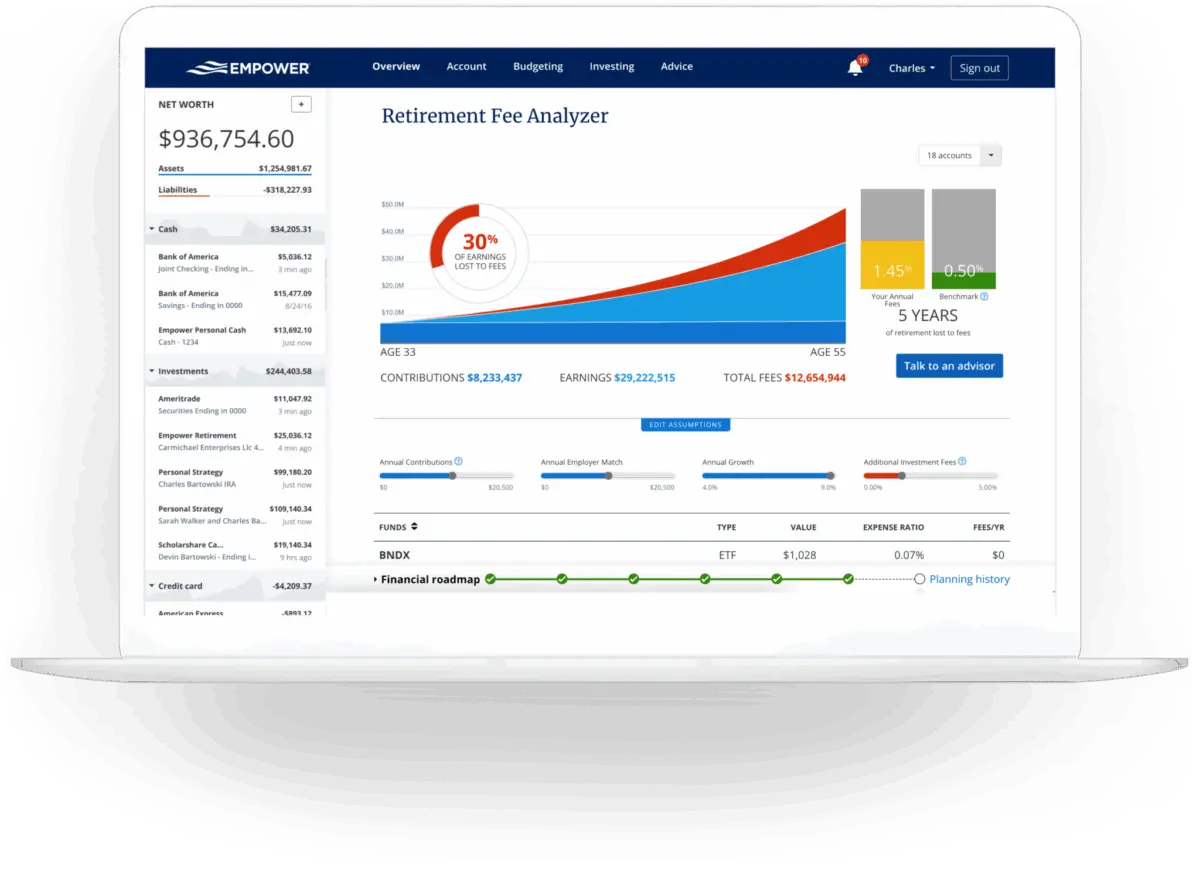
For years, many investors relied on a comprehensive digital platform known as Personal Capital to oversee their personal finances. Following its rebrand, the tool now operates under the name Empower, continuing to serve as a robust financial dashboard that enables users to manage 100% of their finances from a single screen. Designed to aggregate checking, savings, credit card, loan, investment, and mortgage accounts, the software provides a real-time snapshot of overall financial health and net worth.
Available completely free of charge for its core software features, Empower has garnered widespread user acclaim, maintaining high ratings across digital marketplaces with a 4.8 out of 5-star rating based on hundreds of thousands of reviews on the Apple App Store, and a 4 out of 5-star rating on Google Play.
Getting Started with Empower and Linking Accounts
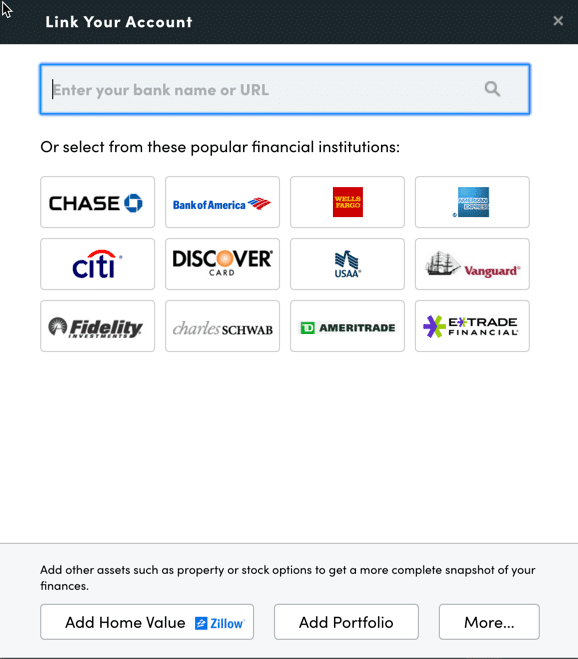
The initial step in utilizing the platform involves signing up for a free user account and subsequently connecting all relevant financial institutions. While the service is widely recognized for its advanced investment tracking and analysis capabilities, users routinely link a broad array of accounts, including traditional bank deposits, credit cards, loans, mortgages, and even primary real estate holdings. When connecting residential property, the platform integrates data directly from Zillow to estimate and update real-time property values.
Linking accounts requires the user to input their online credentials for each respective financial institution. By accessing the "Link Your Account" dialog box through the dashboard’s primary navigation, users can search for institutions by name or website URL. For rare instances where an institution cannot be automatically synchronized, the platform allows individuals to enter account details manually.
Establishing these connections is essential for unlocking the full suite of platform features, which extend well beyond simple investment monitoring to encompass comprehensive net worth tracking, budgeting, cash flow analysis, and bill management. While users must link at least one account to initiate the dashboard, subsequent accounts can be added manually. However, failing to link all major investment and banking accounts diminishes the depth of analytical insights the software can provide.
Once accounts are connected, configuring the settings and profile sections is critical. Accessed through the user profile menu, the settings area grants control over automated email subscriptions—providing daily or weekly summaries of income, spending, and investment activity—as well as preferences regarding the inclusion of investment income and dividends within cash flow reports. Security configurations housed within this menu include multi-factor authentication and login alerts triggered by access attempts from foreign jurisdictions. Additionally, the security portal displays a registry of authorized devices and last-sign-on timestamps, allowing users to remove obsolete hardware.
The profile section collects essential demographic and financial data for the user and their spouse, including income sources, savings rates, and long-term investment objectives. These parameters feed directly into the platform’s advanced planning utilities, such as the complimentary retirement calculator.
Dashboard Overview and Net Worth Tracking
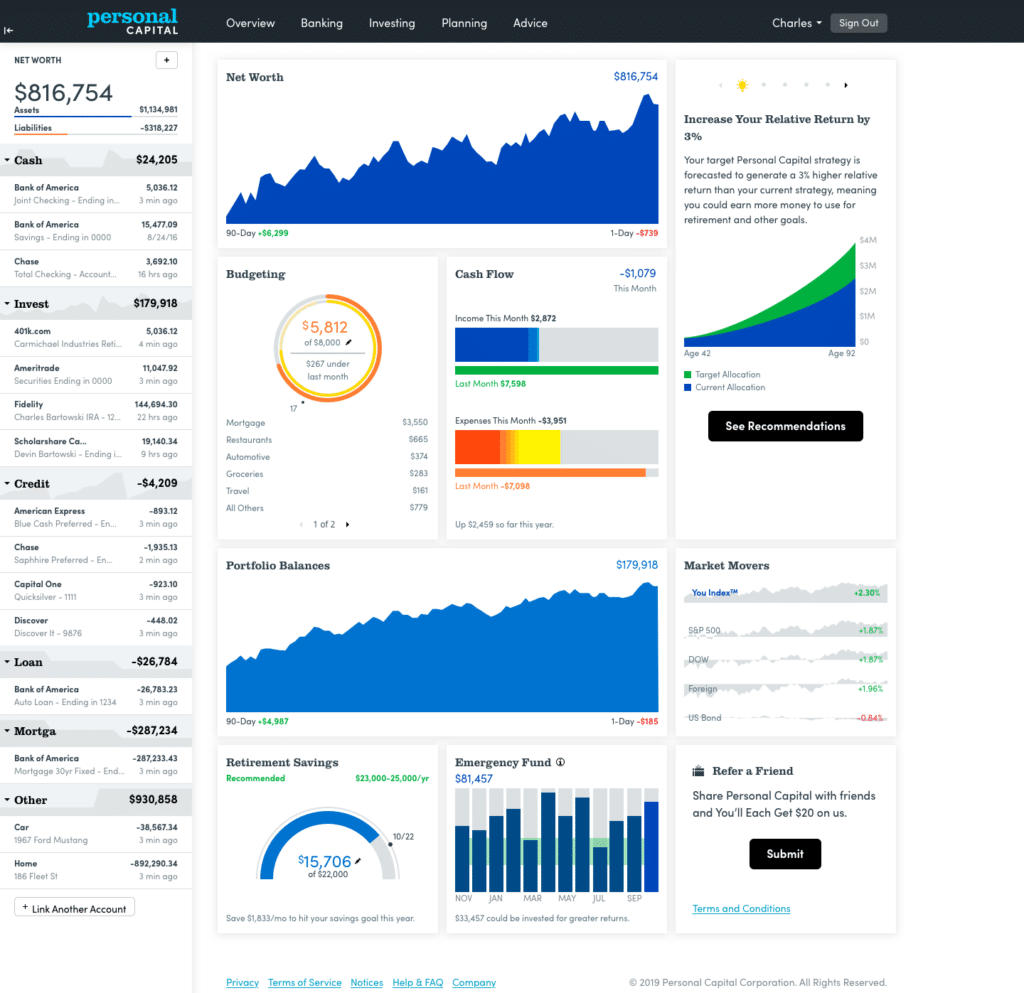
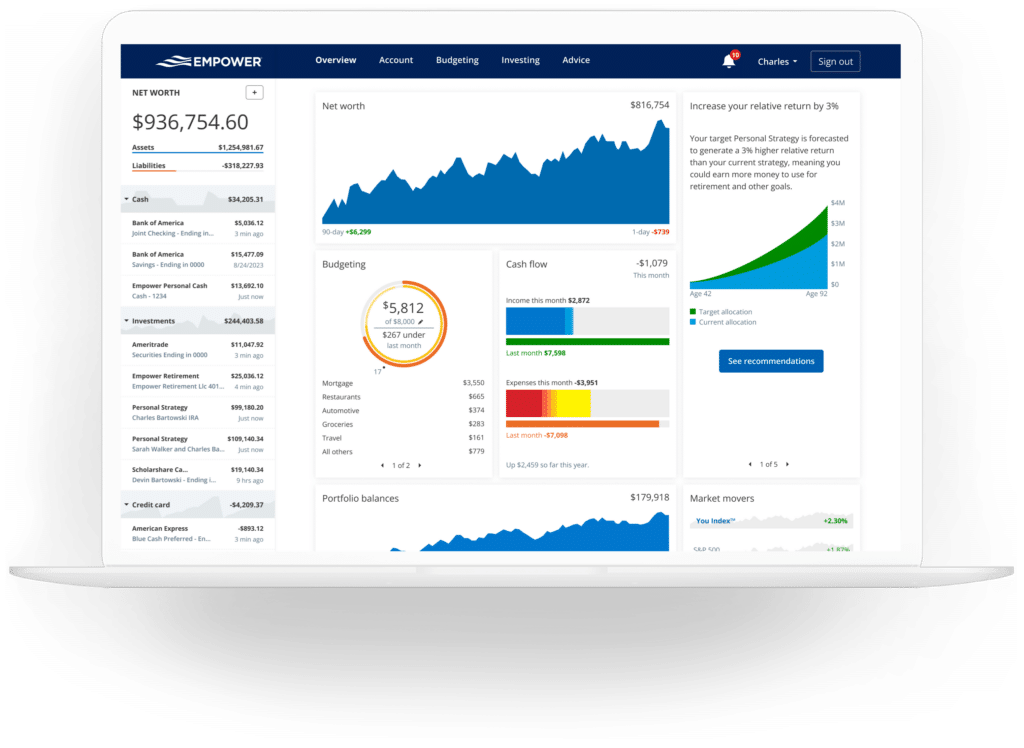
Aggregating all linked accounts into a centralized display, the Empower dashboard delivers an immediate visual overview of an individual’s complete financial standing. The interface highlights net worth, monthly budgetary status, cash flow trends, investment performance, and progress toward long-term milestones like retirement readiness and emergency fund accumulation.
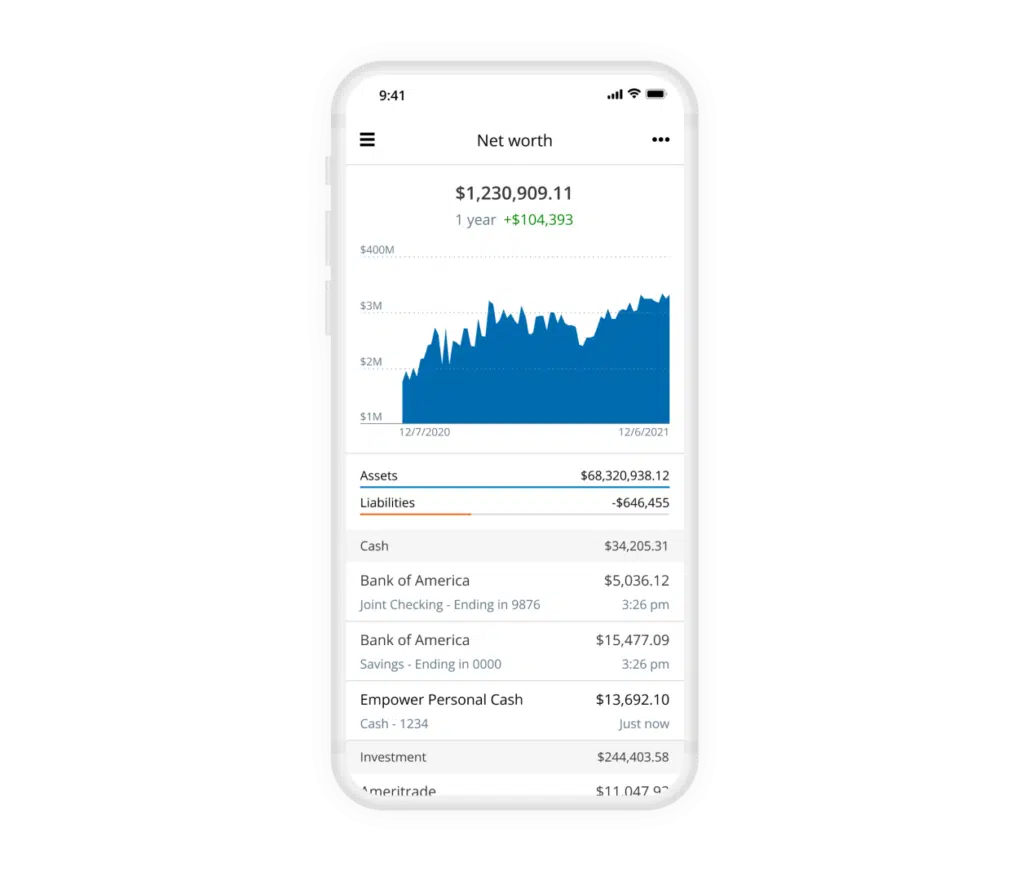
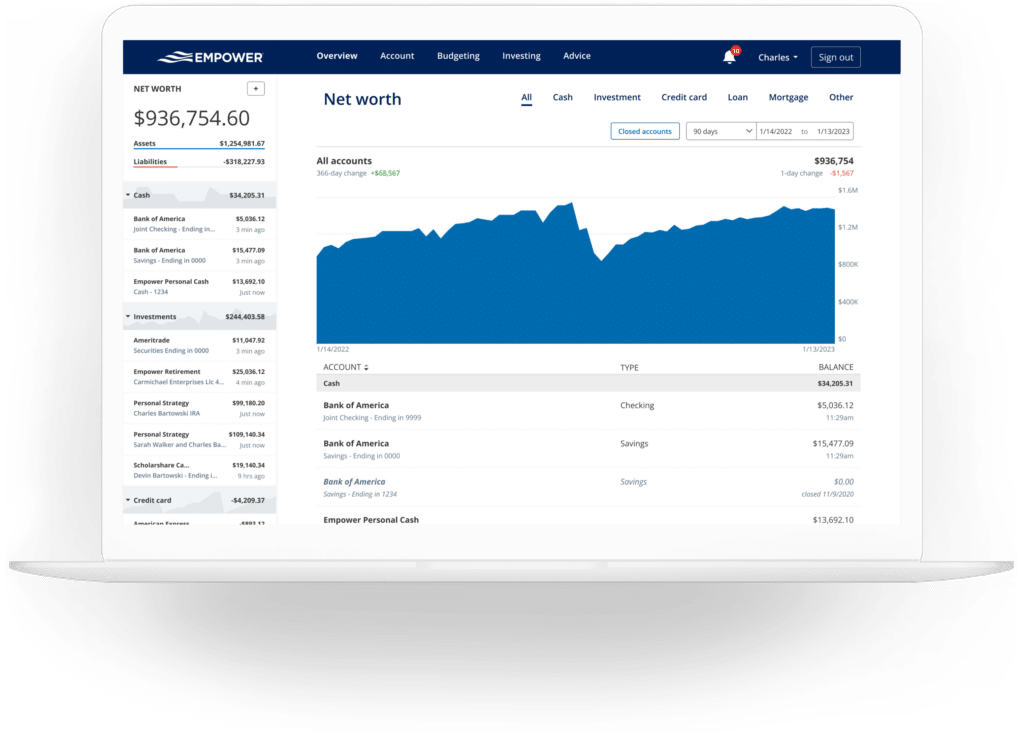
Financial freedom relies heavily on monitoring net worth over time. While manual spreadsheet tracking remains a popular method for many experienced investors, Empower automates this process entirely once financial accounts are successfully linked. The dedicated net worth screen charts historical progress, separating total assets from total liabilities to present a clear trajectory of financial growth.
Banking, Cash Flow, and Budgeting Features
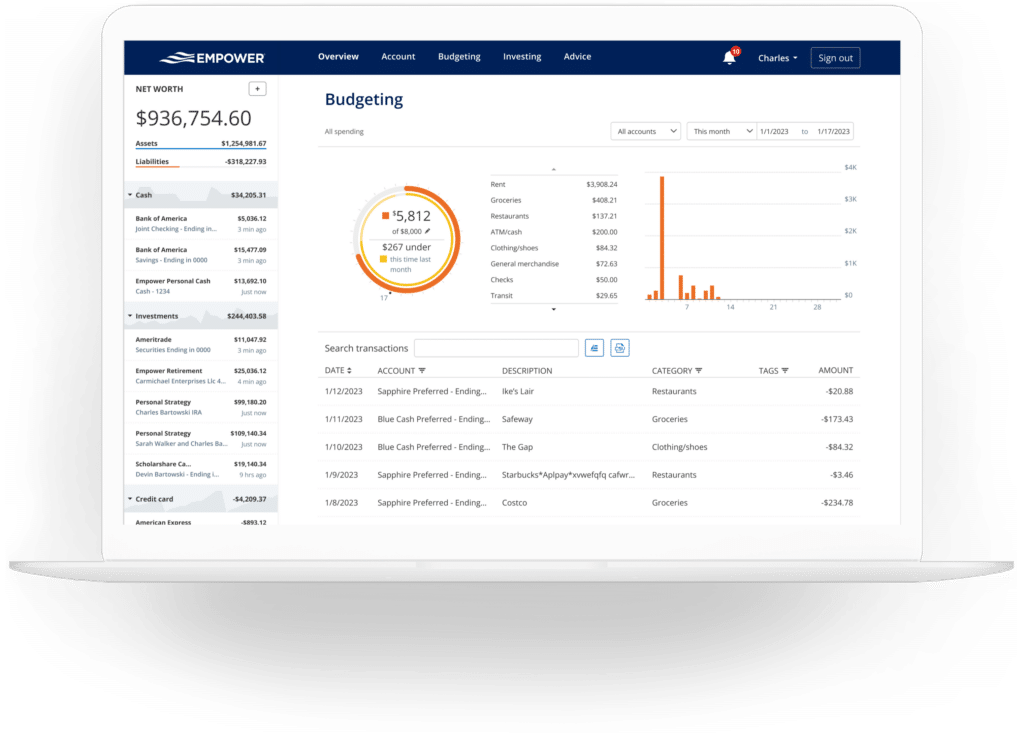
Beyond investment analysis, the platform offers practical banking features centered around cash flow and budgeting tools. The cash flow module details income and expenses at the individual transaction level, automatically sorting expenditures into standardized categories. Users can filter reports by specific accounts to isolate distinct financial activities, such as reviewing business checking and credit card transactions separately from personal expenditures, or isolating portfolio-generated interest and dividend income.
The budgeting functionality functions differently from traditional standalone budgeting applications. Rather than establishing rigid spending caps for individual categories, Empower focuses on setting an overarching monthly spending goal while delivering robust visibility into where money is being spent. The software automatically imports and categorizes transactions from all linked accounts, requiring only minimal monthly maintenance—typically a few minutes—to review and adjust category assignments.
Furthermore, users can apply custom tags to specific transactions to track targeted expenses without creating entirely separate budgetary categories. For example, recurring maintenance expenses for a residential property can be tagged individually to aggregate costs over time. The platform also incorporates a bill-tracking feature that monitors payment due dates across connected credit cards, mortgages, and loans, assisting users in avoiding missed payments and planning monthly cash flow obligations.
Investment Tracking and Cryptocurrency Integration
Investment management represents one of the platform’s strongest capabilities. Upon connecting retirement and taxable brokerage accounts, the software tracks asset values automatically, refreshing prices throughout active trading days while monitoring mutual fund expense ratios and evaluating overall asset allocation.
The holdings view provides a granular breakdown of individual investments, detailing market values, cost bases, daily gains and losses, and overall performance metrics across historical market cycles, including volatile periods like bear markets. Simultaneously, the asset allocation tool evaluates equity and fixed-income weightings, dividing holdings further into domestic and international classifications, alternative investments, and cash reserves—even identifying uninvested cash held within mutual fund portfolios.
Addressing the growing prominence of digital assets, the platform allows investors to track cryptocurrencies such as Bitcoin, Ethereum, and Litecoin. Crucially, investors are not required to link private wallets or surrender sensitive passwords. Instead, users can establish manual tracking accounts by specifying the token symbol, exchange, and quantity owned, enabling the software to monitor assets across numerous exchanges and tokens.
Advanced Planning Tools: Retirement, Savings, and Fees
While the dashboard provides structural visibility into current accounts, the integrated planning utilities elevate the software’s analytical value. The retirement planner utilizes data from linked investment accounts to evaluate retirement readiness under various financial assumptions. Users can construct multiple comparative scenarios—contrasting traditional retirement timelines with early retirement goals, incorporating or omitting projected Social Security benefits, and adjusting variables like effective tax rates, projected inflation, and life expectancy.
The savings planner consolidates three distinct financial objectives into a unified view: retirement savings, emergency fund accumulation, and debt reduction. The retirement savings planner monitors annual contributions across tax-advantaged accounts like 401(k)s and IRAs alongside taxable brokerage accounts, synchronizing directly with the primary retirement calculator. The emergency fund planner aggregates balances across connected deposit accounts and recommends maintaining three to six months’ worth of living expenses based on established budgetary figures. Meanwhile, the debt paydown planner tracks installment loans, mortgages, and credit cards that carry rolling balances, displaying current balances, year-to-date changes, and applicable annual percentage rates.
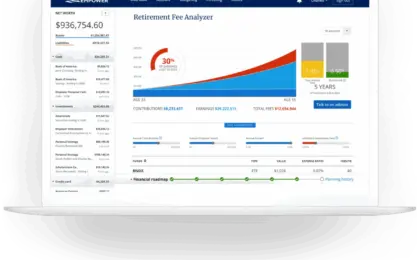
One of the platform’s most notable analytical components is the retirement fee analyzer. Because investment fees compound over decades and can erode hundreds of thousands of dollars in long-term wealth, the tool calculates a weighted average expense ratio across all linked portfolios. By illustrating the projected long-term financial impact of even modest expense ratios, the analyzer underscores the critical importance of minimizing investment costs.
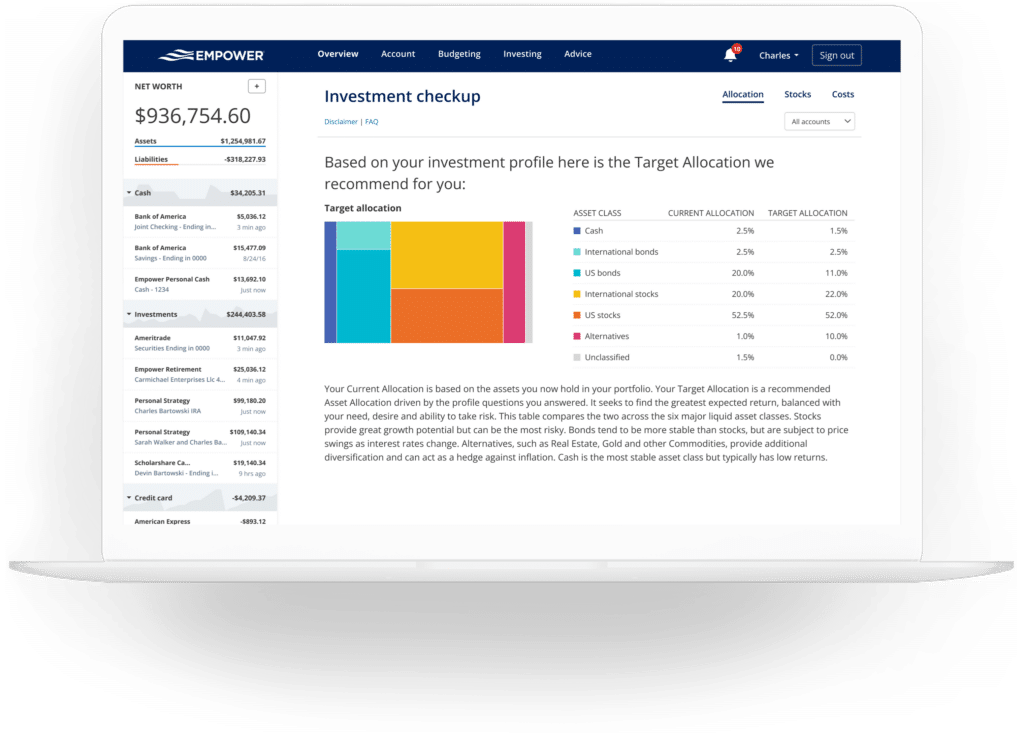
Complementing the fee analysis, the investment checkup evaluates existing asset allocations against recommended targets determined by the user’s age, time horizon, and risk tolerance. The tool models historical performance, risk-return profiles, and future projections for both the user’s actual portfolio and the recommended model, supplying explicit guidance on which asset classes require rebalancing.
Frequently Asked Questions
Is Empower safe?
Yes. The platform utilizes AES-256 encryption supported by multi-layer key management, which includes rotating user-specific keys and salts. Individual employees do not have access to user credentials. Additionally, device authentication protocols require users to confirm their identity via automated phone calls, emails, or text messages when accessing accounts from unrecognized devices.
Is Empower really free?
The core financial tools and dashboard software are completely free to use. Fees apply only if a user elects to utilize the company’s optional, premium investment advisory services.
Will Empower call me?
Because the financial dashboard serves in part as a marketing vehicle for the firm’s wealth management services, users may receive outreach calls from financial advisors. Individuals who prefer not to be contacted can request that representatives cease communication, and support staff routinely honor those preferences.
Do I have to invest with Empower to use the dashboard?
No, utilization of the dashboard and planning tools does not require enrolling in any paid investment advisory services.
How much does Empower cost?
The digital software and financial dashboard carry no subscription fees. For individuals who choose to engage the firm’s professional investment advisory services, management fees begin at 0.89% for the first $1 million under management and scale downward to 0.49% for portfolios exceeding $10 million.







No comments yet. Be the first to join the conversation!