
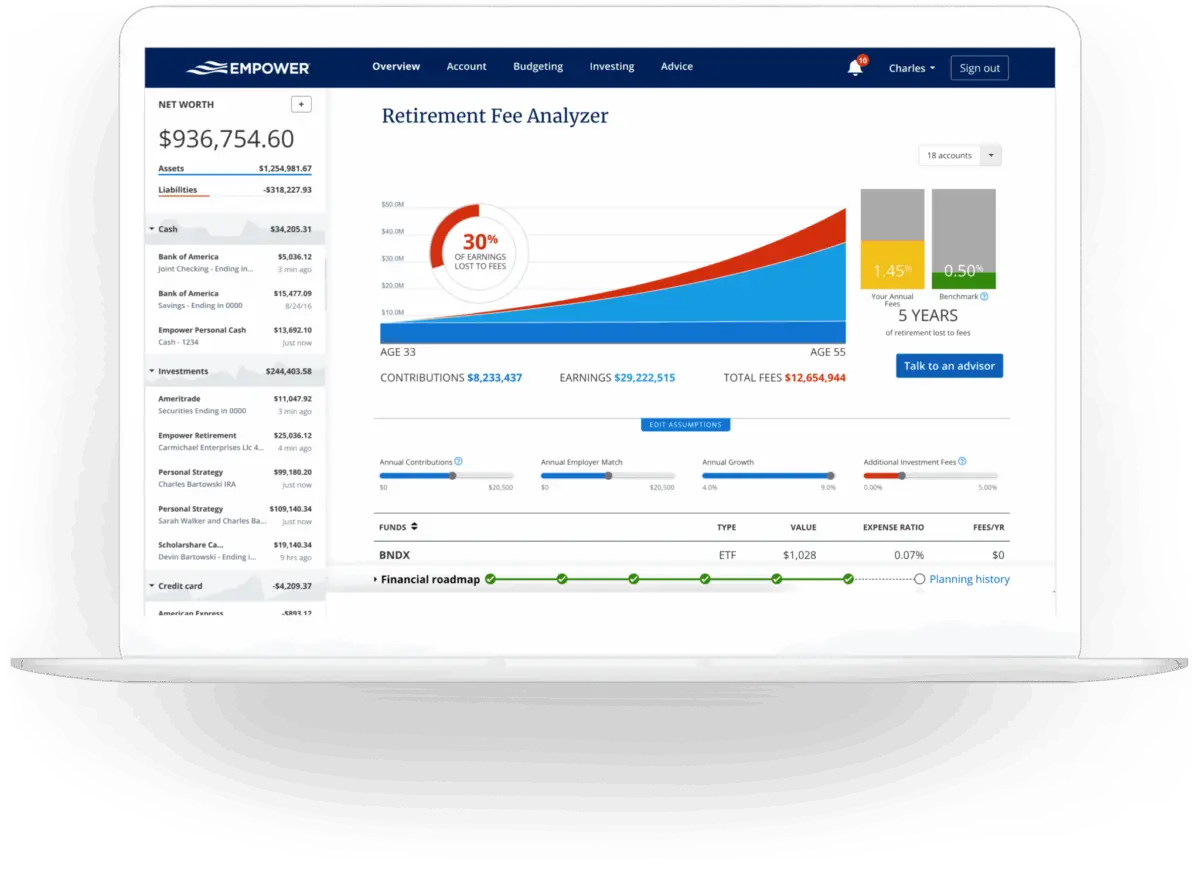
Managing personal finances often feels like a fragmented chore. Between checking accounts, credit cards, mortgages, car loans, and various retirement vehicles scattered across multiple institutions, getting a comprehensive look at one’s financial standing can be challenging. Empower, formerly known as Personal Capital, offers a centralized solution to this widespread problem by allowing users to manage 100% of their finances from a single, cohesive dashboard. Having spent years using the application, long-time users and financial observers note that it remains one of the most robust digital tools available for tracking wealth, analyzing portfolios, and planning for the future—all without charging a fee for its core financial dashboard.
Quick Take
Empower delivers a complete view of an individual’s financial life in one place. The platform automatically synchronizes checking accounts, savings accounts, credit cards, loans, investment portfolios including 401(k)s and IRAs, and even mortgage accounts. By pulling this data together, it provides a real-time snapshot of net worth and overall financial health.
The software offers comprehensive cash flow and net worth tracking, investment monitoring, and retirement planning capabilities. Its investment tracking suite is particularly detailed, featuring asset allocation breakdowns, investment fee analyses, and holistic investment checkups. Notably, the financial dashboard and its core analytical tools are entirely free to use, making advanced wealth-management technology accessible to everyday consumers without requiring them to pay for expensive proprietary software or financial advisory services.
Getting Started with Empower
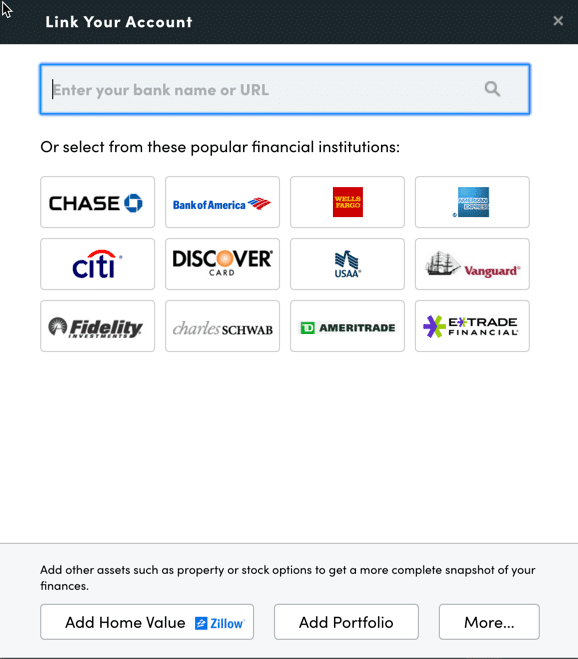
The process begins by signing up for a free account on the platform. Once registered, users must connect their various financial accounts to populate the dashboard. While Empower has earned its reputation primarily through its advanced investment tracking and analysis tools, users typically benefit most by connecting every corner of their financial lives, including bank accounts, credit cards, loans, mortgages, and even residential real estate. For physical property, users can add their home address, and the platform automatically pulls in current property valuations directly from Zillow to keep net worth figures accurate.
Linking Your Accounts
Users can link virtually any financial account that offers online access, requiring only the standard username and password for each institution. To connect an account, individuals search for the name of their financial institution or its website URL within the linking dialog box on the Empower dashboard. In the rare event that a specific financial institution cannot be linked automatically, the platform allows users to enter the account details manually.
Connecting multiple accounts is essential because Empower functions as much more than a simple investment tracker. By centralizing checking, savings, and debt accounts alongside retirement portfolios, the platform enables users to monitor their net worth, monthly budget, cash flow, and incoming bills from a single interface. While users must connect at least one initial account to get started, subsequent accounts can be added or entered manually at any time. However, failing to link all major investment and banking accounts diminishes the accuracy and depth of the platform’s advanced analytical features.
Settings and Profile
Once accounts are successfully linked, completing the settings and profile sections is a critical step for maximizing the utility of the platform. Through the settings menu, users retain full control over email subscriptions, choosing whether to receive daily or weekly updates detailing income, spending, and investment performance. Users can also configure whether investment income and dividends are factored into cash flow calculations and select specific accounts to exclude from financial advice generated by the system.
Security features are also housed within the settings menu. The platform supports multi-factor authentication and provides options to trigger automated alerts whenever a login is attempted from an unfamiliar device or a foreign country. Additionally, users can view a comprehensive list of all authorized devices that have accessed their accounts, allowing them to review past sign-on timestamps and remove outdated devices.
Meanwhile, the user profile captures essential demographic and financial information regarding the user and their spouse, including savings habits, income sources, and long-term investment objectives. These personal parameters feed directly into Empower’s sophisticated planning tools, most notably its free retirement calculator, ensuring that projections align closely with individual circumstances.
Dashboard
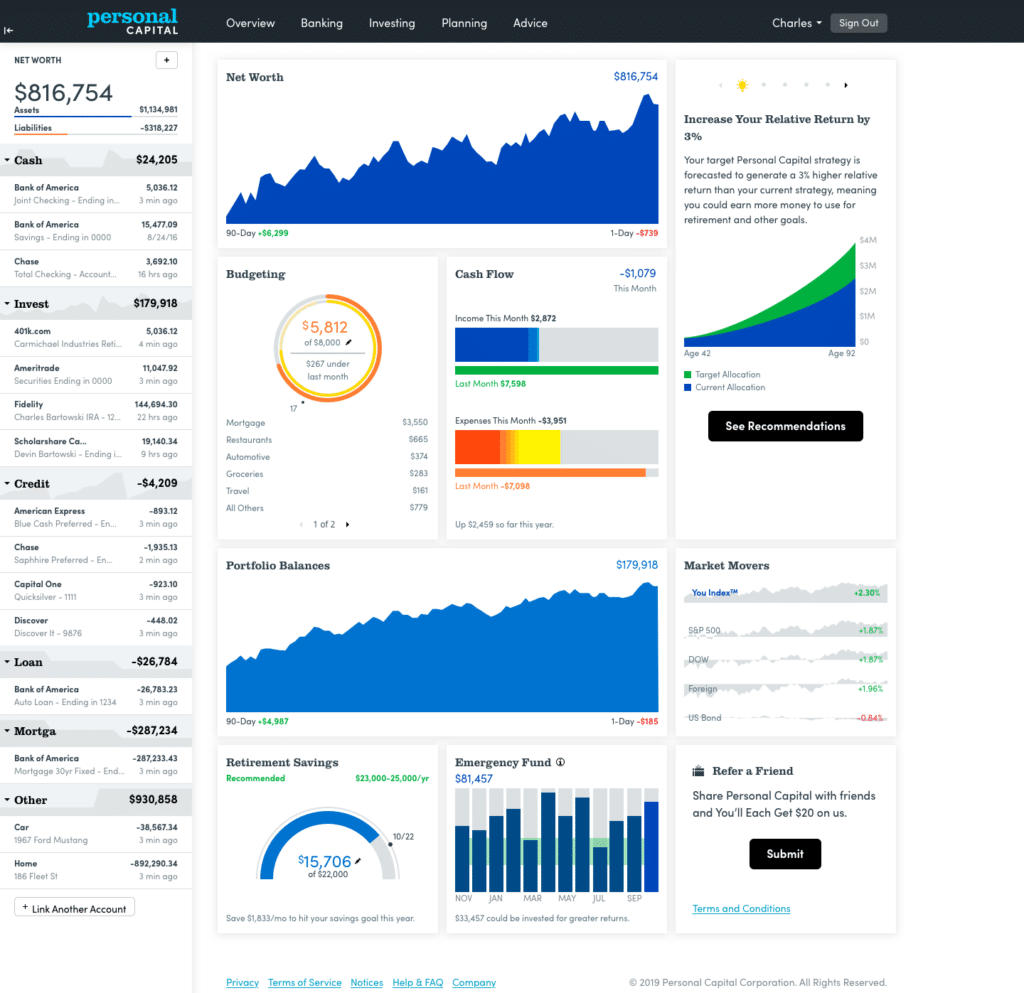
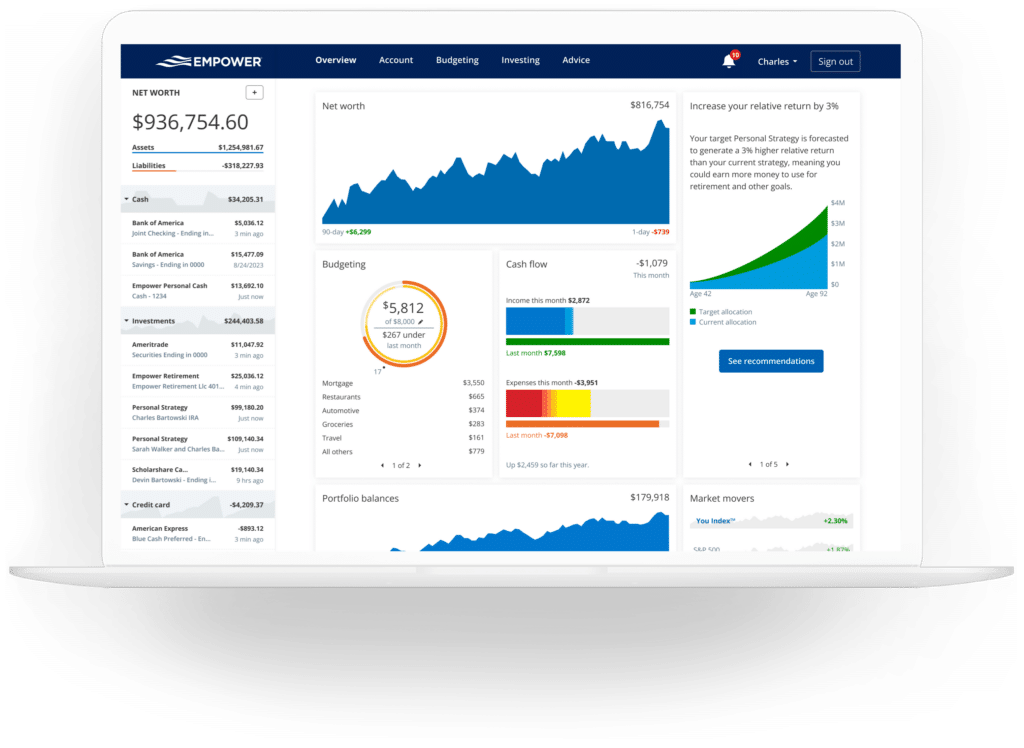
After the initial setup and account linking process is complete, Empower aggregates all incoming data into the main dashboard. This central hub offers a panoramic snapshot of the user’s entire financial ecosystem.
At a glance, the dashboard displays current net worth, monthly budget status, cash flow trends, investment performance metrics, and ongoing progress toward retirement and emergency savings milestones. This unified presentation eliminates the need to log into half a dozen different banking and brokerage portals to piece together a financial puzzle.
Net Worth
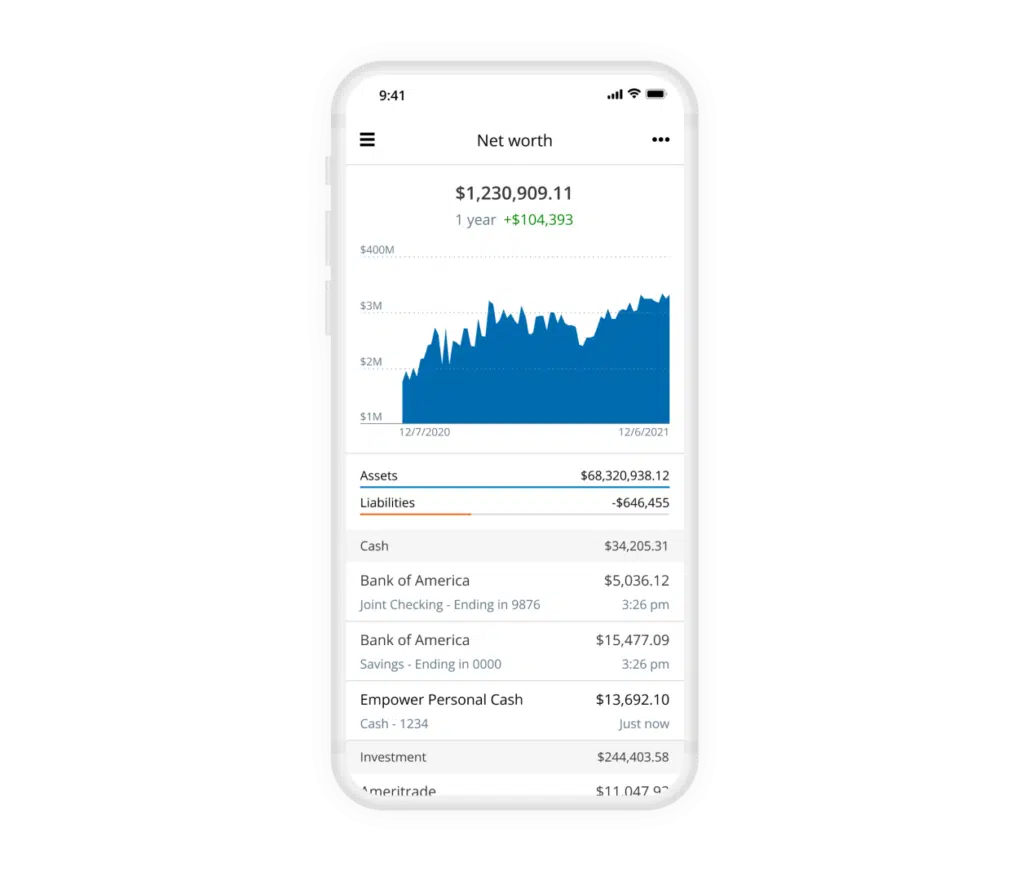
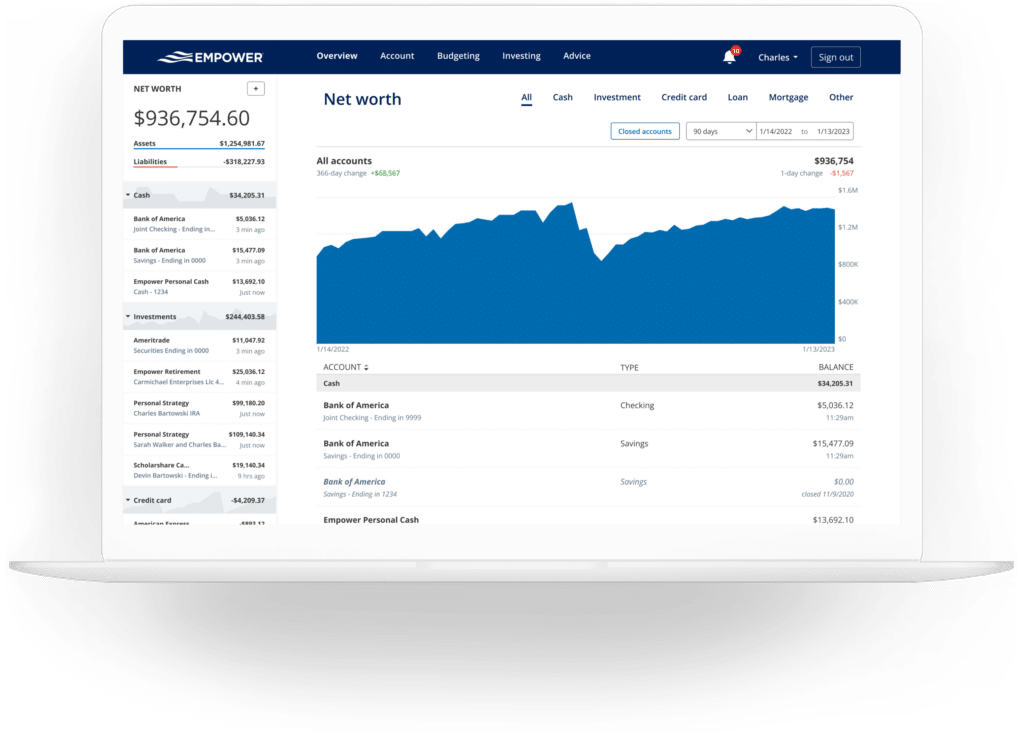
Tracking net worth is widely regarded as a foundational practice for achieving long-term financial freedom. While many individuals maintain manual spreadsheets for this purpose over the years, Empower automates the process entirely by continuously updating asset and liability balances across all connected accounts.
The net worth module visually maps out wealth accumulation over time, separating total assets—such as cash, real estate, and investment portfolios—from total liabilities like mortgages and credit card balances. This automated tracking provides a clear, unvarnished view of financial progress without the risk of manual data-entry errors.
Empower Banking
Beyond its heavy focus on investments, the platform includes robust banking and cash-flow management features. Users frequently rely on these tools to monitor monthly income, track spending categories, and evaluate dividend generation.
Cash Flow
The cash flow module details income and expenses at the individual transaction level, automatically sorting expenses into recognizable categories. Users can drill down into specific income streams or expense reports to examine underlying details.
Furthermore, the platform allows users to filter reports by specific accounts. This filtering capability enables self-employed individuals and business owners to isolate business checking and credit card accounts to review commercial expenses separately. Similarly, users can filter reports to display income exclusively from investment accounts, providing a transparent view of all dividends and interest earned across a portfolio.
Budgeting
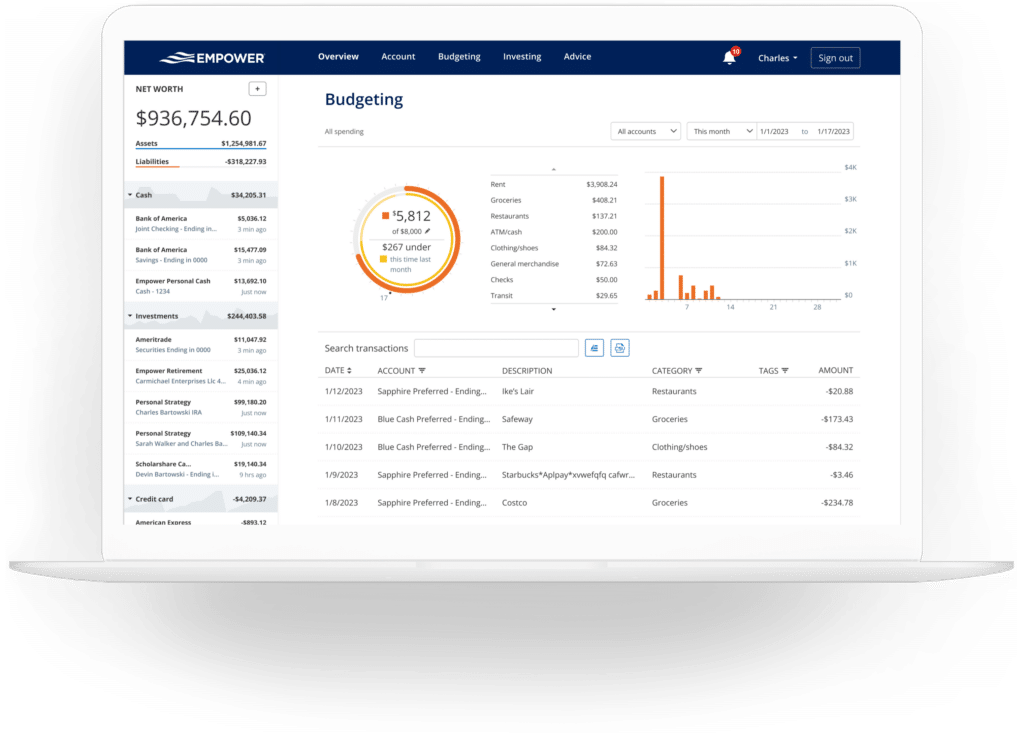
The budgeting feature is designed differently than traditional, envelope-style budgeting applications. While users can establish an overall monthly spending goal, the tool does not currently support granular spending limits broken down by individual categories. For users who require strict, category-by-category budgetary enforcement, alternative applications like YNAB may be more appropriate.
Instead, Empower focuses on providing deep visibility into historical spending habits by automatically importing and categorizing transactions from all linked accounts. Users can customize categories and fine-tune classifications to ensure accuracy. Beyond standard categories, the platform supports custom transaction tagging, allowing users to track specific expenditures—such as home maintenance projects or vehicle repairs—across multiple categories without needing to create entirely new classification folders.
Bills
By connecting credit cards, mortgages, and other installment loans, Empower tracks upcoming payment due dates across accounts. This bill-tracking functionality assists users in avoiding missed or late payments while providing a clearer picture of short-term cash flow commitments throughout the month.
Empower Investing
Investing is the area where Empower traditionally commands the most attention. Once retirement and taxable brokerage accounts are linked, the platform tracks holdings automatically, updating asset prices throughout the trading day, monitoring mutual fund expense ratios, evaluating asset allocation, and providing evaluative portfolio checkups.
Holdings
The holdings overview offers a detailed breakdown of individual investments. For every asset owned, the platform displays the current market value, daily price movement, cost basis, and overall performance history. This granular transparency gives investors a comprehensive look at their portfolio composition during both bullish market cycles and severe downturns.
Allocation
Empower evaluates underlying portfolio holdings to report on overall stock and bond allocations. For each broad asset class, the system drills down further, distinguishing between domestic and international equities, fixed-income instruments, and alternative investments.
An interactive graphical interface allows users to explore the exact composition of their asset classes with a simple click. Notably, the allocation tool accounts for cash distributed across various vehicles, recognizing uninvested cash held within money market funds as well as cash reserves embedded inside stock mutual funds.
Tracking Bitcoin and Crypto
In response to the growing prominence of digital assets, Empower incorporates tracking capabilities for cryptocurrencies such as Bitcoin, Ethereum, and Litecoin. Significantly, investors are not required to link their private crypto wallets or surrender sensitive security credentials to the platform.
Instead, users can manually establish cryptocurrency accounts by specifying the token symbol, the exchange used, and the total amount held. The platform is capable of tracking thousands of distinct tokens across hundreds of digital asset exchanges, integrating them seamlessly into the broader net worth calculation.
Empower Planning
While monitoring current assets and past transactions provides valuable context, Empower’s planning tools elevate the software into a comprehensive advisory ecosystem.
Retirement Planner
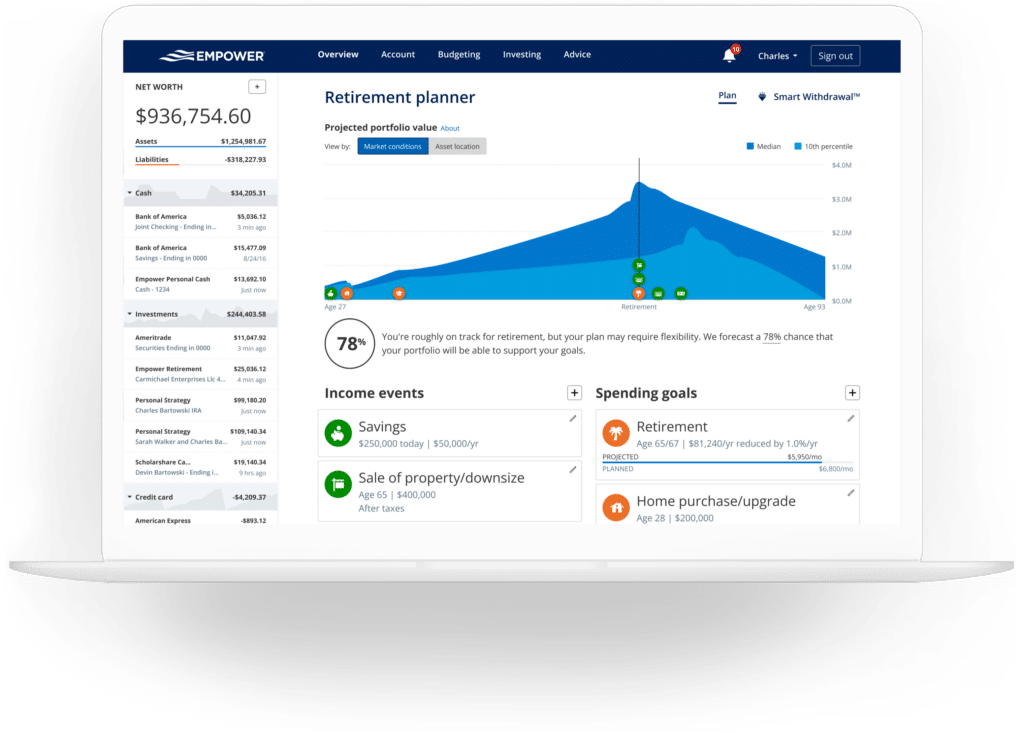
The retirement planner utilizes data from all linked investment accounts to project long-term financial readiness. The calculator assesses whether current savings rates and investment trajectories are sufficient to support a user’s desired lifestyle in retirement.
The planner allows users to model multiple distinct scenarios for side-by-side comparison. For example, individuals can evaluate the impact of retiring at a traditional age versus pursuing early retirement. Scenarios can be adjusted to include or exclude estimated Social Security benefits, while variable assumptions regarding effective tax rates, future inflation rates, and life expectancy can be modified to test the resilience of a financial plan.
Savings Planner
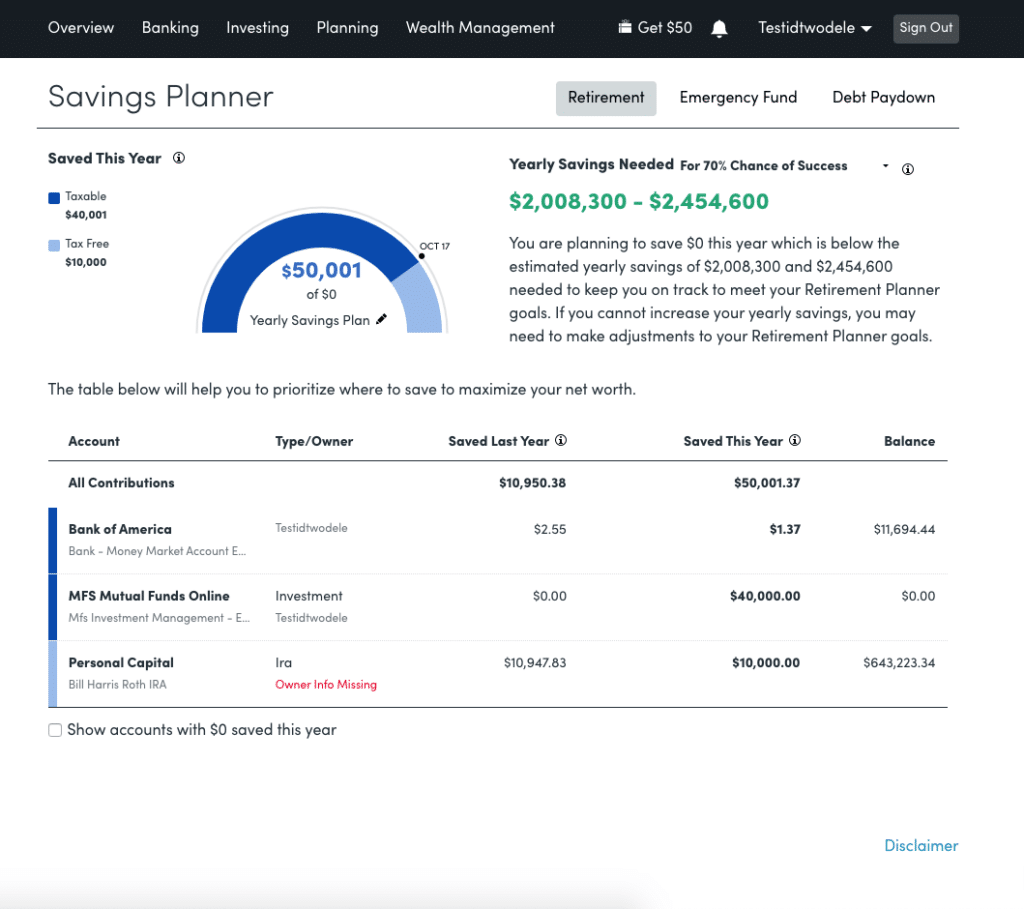
The savings planner functions as a triple-threat utility, encompassing retirement savings, emergency fund accumulation, and debt paydown goals within a single interface.
The retirement savings planner tracks annual contribution goals across workplace plans like 401(k)s, traditional and Roth IRAs, and taxable brokerage accounts, tying directly into the broader retirement projection module. The emergency fund planner aggregates balances across all linked bank accounts, recommending a cash buffer equivalent to three to six months of living expenses based on the user’s established budget. Meanwhile, the debt paydown planner compiles installment loans, mortgages, and interest-bearing credit card balances, displaying current APRs, year-to-date balance changes, and visual debt-reduction trajectories.
Retirement Fee Analyzer
Investment fees represent one of the most significant hidden drags on long-term wealth accumulation. Seemingly small fees, such as a 1% annual advisory or mutual fund expense ratio, can compound over decades, costing investors hundreds of thousands of dollars in potential returns.
Empower calculates a weighted average expense ratio across all linked accounts. Even for disciplined investors who maintain low-cost portfolios—such as a portfolio carrying a weighted average fee of just 0.06%—the fee analyzer illustrates the real-world dollar impact of those expenses over future years. By highlighting these costs clearly, the tool underscores the vital importance of minimizing investment fees.
Investment Fee Checkup
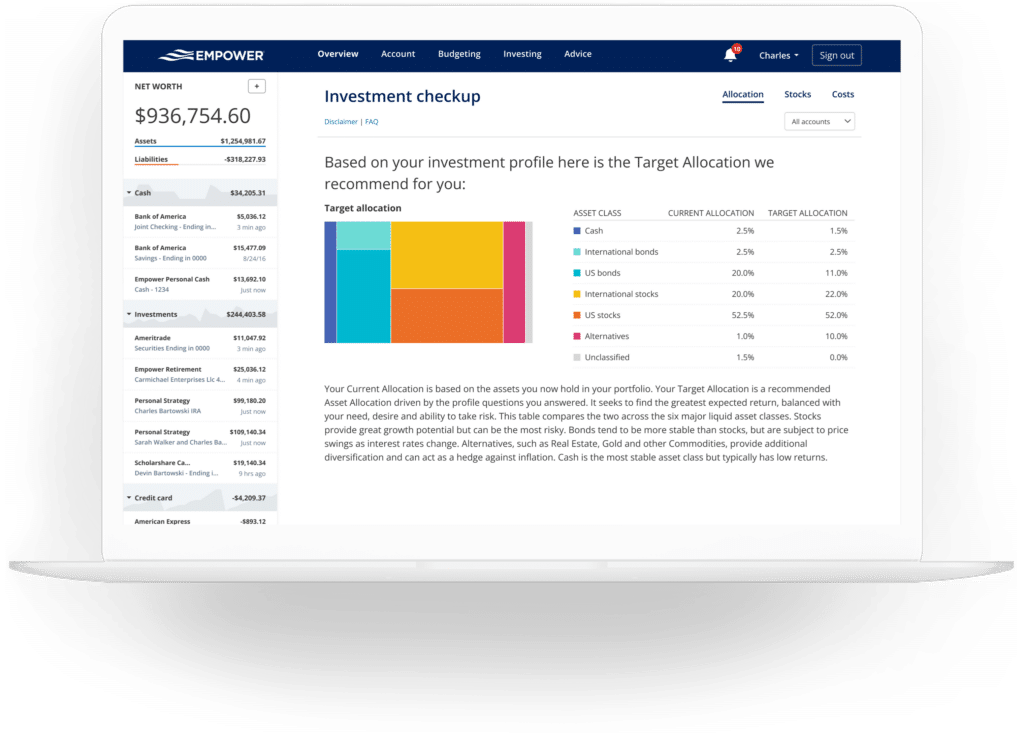
Complementing the fee analyzer, the investment checkup tool evaluates a user’s current asset allocation and compares it against a model portfolio recommended by the platform based on the user’s age, timeline to retirement, and self-reported risk tolerance.
The tool displays the historical performance, projected returns, and risk profile of the recommended portfolio alongside the user’s actual holdings. If adjustments are warranted, Empower outlines specific asset classes that require rebalancing to align with optimal diversification standards.
Empower FAQs
Is Empower safe?
Empower employs AES-256 data encryption backed by multi-layer key management, which includes rotating user-specific cryptographic keys and salts. Furthermore, individual employees do not have access to user login credentials. Security protocols also require device-level authentication, prompting users to confirm their identity via automated phone calls, emails, or text messages when signing in from unrecognized devices.
Is Empower really free?
Yes. While the company offers paid advisory services, its suite of financial dashboard tools and calculators is entirely free to use.
Will Empower call me?
Because the financial dashboard serves in part as a marketing vehicle for the company’s wealth management services, users who link significant investment assets may receive outreach calls from financial advisors. However, users who prefer not to be contacted can request that representatives cease communication, and company personnel routinely honor those requests.
Do I have to invest with Empower to use the dashboard?
No. Users can utilize the entire dashboard, net worth tracker, and budgeting tools without signing up for any paid investment services.
How much does Empower cost?
The digital financial dashboard and planning tools carry no subscription fee. For clients who choose to utilize the optional human financial advisory services, management fees start at 0.89% annually for the first $1 million under management and scale downward to 0.49% for asset pools exceeding $10 million.







No comments yet. Be the first to join the conversation!