
Managing personal finances often feels like a fragmented chore, requiring individuals to log into multiple banking portals, credit card accounts, retirement funds, and mortgage providers just to get a basic sense of their economic standing. For years, digital tools have attempted to bridge this gap by offering centralized dashboards, but few have maintained the long-term reliability and depth of Empower, formerly known as Personal Capital. Having been utilized for years as a core component of personal financial management, Empower stands out as a robust application designed to consolidate an individual’s entire monetary portfolio into a single, accessible interface.
Quick Take
Empower delivers a complete view of your finances in one place by automatically syncing checking, savings, credit card, loan, investment accounts such as 401(k)s and IRAs, and even mortgage accounts. This synchronization provides a real-time snapshot of net worth and overall financial health. The platform offers cash flow and net worth tracking, investment monitoring, and retirement planning. Its comprehensive investment tracking capabilities include detailed asset allocation breakdowns, investment fee analyses, and thorough investment checkups, all delivered at no cost to the user. The platform maintains high user ratings, commanding 4.8 out of 5 stars from hundreds of thousands of reviews on the Apple App Store and 4 out of 5 stars on Google Play.
Getting Started with Empower
The process of utilizing Empower begins with signing up for a free account and subsequently connecting all relevant financial entities. While the platform is widely recognized for its advanced investment tracking and analytical capabilities, users frequently expand its utility by connecting standard bank accounts, credit cards, loans, mortgages, and even primary residences. When linking real estate, Empower pulls in property valuations directly from Zillow to ensure net worth calculations reflect up-to-date market realities.
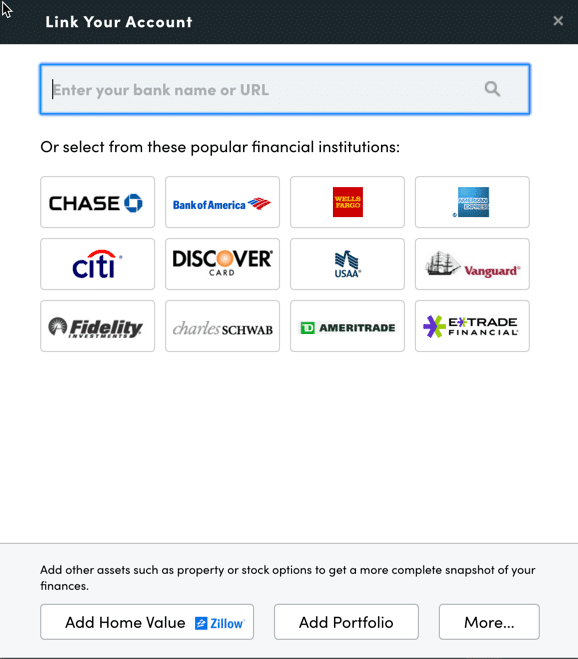
Linking accounts requires online access credentials, including usernames and passwords for each respective financial institution. Users initiate the process by searching for the name of their bank or credit union within the account linking dialog box, which is accessible through the dashboard interface. Searching can be conducted using the institution’s name or its specific website address. In rare instances where an account cannot be linked automatically, the platform permits manual data entry.
Connecting multiple accounts is essential for unlocking the full scope of Empower’s features. Beyond simply monitoring investment portfolios, comprehensive account linking enables accurate tracking of net worth, budgeting, cash flow, and recurring bills within a unified dashboard. While users must connect at least one initial account to begin, additional accounts can be incorporated manually over time. However, failing to link all financial accounts diminishes the depth of the platform’s specialized investment tracking features.
Settings & Profile Configuration
Once initial account integration is complete, configuring the settings and profile sections is a critical step for maximizing the platform’s utility. Accessible through the user profile menu in the upper right corner of the screen, the settings panel grants granular control over email subscriptions, allowing individuals to receive daily or weekly updates concerning income, spending, and investment performance. Users can also configure whether investment income and dividends are factored into overall cash flow calculations and determine which specific accounts should be excluded from the platform’s analytical advice.
Security configuration represents another vital function within the settings menu. The platform supports multi-factor authentication and provides automated alerts whenever a login attempt originates from a foreign country. Additionally, Empower displays an audit log of all authorized devices that have accessed the account, including the timestamp of the most recent sign-on, allowing users to remove outdated or unused devices.
The profile section collects personal and demographic data regarding the user and their spouse, including savings rates, income sources, and long-term investment objectives. This information serves as the foundational data for Empower’s advanced planning utilities, most notably its complimentary retirement planning calculator.
Dashboard Overview
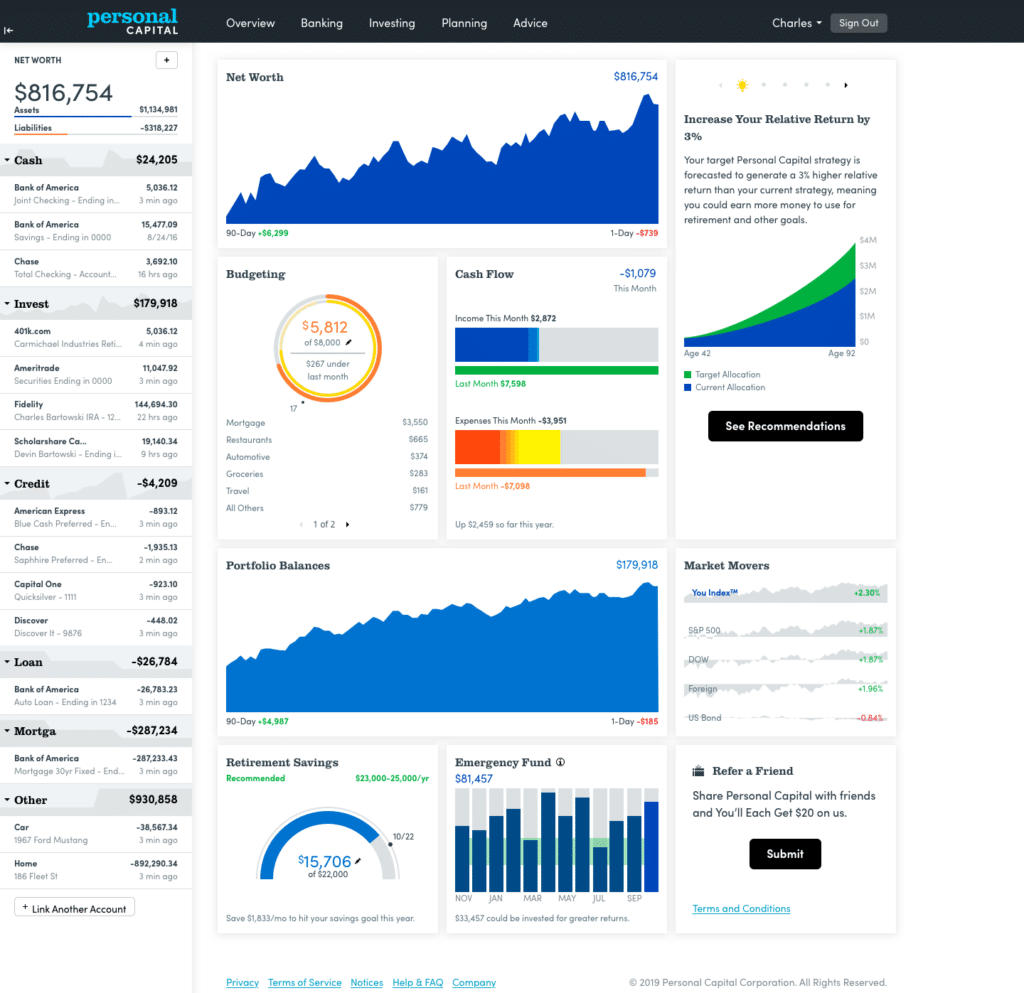
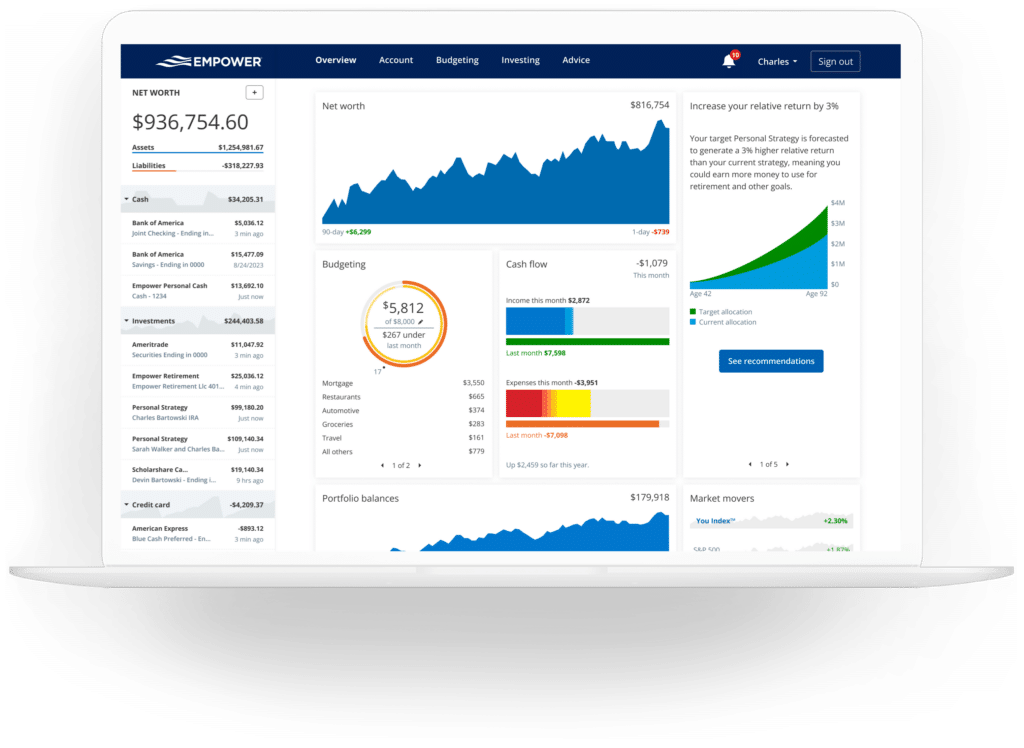
The Empower dashboard serves as the central command center for all linked financial data, synthesizing diverse accounts into a single, cohesive visual report. The interface delivers an immediate overview of net worth, monthly budgets, cash flow trends, investment performance, and ongoing progress toward specific long-term milestones, such as retirement readiness and emergency fund accumulation.
Net Worth Tracking
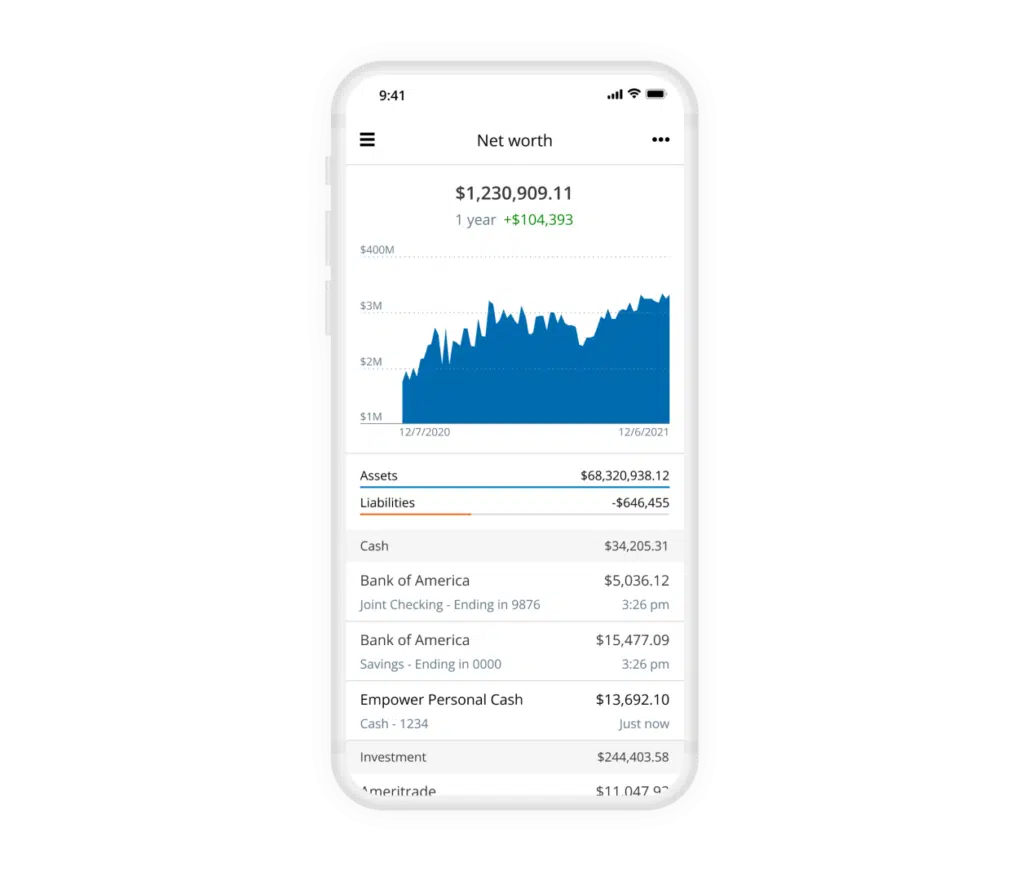
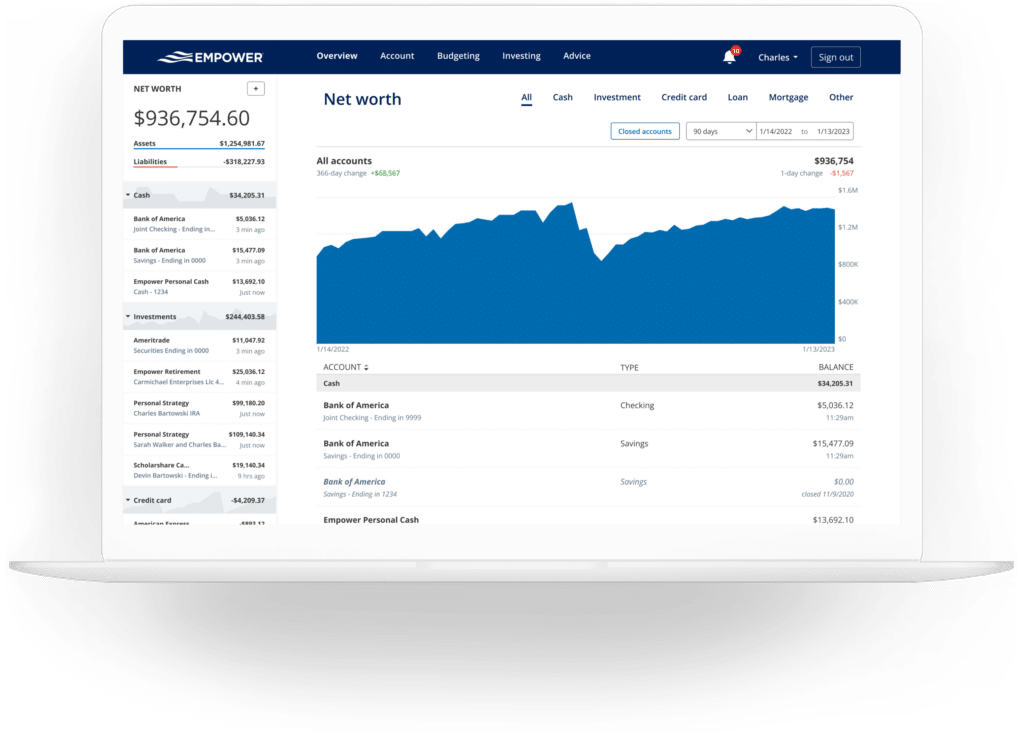
Tracking net worth remains a fundamental pillar of achieving financial independence. While manual spreadsheets have long served as a traditional method for monitoring assets versus liabilities, Empower automates this process entirely once all financial accounts are successfully linked. The net worth module continuously updates as asset values fluctuate and debt balances are paid down, providing a transparent, longitudinal view of financial growth over time.
Empower Banking and Cash Flow Management
The banking and cash flow features integrated into Empower offer unexpected utility for everyday financial monitoring. Rather than functioning as a standalone transactional bank, the platform aggregates banking data to provide clear insights into monthly income generation, including interest and dividend yields from investment portfolios, alongside categorized expenditure reports.
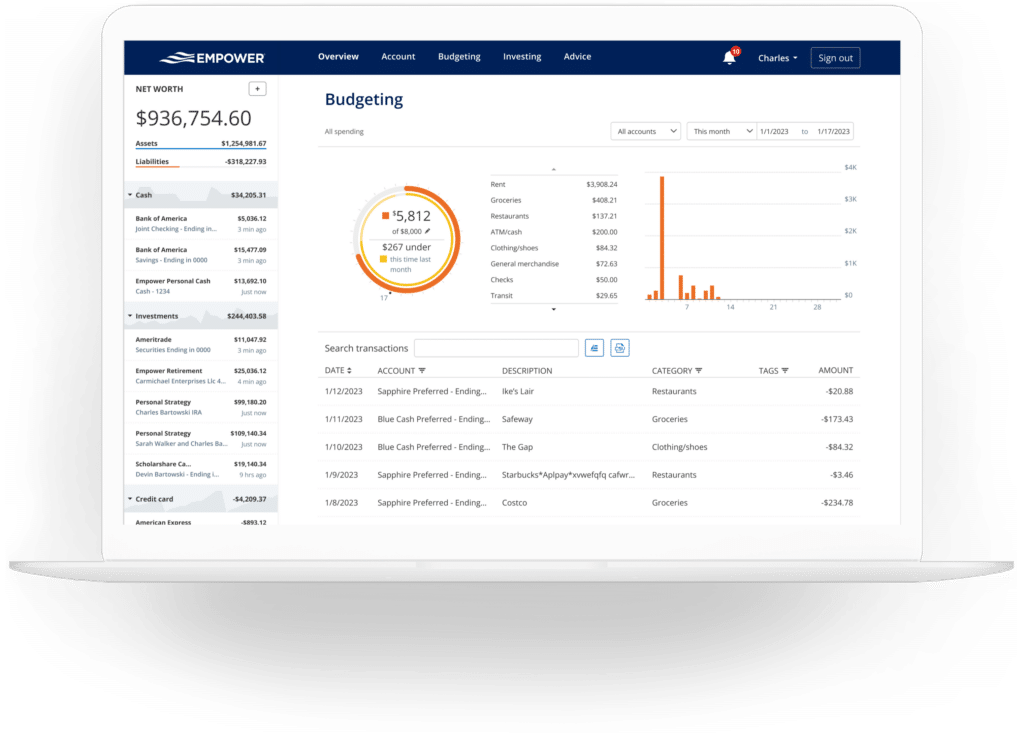
The cash flow module details income and expenses at the individual transaction level, automatically sorting purchases into standard categories while permitting users to drill down for granular analysis. Account filtering allows users to isolate specific financial subsets, such as business checking accounts and credit cards to review enterprise expenses, or strictly investment accounts to evaluate passive income generation from dividends and interest.
While the budgeting component does not operate as a traditional envelope-style budgeting application where category-specific spending limits are enforced—a task better suited for dedicated tools like YNAD—it excels at providing retrospective visibility into spending habits. Empower automatically imports and categorizes transactions from all linked accounts, requiring only minor monthly adjustments to ensure accuracy. Users can also apply custom tags to transactions, enabling targeted tracking for specific projects or recurring expenses without the need to clutter the primary category list.
The platform also incorporates a dedicated bill-tracking feature that leverages data from linked credit cards, mortgages, and loans to monitor upcoming payment deadlines. This functionality assists in avoiding late fees and aids in monthly liquidity planning.
Empower Investing and Portfolio Analysis
Investment tracking represents the core strength of the Empower platform. Upon connecting retirement and taxable brokerage accounts, the system automatically monitors holdings, updates asset prices throughout active trading days, tracks mutual fund expense ratios, and evaluates overall asset allocation.
The holdings module provides a comprehensive overview of each individual investment owned, detailing performance metrics across varying market conditions. Concurrently, the asset allocation tool evaluates the balance between stocks and bonds, further dissecting asset classes into domestic and international equities, fixed income, and alternative investments. An interactive graphical interface allows users to inspect the underlying components of each asset class, including cash holdings embedded within stock mutual funds.
For cryptocurrency investors, Empower accommodates the tracking of digital assets such as Bitcoin, Ethereum, and Litecoin. Rather than requiring direct API access or the sharing of sensitive wallet credentials, the platform allows users to manually add crypto accounts by specifying the token symbol, exchange, and quantity owned, enabling the tracking of thousands of digital tokens across numerous exchanges.
Empower Planning Tools
Beyond retrospective tracking, Empower incorporates forward-looking planning tools designed to project long-term financial outcomes.
The retirement planner utilizes data from all linked investment accounts to evaluate retirement readiness under various conditions. Users can construct multiple financial scenarios and compare them side-by-side—evaluating the impact of retiring at a traditional age versus early retirement, factoring in or excluding projected Social Security benefits, and adjusting assumptions regarding effective tax rates, future inflation, and life expectancy.
The savings planner integrates three distinct focus areas: retirement savings, emergency fund accumulation, and debt paydown. The retirement savings planner monitors annual contributions across tax-advantaged accounts like 401(k)s and IRAs alongside taxable accounts, synchronizing directly with the primary retirement planner. The emergency fund planner aggregates balances across all linked bank accounts, recommending a reserve equal to three to six months of expenses derived from the user’s established monthly budget. Meanwhile, the debt paydown planner compiles auto loans, mortgages, personal loans, and interest-bearing credit card balances, displaying current interest rates, year-to-date balance changes, and visual tracking graphs.
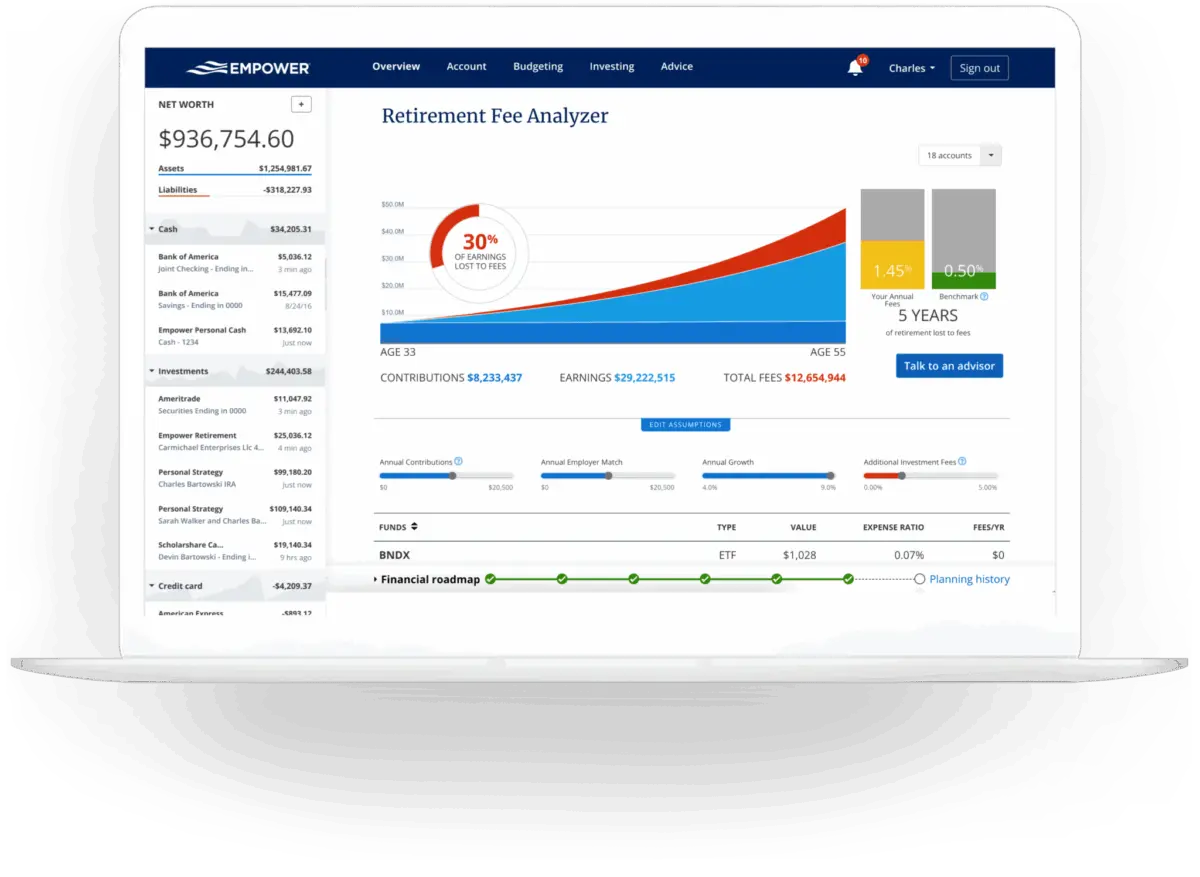
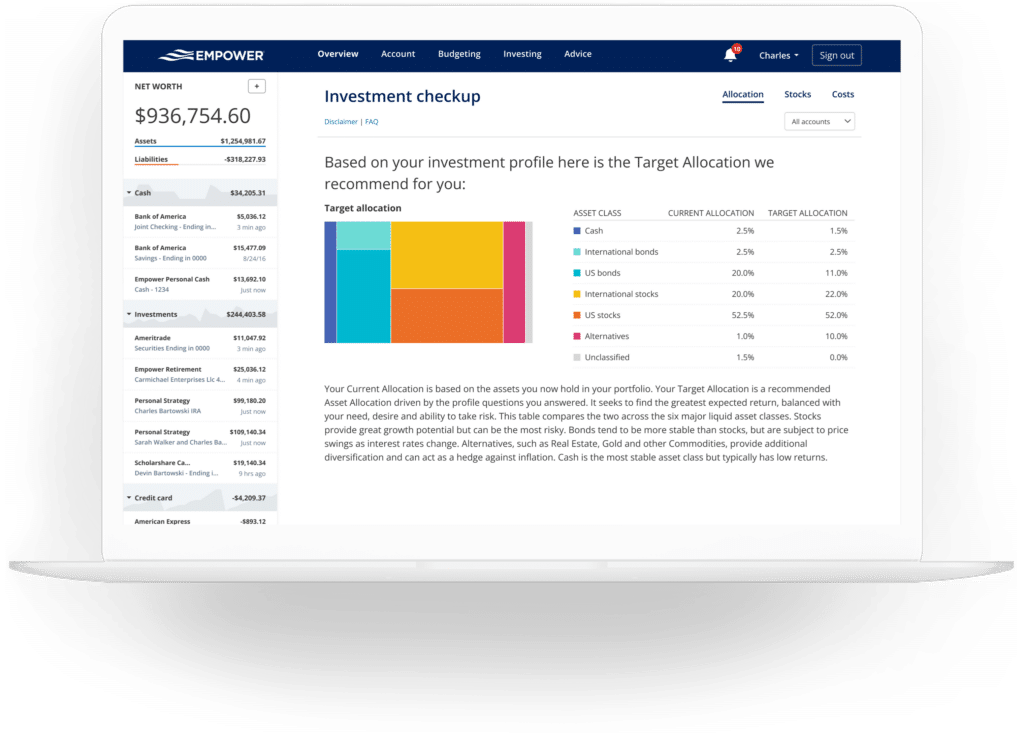
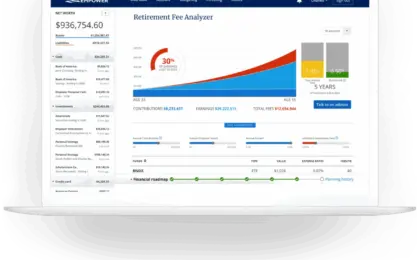
Investment fees are evaluated through the retirement fee analyzer, a tool that calculates the weighted average expense ratio across all linked portfolios. By translating seemingly minor basis-point fees into multi-decade cumulative costs, the analyzer highlights the long-term impact of advisory and fund fees on overall wealth accumulation. Additionally, the investment fee checkup compares the user’s actual asset allocation against a recommended target profile based on age, time horizon, and risk tolerance, identifying specific asset classes that require rebalancing.
Security and Cost Structure
Security infrastructure is a paramount consideration for any digital financial aggregator. Empower employs AES-256 data encryption supported by multi-layer key management, incorporating rotating user-specific keys and salts to protect sensitive information. Platform personnel do not have access to user login credentials, and every device attempting to access an account must undergo multi-factor authentication via automated phone call, email, or text message.
Regarding cost, the financial dashboard and its associated planning, budgeting, and investment tracking tools are provided entirely free of charge. Empower monetizes its platform primarily through its optional, fee-based wealth management and investment advisory services. While the availability of these advisory services often leads to marketing outreach calls from financial professionals, users retain full autonomy over whether to engage with these services, and the dashboard remains accessible regardless of whether a user chooses to utilize paid advisory offerings.







No comments yet. Be the first to join the conversation!