
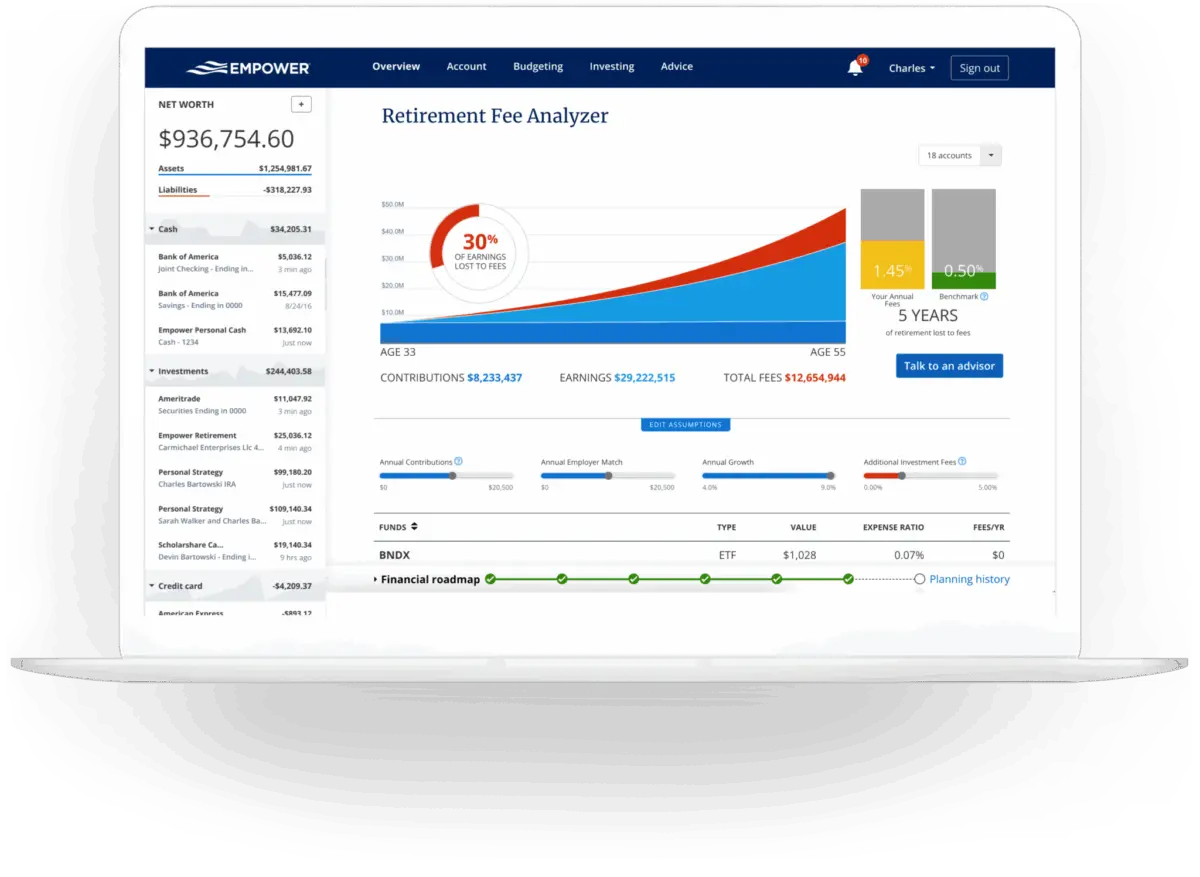
For years, millions of investors seeking a centralized view of their wealth have turned to a robust financial dashboard originally known as Personal Capital, and now rebranded as Empower. Designed to consolidate 100% of an individual’s financial life onto a single platform, the tool has earned widespread recognition for its comprehensive tracking capabilities. An extensive review and user analysis highlights how everyday consumers and serious investors alike can leverage its diverse suite of features to optimize their money, monitor cash flow, and rigorously plan for the future without paying a dime for the core software.
Quick Take
At its core, Empower delivers a complete, centralized view of your finances in one place. The platform automatically synchronizes checking, savings, credit card, loan, investment vehicles such as 401(k)s and IRAs, and even mortgage accounts, providing a real-time snapshot of net worth and overall financial health. It offers robust cash flow and net worth tracking, advanced investment analysis, and comprehensive retirement planning tools. Notably, the investment tracking suite includes detailed asset allocation breakdowns, investment fee analysis, and a thorough investment checkup. Best of all, the core dashboard and its powerful calculators are entirely free to use.
Getting Started with Empower
The journey to streamlined financial management begins by signing up for a free account. Once registered, users must connect their financial accounts to unlock the platform’s full potential. While Empower is perhaps best known for analyzing and tracking complex investment portfolios, long-time users frequently connect standard bank accounts, credit cards, various loans, mortgages, and even residential real estate. For physical property, users can input their home address, and Empower automatically pulls in estimated market values directly from Zillow.
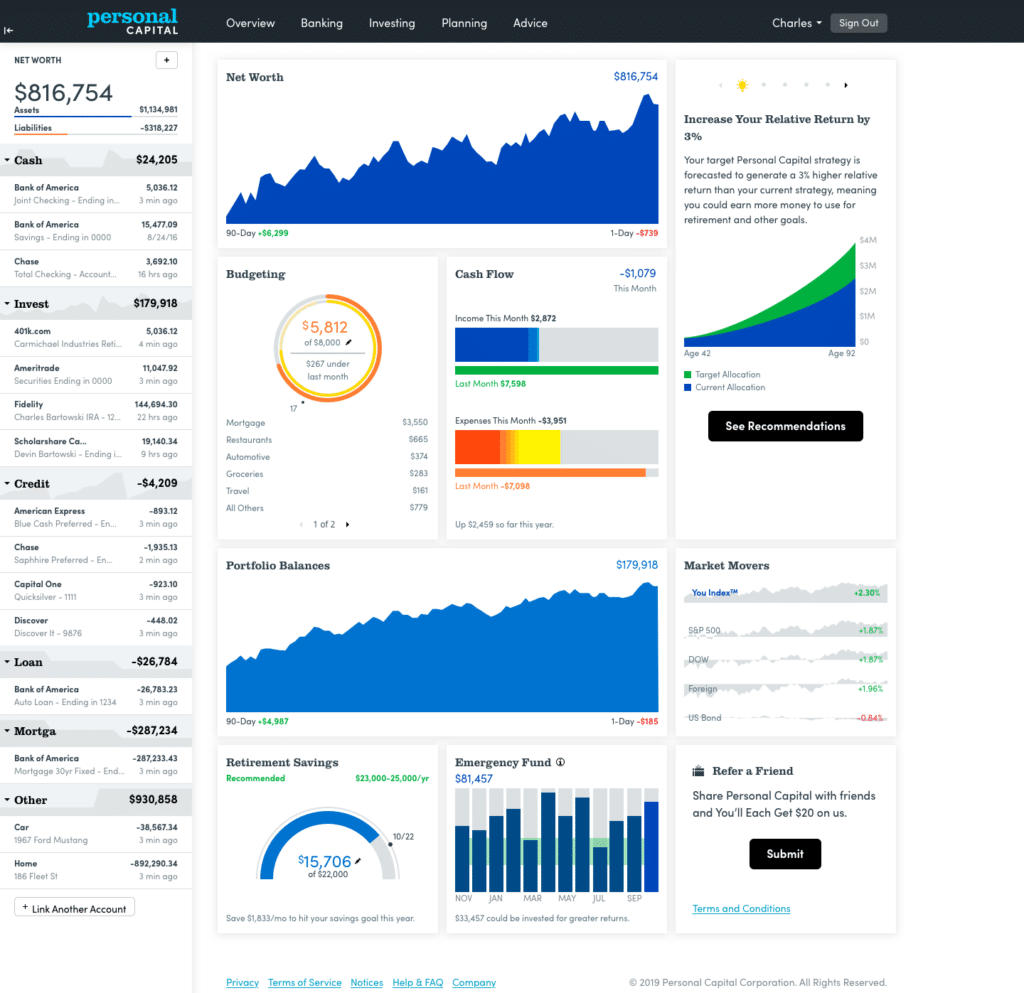
Linking accounts requires online access credentials, specifically the username and password associated with each financial institution. By searching for the institution’s name or website URL within the "Link Your Account" dialog box on the dashboard, users establish secure connections. In the rare event that a financial account cannot be digitally linked, the platform allows manual entry.
Connecting all available accounts is critical because Empower offers far more than basic investment monitoring. By pulling in everyday banking and debt instruments, the platform tracks net worth, budgets, cash flow, and upcoming bills within a unified interface. While users must connect at least one account to initiate the process, additional accounts can be manually added later. However, failing to link investment and credit accounts diminishes the depth of the platform’s advanced tracking and advisory features.
Once accounts are synchronized, completing the settings and profile sections becomes vital. Accessible by clicking on the user’s name in the top right corner of the screen, the settings menu provides control over email subscriptions, such as daily or weekly updates summarizing income, spending, and investments. Users can also choose whether to include investment income and dividends in cash flow calculations and configure essential security features. Multi-factor authentication is heavily recommended, alongside login alerts triggered by access attempts from foreign countries. The platform also displays an authorized device list, allowing users to review sign-on histories and remove outdated or unused hardware.
The profile section captures personal and household data, including spouse information, savings rates, income sources, and long-term investment objectives. These inputs power the platform’s advanced planning utilities, most notably the free Retirement Planner.
Dashboard
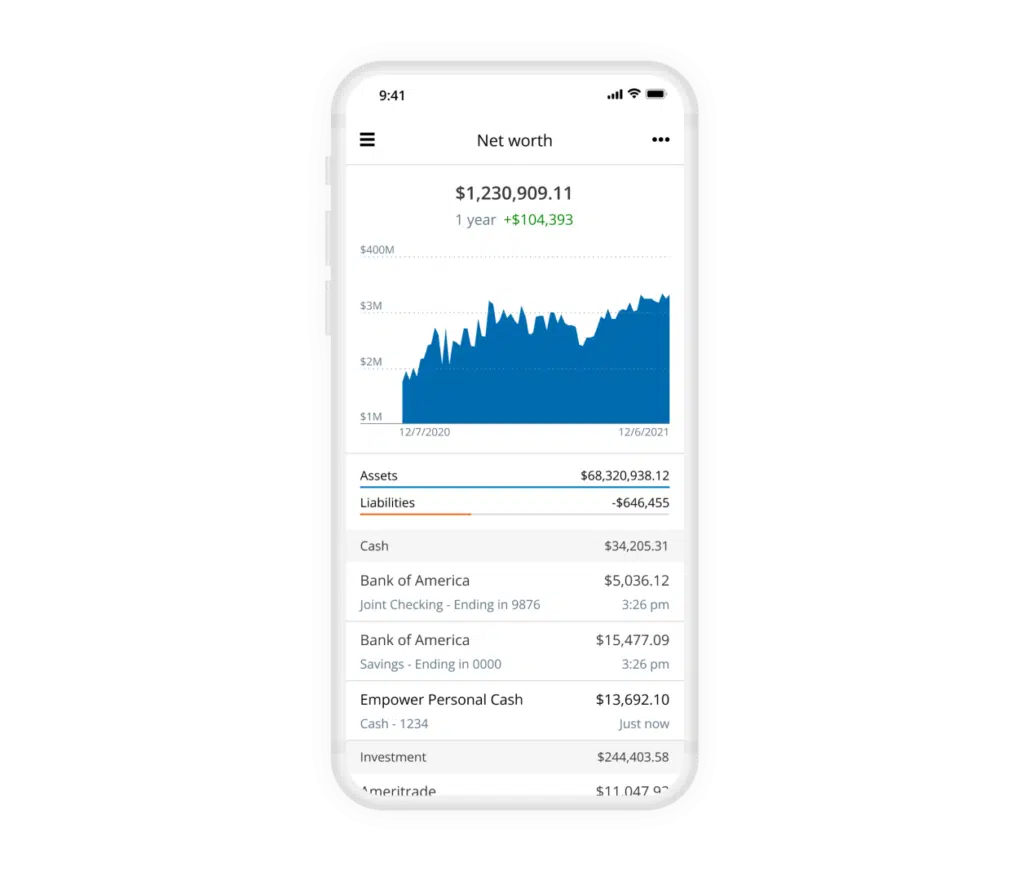
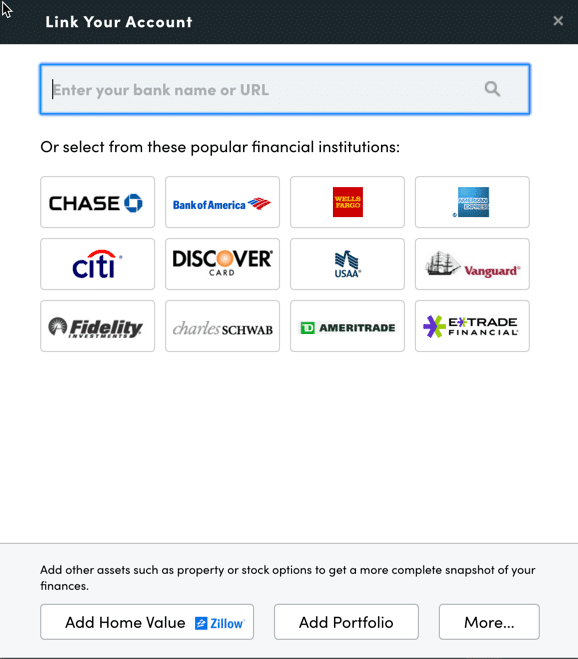
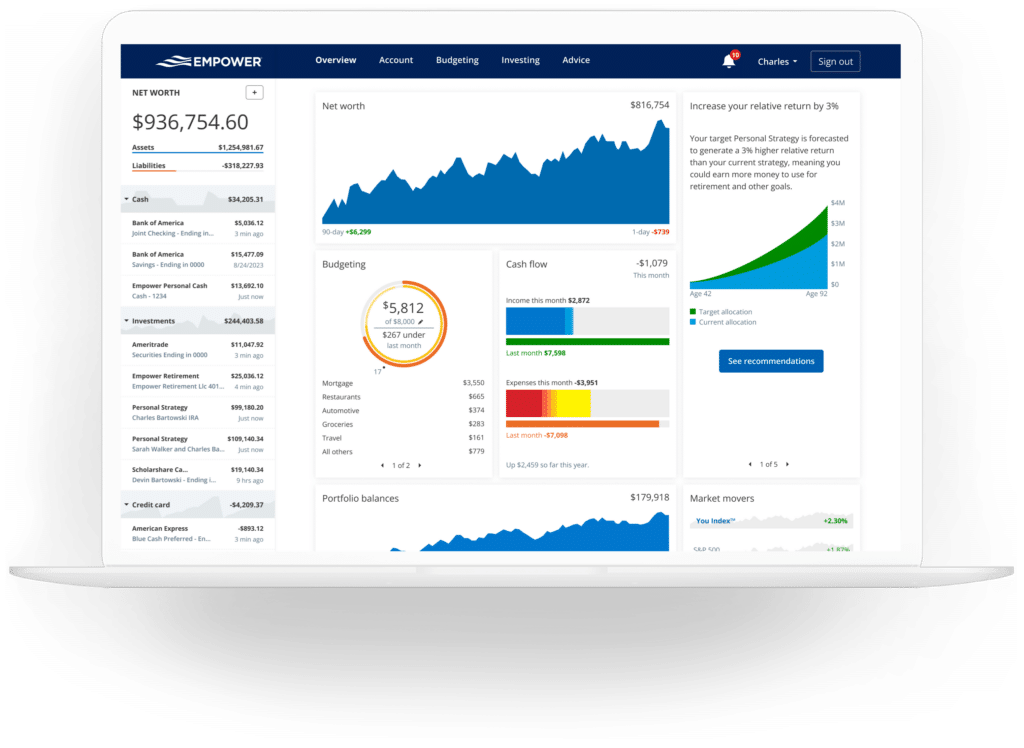
The central dashboard aggregates all synchronized data to provide a comprehensive snapshot of an individual’s financial ecosystem. It displays current net worth, monthly budgets, cash flow trends, investment performance, and steady progress toward retirement and emergency savings goals.
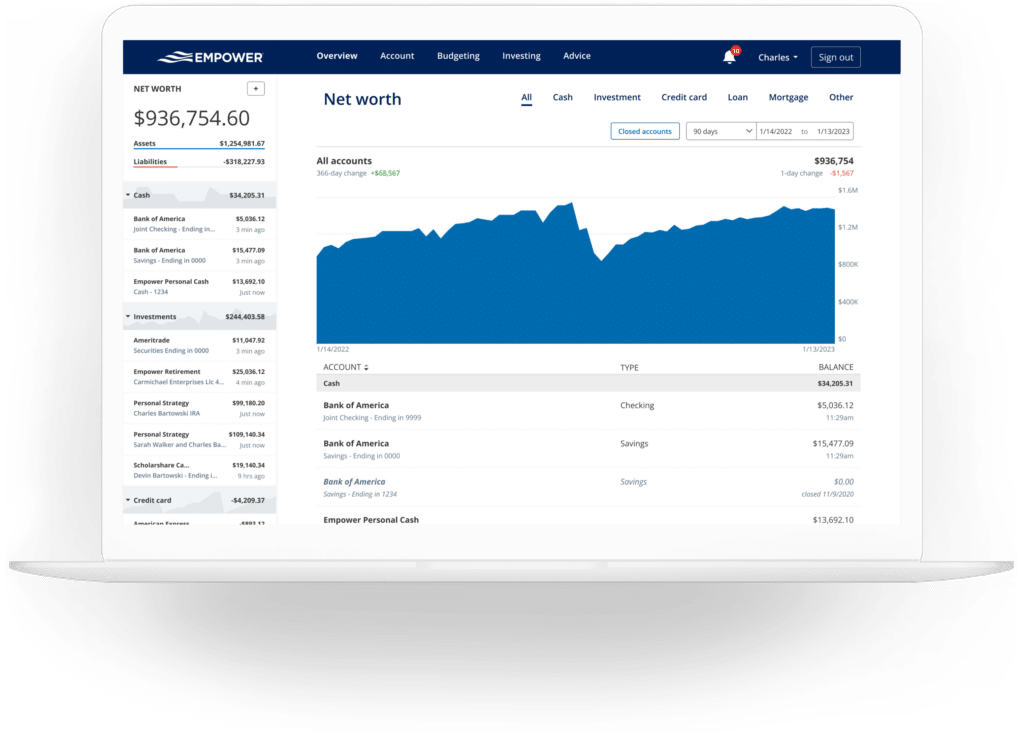
Tracking net worth remains a fundamental pillar of achieving financial independence. While manual spreadsheets have long served traditional investors, automated tracking through Empower eliminates human error and provides continuous updates as asset values fluctuate. The net worth screen visually charts this trajectory over time, factoring in both assets and liabilities across all linked institutions.
Empower Banking
Beyond investment monitoring, the banking and cash flow features provide deep visibility into daily financial habits. Users frequently rely on cash flow and budgeting functions to track monthly investment income, such as interest and dividends, alongside detailed expense breakdowns by category.
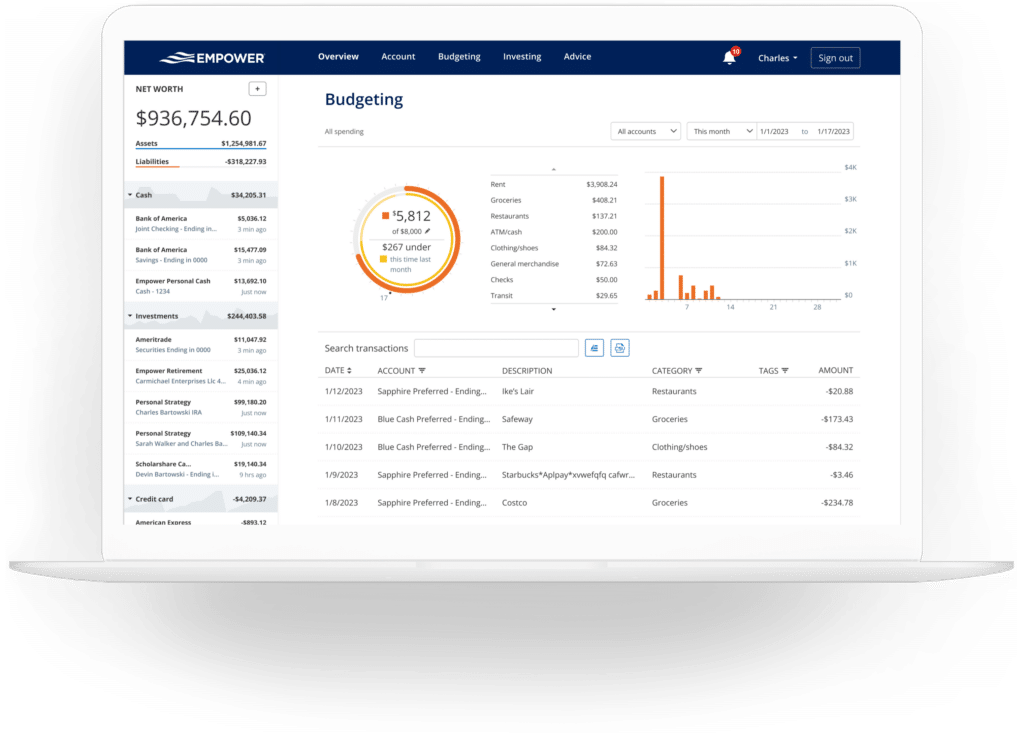
The cash flow module maps income and expenses at the individual transaction level, automatically categorizing spending while allowing users to drill down into specific details. Account selection filters enable specialized views, such as isolating business checking and credit card accounts to review commercial expenses, or filtering strictly for investment accounts to evaluate portfolio yield.
The budgeting feature approaches personal finance differently than traditional budgeting applications. While users can establish overall monthly spending goals, category-specific spending caps are not supported. For granular category budgeting, dedicated software like YNAB is often recommended. Instead, Empower excels at importing and categorizing spending from all linked accounts automatically. Although the system generally classifies transactions accurately, users typically spend a few minutes each month making manual adjustments. Beyond standard categories, transaction tagging provides additional organizational flexibility, such as tracking specific home maintenance projects like pool repairs without creating entirely separate budget categories.
Furthermore, linking credit cards, mortgages, and loans activates a bills management feature. Empower monitors due dates across linked accounts, helping users avoid late payments and plan cash flow throughout the month.
Empower Investing
Investment tracking represents the platform’s strongest domain. Once retirement and taxable brokerage accounts are connected, Empower monitors holdings automatically, updating asset prices throughout the trading day, keeping tabs on mutual fund expenses, evaluating asset allocations, and offering analytical tools for portfolio evaluation.
The holdings overview provides a granular look at every owned asset, detailing performance metrics, cost bases, and market values. Asset allocation tools automatically evaluate investments and report on stock and bond weightings, subdividing classes further into U.S. and international equities, fixed income, and alternative assets. An interactive graphical representation allows users to explore the underlying investments within each asset class with a single click, even identifying cash holdings nested inside stock mutual funds.
For cryptocurrency investors, the platform accommodates the tracking of Bitcoin, Ethereum, Litecoin, and thousands of other digital tokens across hundreds of exchanges. Crucially, investors are not required to link crypto wallets or surrender private keys or passwords; instead, they simply create a manual account by entering the token symbol, exchange, and owned quantity.
Empower Planning
While the dashboard provides multiple perspectives on current accounts and investments, the planning tools elevate the software into a comprehensive advisory ecosystem.
The retirement planner utilizes connected investment data to assess long-term retirement readiness through an interactive calculator. Users can build and compare multiple scenarios side-by-side—evaluating the impact of retiring at traditional ages versus early retirement, incorporating or excluding estimated Social Security benefits, and adjusting assumptions regarding effective tax rates, future inflation, and life expectancy.
The savings planner functions as a triple-threat tool covering retirement savings, emergency fund accumulation, and debt paydown. The retirement savings planner tracks annual goals alongside actual contributions to 401(k)s, IRAs, and taxable accounts, synchronizing directly with the primary retirement planner. The emergency fund planner aggregates linked bank balances, recommending a safety net equivalent to three to six months of expenses based on established budget parameters. The debt paydown planner captures car loans, mortgages, personal loans, and credit card debt—provided the credit cards have incurred interest transactions within the trailing 90 days, distinguishing revolving balances from cards paid in full monthly. It displays interest rates, year-to-date balance changes, and visual trend graphs.
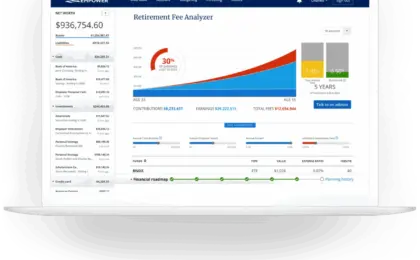
The retirement fee analyzer calculates a weighted average expense ratio across all linked accounts. By revealing how seemingly small management fees compound into hundreds of thousands of dollars in lost wealth over decades, the analyzer underscores the critical impact of investment costs.
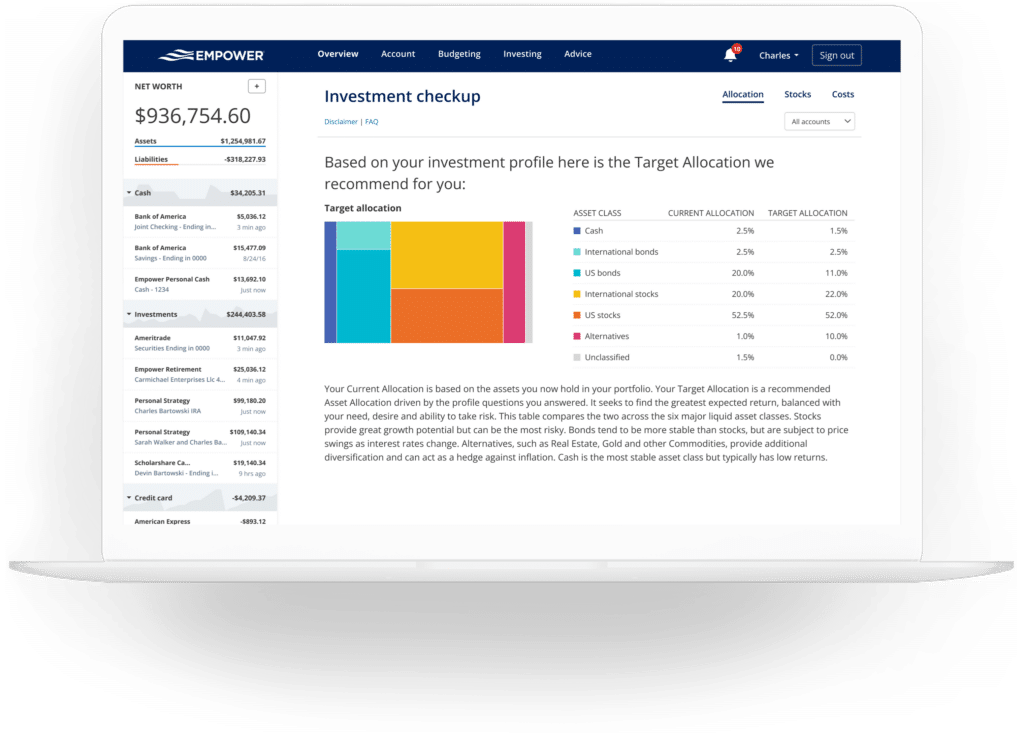
Finally, the investment checkup evaluates existing asset allocations against recommended models tailored to a user’s age, timeline, and risk tolerance. It details historical performance, future projections, risk-reward metrics, and precise recommendations on which asset classes require rebalancing.
Empower FAQs
Security remains a primary consideration for users linking multiple financial accounts. Empower utilizes AES-256 encryption with multi-layer key management, including rotating user-specific keys and salts, ensuring that no individual employee has access to user credentials. Multi-factor authentication via automated phone calls, emails, or text messages is required to authorize new devices.
While the financial dashboard and its analytical tools are entirely free, Empower monetizes its platform through optional paid investment advisory services. Because the dashboard functions partly as a marketing acquisition tool, users may occasionally receive outreach calls from financial advisors. However, clients who prefer not to be contacted can request removal from call lists. Using the free dashboard does not obligate users to hire an investment advisor, and consumers remain free to utilize the software strictly as an independent financial tracking utility.







No comments yet. Be the first to join the conversation!