
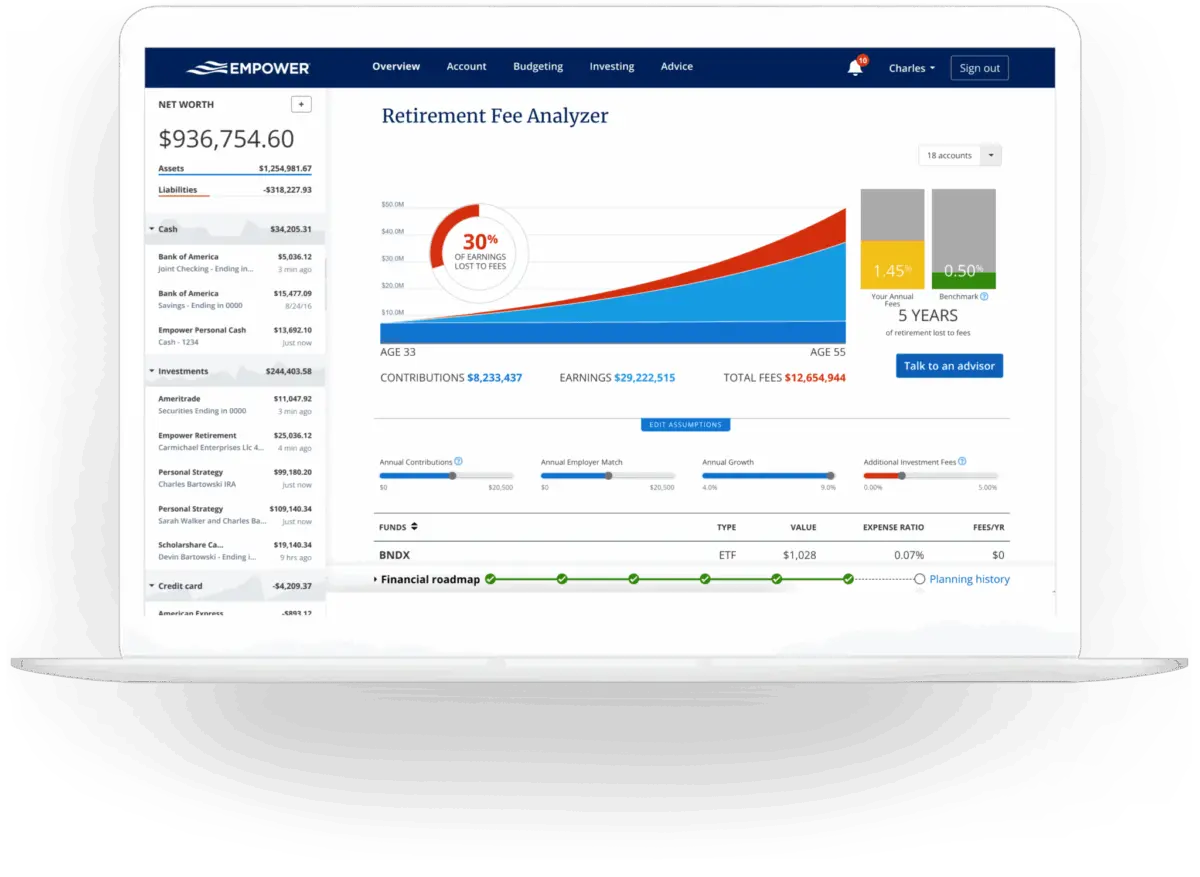
Managing personal finances often feels like a fragmented chore. Between checking accounts, credit cards, mortgages, investment portfolios, and retirement funds scattered across multiple institutions, getting a cohesive picture of one’s overall wealth can be remarkably difficult. Empower, a prominent financial management tool previously known as Personal Capital, aims to solve this challenge by consolidating 100% of an individual’s finances onto a single, comprehensive digital dashboard. Having been utilized by long-time users for years, the platform has established itself as a powerful instrument for tracking net worth, evaluating investment portfolios, and planning for the future.
Quick Take
Empower delivers a complete view of an individual’s financial life in one place. The software automatically synchronizes checking accounts, savings accounts, credit cards, loans, investment vehicles such as 401(k)s and IRAs, and even mortgage accounts, providing a real-time snapshot of net worth and overall financial health.
The core offering includes cash flow tracking, net worth monitoring, investment tracking, and robust retirement planning tools. The investment tracking suite is particularly comprehensive, featuring detailed asset allocation breakdowns, investment fee analyses, and holistic investment checkups. Notably, access to the entire financial dashboard is provided completely free of charge, though the platform maintains a high rating across major mobile application marketplaces, holding a 4.8 out of 5-star rating with hundreds of thousands of reviews on the Apple App Store and a 4 out of 5-star rating on Google Play.
Getting Started with Empower
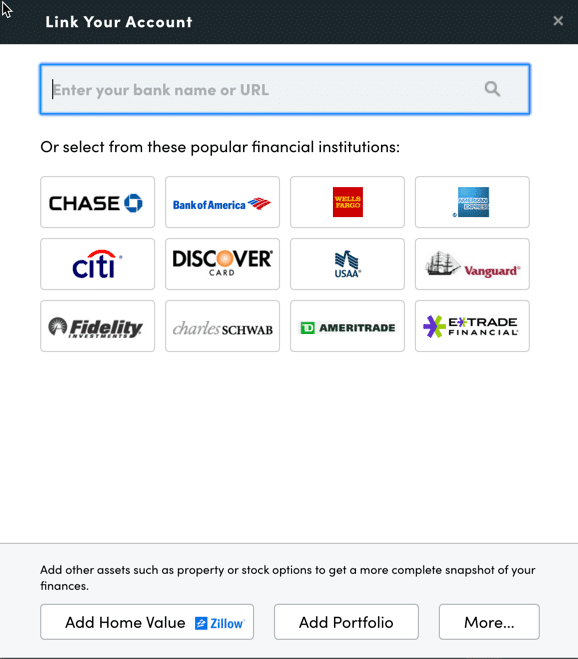
The journey with Empower begins by signing up for a free account and subsequently connecting all relevant financial institutions. While the platform has built its reputation on analyzing and tracking complex investment portfolios, users routinely connect a wide array of everyday financial accounts, including bank accounts, credit cards, consumer loans, mortgages, and residential real estate. When adding physical property like a primary residence, Empower automatically pulls in estimated market values directly from real estate platforms like Zillow to keep net worth calculations accurate.
Linking Your Accounts
Virtually any financial account that features online access can be linked to the dashboard. To successfully connect an institution, users provide their respective username and password within the account integration dialog box, which is accessible via the dashboard’s main navigation interface. Users can search for their financial institution by name or by entering the specific website URL. In the rare scenario that a particular financial institution cannot be automatically linked, the platform allows users to enter account information manually.
Connecting multiple accounts is essential because Empower functions far beyond a basic investment watcher. Aggregating checking, savings, and credit accounts enables comprehensive tracking of net worth, budgeting habits, monthly cash flow, and recurring bills, all synthesized into a unified visual dashboard. While users must connect at least one account to initiate the service, subsequent accounts can be added or managed manually. However, failing to link all primary investment and banking accounts diminishes the depth of the platform’s analytical capabilities.
Settings & Profile
Once initial account synchronization is complete, configuring the settings and profile sections is critical for tailoring the platform’s utility. The settings menu grants users control over email subscriptions, allowing them to receive daily or weekly updates detailing income, spending shifts, and investment movements. Users can also designate whether investment income, such as dividends and interest, should factor into overall cash flow calculations, and whether specific accounts should be excluded from automated financial advice.
Security configurations are likewise housed within the settings menu. The platform supports multi-factor authentication and login alerts designed to notify users immediately if an unauthorized access attempt originates from an unfamiliar location or foreign country. Furthermore, the dashboard maintains an active list of all authorized devices, allowing users to monitor the exact timestamp of the last sign-on and promptly revoke access for outdated hardware.
The user profile section captures essential demographic and financial data for both individuals and spouses, including income sources, baseline savings rates, and long-term investment objectives. These variables feed directly into Empower’s sophisticated planning algorithms, most notably its complimentary retirement planner.
Dashboard
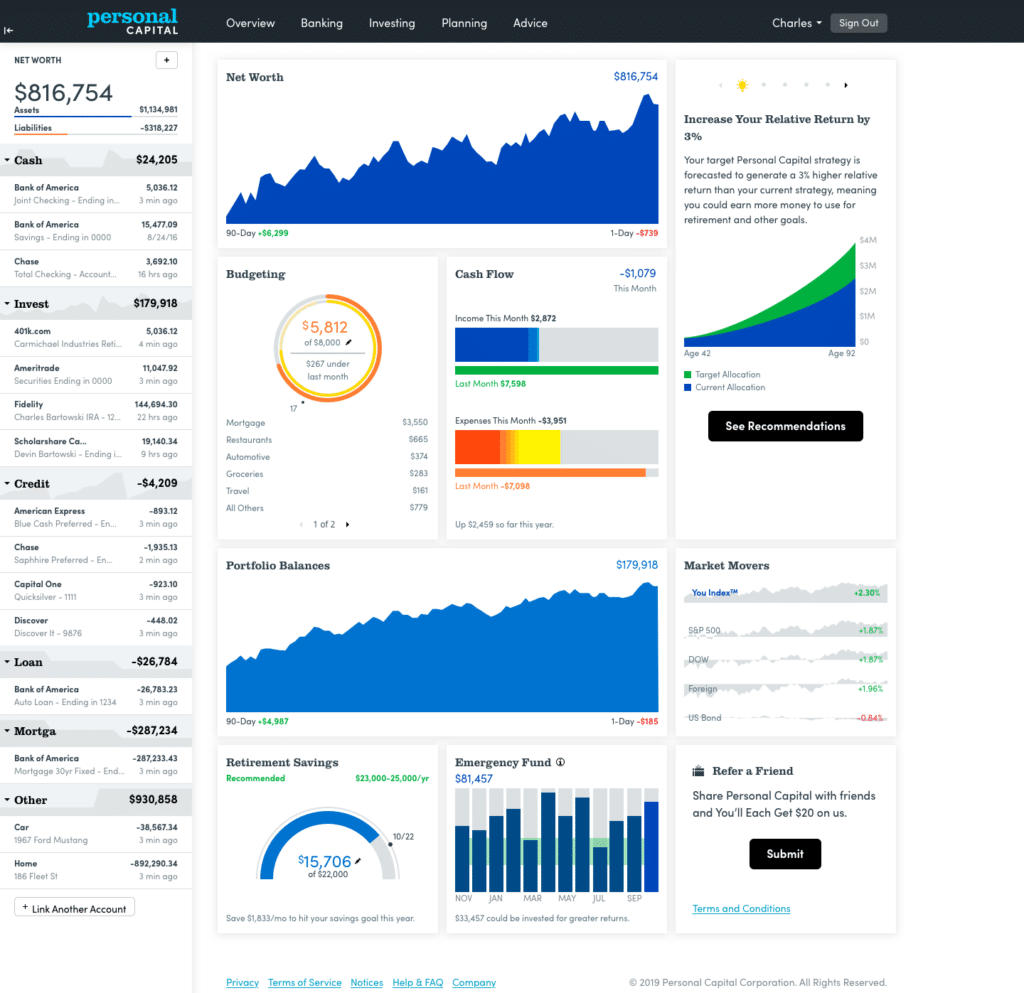
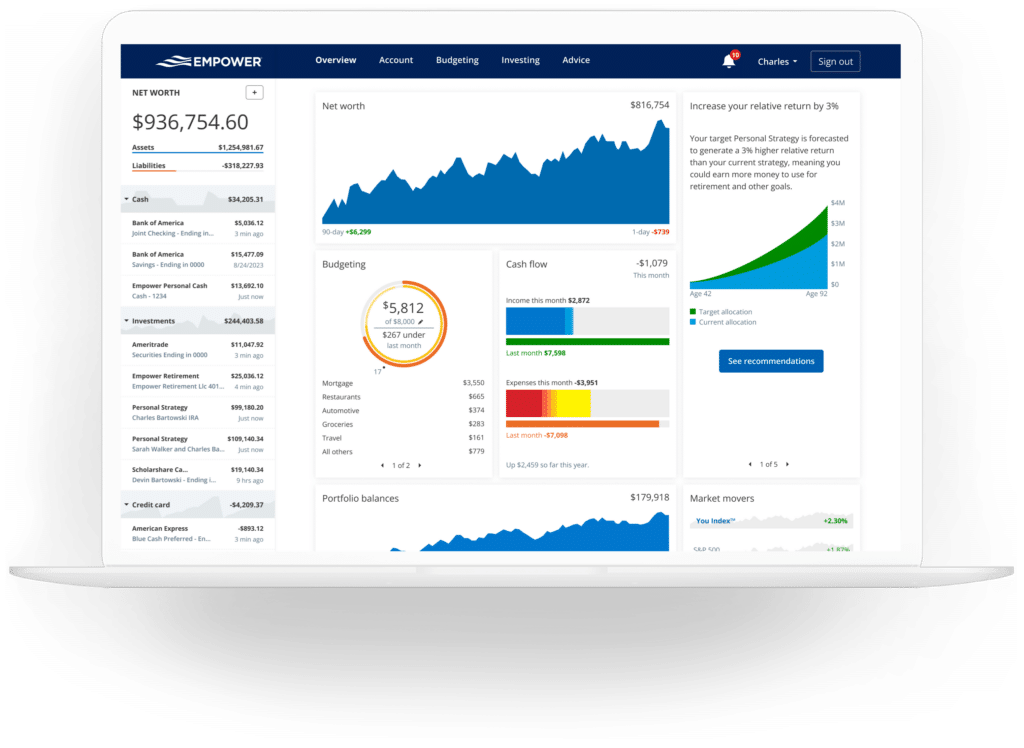
Upon successfully linking accounts, Empower aggregates the data onto a central dashboard designed to present an immediate overview of an individual’s financial ecosystem. The interface displays net worth trends, monthly budgeting metrics, cash flow summaries, investment performance, and steady progress benchmarks toward retirement and emergency savings milestones.
Net Worth
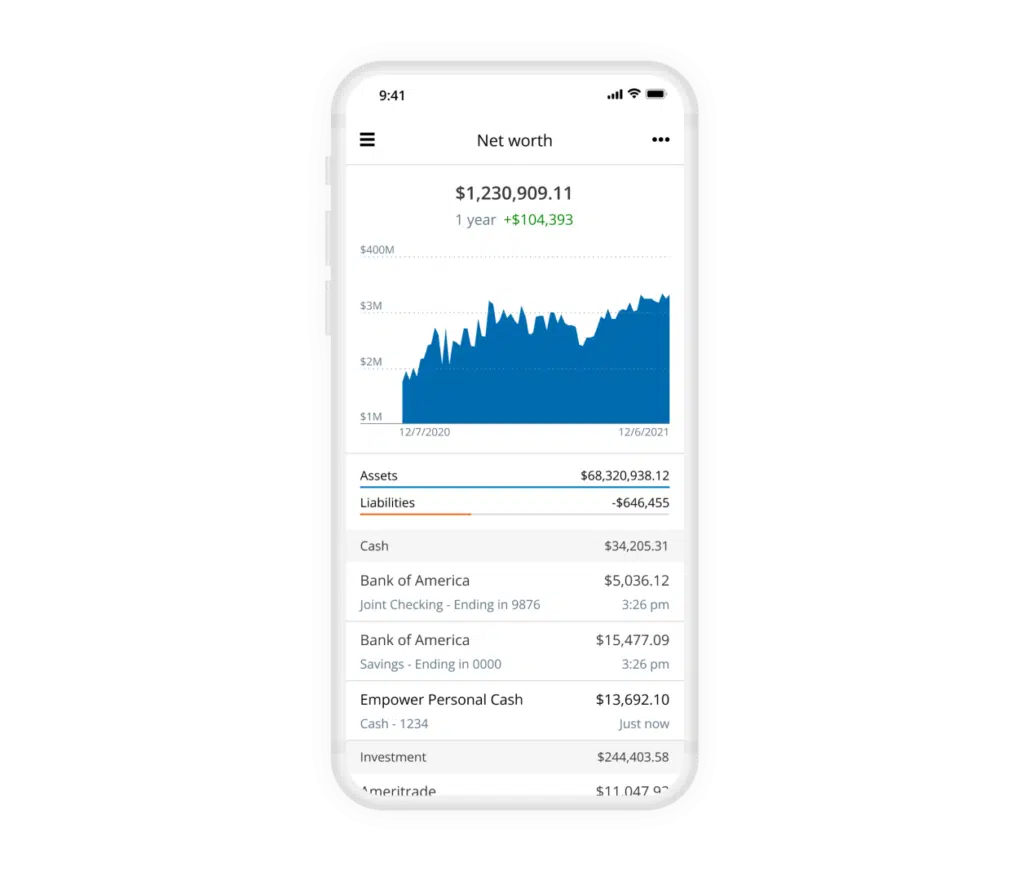
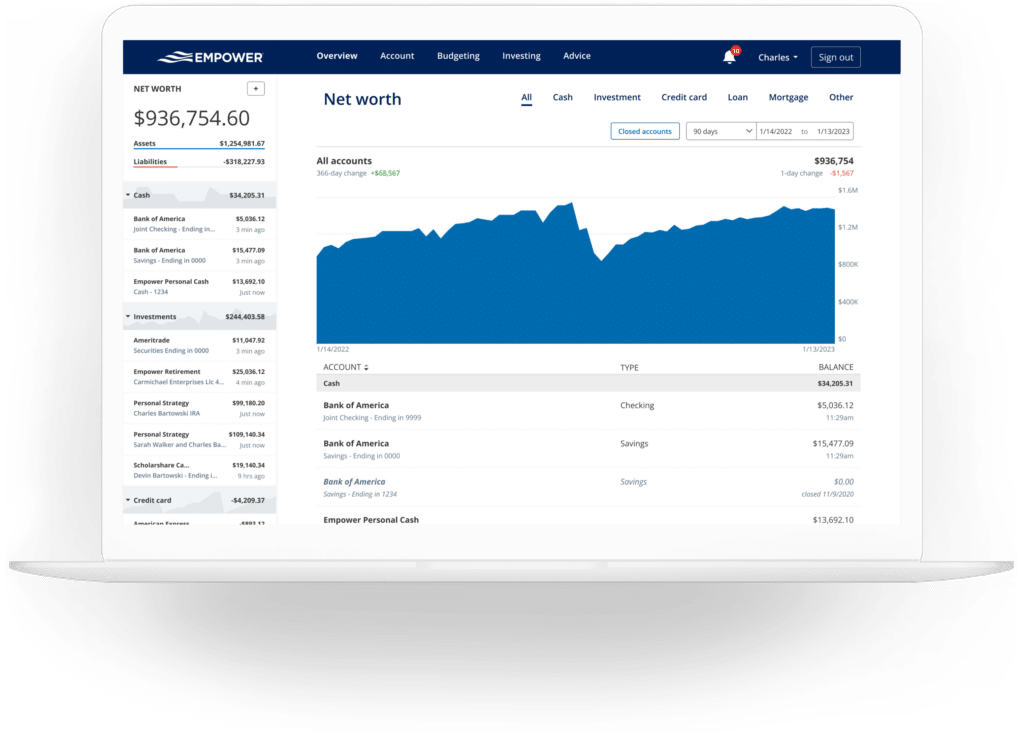
Tracking net worth remains a cornerstone of long-term financial independence. While manual spreadsheets have historically served investors well, automated synchronization transforms net worth monitoring into a passive, real-time exercise. By continuously updating asset values and subtracting outstanding liabilities, the platform maintains an accurate, up-to-date historical record of an individual’s financial standing.
Empower Banking
The platform’s banking suite offers extensive utility, particularly through its automated cash flow and budgeting functions. These features illuminate monthly passive income generation, capturing interest and dividends earned across all portfolios, while simultaneously categorizing household expenditures.
Cash Flow
The cash flow module evaluates income and expenses down to the individual transaction level. Expenses are automatically sorted into predefined categories, and users retain the ability to drill down into specific data points for granular analysis. By utilizing account filtering features, users can isolate specific segments of their financial life—such as viewing exclusively business checking and credit card transactions or filtering strictly for investment-derived income to evaluate portfolio yield.
Budgeting
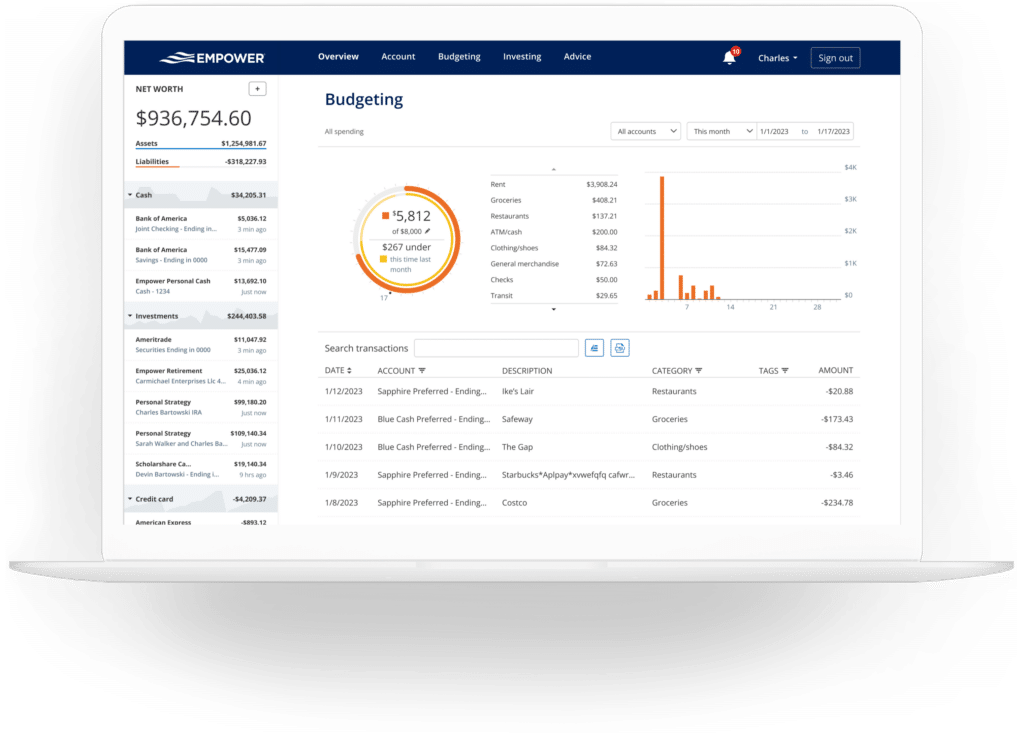
Empower’s budgeting functionality differs significantly from traditional envelope-style budgeting applications. Rather than establishing rigid spending limits for dozens of granular sub-categories, the platform focuses on an overarching monthly spending goal while offering deep visibility into historical spending habits by category. Transactions are imported automatically and categorized, though users typically spend a few minutes each month refining and correcting categorization errors.
In addition to standard categories, the platform supports custom transaction tagging. For instance, a user might assign general home maintenance expenses to a broad category while applying specific tags like a pool maintenance label to isolate auxiliary project costs without generating redundant primary categories.
Bills
By synchronizing credit cards, mortgages, and various consumer loans, the platform tracks payment due dates and upcoming financial obligations. This visibility assists in avoiding missed or late payments while smoothing out cash flow planning across the billing cycle.
Empower Investing
Investment management represents the platform’s most sophisticated domain. After connecting retirement and taxable brokerage accounts, Empower tracks asset pricing throughout active trading days, monitors mutual fund expense ratios, evaluates asset allocation, and deploys evaluation tools designed to optimize portfolio construction.
Holdings
The holdings interface provides a comprehensive breakdown of individual investments. Users can inspect specific security prices, cost bases, day-to-day market changes, total gains or losses, and portfolio weightings. Historical performance metrics are tracked continuously, providing transparent insight during both bullish market expansions and severe market downturns.
Allocation
Asset allocation reporting automatically evaluates current investments to determine precise weightings across equities and fixed income. The breakdown extends further into sub-classes, categorizing domestic stocks, international equities, bonds, and alternative asset classes. Interactive graphical representations allow investors to explore the underlying securities making up each asset class with a single click. Notably, cash positioning is evaluated comprehensively, identifying cash reserves held within dedicated money market funds as well as uninvested cash fractions sitting inside stock mutual funds.
Tracking Bitcoin & Crypto
Addressing the rapid expansion of digital asset adoption, Empower accommodates the tracking of cryptocurrencies such as Bitcoin, Ethereum, and Litecoin. Crucially, investors are not required to link crypto wallets or surrender private account credentials. Instead, users create manual accounts by specifying the token symbol, exchange, and holding amount. The platform’s tracking infrastructure supports thousands of distinct tokens across hundreds of active digital asset exchanges.
Empower Planning
While aggregating accounts provides structural visibility, the platform’s integrated planning tools elevate the software into a comprehensive advisory ecosystem.
Retirement Planner
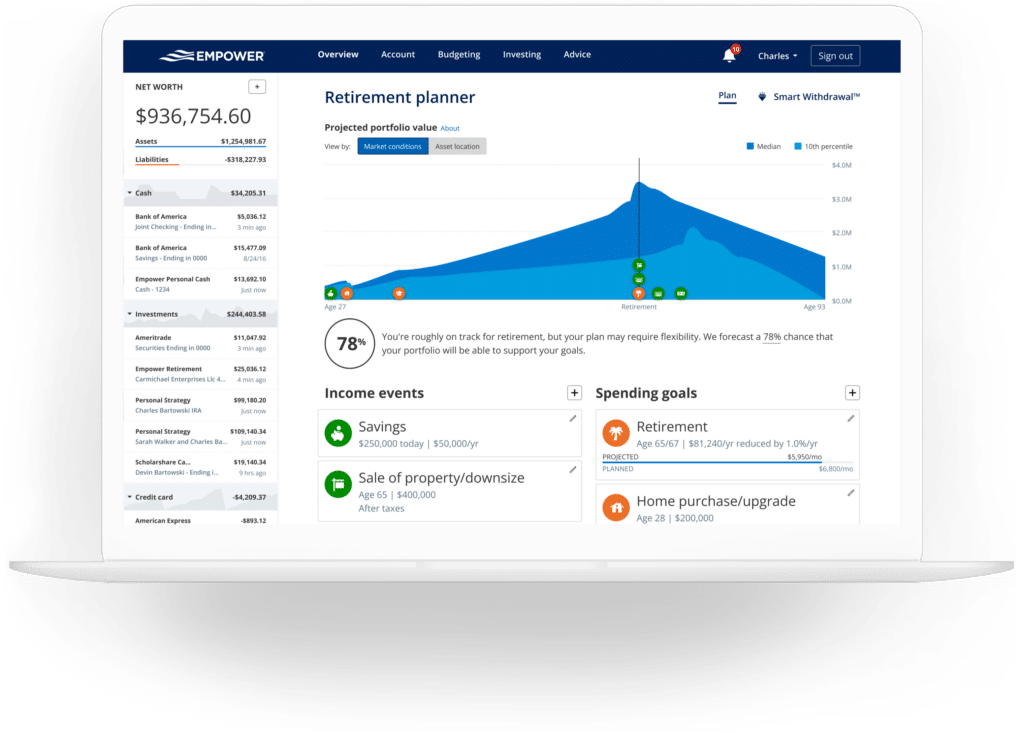
The retirement readiness calculator utilizes real-time data from linked investment accounts to project future financial security. The tool models various financial scenarios, allowing users to compare traditional retirement timelines against early retirement trajectories. Assumptions regarding social security estimates, projected inflation rates, effective tax brackets, and anticipated life expectancy can be adjusted dynamically, with side-by-side comparisons highlighting the long-term impact of each variable.
Savings Planner
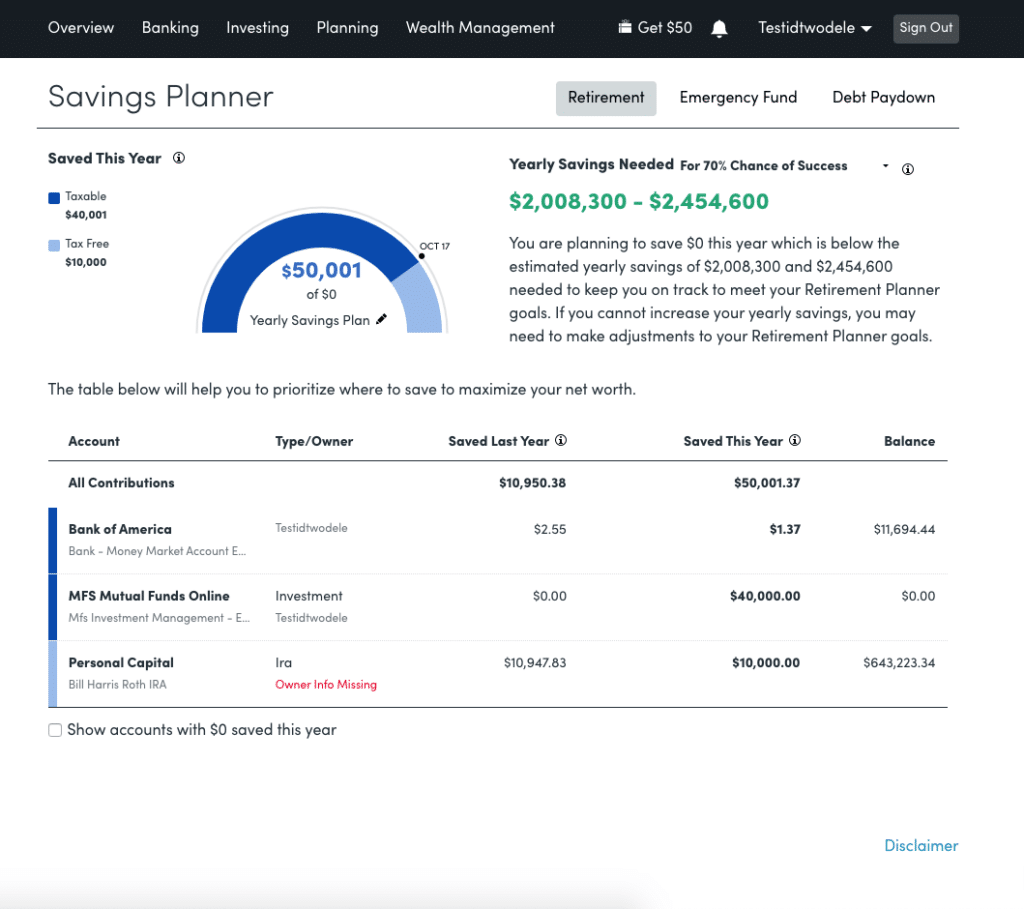
The savings planner integrates three distinct focus areas: retirement savings, emergency fund accumulation, and debt reduction. The retirement savings planner monitors annual contribution goals across tax-advantaged accounts like 401(k)s and IRAs, as well as taxable brokerage accounts, linking directly with the primary retirement calculator. The emergency fund planner aggregates balances across all linked liquid bank accounts, recommending a reserve equal to three to six months of expenses based on established monthly budgets. Meanwhile, the debt paydown module catalogs consumer loans, mortgages, and interest-bearing credit card balances, tracking year-to-date balance changes and prevailing interest rates.
Retirement Fee Analyzer
Investment fees exert a profound downward pressure on long-term wealth accumulation over decades. Empower calculates a weighted average expense ratio across all linked portfolios. By illustrating how seemingly negligible fees—such as a 1% advisory fee or mutual fund expense ratio—translate into tens or hundreds of thousands of dollars in lost compounding over time, the fee analyzer underscores the critical importance of low-cost investing.
Investment Fee Checkup
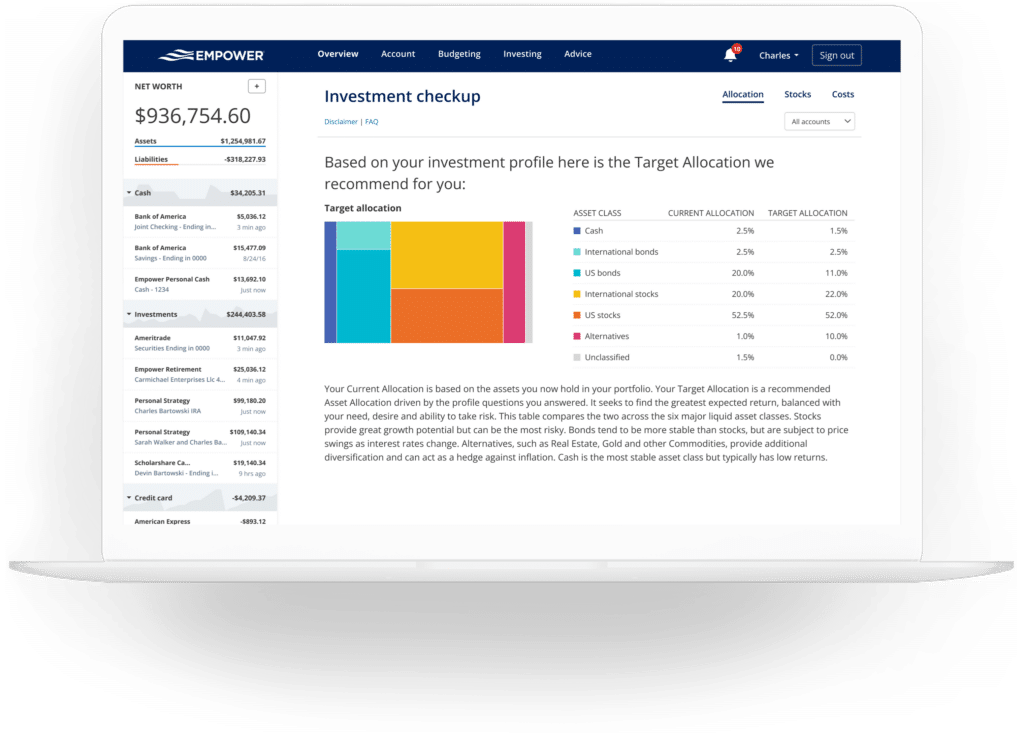
Beyond evaluating expenses, the investment checkup compares an individual’s current asset allocation against model portfolios tailored to their specific age, timeline to retirement, and risk tolerance. The tool projects historical performance, future risk and return profiles, and provides specific rebalancing recommendations detailing which asset classes require accumulation or reduction to align with optimal targets.
Empower FAQs
Is Empower safe?
Empower employs AES-256 data encryption supported by multi-layer key management, including rotating user-specific keys and salts, ensuring that no individual employee has direct access to user credentials. Additionally, the platform requires multi-factor device authentication via automated phone calls, emails, or text messages whenever a login is attempted from an unrecognized device.
Is Empower really free?
The core financial dashboard and its associated analytical tools are provided completely free of charge, though optional human advisory and wealth management services carry distinct fee structures.
Will Empower call me?
Because the financial dashboard serves in part as a marketing funnel for the company’s wealth management division, users may receive outreach from financial advisors. However, users who prefer not to be contacted can decline these services, and the organization honors requests to cease outreach.
Do I have to invest with Empower to use the dashboard?
No investment with the firm is required to utilize the free financial dashboard tools.
How much does Empower cost?
The financial dashboard tools remain free. For clients electing to utilize optional professional investment advisory services, management fees start at 0.89% annually for the first $1 million under management and scale downward to 0.49% for asset pools exceeding $10 million.







No comments yet. Be the first to join the conversation!