
Managing personal finances often feels like a fragmented chore. Between checking accounts, credit cards, mortgages, and various investment portfolios scattered across multiple institutions, getting a clear picture of one’s financial health can be daunting. Empower, formerly known as Personal Capital, offers a centralized solution designed to address this exact challenge by aggregating 100% of an individual’s financial life onto a single, comprehensive dashboard.
Having been utilized by long-term users for years, the platform has established itself as a robust tool for holistic wealth management. Delivering a complete view of finances in one place, it automatically syncs checking, savings, credit card, loan, and investment accounts—including 401(k)s and IRAs—along with mortgages and real estate holdings. By doing so, it provides a real-time snapshot of net worth and overall financial health without requiring users to pay for the core dashboard software.
Getting Started with Empower
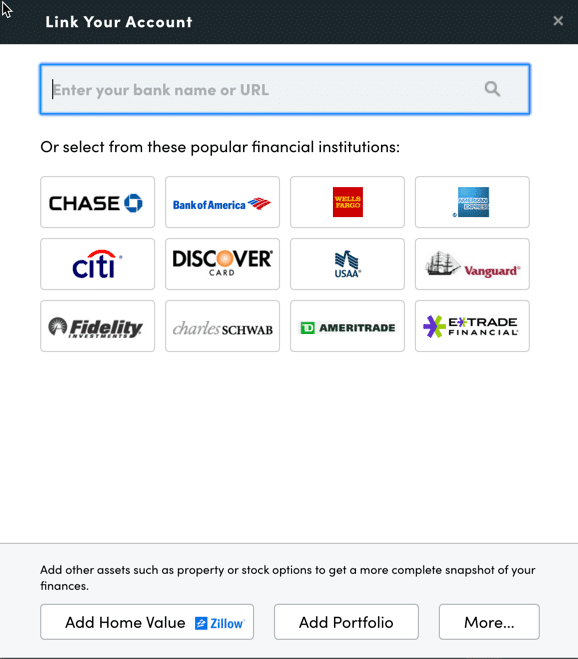
The process of utilizing Empower begins with setting up a free account and subsequently connecting all relevant financial entities. While the platform is widely recognized for its advanced investment tracking and analysis capabilities, its utility extends far beyond the stock market. Users can link traditional bank accounts, credit cards, loans, mortgages, and even primary residences. When adding real estate, the platform integrates data directly from Zillow to estimate home values automatically.
Connecting accounts requires online access credentials, including the username and password for each respective financial institution. Users initiate the process by searching for the name or web address of their institution within the linking dialog box on the dashboard. In the rare event that a specific financial institution cannot be linked automatically, the platform permits manual entry of account details.
While at least one account must be linked to initialize the service, additional accounts can be incorporated manually afterward. However, failing to link all major investment and banking accounts diminishes the depth of the platform’s analytical capabilities, particularly regarding investment tracking and holistic budgeting.
Once accounts are established, configuring the settings and profile sections is critical. Accessible via the user profile menu, the settings allow individuals to control email subscriptions, such as daily or weekly updates covering income, spending, and investments. Users can also determine whether to include investment income and dividends in cash flow calculations and decide which accounts should be excluded from financial advice features.
Security features are heavily emphasized within the settings menu. Users are strongly encouraged to configure multi-factor authentication and enable login alerts triggered by access attempts from foreign countries. Additionally, the platform provides an authorized device list, allowing users to monitor past sign-ins and revoke access for obsolete devices. The profile section captures demographic and financial data—such as income sources, savings rates, and investment objectives—which power advanced forecasting instruments like the free retirement planner.
Dashboard Overview and Net Worth Tracking
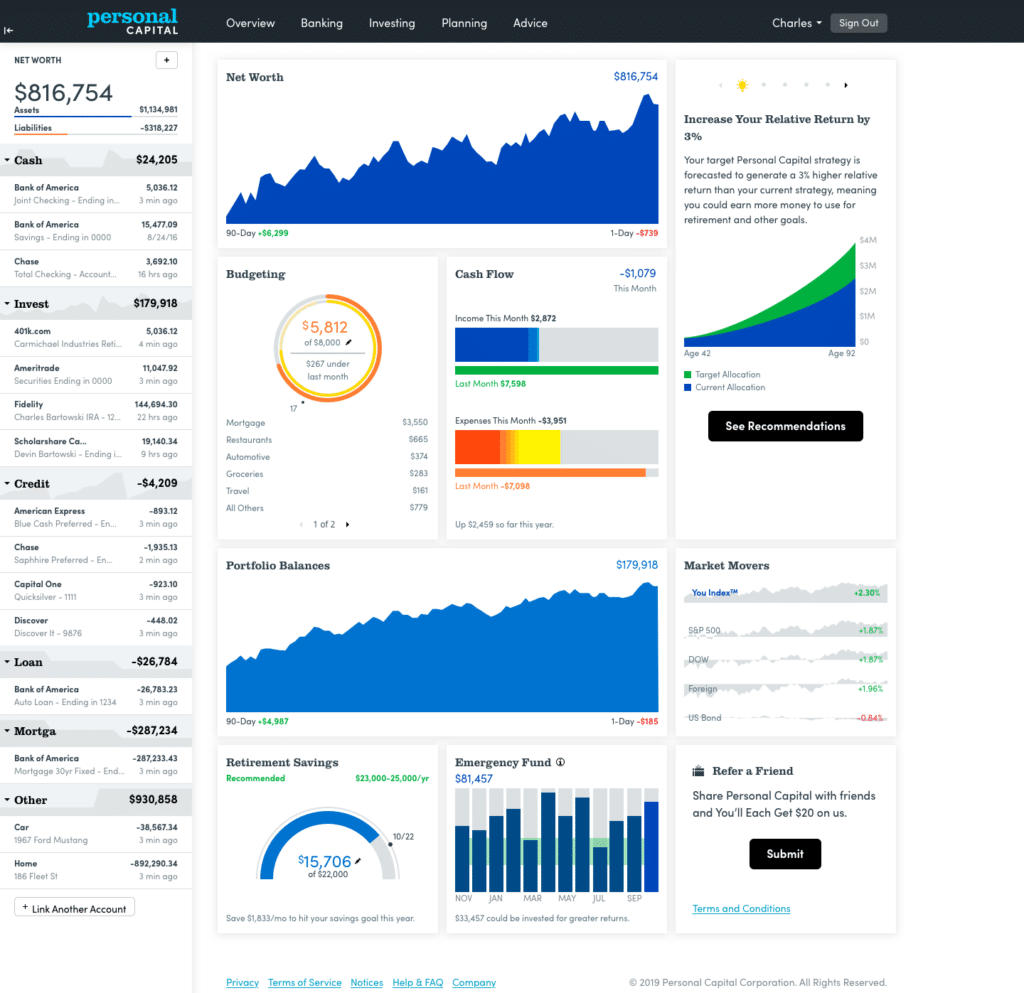
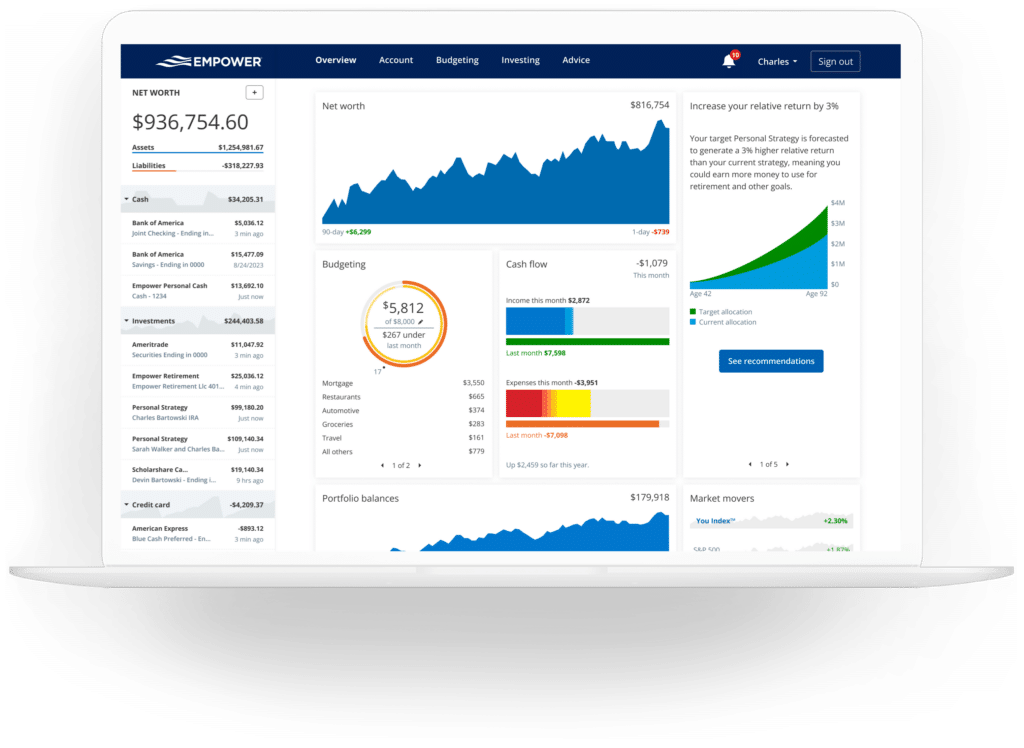
The core of the Empower experience is its centralized dashboard, which aggregates data from all connected sources to present an immediate overview of an individual’s entire financial standing. The interface displays net worth, monthly budgets, cash flow, investments, and progress toward long-term milestones like retirement and emergency savings.
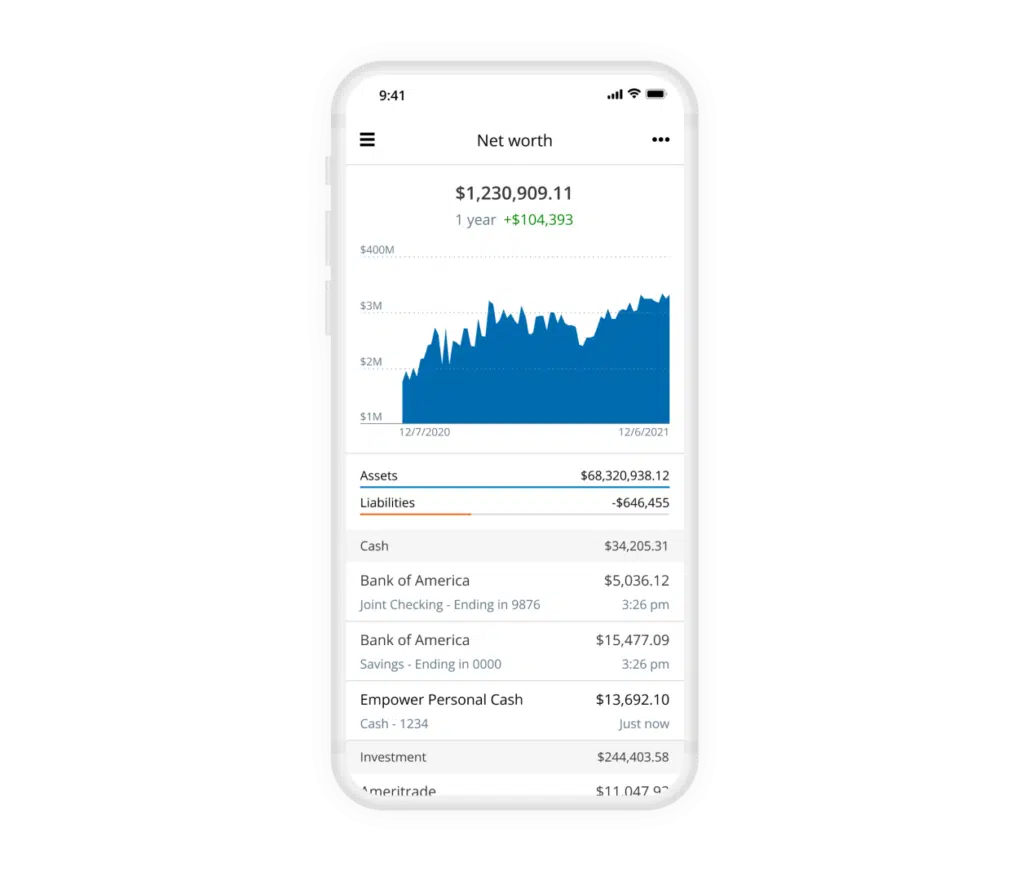
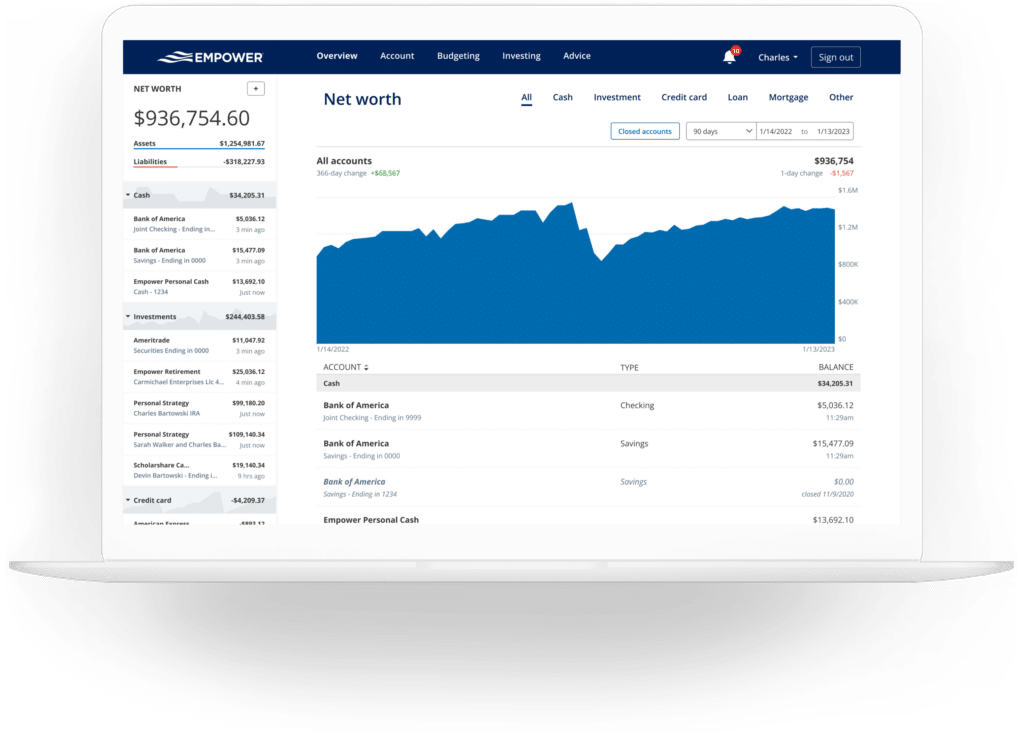
Tracking net worth remains a cornerstone of financial management. Although many investors traditionally maintain manual spreadsheets for this purpose, Empower automates the process entirely once accounts are synchronized. By continuously updating asset values and subtracting liabilities, the platform maintains an ongoing, historical record of net worth fluctuations over time.
Empower Banking, Cash Flow, and Budgeting
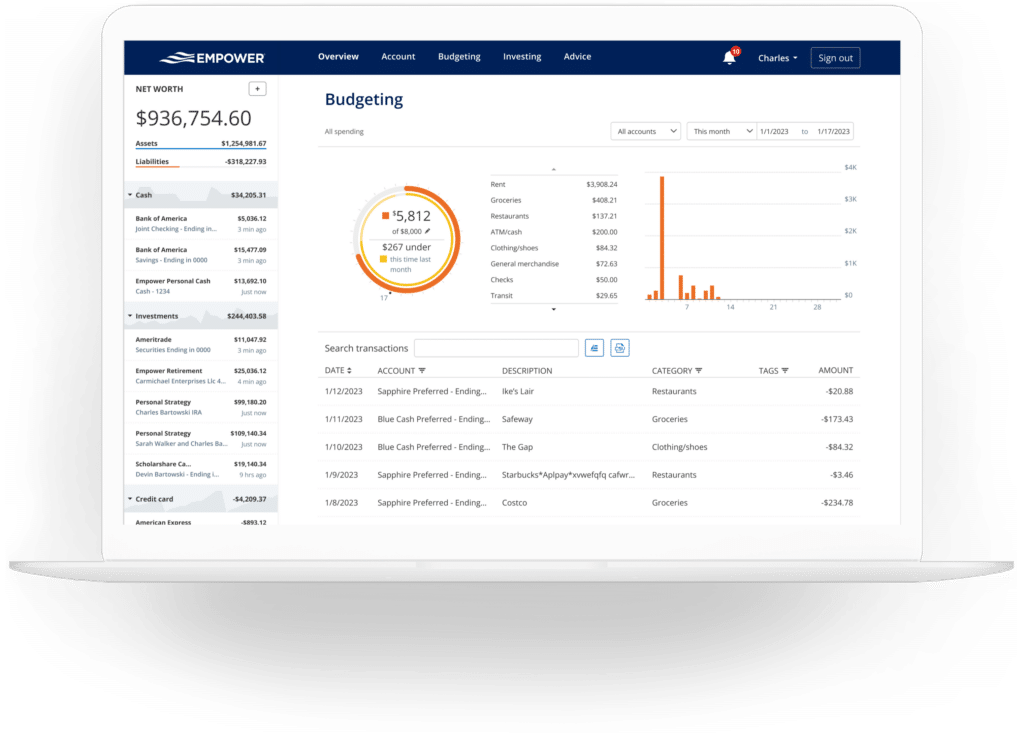
Beyond investments, the platform incorporates banking features centered heavily around cash flow and budgeting functions. The cash flow tool operates at a transaction level, displaying income and expenses while automatically categorizing expenditures. Users retain the ability to drill down into specific transaction details, filter reports by designated accounts, and isolate specific revenue streams. For instance, connecting business checking and credit card accounts allows entrepreneurs to review business-specific expenses separately, while filtering investment accounts highlights monthly dividend and interest earnings.
The budgeting feature approaches expense management differently than traditional, category-restricted budgeting applications. While users can establish overall monthly spending goals, the system does not enforce strict spending limits per individual category. Instead, its primary strength lies in providing clear visibility into historical spending patterns by automatically importing and categorizing transactions from linked accounts.
While the platform generally categorizes spending accurately, users typically spend a few minutes each month reviewing and correcting minor classification errors. To enhance organization further, transactions can be tagged with custom labels. This allows users to track specific subsets of expenses—such as pool maintenance under a broader home maintenance umbrella—without creating entirely new budgeting categories.
The inclusion of a dedicated bills feature leverages linked credit cards, mortgages, and loans to monitor upcoming payment due dates. This functionality assists in preventing missed or late payments while aiding in short-term monthly cash flow planning.
Empower Investing and Portfolio Analysis
Investment tracking is widely regarded as one of the platform’s most powerful capabilities. Once retirement and taxable brokerage accounts are connected, the system updates market prices throughout the trading day, monitors mutual fund expense ratios, evaluates asset allocation, and provides diagnostic tools to assess portfolio health.
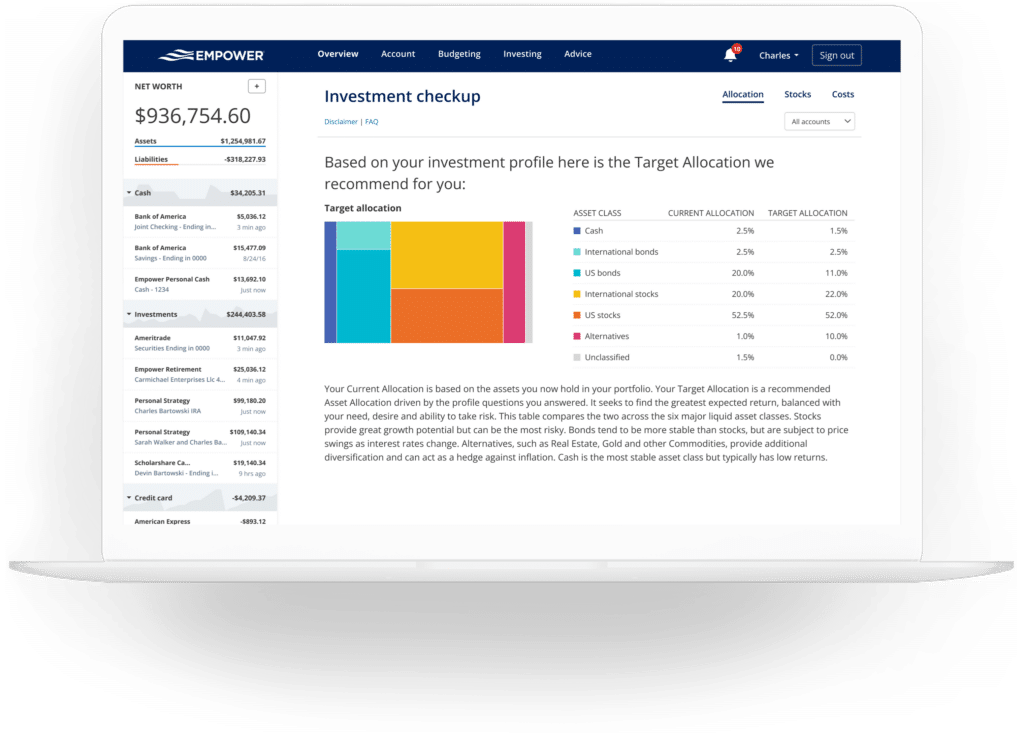
The holdings overview details each owned investment, providing transparency regarding performance, market value, and cost basis. Asset allocation tools automatically evaluate investments to report the exact proportion of U.S. and international stocks, bonds, and alternative assets within a portfolio. An interactive graphic representation allows users to click through asset classes to examine underlying investments, right down to the cash held within stock mutual funds.
For cryptocurrency investors, the platform offers tracking capabilities for major digital assets such as Bitcoin, Ethereum, and Litecoin. Crucially, investors are not required to link crypto wallets or surrender private keys. Instead, users can create manual accounts by inputting the token symbol, exchange, and quantity. The system then tracks values across thousands of tokens and hundreds of exchanges.
Empower Planning Tools and Retirement Calculators
Transforming raw account data into actionable strategies, the platform’s planning suite introduces sophisticated modeling instruments designed to evaluate long-term financial readiness.
The retirement planner utilizes connected investment data to project future financial security. Users can construct multiple scenarios and compare them side-by-side, adjusting variables such as retirement age, the inclusion or exclusion of Social Security benefits, effective tax rates, projected inflation, and life expectancy. This enables individuals to model traditional versus early retirement paths under varying economic assumptions.
The savings planner consolidates three distinct focus areas: retirement savings, emergency fund accumulation, and debt paydown. The retirement savings planner tracks annual contributions across tax-advantaged accounts like 401(k)s and IRAs, as well as taxable accounts, linking directly with the broader retirement modeling tools. The emergency fund planner aggregates balances across connected bank accounts, recommending a reserve equivalent to three to six months of expenses based on established budget parameters. The debt paydown planner monitors liabilities such as mortgages, auto loans, and personal loans, alongside credit cards that carry balances from previous billing cycles. It displays current balances, annual percentage rates, year-to-date balance changes, and visual trend graphs.
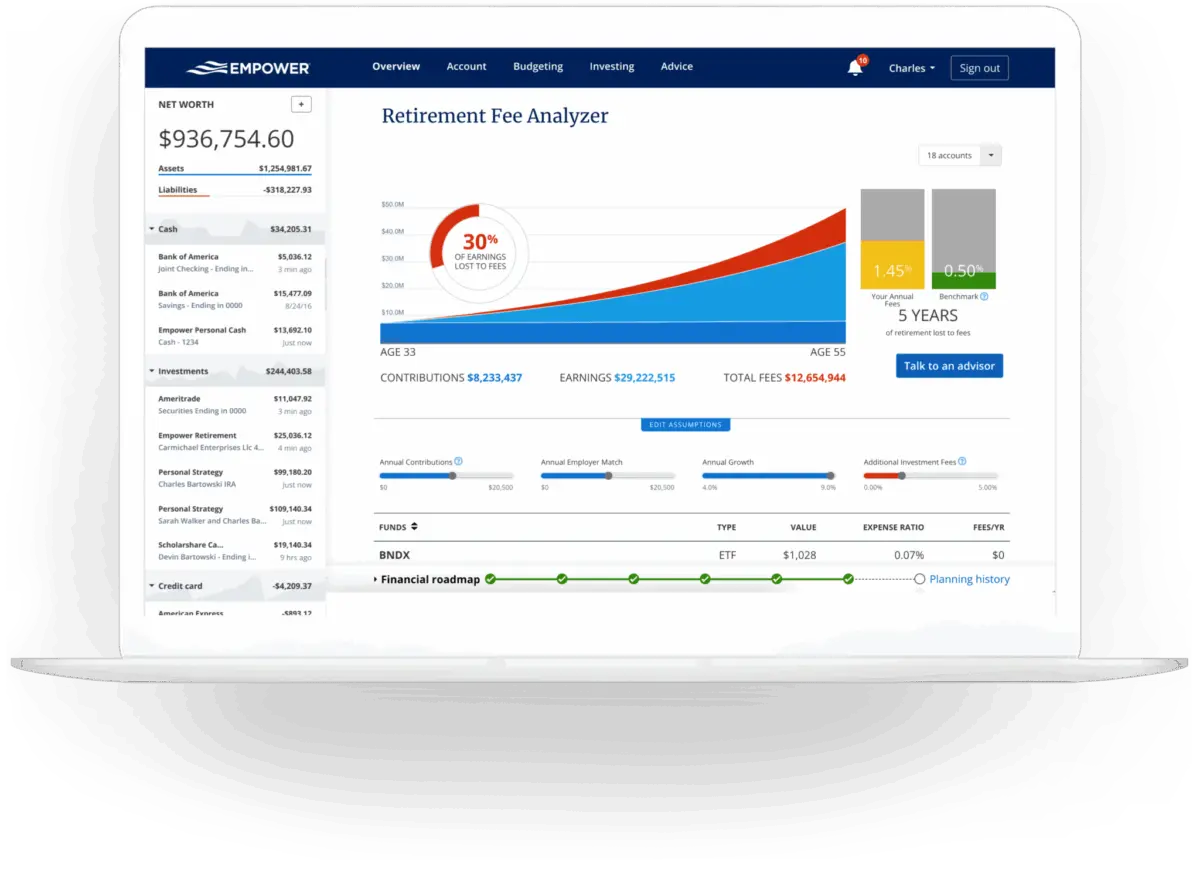
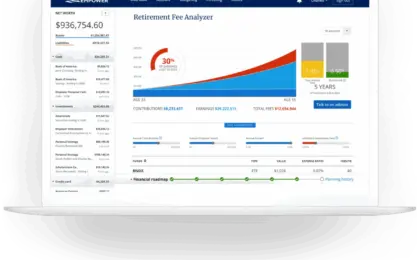
Investment fees are evaluated through the retirement fee analyzer, which calculates a weighted average expense ratio across all linked accounts. By demonstrating how seemingly minor fees—such as a 1% advisory or mutual fund fee—compound over decades to cost hundreds of thousands of dollars in lost wealth, the tool emphasizes the long-term impact of fee minimization.
Complementing the fee analyzer, the investment checkup tool evaluates current asset allocations against a recommended portfolio based on the user’s age, timeline to retirement, and risk tolerance. It outlines historical performance, projected returns, risk metrics, and specific adjustments required to align the portfolio with target asset classes.
Frequently Asked Questions
Security measures employed by the platform include AES-256 data encryption with multi-layer key management, rotating user-specific keys, and salts, ensuring that no individual employee has direct access to user credentials. Device authorization protocols require secondary verification via automated phone calls, emails, or text messages for new login attempts.
Regarding cost, the financial dashboard tools are provided free of charge. Monetization occurs through optional, premium investment advisory services, which feature tiered management fees starting at 0.89% for the first $1 million under management and scaling down to 0.49% for balances exceeding $10 million. Utilizing the free financial dashboard does not obligate users to purchase advisory services, and while the platform utilizes the software as a marketing channel for its advisory division, users who decline advisory calls can request that outreach cease.







No comments yet. Be the first to join the conversation!