
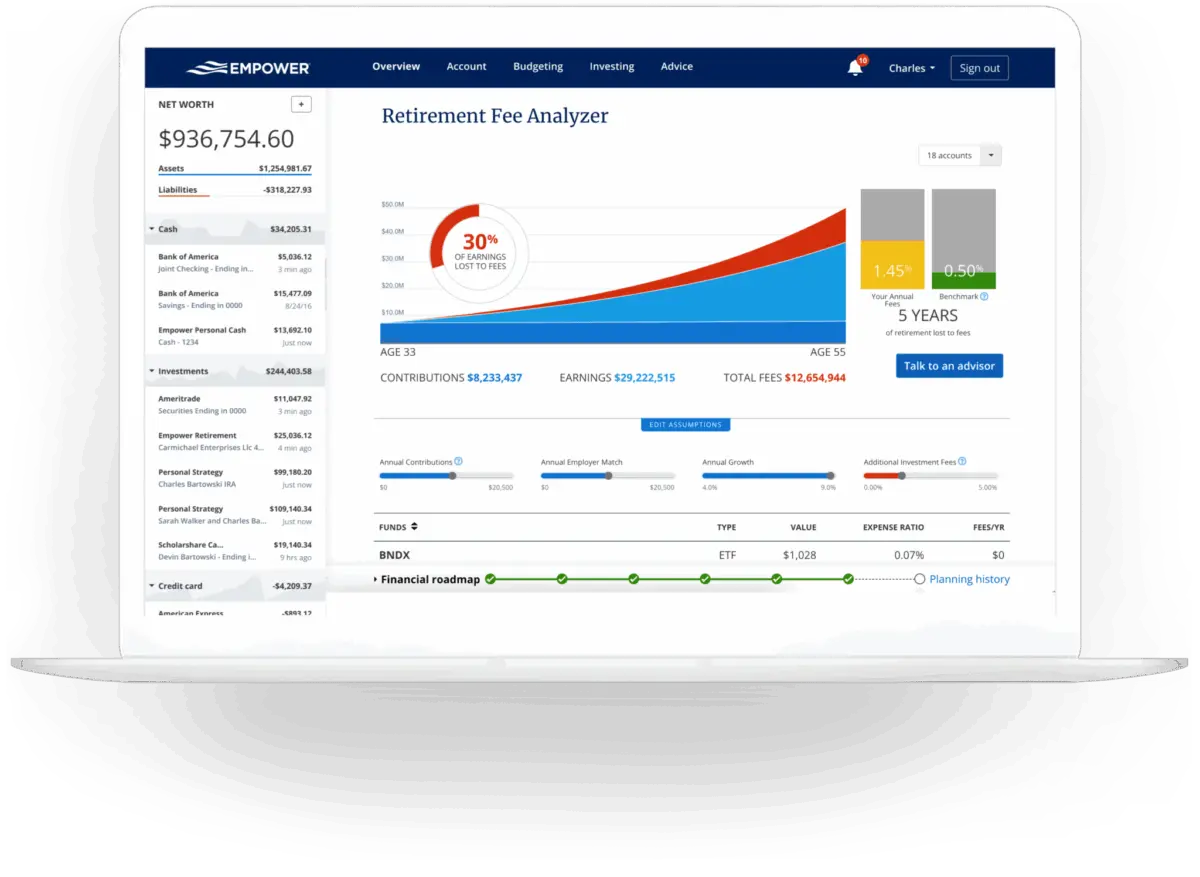
Managing personal finances can often feel like navigating a complex maze of disjointed accounts, scattered statements, and hidden fees. For years, users seeking a centralized solution have turned to Empower—formerly known as Personal Capital—to bring order to their financial lives. Designed to consolidate 100% of an individual’s finances onto a single, accessible dashboard, the tool has established a strong reputation among consumers, boasting a 4.8-star rating with over 366,000 reviews on the Apple App Store and a 4-star rating across nearly 30,000 reviews on Google Play.
At its core, Empower delivers a complete, real-time snapshot of net worth and overall financial health by automatically syncing a wide array of accounts. Checking, savings, credit cards, loans, mortgages, and investment portfolios—including 401(k)s and IRAs—are all brought together into one interface. Beyond basic account aggregation, the platform offers robust cash flow tracking, comprehensive investment monitoring, and advanced retirement planning tools. Notably, the foundational financial dashboard and its extensive suite of tracking tools are provided entirely free of cost.
Getting Started and Linking Your Accounts
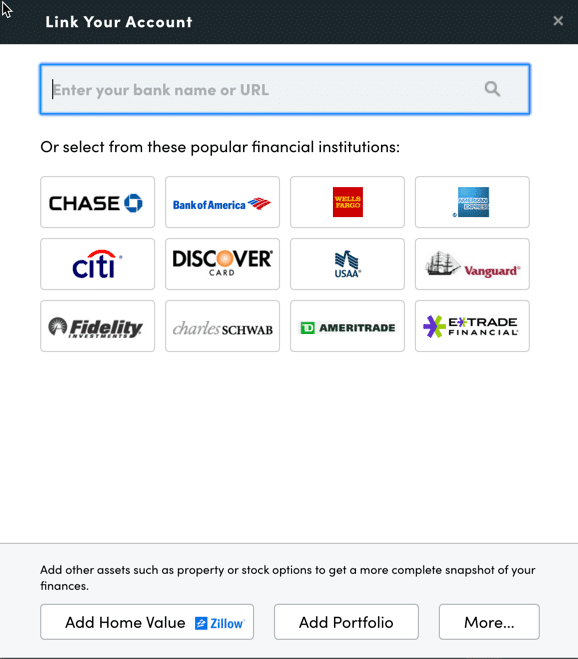
The onboarding process begins with setting up a free account and subsequently connecting external financial institutions. While Empower is widely recognized for its sophisticated investment analysis, its utility extends far beyond the stock market. Users can integrate traditional bank accounts, credit cards, mortgages, and even real estate holdings. For instance, when a residential property is added to the profile, Empower automatically pulls in estimated market values directly from Zillow to ensure net worth calculations remain up to date.
Connecting accounts requires online access credentials, including usernames and passwords for each institution. By searching for the financial institution’s name or website URL within the "Link Your Account" dialog box, users can quickly establish a secure connection. For any rare instances where an institution cannot be automatically linked, the platform allows individuals to enter account details manually.
While the system requires at least one initial account to get started—which can be as simple as a credit card—skipping the integration of investment accounts diminishes much of the platform’s advanced analytical power. Once the initial connections are established, users navigate to the settings and profile sections to tailor their experience. This area allows individuals to configure daily or weekly email updates regarding income, spending, and investments, as well as determine whether investment income and dividends should be factored into overall cash flow calculations.
Security remains a primary focus within the settings menu. The platform incorporates multi-factor authentication and provides alerts whenever a login attempt originates from a foreign country. Furthermore, users can review a comprehensive list of authorized devices accessing their account, complete with timestamps of the last sign-on, allowing them to revoke access for outdated hardware. The profile section also captures vital demographic and financial details for couples, including income sources and savings objectives, which feed directly into the software’s long-term planning tools.
The Financial Dashboard and Net Worth Tracking
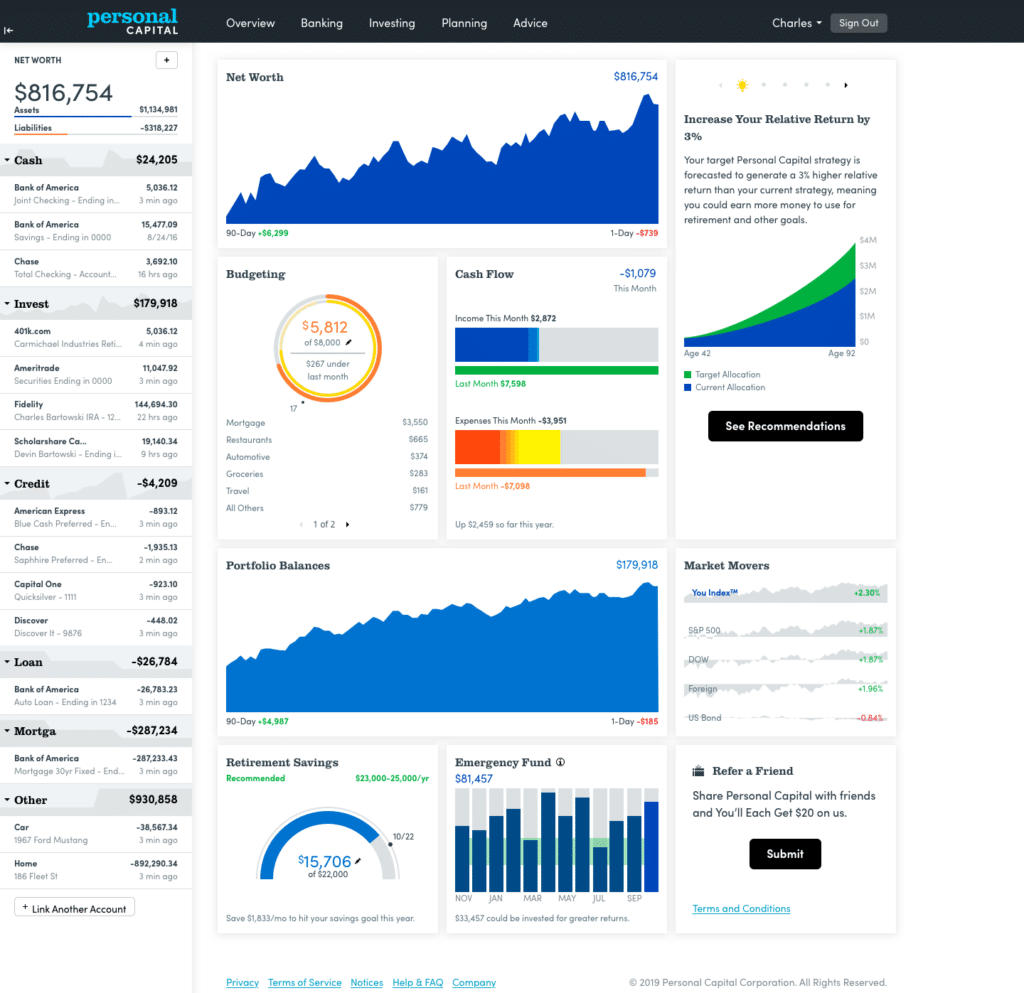
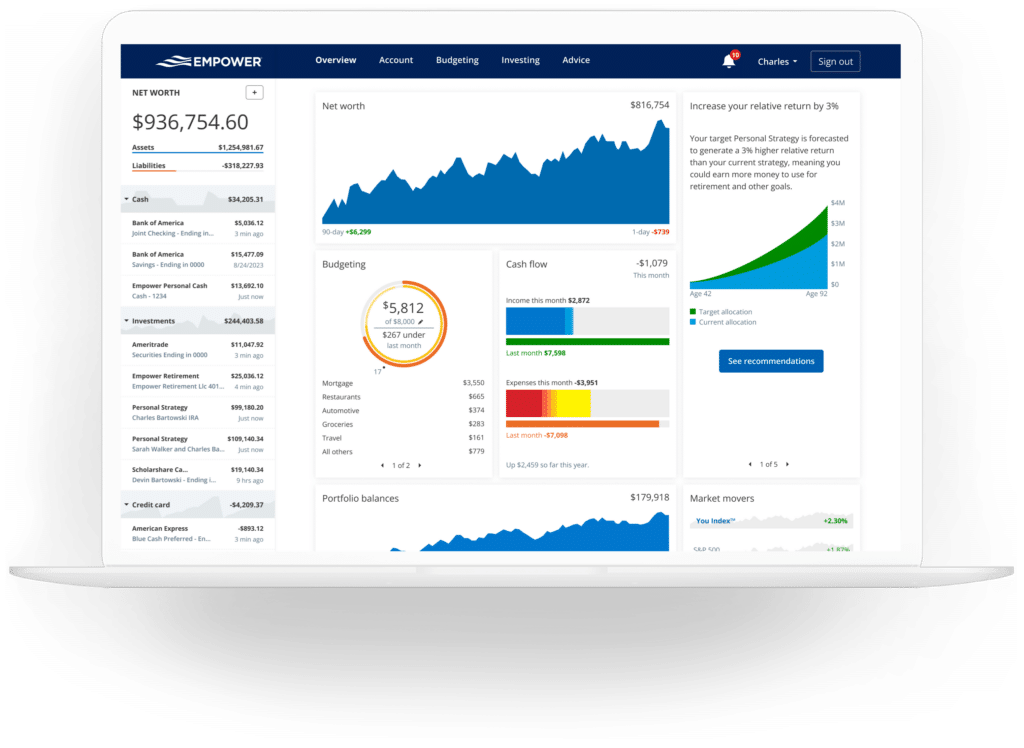
Once all accounts are successfully linked, Empower aggregates the data into a centralized dashboard that presents an immediate overview of an individual’s financial standing. This includes current net worth, monthly budget performance, cash flow trends, investment holdings, and ongoing progress toward retirement and emergency savings milestones.
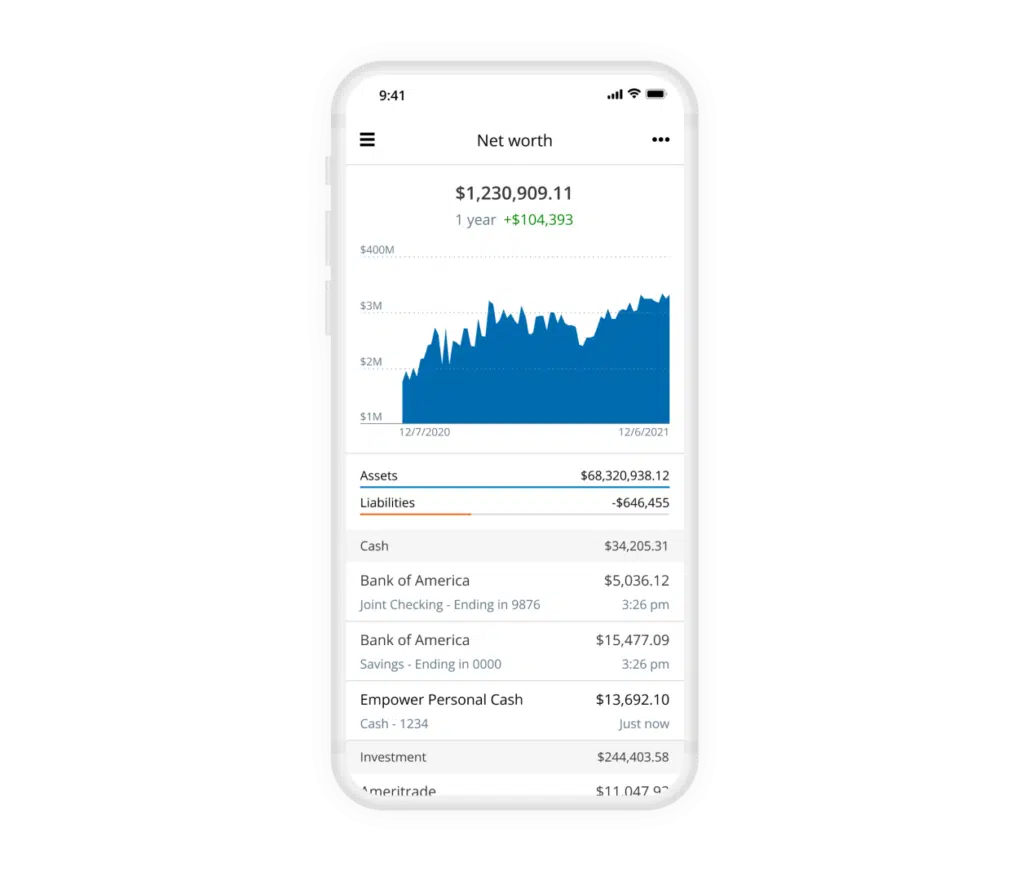
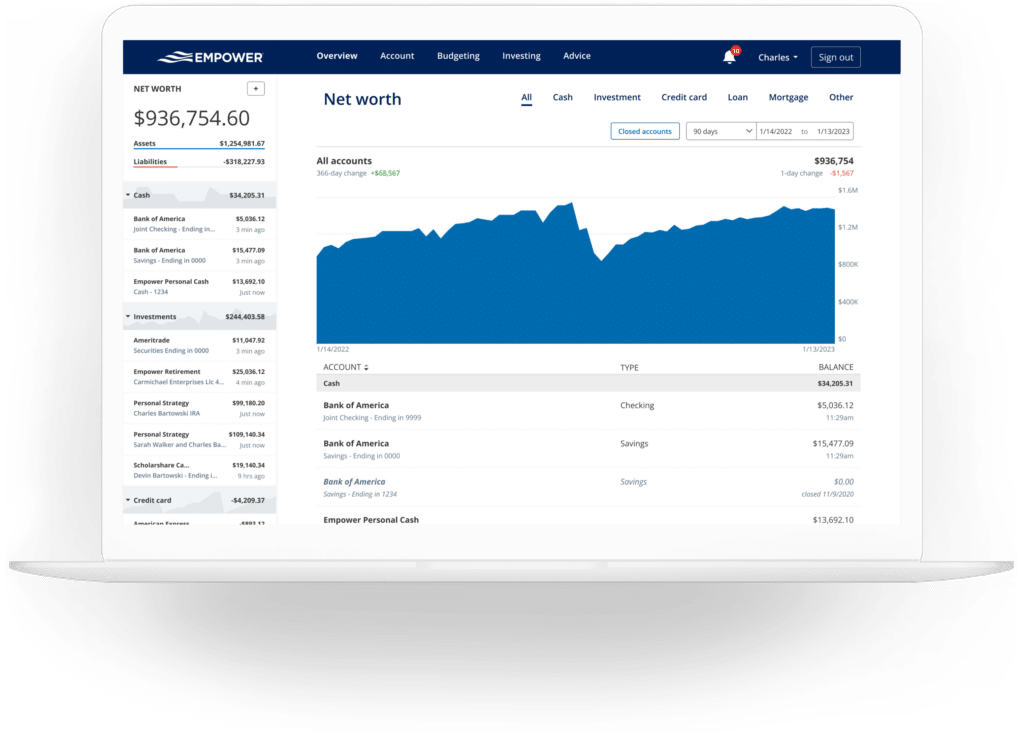
Tracking net worth is widely regarded as a cornerstone of financial freedom. While some individuals prefer maintaining traditional spreadsheets, Empower automates this process entirely by continuously updating asset and liability values across all connected institutions. The dedicated Net Worth screen breaks down assets versus liabilities in clear visual formats, allowing users to monitor their long-term wealth accumulation without manual data entry.
Cash Flow, Budgeting, and Bill Management
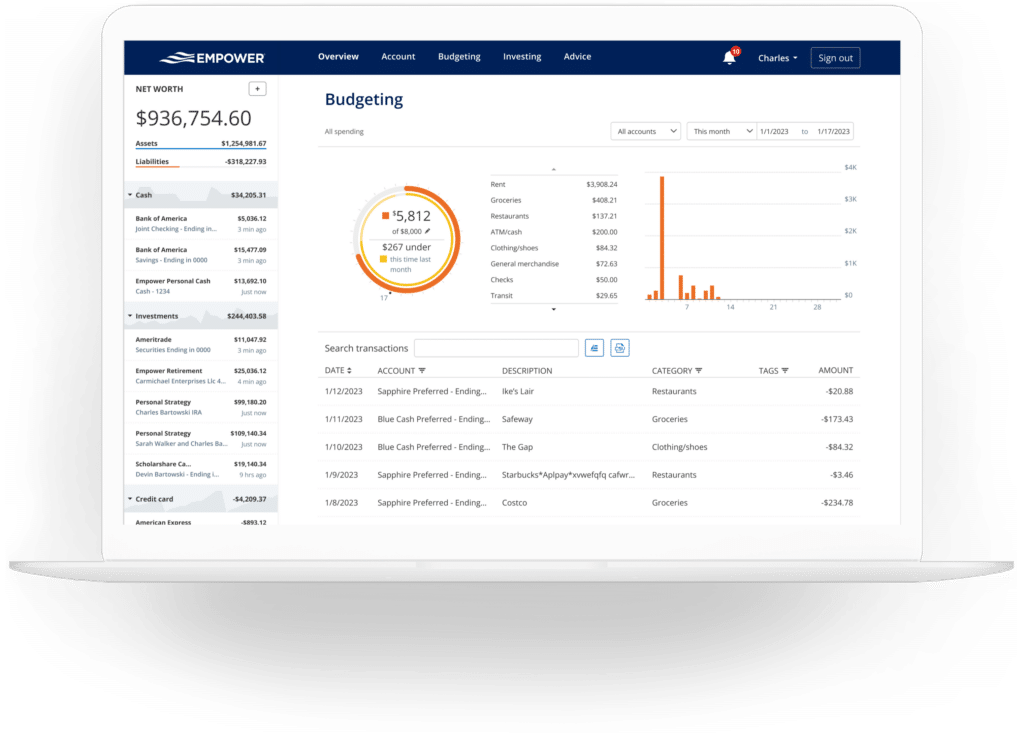
The platform’s banking and cash flow features offer deep visibility into daily financial habits at the transaction level. Expenses are automatically sorted into standard categories, though users retain the ability to drill down into specific details or filter reports by specific accounts. This flexibility enables self-employed individuals to isolate business checking and credit card activity, while also allowing investors to examine dividend and interest income generated solely by their portfolios.
While the budgeting component is not designed to function as a traditional zero-based budgeting application—users can establish overall monthly spending targets rather than strict category-by-category limits—it excels at illuminating historical spending patterns. The system automatically imports and categorizes transactions from all linked accounts, requiring only minor monthly maintenance to ensure absolute accuracy. Additionally, users can apply custom tags to specific transactions, such as tracking home maintenance expenses for a swimming pool without needing to establish an entirely separate budget category.
The integration of credit cards, mortgages, and loans also powers a dedicated bills feature. By monitoring payment due dates across linked accounts, Empower helps users avoid missed payments and provides clearer foresight for monthly financial planning.
Advanced Investment Tracking and Crypto Support
Investment monitoring is widely considered one of Empower’s strongest offerings. Once retirement and taxable brokerage accounts are connected, the platform tracks investments automatically, updating asset prices throughout the trading day and keeping close tabs on mutual fund expenses.
The holdings overview provides detailed metrics for every individual investment, including current market value, daily gain or loss, percentage of the overall portfolio, and historical performance data. Beyond individual holdings, the platform evaluates asset allocation by dividing portfolios into domestic and international stocks, bonds, and alternative asset classes. An interactive graphical interface allows users to explore the underlying investments within each category down to the specific cash holdings embedded inside mutual funds.
Responding to shifting market demands, Empower also accommodates cryptocurrency investors. Individuals holding Bitcoin, Ethereum, Litecoin, and thousands of other digital assets across hundreds of exchanges can track their crypto holdings without compromising security or handing over private wallet credentials. By entering assets manually—specifying the token symbol, exchange, and total amount owned—investors can incorporate their digital assets directly into their overall financial picture.
Financial Planning and Retirement Tools
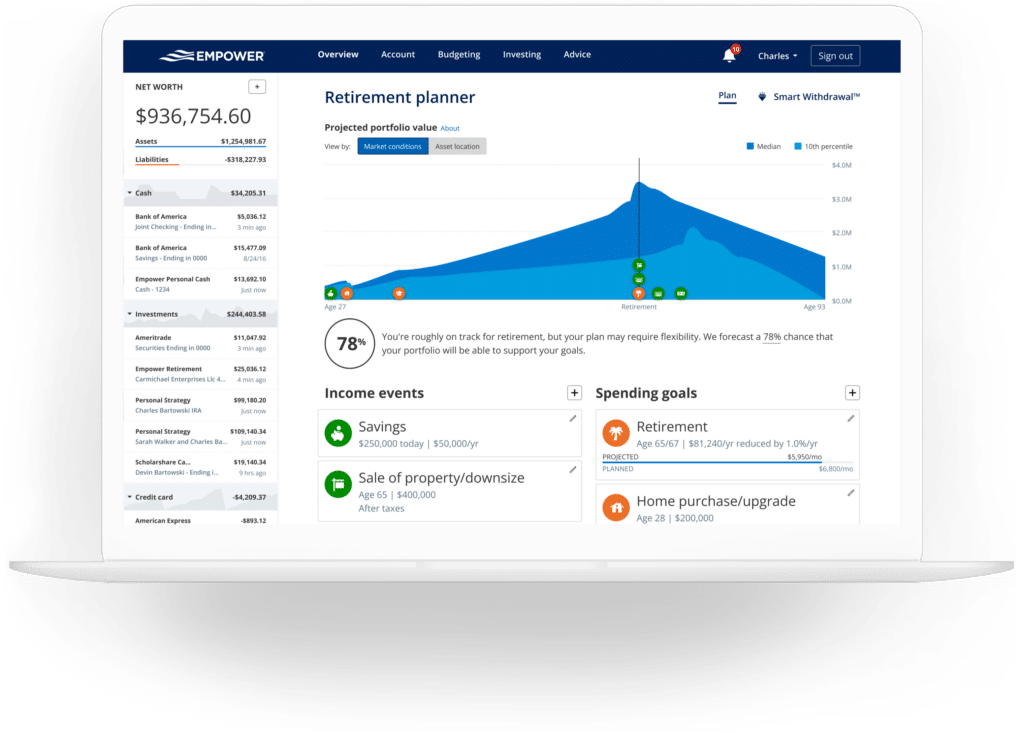
Moving beyond passive tracking, Empower integrates forward-looking planning tools designed to evaluate long-term financial readiness. The robust Retirement Planner utilizes data from all linked investment accounts to project future financial security under various conditions.
Users can construct multiple custom scenarios to compare alternative futures—such as contrasting a traditional retirement timeline against an early retirement strategy, or evaluating the impact of including versus excluding projected Social Security benefits. Assumptions regarding effective tax rates, future inflation, and life expectancy can also be adjusted and compared side-by-side.
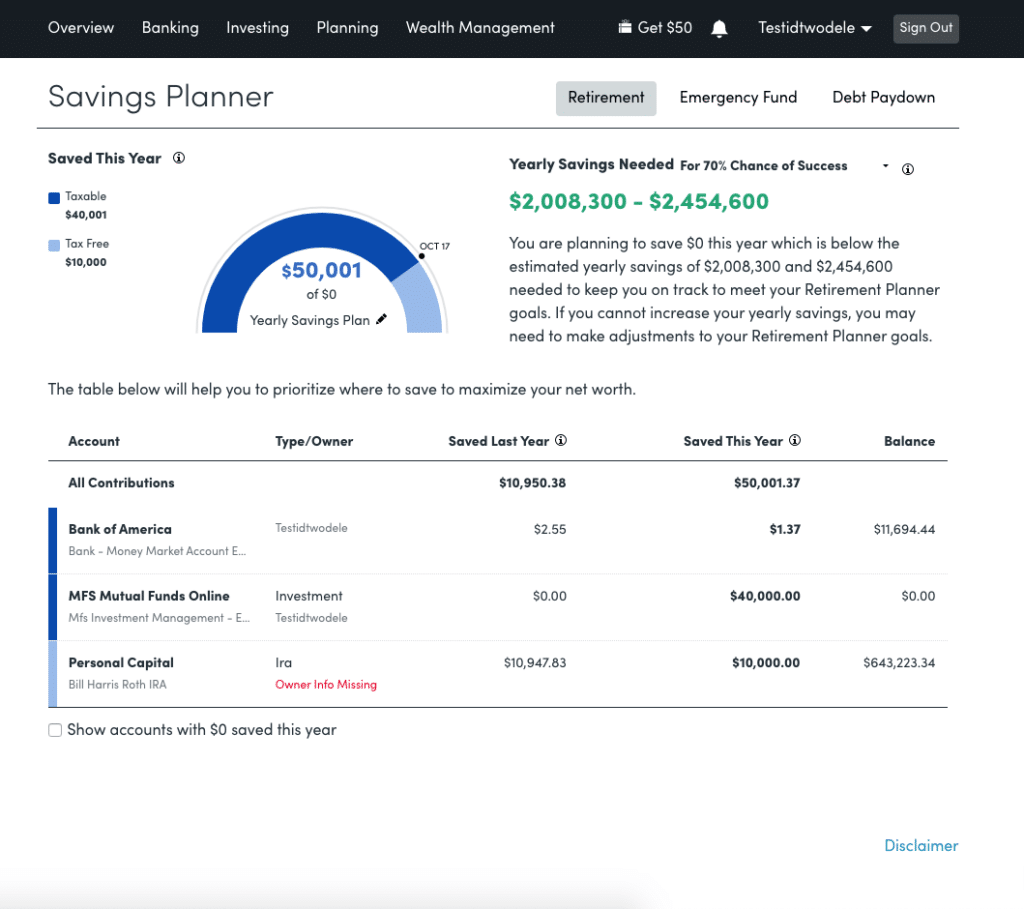
The Savings Planner consolidates three distinct objectives into a single interface: retirement savings, emergency fund accumulation, and debt reduction. The retirement savings planner monitors annual contributions made to tax-advantaged accounts like 401(k)s and IRAs alongside taxable accounts, automatically synchronizing with the broader retirement planning module. Meanwhile, the emergency fund planner aggregates balances across all linked bank accounts, recommending a reserve equivalent to three to six months of expenses based on established budget parameters.
For individuals managing liabilities, the debt paydown planner lists car loans, mortgages, personal loans, and qualifying credit cards that carry an interest balance over a 90-day window. The tool highlights annual percentage rates, year-to-date balance changes, and current totals while providing visual graphs of debt reduction progress over time.
Investment Fees and Portfolio Checkups
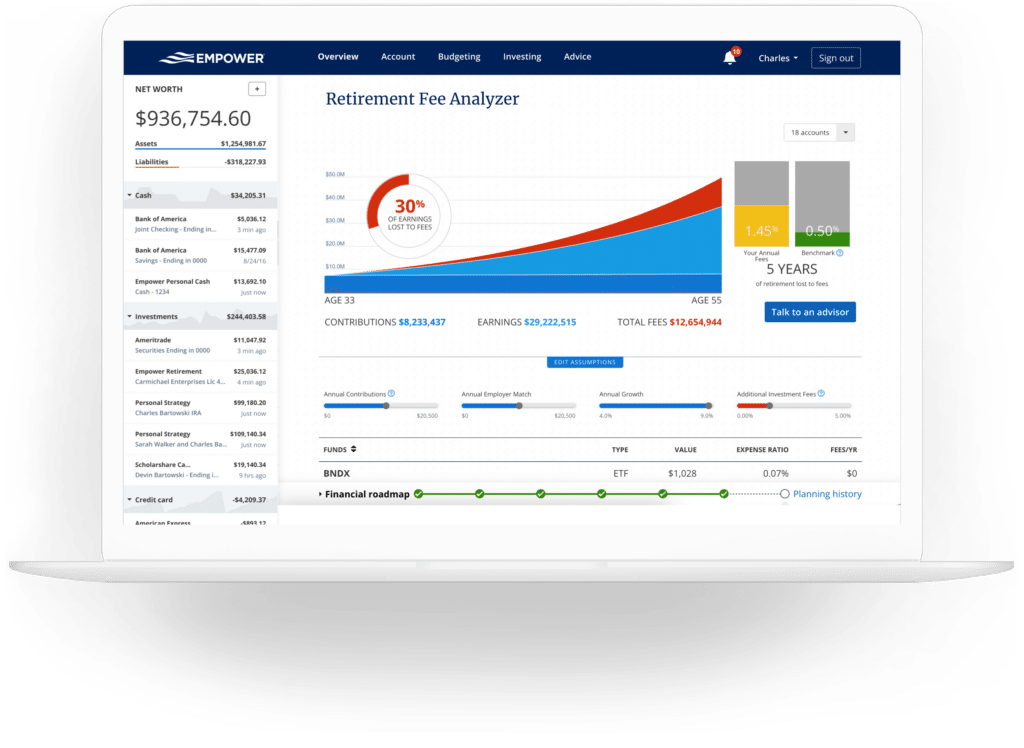
One of the platform’s most notable analytical features is the Retirement Fee Analyzer, which addresses the cumulative impact of investment costs over decades. Even seemingly minor advisory or mutual fund fees can erode hundreds of thousands of dollars in wealth over time. By calculating a weighted average expense ratio across all linked accounts, Empower reveals the projected long-term financial drag of these costs.
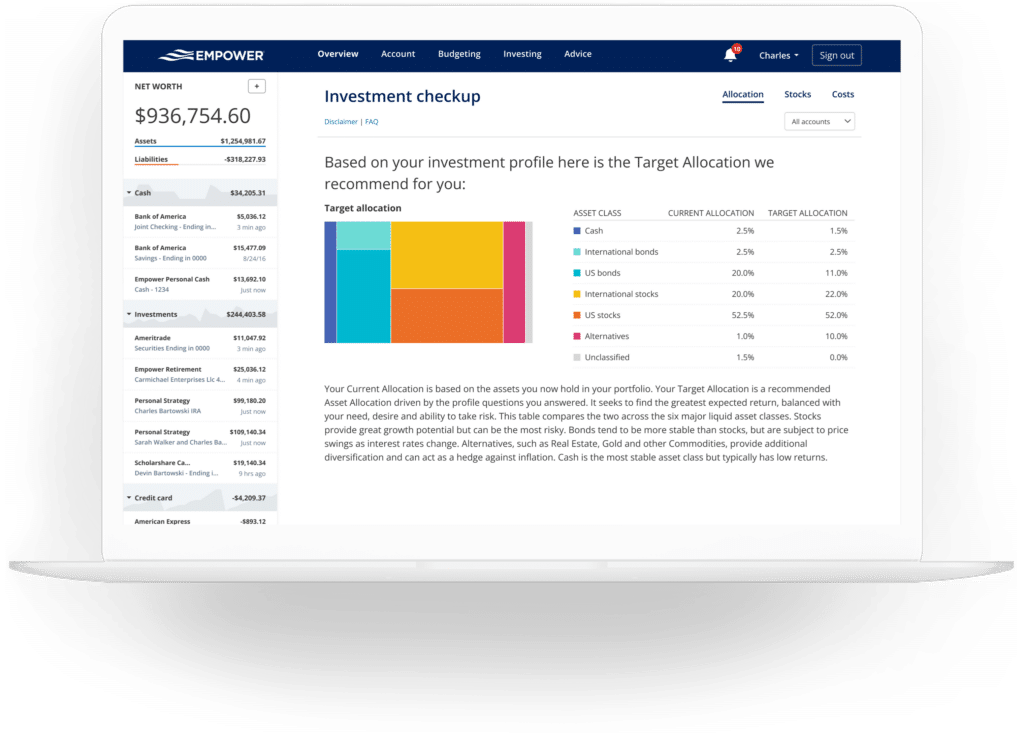
Complementing the fee analysis, the Investment Checkup evaluates existing asset allocations against recommended models tailored to an investor’s age, time horizon, and risk tolerance. If an investor’s actual portfolio diverges significantly from the model, the tool identifies specific asset classes that require rebalancing, while also displaying historical performance projections and risk-return comparisons.
Security, Cost, and Business Model
Security remains a primary consideration for users granting financial aggregators access to multiple institutional accounts. Empower employs AES-256 encryption with multi-layer key management, including rotating user-specific keys and salts, ensuring that no individual employee has direct access to user credentials.
While the financial dashboard and its comprehensive suite of planning tools are provided entirely free of charge, the platform serves as a marketing vehicle for Empower’s professional wealth management and investment advisory services. Users may occasionally receive outreach from financial advisors associated with the firm. However, utilizing the advisory services is entirely optional, and the free tools remain fully functional regardless of whether a user engages with paid wealth management offerings, which feature tiered fee structures starting at 0.89% for the first million dollars under management.








No comments yet. Be the first to join the conversation!