
For years, many investors and everyday consumers have searched for a singular digital platform capable of capturing the full scope of their financial lives. Formerly known as Personal Capital, Empower has emerged as a prominent tool designed to bridge that gap, offering users the ability to manage 100 percent of their finances from a single, centralized dashboard. Providing a comprehensive view of checking, savings, credit card, loan, retirement accounts like 401(k)s and IRAs, and even mortgages, the platform delivers a real-time snapshot of overall financial health and net worth. Available entirely for free as a software suite, the platform bridges everyday cash flow tracking with advanced investment analysis and retirement planning.
Getting Started and Linking Financial Accounts
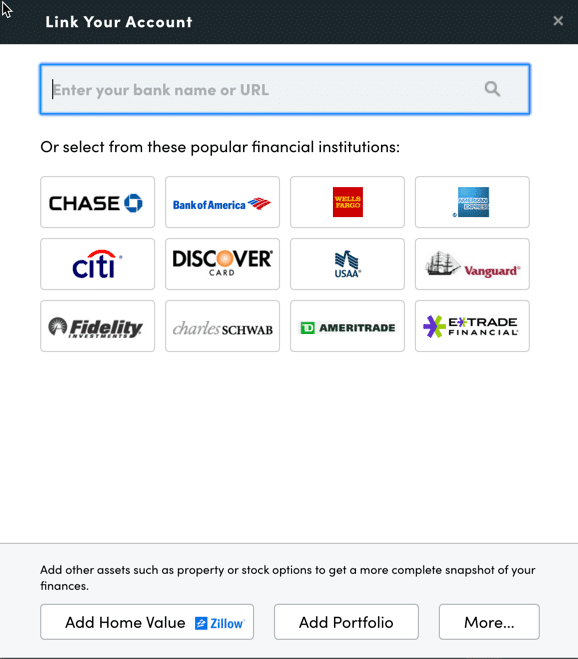
The onboarding process begins by signing up for a free account, followed by the crucial step of connecting all relevant financial accounts. While the platform is widely recognized for its robust investment tracking and analysis capabilities, users can also link standard bank accounts, credit cards, various loans, mortgages, and even residential real estate. For physical property, Empower integrates with real estate data sources like Zillow to automatically pull in estimated home values, incorporating them directly into the user’s broader financial picture.
To link an account, users search for their financial institution or enter its specific website URL within the dashboard interface, utilizing online credentials for verification. In rare instances where a financial institution cannot be linked automatically, the platform permits manual entry. While a minimum of one connected account is required to initialize the service—ranging from an investment account to a simple credit card—omitting certain accounts naturally limits the depth of the platform’s advanced investment tracking features.
Once accounts are established, configuring the Settings and Profile sections is essential for optimizing the user experience. The settings menu grants control over automated email subscriptions, allowing users to receive daily or weekly updates summarizing income, spending, and investment performance. Users can also specify whether investment income and dividends should factor into cash flow calculations and configure robust security protocols. Multi-factor authentication is heavily emphasized, alongside security alerts triggered by login attempts from foreign jurisdictions. Furthermore, the profile section stores demographic details, spousal information, income sources, and long-term investment objectives, data that directly feeds into the platform’s financial planning algorithms.
Dashboard Overview and Net Worth Tracking
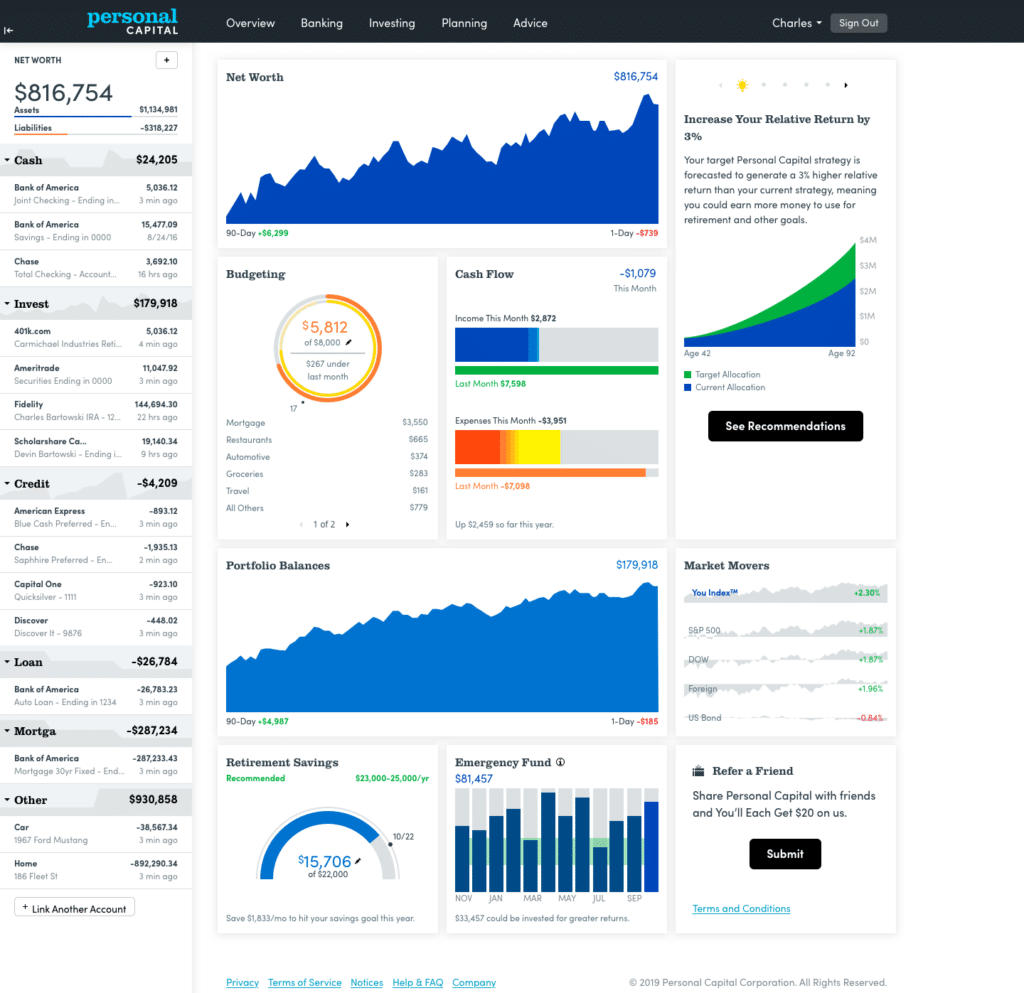
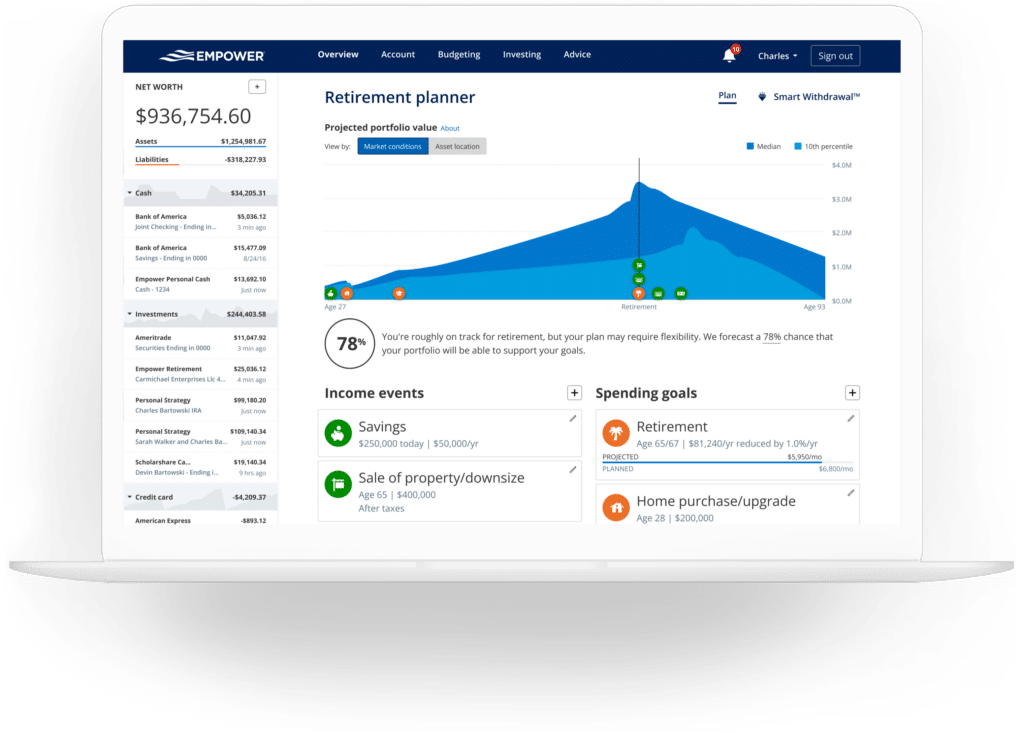
The central dashboard serves as the command center for the user’s financial ecosystem, aggregating data from all linked institutions into a unified visual display. It supplies immediate insights into net worth, monthly budgets, cash flow trends, investment performance, and steady progress toward retirement and emergency savings milestones.
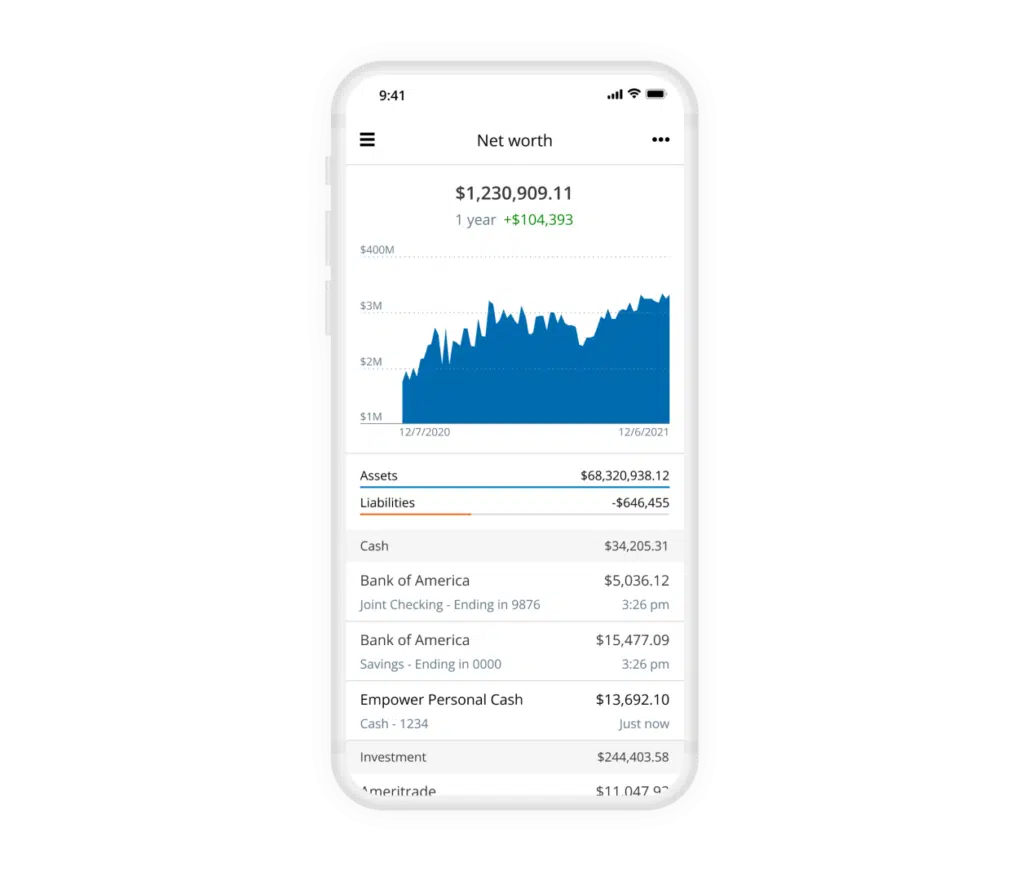
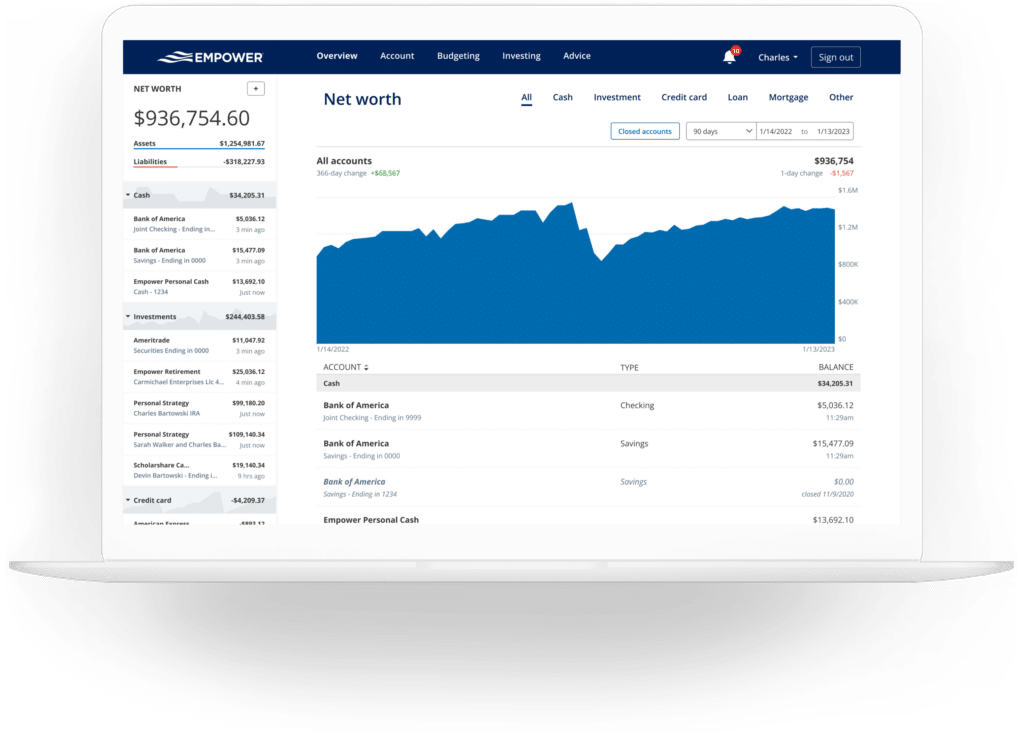
Among these metrics, tracking net worth stands out as a foundational element for long-term financial awareness. By automatically synchronizing assets and liabilities across linked accounts, the platform removes the manual friction typically associated with maintaining traditional spreadsheets. The dedicated net worth interface illustrates historical growth and current standing, offering a clear trajectory of financial freedom over time without requiring constant manual inputs for standard asset and debt fluctuations.
Banking, Cash Flow, and Budgeting
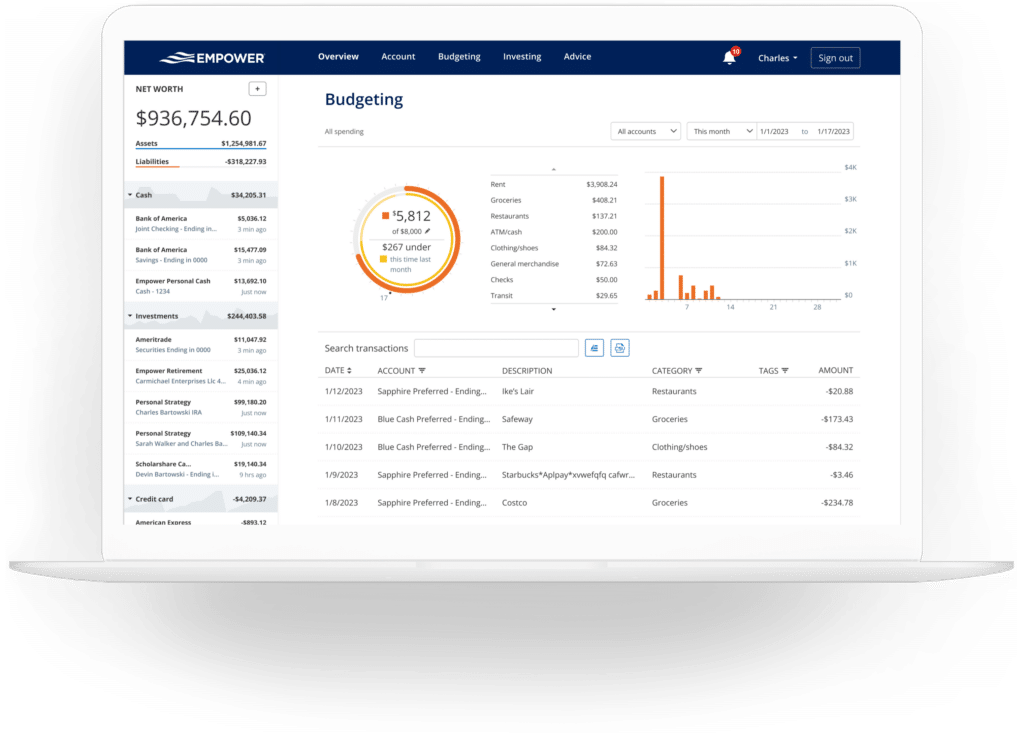
Beyond investments, the platform incorporates practical banking and transactional features centered around cash flow and budgeting. The cash flow module outlines income and expenses at a granular transaction level, automatically sorting expenditures into predefined categories. Users retain the flexibility to isolate specific accounts, enabling specialized reporting such as tracking business expenses separately from personal finances or examining pure investment income generated through monthly dividends and interest.
The budgeting functionality functions differently from traditional zero-based budgeting software, opting instead for a macroscopic view of spending habits. Rather than establishing strict spending limits across dozens of individual categories, the tool emphasizes an overall monthly spending goal while mapping historical expenditures across automatically assigned categories. While the automated categorization boasts high accuracy, minor adjustments are occasionally required to maintain precision. To supplement this, users can apply custom tags to individual transactions—such as labeling specific home maintenance costs—to monitor particular expenses without generating separate budget categories.
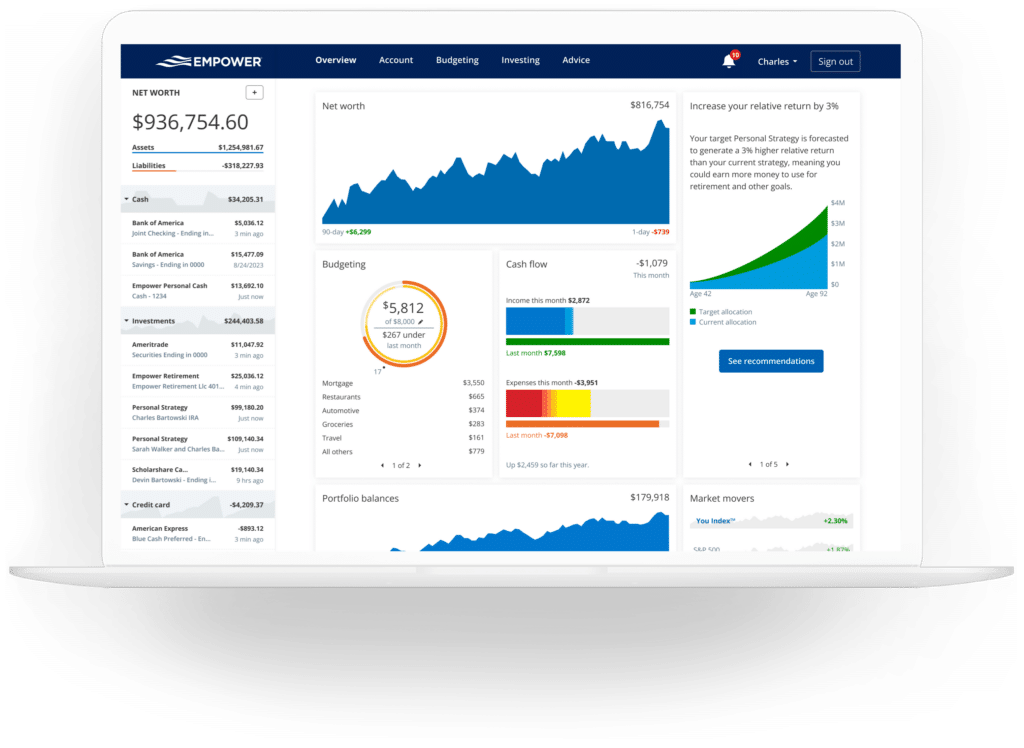
Additionally, the integration of credit cards, mortgages, and loans allows the platform to monitor upcoming bills and payment due dates. This visibility assists in preventing missed or late payments while smoothing out cash flow projections throughout the month.
Comprehensive Investment Tracking and Crypto Support
Investment monitoring represents one of the platform’s most robust offerings. Once retirement and taxable brokerage accounts are linked, asset prices update continuously throughout the trading day, accompanied by mutual fund expense tracking and asset allocation breakdowns.
The holdings view details every individual investment, outlining share counts, current values, day-to-day fluctuations, and historical performance metrics. Meanwhile, the allocation tool evaluates the underlying asset mix, categorizing holdings into U.S. stocks, international equities, bonds, alternative assets, and cash reserves—even accounting for uninvested cash held within mutual fund portfolios.
Addressing the modern digital asset landscape, the platform also accommodates cryptocurrency holdings, including Bitcoin, Ethereum, and Litecoin. Rather than requiring direct integration or password sharing with crypto exchanges or hardware wallets, users can manually log their digital assets by specifying the token symbol, exchange, and holding amount, allowing the system to track thousands of tokens across numerous platforms.
Financial Planning Tools
The platform extends beyond passive tracking by incorporating sophisticated forward-looking planning utilities, chief among them being the Retirement Planner. Leveraging data from connected investment accounts, the calculator assesses retirement readiness under various conditions. Users can build and compare multiple financial scenarios side-by-side, adjusting variables such as retirement age, the inclusion or exclusion of social security benefits, effective tax rates, projected inflation, and expected life expectancy.
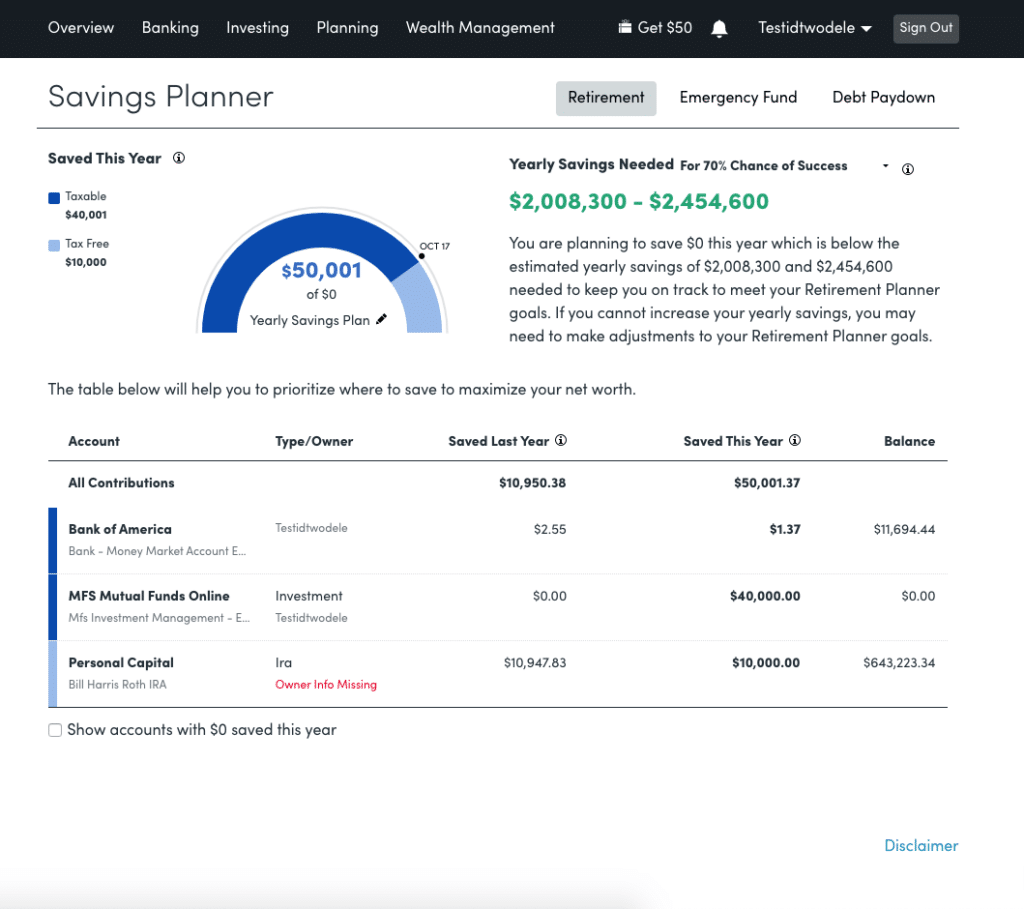
Complementing this is the Savings Planner, which consolidates three distinct targets into a unified view: retirement savings, emergency fund accumulation, and debt reduction. The retirement savings component tracks annual contributions across tax-advantaged accounts like 401(k)s and IRAs alongside taxable portfolios. The emergency fund planner evaluates balances across linked bank accounts, recommending a three-to-six-month cash reserve based on the user’s established monthly budget. Concurrently, the debt paydown planner aggregates car loans, mortgages, personal loans, and interest-bearing credit card balances, illustrating year-to-date changes, current interest rates, and overall debt reduction progress.
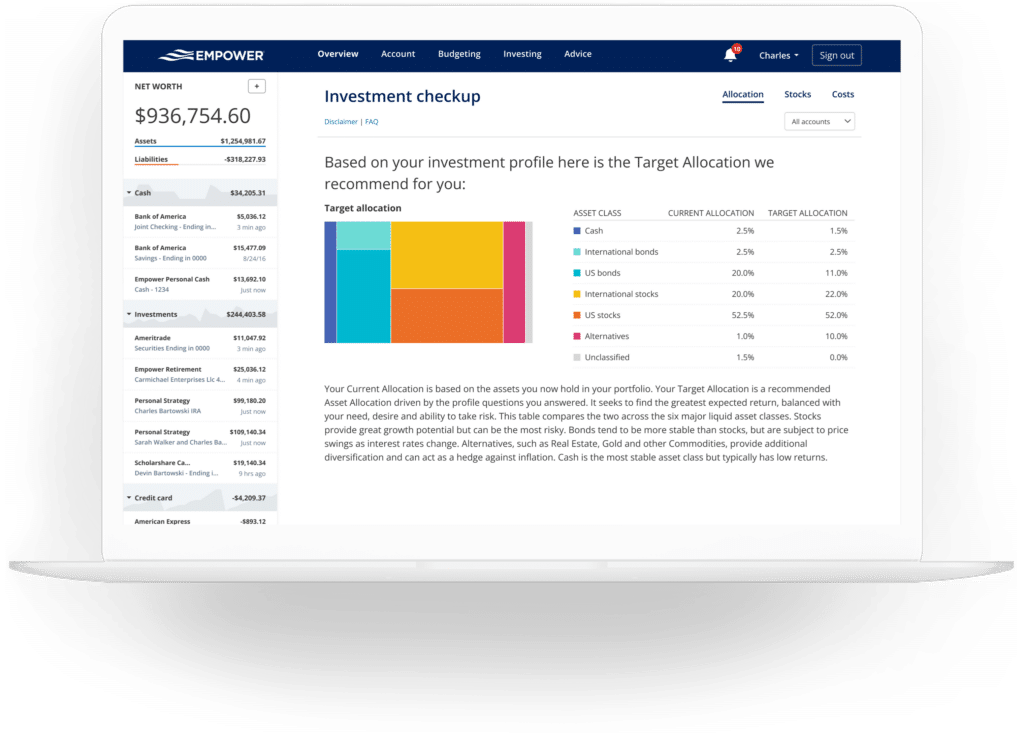
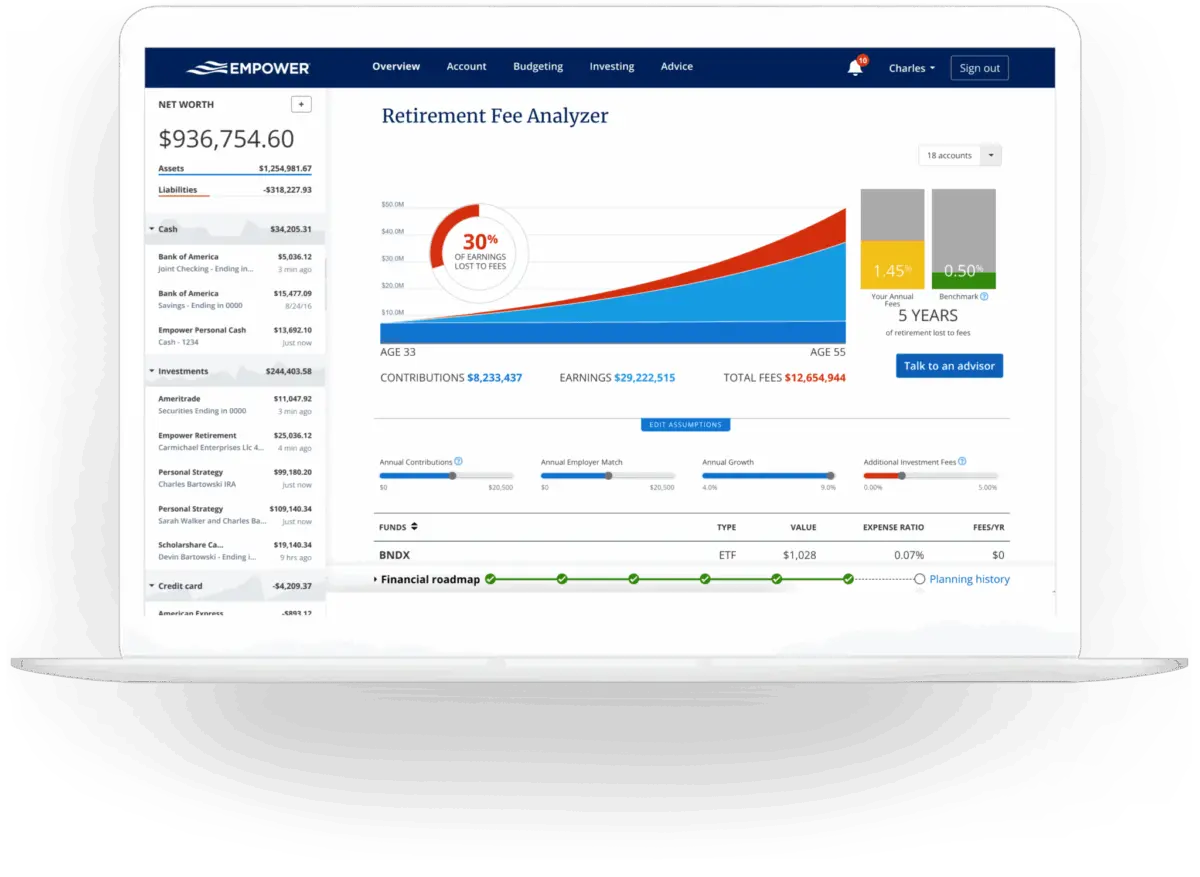
A particularly vital component of the planning suite is the Retirement Fee Analyzer. Designed to combat the compounding erosion of wealth caused by hidden investment costs, the tool calculates a weighted average expense ratio across all linked accounts. By revealing the long-term monetary impact of advisory and mutual fund fees over multi-decade horizons, the analyzer highlights potential savings opportunities. Alongside fee analysis, the Investment Checkup utility compares the user’s actual portfolio asset allocation against a model recommended profile tailored to their age, timeline, and risk tolerance, providing actionable insights for portfolio rebalancing.
Frequently Asked Questions
Is Empower safe?
Yes. The platform employs AES-256 data encryption alongside multi-layer key management, including rotating user-specific keys and salts, and credentials are never accessible to internal personnel. Device authorization requires secondary verification through automated phone calls, emails, or text messages.
Is Empower really free?
The core financial tools and dashboard software are entirely free to use, while specialized investment advisory services involve separate fee structures.
Will Empower call me?
Because the financial dashboard serves as part of the company’s broader business model, users may receive outreach from financial advisors. However, advisory contact can be declined or requested to stop.
Do I have to invest with Empower to use the dashboard?
No, utilization of the dashboard and its analytical tools does not require enrollment in paid investment advisory services.
How much does Empower cost?
The financial dashboard software is free. For clients electing to utilize optional investment advisory services, management fees begin at 0.89 percent for the first $1 million under management and scale down to 0.49 percent for balances exceeding $10 million.







No comments yet. Be the first to join the conversation!