
Managing a diverse portfolio of financial accounts can often feel like a juggling act. From checking and savings accounts to credit cards, mortgages, retirement funds, and loans, keeping tabs on your overall financial health traditionally requires logging into multiple platforms or meticulously updating spreadsheets. Empower, a prominent financial management tool previously known as Personal Capital, offers a centralized solution designed to consolidate 100% of a user’s finances onto a single, comprehensive dashboard.
Available completely free of charge for its core digital tools, the application has built a substantial following over the years, maintaining strong user ratings of 4.8 out of 5 stars with over 366,000 reviews on the Apple App Store, and 4 out of 5 stars based on nearly 30,000 reviews on Google Play.
Quick Take
Empower delivers a complete view of an individual’s finances in one unified location. The platform automatically synchronizes checking accounts, savings, credit cards, various loans, investment portfolios including 401(k)s and IRAs, and mortgage accounts to provide a real-time snapshot of net worth and overall financial health.
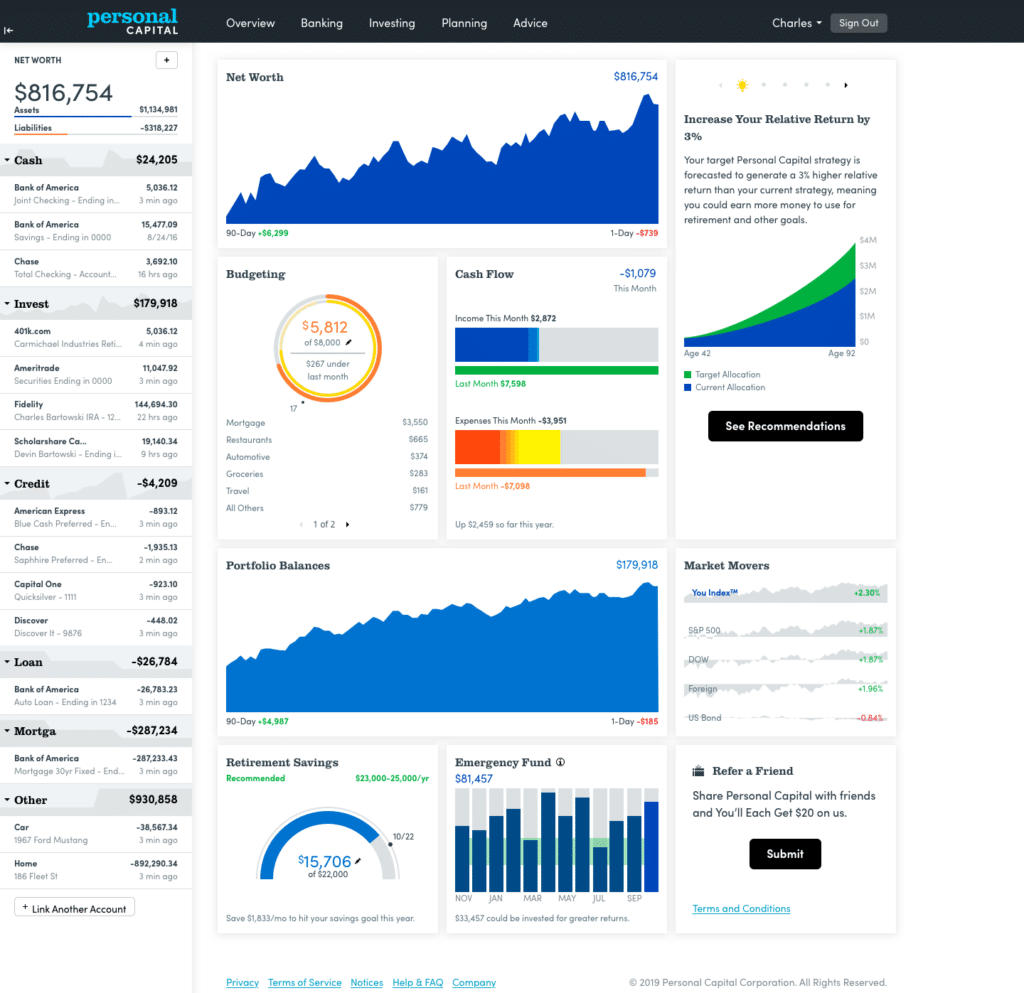
Beyond basic account aggregation, the software offers robust cash flow and net worth tracking, advanced investment monitoring, and comprehensive retirement planning. Its specialized investment tracking suite features asset allocation analysis, investment fee breakdowns, and a dedicated investment checkup tool. While the platform’s core dashboard features are entirely free, its developers utilize the software as a marketing funnel for paid human financial advisory services, though users are under no obligation to utilize those paid services to access the free digital tools.
Getting Started with Empower
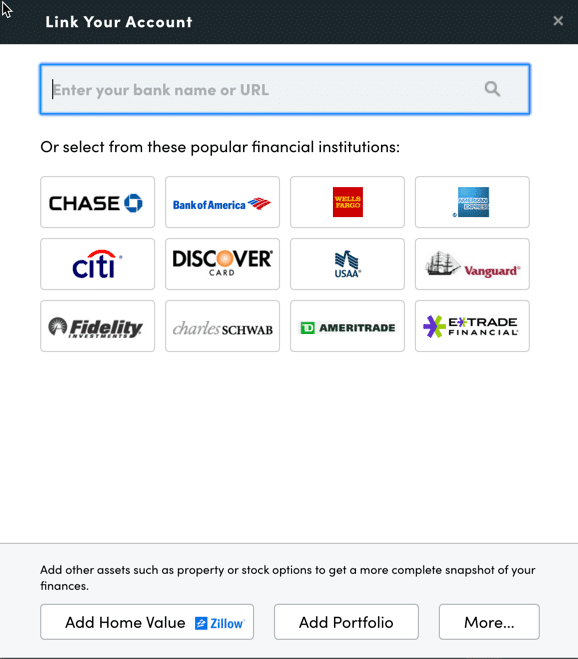
Getting started on the platform begins with signing up for a free account. Once registered, users must connect their various financial institutions. While Empower has earned its strongest reputation in the personal finance community for its sophisticated investment analysis and tracking capabilities, users can also connect traditional bank accounts, credit cards, loans, mortgages, and even real estate assets. For instance, real estate can be added to the profile, allowing Empower to automatically pull in up-to-date property valuations directly from Zillow.
Linking accounts requires online access credentials for each respective financial institution. Users navigate to the "Link Your Account" dialog box by selecting the plus icon located near the top left of the main dashboard. Financial institutions can be searched by name or by entering the specific website URL. In the rare event that a smaller credit union or specialized financial institution cannot be automatically linked, users retain the option to input those accounts manually.
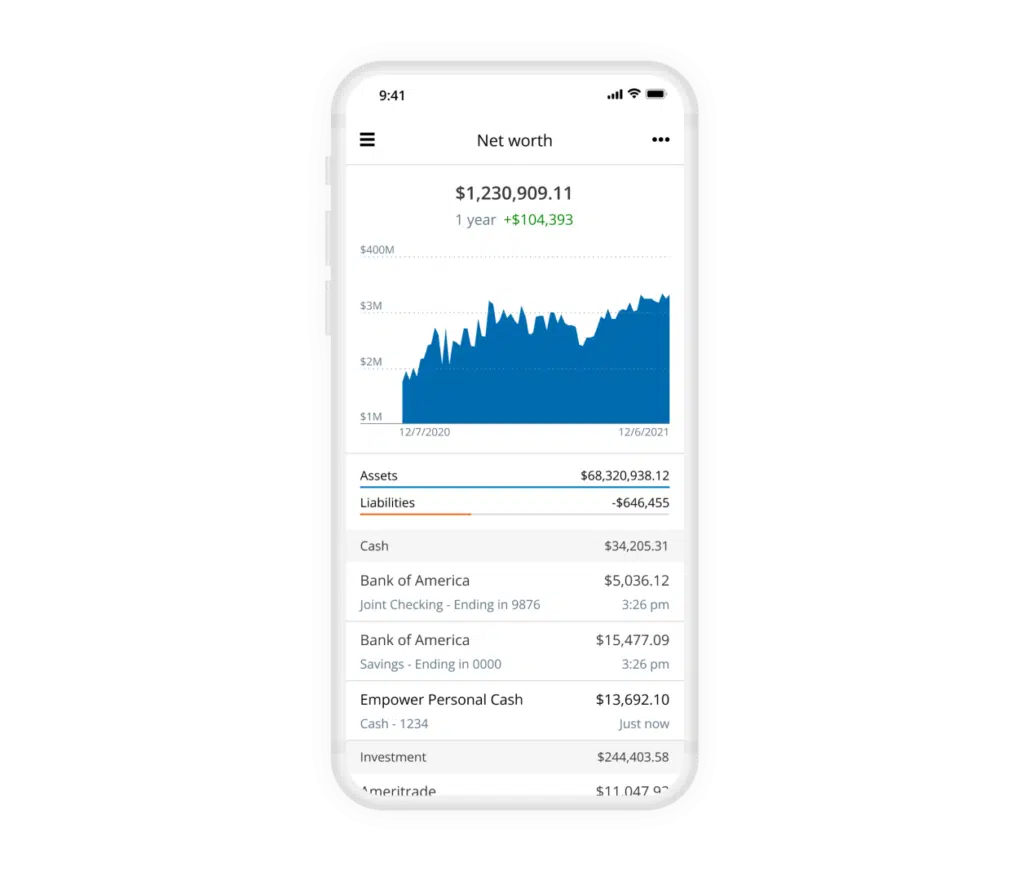
Establishing these connections is essential because Empower functions as much more than a simple investment tracker. By consolidating all accounts, individuals can effectively monitor their net worth, household budget, cash flow, and recurring bills from a single interface. While the platform requires at least one initial account connection to launch, users can subsequently add manual accounts. However, failing to link all primary investment and banking accounts diminishes the depth and accuracy of Empower’s advanced tracking features.
Settings, Profile, and Dashboard Security
Once financial accounts are linked, completing the settings and profile configuration is a critical operational step. Located by selecting the user’s name in the top right corner of the screen, the settings menu allows individuals to control email subscription preferences, choosing between daily or weekly updates summarizing income, spending, and investment performance. Users can also configure whether investment income and dividends factor into general cash flow calculations and designate specific accounts to exclude from Empower’s advisory insights.
Security configuration is heavily emphasized within the settings menu. The platform incorporates multi-factor authentication, which is strongly recommended to protect sensitive financial data. Users can also enable security alerts that trigger whenever a login attempt originates from a foreign country. Additionally, the platform maintains an active list of all authorized devices that have accessed the account, displaying the timestamp of the last sign-on so users can routinely prune outdated devices.
The profile section captures personal information regarding the user and their spouse, anticipated savings rates, primary income streams, and long-term investment objectives. These variables feed directly into Empower’s sophisticated planning tools, most notably its free retirement planner. Once all data is integrated, the main dashboard aggregates these metrics into a high-level summary of net worth, monthly budgets, cash flow, investments, and progress toward emergency savings milestones.
Net Worth and Empower Banking
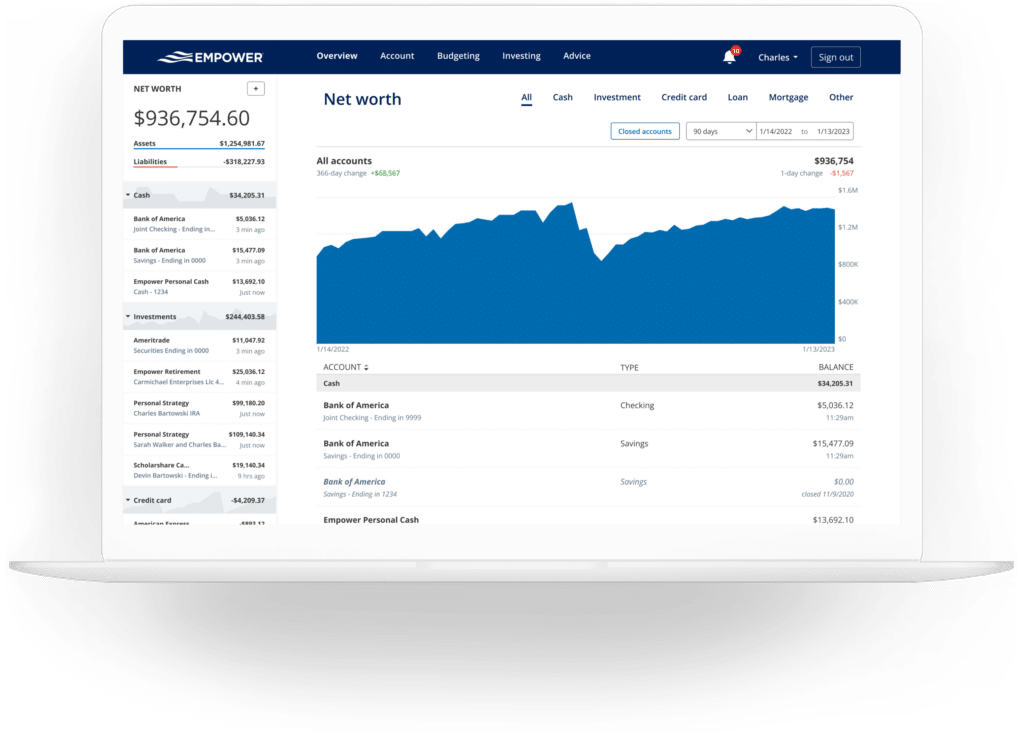
Tracking net worth remains a cornerstone of long-term financial planning. While manual spreadsheets have long been a favorite method for dedicated savers, Empower automates this process entirely once financial accounts are successfully linked, plotting net worth changes over time on an intuitive visual graph.
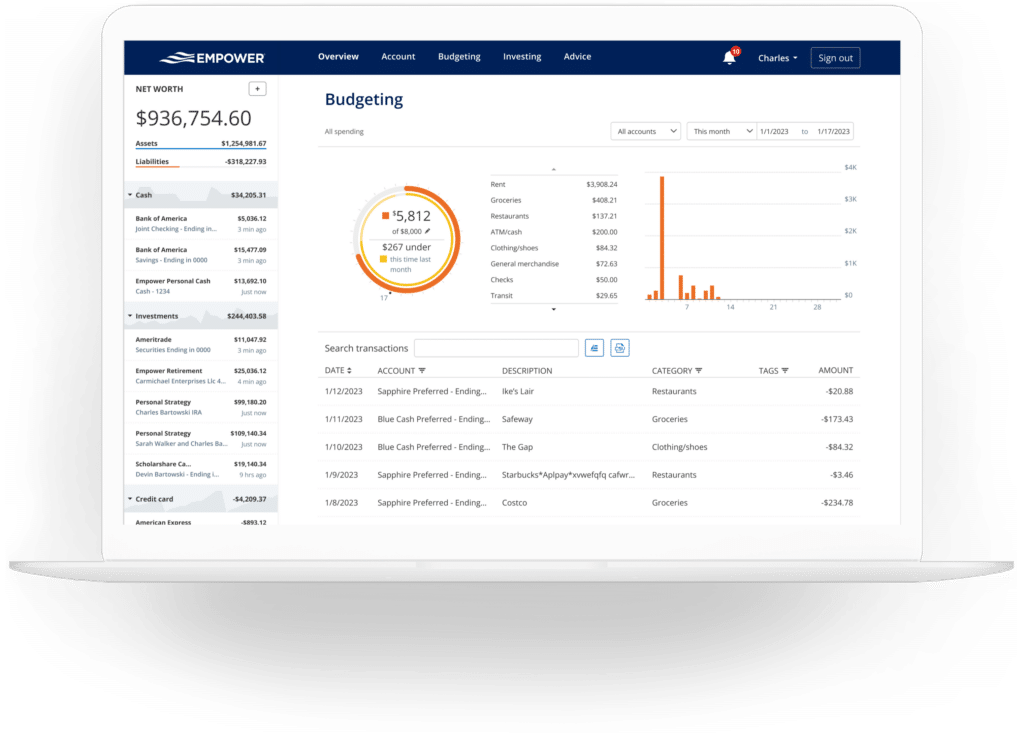
The platform’s banking and cash flow features provide deep transaction-level visibility into household income and expenses. Expenses are automatically categorized upon import, and users retain the flexibility to drill down into specific categories or filter reports by individual accounts. This account-selection feature is particularly useful for separating business expenses—by linking business checking accounts and credit cards—or isolating investment income to clearly view monthly dividends and interest generated across a portfolio.
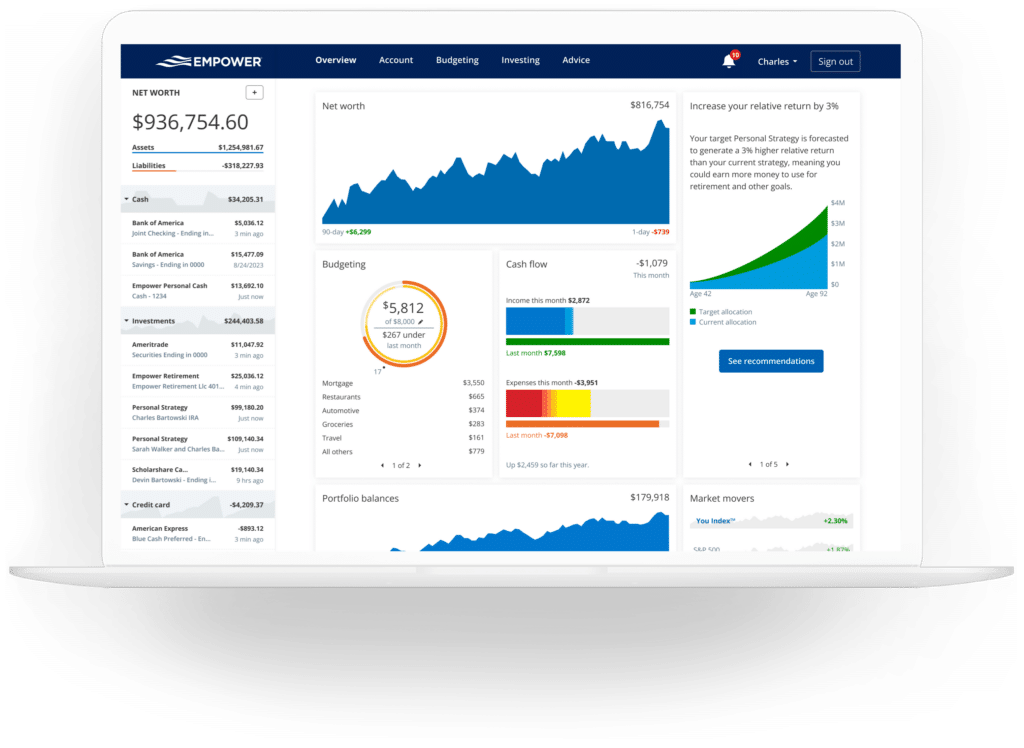
While Empower’s budgeting tools do not function like traditional envelope-style budgeting applications that assign strict limits by category, the software excels at illuminating spending habits. It automatically imports and categorizes transactions from all linked accounts. Users can customize categories and apply custom tags to fine-tune their spending analysis. For instance, rather than creating a unique category for every household expense, a user might apply a specific tag to transactions related to pool maintenance under a broader home maintenance category.
Furthermore, by linking credit cards, mortgages, and loans, Empower tracks upcoming bill due dates. This functionality assists with short-term cash flow planning and helps prevent missed payments.
Empower Investing and Cryptocurrency Tracking
Investing is where Empower’s platform offers some of its most distinct analytical capabilities. After connecting retirement and taxable brokerage accounts, the software updates asset prices throughout the trading day, monitors mutual fund expense ratios, evaluates asset allocations, and provides tools to assess overall portfolio health.
The holdings overview displays individual investment details, including share counts, current values, daily gains or losses, and overall performance metrics. The allocation tool automatically evaluates investments to report on stock and bond weightings, further breaking down asset classes into U.S. and international equities, fixed income, and alternative investments. An interactive graphical interface allows users to click through and explore the underlying assets making up each class, noting cash holdings spread across money market funds as well as cash reserves held internally by stock mutual funds.
For digital asset investors, Empower includes functionality to track cryptocurrencies such as Bitcoin, Ethereum, and Litecoin. Rather than requiring users to surrender private wallet keys or exchange passwords, the platform allows investors to manually add crypto accounts by simply specifying the token symbol, exchange, and holding amount, enabling the tracking of thousands of tokens across hundreds of exchanges.
Retirement Planning and Savings Tools
Beyond tracking historical data and current balances, Empower incorporates advanced financial planning instruments. The retirement planner utilizes data from linked investment accounts to evaluate a user’s long-term financial readiness. The calculator models various financial trajectories and allows users to construct and compare multiple retirement scenarios side-by-side. For example, individuals can contrast a traditional retirement timeline with an early retirement model, toggle assumptions regarding future Social Security benefits, adjust estimated effective tax rates, account for inflation, or modify life expectancy assumptions.
The savings planner consolidates three distinct functions into a single interface: retirement savings, emergency fund accumulation, and debt paydown. The retirement savings planner tracks annual contribution goals across tax-advantaged accounts like 401(k)s and IRAs, as well as taxable accounts, syncing directly with the broader retirement planner. The emergency fund planner evaluates total liquid cash across linked bank accounts and compares it against a recommended three-to-six-month expense buffer derived from the user’s monthly budget.
Meanwhile, the debt paydown planner aggregates active liabilities, including car loans, mortgages, personal loans, and credit cards that carry an interest balance. The tool tracks annual percentage rates, year-to-date balance changes, and current totals, providing a clear visual record of liability reduction over time.
Investment Fee Analysis and Portfolio Checkup
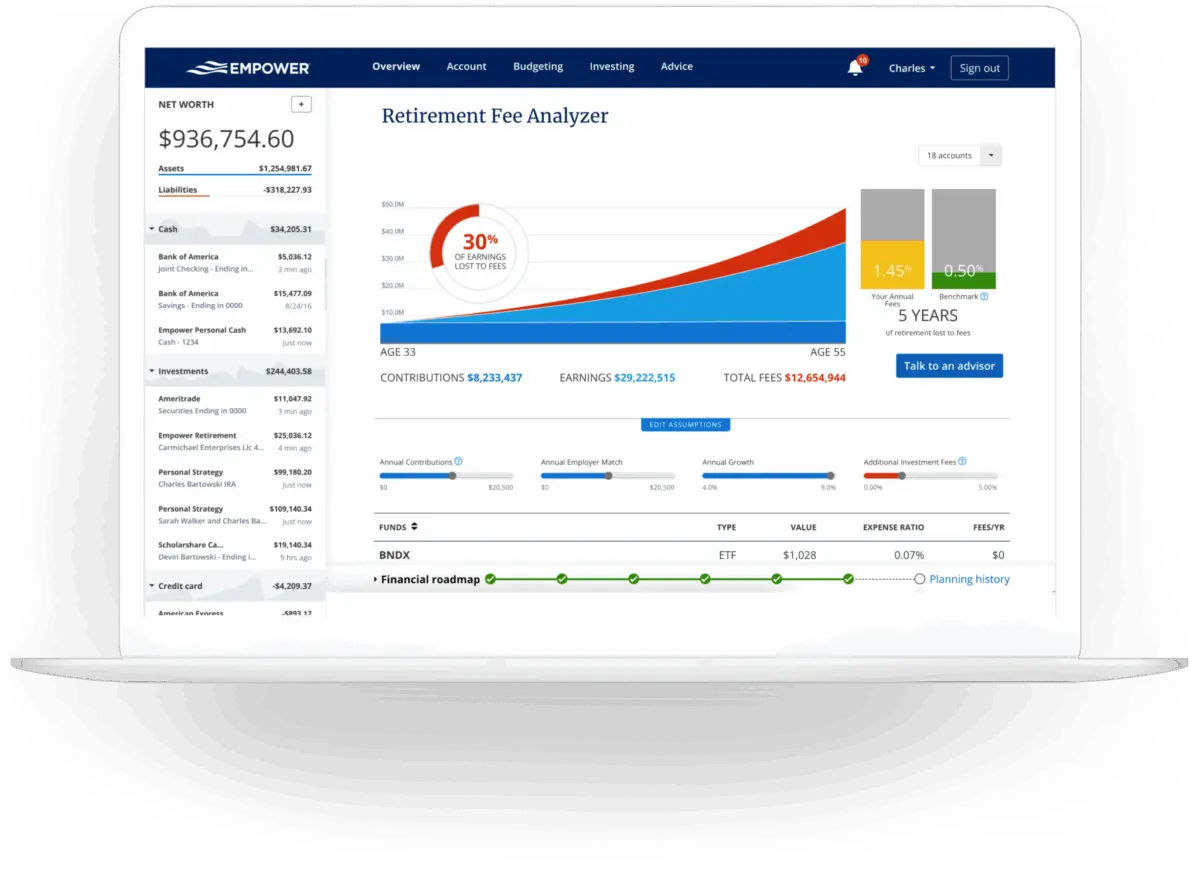
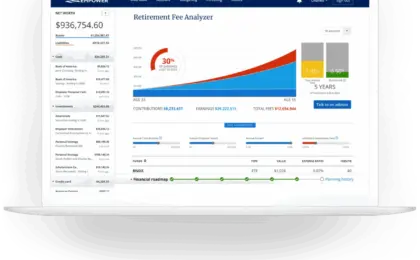
One of Empower’s most notable features is its retirement fee analyzer. While modest investment advisory or mutual fund fees are frequently overlooked, compounding management costs can erode hundreds of thousands of dollars over decades. Empower calculates a weighted average expense ratio for all linked accounts. If a user’s expense ratio is low, the analyzer still projects the cumulative dollar impact of those fees over extended periods, illustrating why investment costs remain a critical component of wealth preservation.
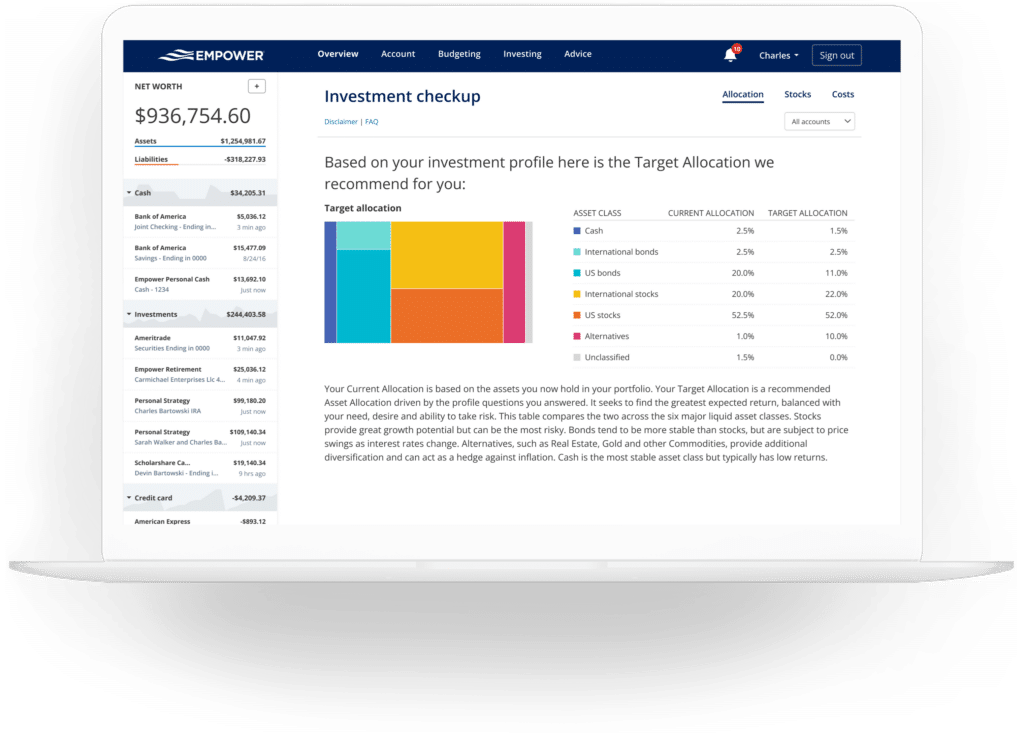
Complementing the fee analyzer is the investment checkup tool, which evaluates a user’s current asset allocation against a model portfolio recommended by Empower based on the user’s age, time horizon, and risk tolerance. The tool displays the historical performance, risk-return metrics, and future projections of the recommended portfolio versus the user’s actual holdings, highlighting specific asset classes that require rebalancing.
Frequently Asked Questions
Empower secures user data using AES-256 encryption alongside multi-layer key management, rotating user-specific keys and salts, ensuring that no individual employee has direct access to user credentials. Multi-factor authentication is required for device access authorization.
While the financial dashboard and its comprehensive tools are provided free of charge, Empower operates as a commercial advisory firm. Users who accumulate significant investable assets on the platform frequently receive outreach from company representatives offering paid financial advisory services. These optional advisory fees start at 0.89% for the first $1 million under management and scale down to 0.49% for assets exceeding $10 million. However, utilizing these paid wealth management services is entirely optional, and the digital dashboard remains accessible without enrolling in paid advisory programs.







No comments yet. Be the first to join the conversation!