
Empower has established itself as a premier financial tool enabling users to manage 100% of their finances from a single, centralized dashboard. Formerly known as Personal Capital, the platform has cultivated a loyal user base over years of operation, serving as a comprehensive hub for tracking net worth, monitoring investments, and planning for retirement. For individuals seeking to gain a holistic view of their economic standing without navigating multiple disparate portals, Empower offers a suite of robust features designed to maximize the utility of every dollar earned, saved, and invested.
Quick Take
Empower delivers a complete view of your finances in one place by automatically syncing checking, savings, credit card, loan, investment accounts including 401(k)s and IRAs, and mortgage accounts. This seamless integration provides a real-time snapshot of your net worth and overall financial health. The platform offers core functionalities centered around cash flow and net worth tracking, advanced investment tracking, and retirement planning. Its specialized investment monitoring suite includes detailed asset allocation breakdowns, investment fee analyses, and comprehensive investment checkups. Notably, the core digital dashboard and its extensive financial tools are entirely free to use, supported by strong user ratings across major platforms, including 4.8 out of 5 stars on the App Store across hundreds of thousands of reviews, and 4 out of 5 stars on Google Play.
Getting Started with Empower
The process begins by signing up for a free account, followed by the crucial step of connecting all relevant financial accounts. While Empower is widely recognized for its exceptional investment analysis and tracking capabilities, users frequently expand its utility by connecting bank accounts, credit cards, loans, mortgages, and even primary residences. For real estate assets, Empower integrates with property valuation platforms like Zillow to automatically pull in up-to-date home values, ensuring the net worth calculation remains accurate and reflective of current market conditions.
Linking Your Accounts
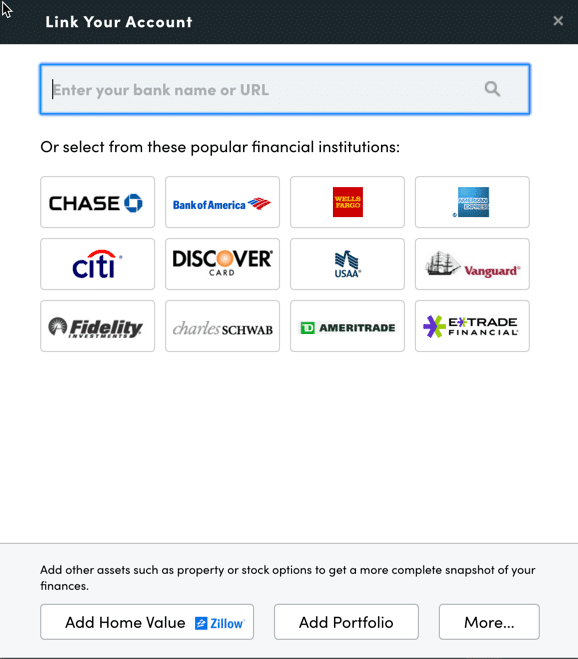
Users can link virtually any financial institution for which they maintain online access, requiring only the standard username and password for each respective portal. To establish a connection, individuals search for the name of their financial institution or enter its website URL within the designated link dialog box on the Empower dashboard. In the rare scenario that a specific financial account cannot be linked digitally, the platform accommodates manual entry to ensure comprehensive tracking.
Connecting multiple accounts unlocks the platform’s full potential, extending its utility far beyond simple investment monitoring. By consolidating these disparate data points, users can effortlessly track their net worth, evaluate monthly budgets, analyze cash flow, and oversee upcoming bills from a unified interface. While a single account must be linked initially to activate the dashboard, additional accounts can be added incrementally, though failing to link investment portfolios diminishes the platform’s advanced analytical capabilities.
Settings and Profile
Once accounts are successfully linked, configuring the settings and user profile is vital for tailoring the platform to individual preferences. The settings menu grants users authority over email subscriptions, allowing them to receive daily or weekly updates summarizing income, spending, and investment performance. Users can also choose whether to factor investment income and dividends into their cash flow calculations and determine which accounts should be included or excluded from Empower’s advisory insights.
Security configurations are likewise housed within the settings menu, where multi-factor authentication and login alerts for foreign access attempts can be established. The platform also maintains an audit log of all authorized devices, enabling users to review previous sign-in timestamps and remove outdated hardware connections. Meanwhile, the profile section captures essential demographic and financial data for both the user and their spouse, including savings metrics, income streams, and long-term investment objectives, all of which feed directly into the platform’s automated planning tools, such as the retirement planner.
Dashboard
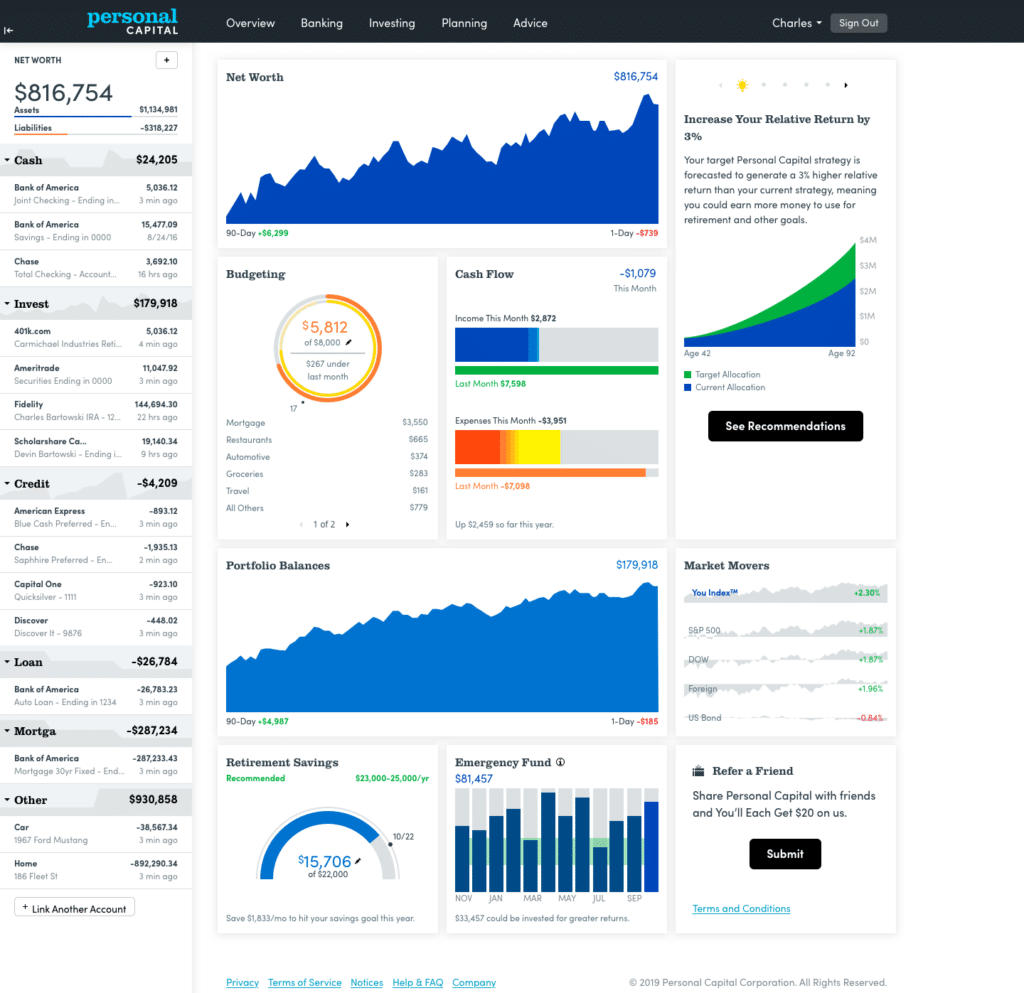
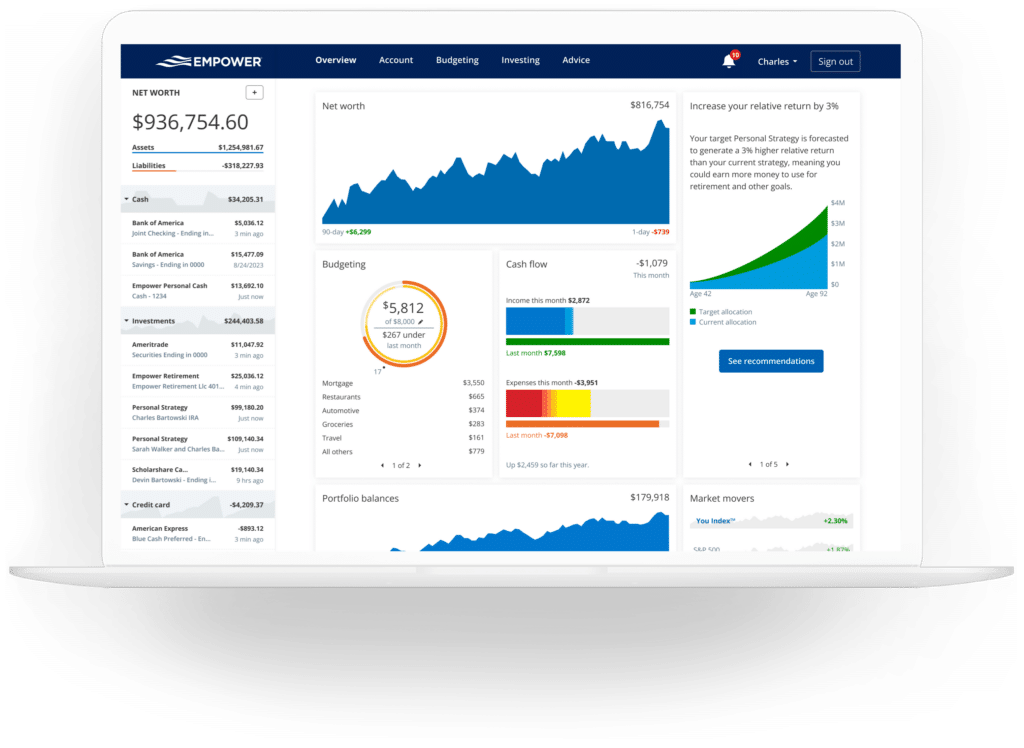
The Empower dashboard serves as the central command center, aggregating data from all connected accounts to present an immediate snapshot of an individual’s entire financial ecosystem. This interface provides a high-level view of current net worth, monthly budgetary status, cash flow trends, investment valuations, and ongoing progress toward retirement and emergency savings milestones.
Net Worth
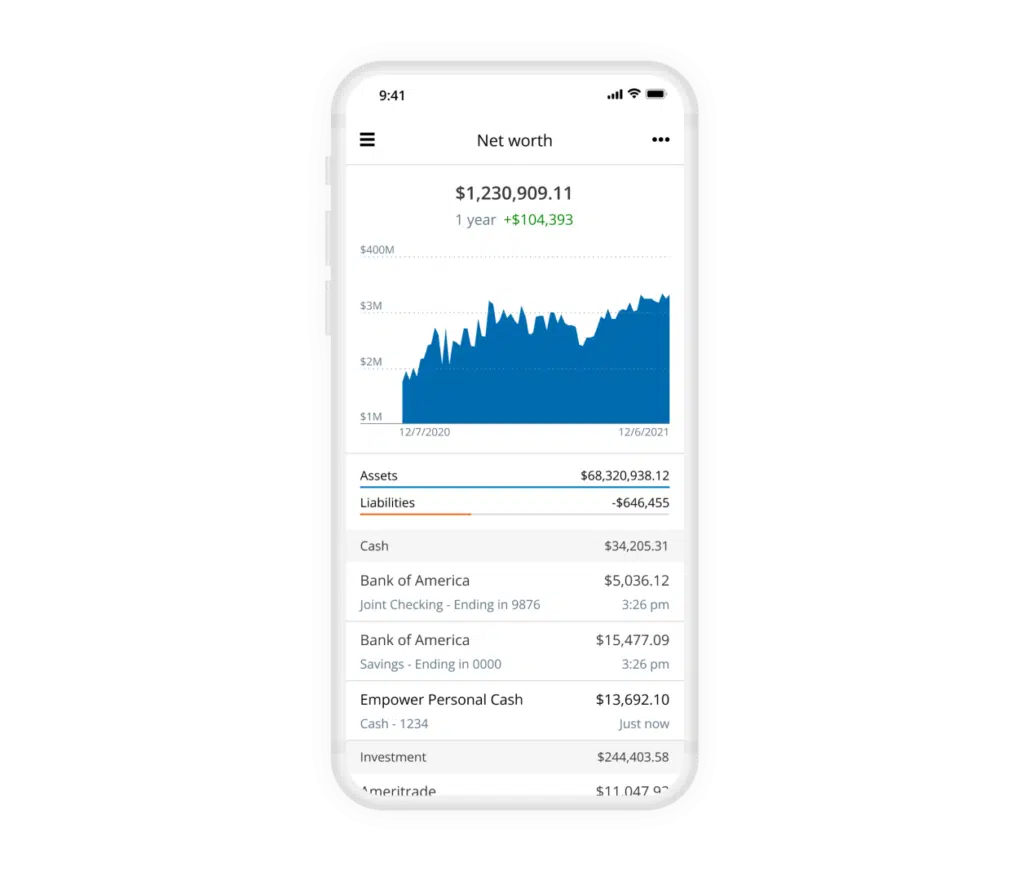
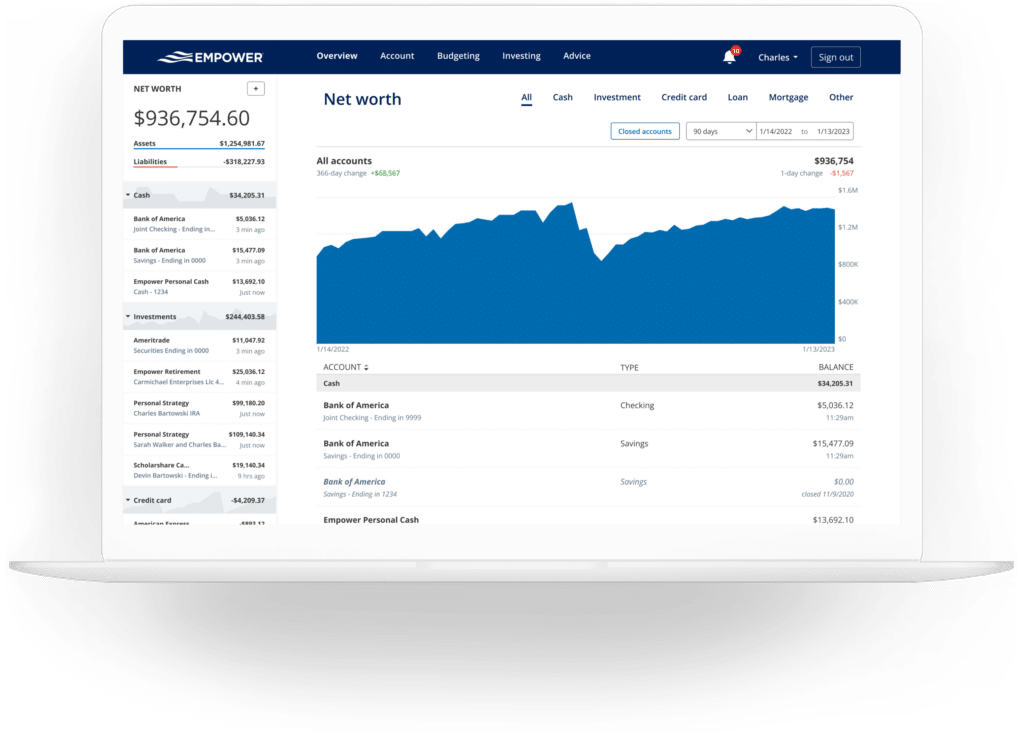
Tracking net worth remains a foundational pillar of achieving financial independence. Empower automates this process by continuously updating asset and liability balances across all connected institutions. Rather than relying solely on manual spreadsheets, users can observe the daily fluctuations of their net worth mapped cleanly across historical timelines, providing immediate clarity on long-term wealth accumulation trends.
Empower Banking
The banking features integrated within Empower offer profound visibility into day-to-day monetary management, primarily driven by robust cash flow and budgeting functions. These tools calculate monthly investment income generated through interest and dividends while simultaneously categorizing expenditures to reveal precise spending habits.
Cash Flow
The cash flow module displays income and expenses at an individual transaction level, automatically sorting expenditures into standardized categories while permitting granular drill-downs for closer inspection. Users can filter reports by specific accounts, a feature frequently leveraged to isolate business finances or aggregate earnings exclusively from investment portfolios to review total dividend and interest yields quickly.
Budgeting
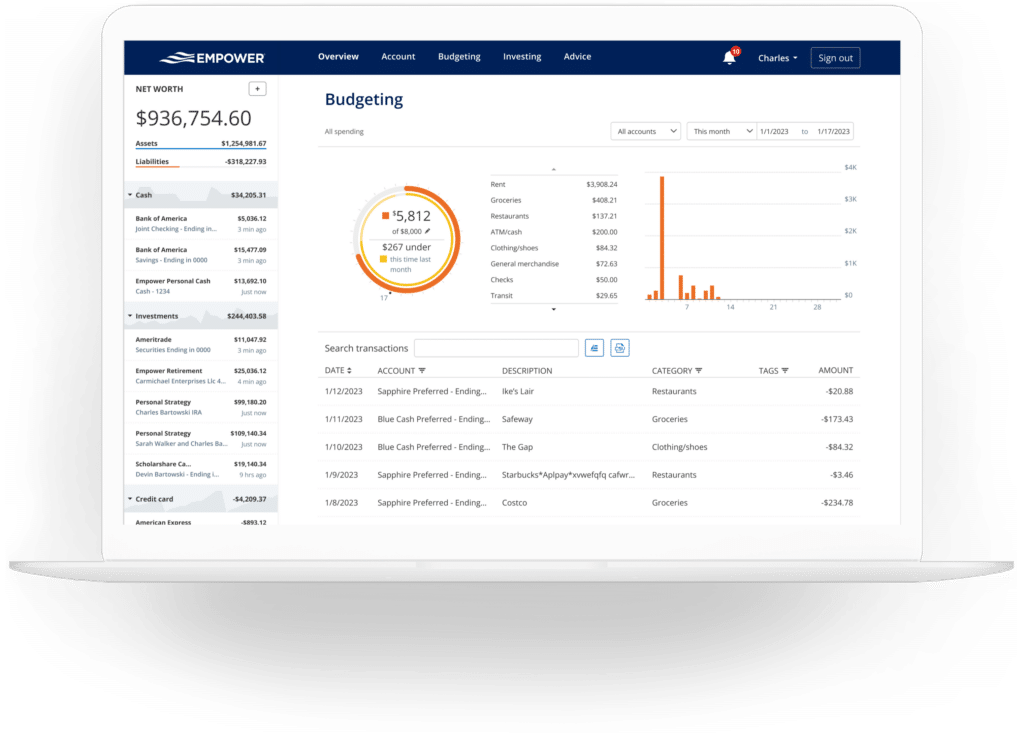
Rather than functioning as a traditional restrictive budgeting application, Empower focuses on visibility and overarching spending patterns. While users can establish an overarching monthly spending target, category-specific spending caps are not supported in the same manner as dedicated budgeting software. Instead, the platform automatically imports and categorizes transactions from all linked accounts. Users can easily customize categories and apply specific tags to transactions, enabling detailed tracking of unique expenses—such as home maintenance projects—without necessitating separate category creation.
Bills
By linking credit cards, mortgages, and various loans, Empower tracks impending payment due dates across accounts. This proactive oversight assists in avoiding missed or late payments while facilitating accurate short-term financial planning throughout the month.
Empower Investing
Investment tracking represents one of Empower’s most celebrated strengths. Upon connecting retirement and taxable brokerage accounts, the platform automatically tracks portfolio performance, updates asset prices throughout the trading day, monitors mutual fund expense ratios, evaluates asset allocations, and delivers analytical tools designed to optimize portfolio health.
Holdings
The holdings overview supplies detailed data for every individual investment owned, tracking ticker symbols, current share prices, daily gains and losses, total market value, and overall portfolio weighting. Performance metrics are continuously updated to reflect broader market conditions, offering clear insight during both bullish and bearish economic cycles.
Allocation
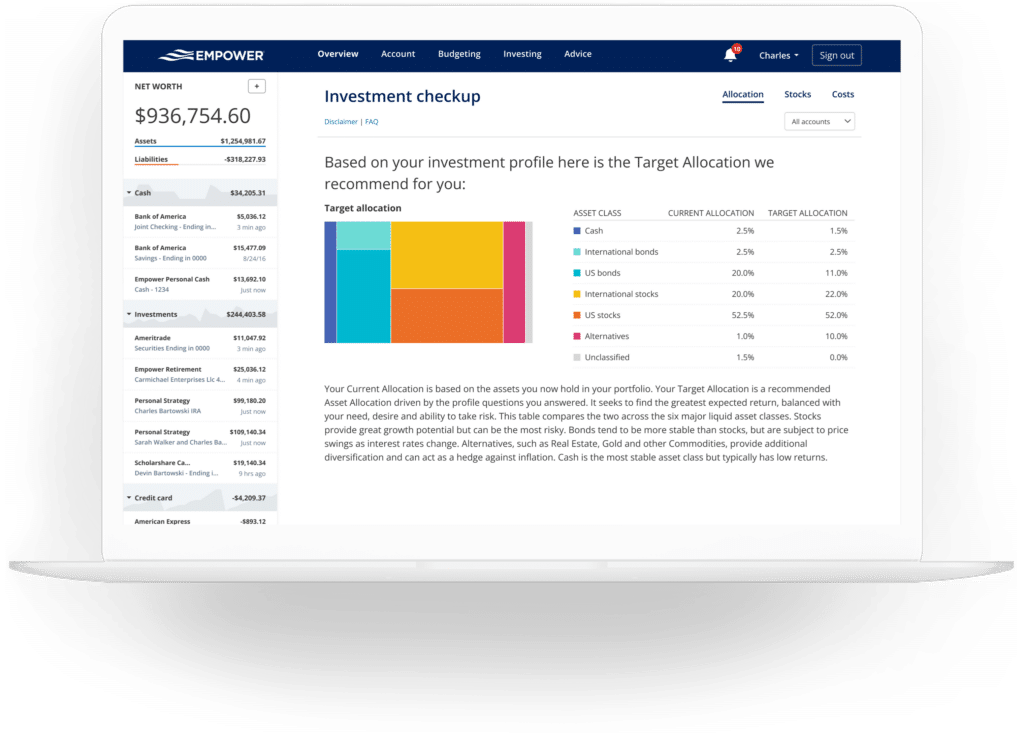
Empower evaluates underlying asset holdings to report on stock and bond allocations, breaking asset classes down further into domestic and international equities, fixed income, and alternative investments. An interactive graphical interface allows users to explore the exact composition of each asset class with a single click. Notably, the allocation tool accounts for cash reserves held within individual money market accounts as well as uninvested cash sitting inside stock mutual funds.
Tracking Bitcoin and Crypto
Addressing the rise of digital assets, Empower supports the tracking of cryptocurrencies such as Bitcoin, Ethereum, and Litecoin. Investors are not required to link crypto wallets or surrender private login credentials; instead, they can establish manual accounts by simply specifying the token symbol, exchange, and token amount. The platform is capable of tracking thousands of digital tokens across numerous exchanges.
Empower Planning
While the dashboard provides structural visibility into accounts and investments, Empower’s planning tools elevate the platform into a comprehensive financial advisory resource.
Retirement Planner
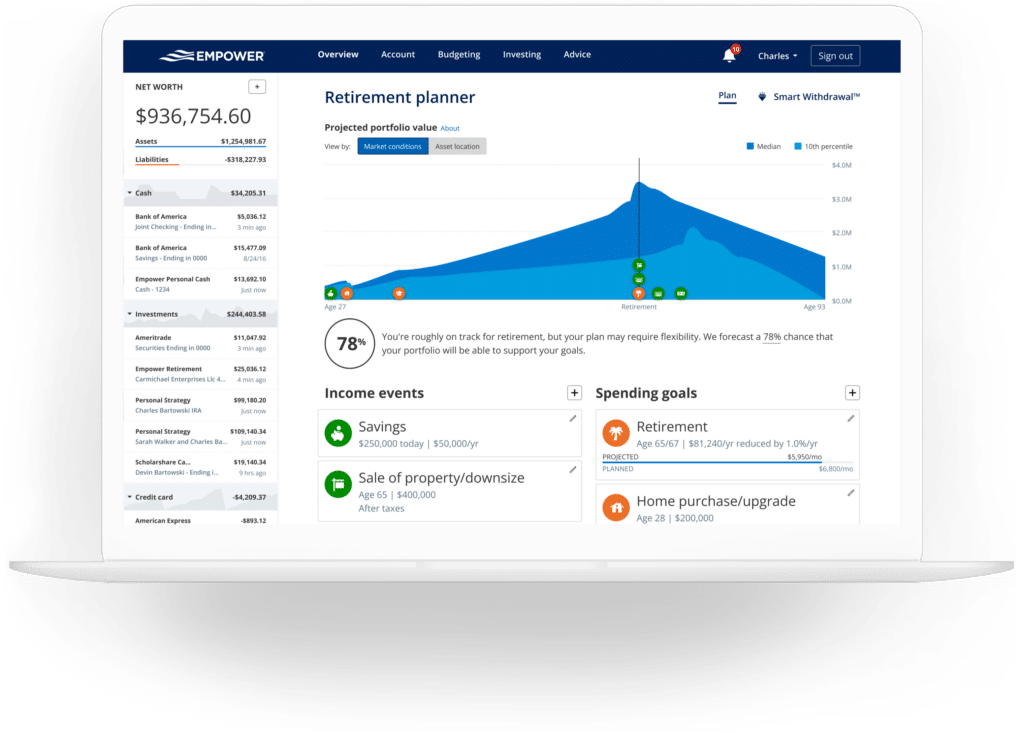
The retirement planner utilizes data from all linked investment accounts to assess retirement readiness through an interactive, robust calculator. Users can evaluate their projected financial trajectory under various assumptions and construct multiple comparison scenarios—such as contrasting a traditional retirement timeline with an early retirement plan, or incorporating versus excluding estimated Social Security benefits. Assumptions regarding effective tax rates, future inflation, and life expectancy can also be customized and analyzed side-by-side.
Savings Planner
The savings planner combines three distinct tools into a unified interface: retirement savings, emergency fund savings, and debt paydown tracking. The retirement savings planner monitors annual contributions across tax-advantaged accounts like 401(k)s and IRAs alongside taxable accounts, synchronizing directly with the primary retirement planner. The emergency fund planner aggregates balances across all linked bank accounts and recommends maintaining three to six months’ worth of expenses based on established budget parameters. Meanwhile, the debt paydown planner catalogs mortgages, auto loans, personal loans, and credit cards carrying interest balances, displaying current APRs, year-to-date balance changes, and historical repayment trajectories.
Retirement Fee Analyzer
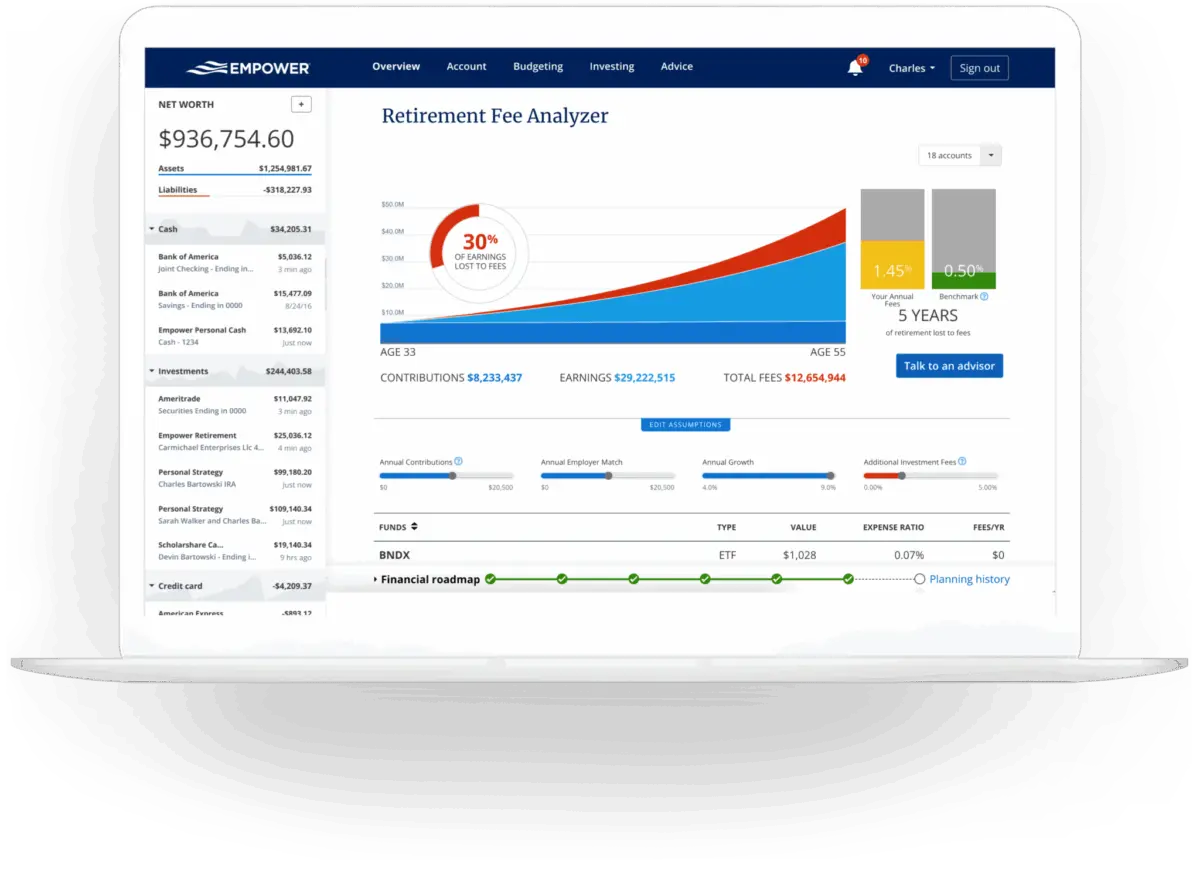
The retirement fee analyzer calculates the weighted average expense ratio across all linked accounts, highlighting the long-term wealth impact of seemingly minor advisory or mutual fund fees. By projecting fee costs over multi-year horizons, the tool demonstrates how incremental percentages can accumulate into significant financial expenditures over time, reinforcing the value of low-fee investing strategies.
Investment Fee Checkup
The investment checkup tool evaluates current asset allocations against Empower’s recommended models, which are tailored to the user’s age, timeline to retirement, and personal risk tolerance. The platform contrasts actual portfolios with model projections, detailing historical performance, risk-return profiles, and specific asset classes requiring rebalancing.
Empower FAQs
Is Empower safe? Yes. Empower encrypts data using AES-256 with multi-layer key management, including rotating user-specific keys and salts, and ensures that no individual employee has access to user credentials. Additionally, device authentication requires identity confirmation via automated phone calls, emails, or text messages.
Is Empower really free? Yes, the core financial tools and digital dashboard are completely free, though optional investment advisory services carry associated costs.
Will Empower call me? Yes. Because the financial dashboard functions partially as a marketing tool for their wealth management services, users may receive outreach from financial advisors. However, users can decline these services or request that calls cease, and representatives honor such requests.
Do I have to invest with Empower to use the dashboard? No, utilizing the digital dashboard does not obligate users to enroll in any paid advisory services.
How much does Empower cost? The financial dashboard is free of charge. For individuals who elect to use the optional wealth management and investment advisory services, fee structures begin at 0.89% annually for the first $1 million under management and scale downward to 0.49% for portfolios exceeding $10 million.







No comments yet. Be the first to join the conversation!