
Managing personal finances often feels like a fragmented chore. Between checking accounts, credit cards, mortgages, retirement funds scattered across multiple employers, and investments, getting a clear picture of one’s overall financial health can be daunting. Empower, formerly known as Personal Capital, aims to solve this dilemma by consolidating 100% of an individual’s finances onto a single, comprehensive dashboard. Having been utilized for years as a primary financial tracking tool, the platform offers a robust suite of features designed to help users make the most of their money, all at no cost for the software itself.
Quick Take
Empower delivers a complete view of an individual’s finances in one centralized place. The platform automatically synchronizes checking, savings, credit card, loan, investment accounts including 401(k)s and IRAs, and mortgage accounts. By compiling these diverse streams, it provides a real-time snapshot of total net worth and overall financial health.
The software offers comprehensive cash flow and net worth tracking, investment monitoring, and retirement planning. Its sophisticated investment tracking suite includes asset allocation analysis, investment fee evaluation, and a thorough investment checkup. Best of all, the core financial dashboard is entirely free to use, which explains its strong ratings of 4.8 out of 5 stars on the Apple App Store with over 366,000 reviews, and 4 out of 5 stars on Google Play with nearly 30,000 reviews.
Getting Started with Empower
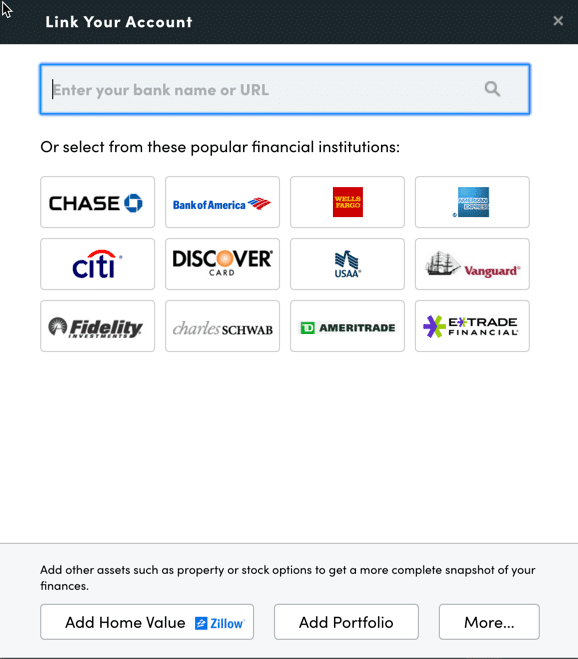
The initial step in utilizing the platform involves signing up for a free account and subsequently connecting all relevant financial accounts. While Empower is widely recognized for its elite investment tracking and analysis capabilities, experienced users routinely connect bank accounts, credit cards, loans, mortgages, and even physical real estate. For residential property, Empower integrates seamlessly with Zillow to pull in current home valuations automatically.
Linking accounts requires online access credentials, including the username and password for each respective financial institution. Users initiate the process by searching for the name of their bank or credit union within the account linking dialog box, which is accessible via the plus icon near the top left of the dashboard. Searches can be conducted by the financial institution’s name or its official website URL. In the rare event that a specific financial account cannot be linked digitally, the platform allows users to enter the information manually.
Connecting multiple accounts is essential because Empower functions as far more than a simple investment tracker. By centralizing all financial data, the tool enables users to monitor their net worth, evaluate monthly budgets, analyze cash flow, and keep tabs on upcoming bills from a single interface. While at least one account must be connected initially to launch the dashboard, subsequent accounts can be integrated manually. However, failing to link investment accounts diminishes the depth of the platform’s portfolio tracking features.
Settings & Profile
Once accounts are successfully linked, configuring the Settings and Profile sections is a critical administrative step. Located by clicking on the user name in the top right corner of the screen, the Settings menu grants users total control over email subscriptions, allowing for daily or weekly updates covering income, spending, and investment performance. Users can also determine whether to factor investment income and dividends into overall cash flow calculations and decide which accounts should be excluded from Empower’s advisory recommendations.
The Settings area also houses vital security protocols. Multi-factor authentication can and should be configured here, alongside automated alerts triggered by login attempts originating from foreign countries. Furthermore, Empower maintains an audit trail of all authorized devices accessing the account, displaying the timestamp of the last sign-on. Users frequently audit this list to remove outdated devices and bolster account security.
The Profile section serves as a repository for demographic and financial data concerning the user and their spouse, including savings baselines, income streams, and long-term investment objectives. These variables are fundamental, as Empower’s planning engines—most notably its free Retirement Planner—rely heavily on this profile data to generate accurate projections.
Dashboard
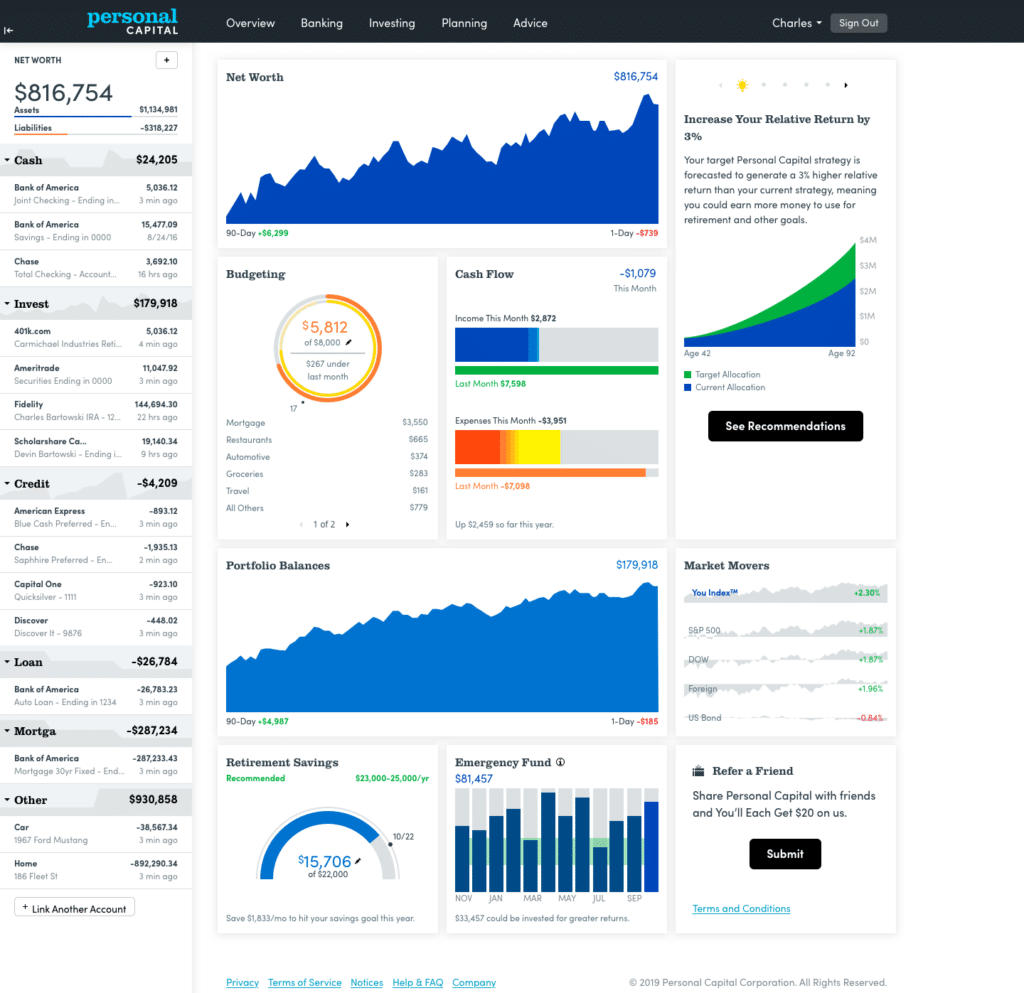
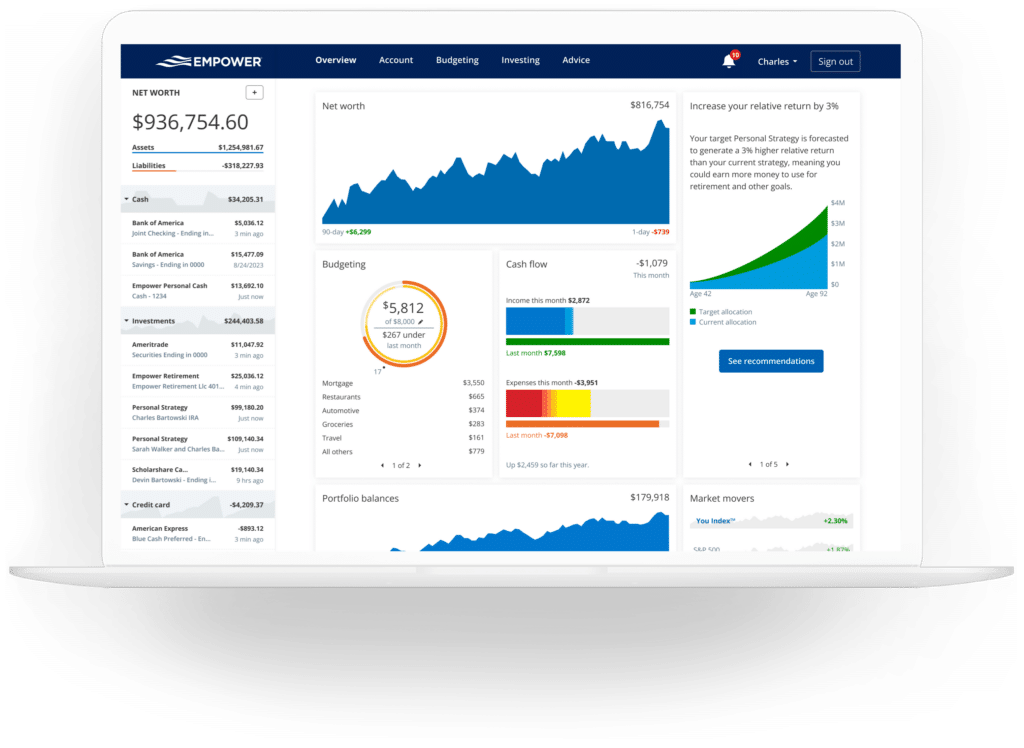
After all accounts are integrated, Empower aggregates the data into a unified Dashboard that supplies an immediate, high-level snapshot of the user’s entire financial life. The interface visually summarizes net worth, monthly budgets, cash flow, investment trajectories, and ongoing progress toward retirement and emergency savings benchmarks.
Net Worth
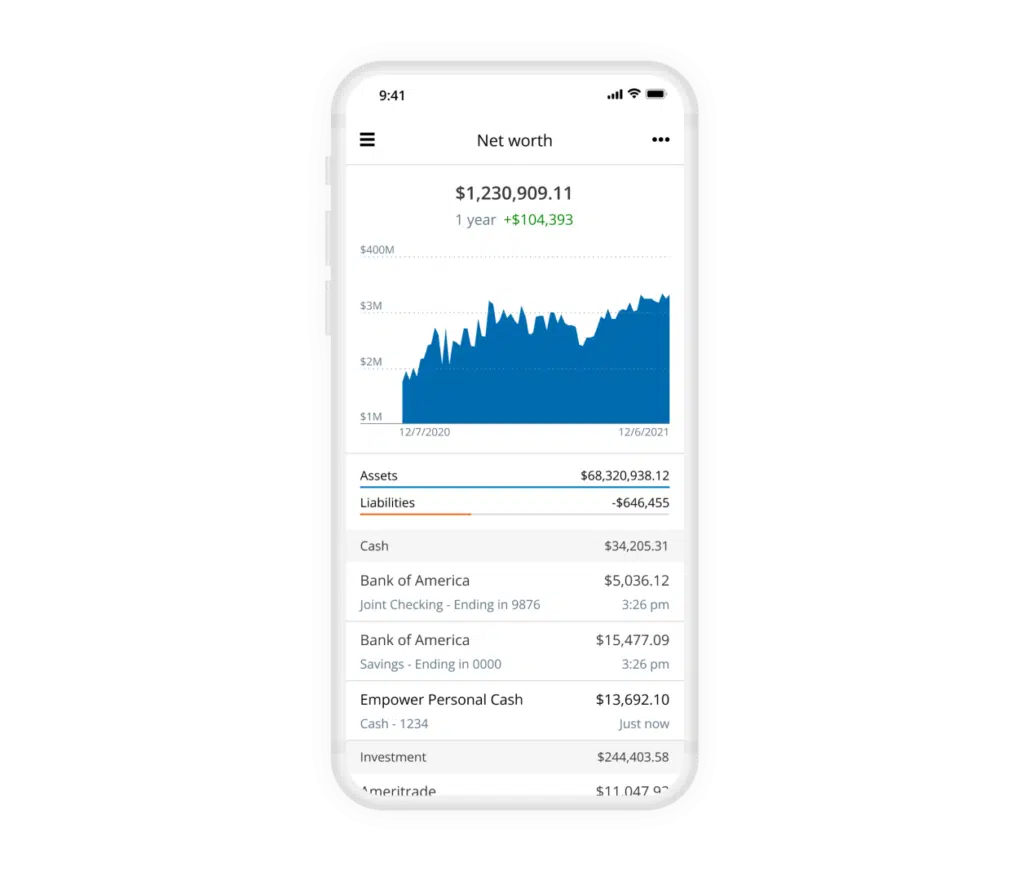
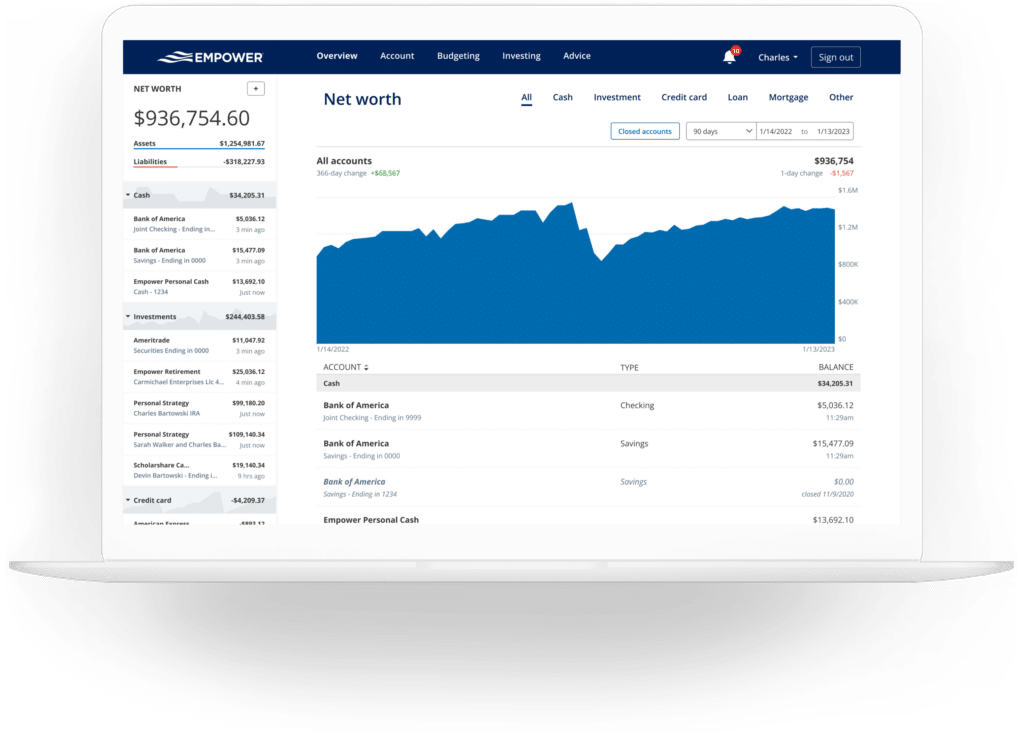
Tracking net worth remains a cornerstone of achieving financial independence. While traditional methods like spreadsheets have their advocates, automating the process through Empower eliminates manual calculations, provided all financial accounts remain synchronized. The net worth tracker dynamically updates assets and liabilities, presenting a clear, historical visualization of wealth accumulation over time.
Empower Banking
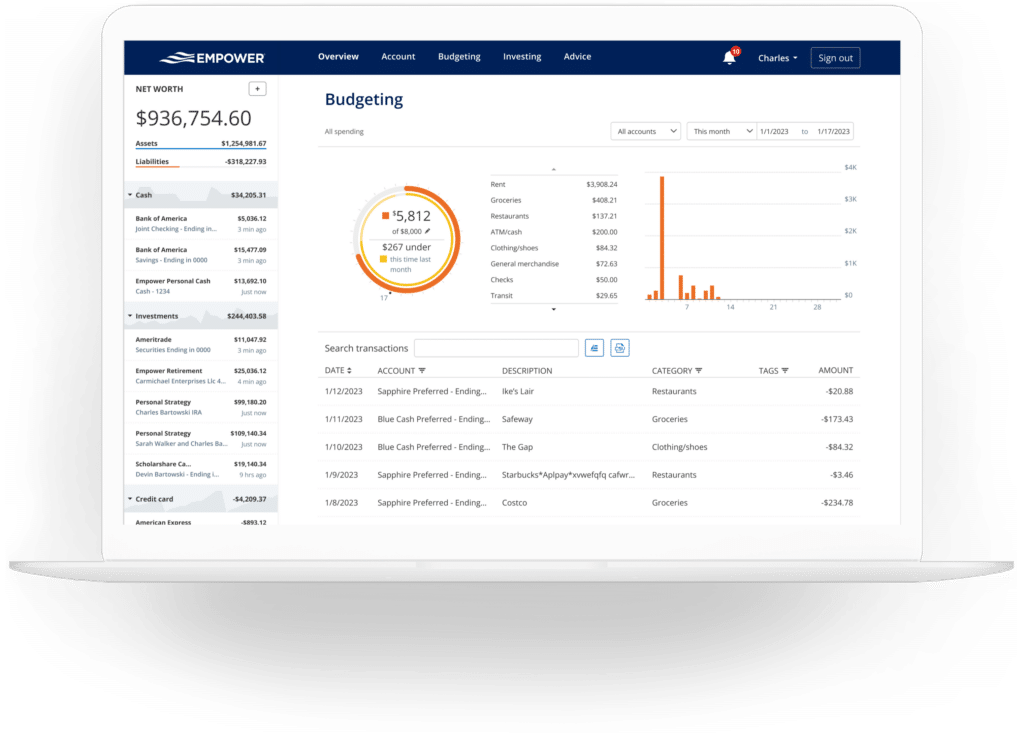
The platform’s banking features, specifically Cash Flow and Budgeting, offer significant utility for monitoring day-to-day finances. The cash flow mechanism displays income and expenses at a granular, transaction-level format, automatically categorizing expenditures while permitting deep dives into specific line items.
Users can selectively filter which accounts appear in their cash flow reports. This filtering capability allows individuals to isolate business expenses by connecting business checking and credit card accounts, or to isolate investment income to track monthly dividends and interest earned across a portfolio.
The budgeting module operates differently than traditional dedicated budgeting applications. Rather than establishing rigid spending limits for every individual category, Empower focuses on an overall monthly spending goal while providing absolute visibility into historical spending patterns by category. Transactions are automatically imported and categorized from linked accounts, and while the automated categorization is generally accurate, users typically spend a few minutes each month making minor adjustments.
In addition to categories, Empower supports transaction tagging. This allows users to track specific subsets of expenses—such as pool maintenance under a broader home maintenance category—without needing to clutter their accounts with excessive standalone categories. Furthermore, the bills feature tracks payment due dates across linked credit cards, mortgages, and loans, assisting users in avoiding late payments and maintaining smooth monthly cash flow management.
Empower Investing
Investment management is arguably where Empower delivers its greatest value. Upon connecting retirement and taxable brokerage accounts, the platform automatically tracks investment holdings, updates asset prices throughout the trading day, monitors mutual fund expenses, evaluates asset allocation, and provides advanced analytical tools.
The holdings overview details each owned investment, outlining share quantities, current prices, daily changes, total values, and overall performance metrics. Alongside this, the platform features a dynamic asset allocation tool that breaks down stock and bond weightings, distinguishing between domestic and international equities, fixed income, and alternative assets.
An interactive graphical interface allows users to click through and inspect the underlying investments within each asset class. Notably, the asset allocation model tracks cash reserves comprehensively, identifying cash held in money market accounts as well as uninvested cash sitting inside stock mutual funds.
Empower has also expanded its capabilities to accommodate cryptocurrency investors. Individuals holding Bitcoin, Ethereum, Litecoin, and thousands of other digital assets across hundreds of exchanges can track their crypto portfolios without surrendering private wallet keys or passwords. Users simply create a manual account entry, specifying the token symbol, exchange, and token quantity.
Empower Planning
Beyond raw data aggregation, Empower’s planning tools elevate the platform into a sophisticated financial advisory suite.
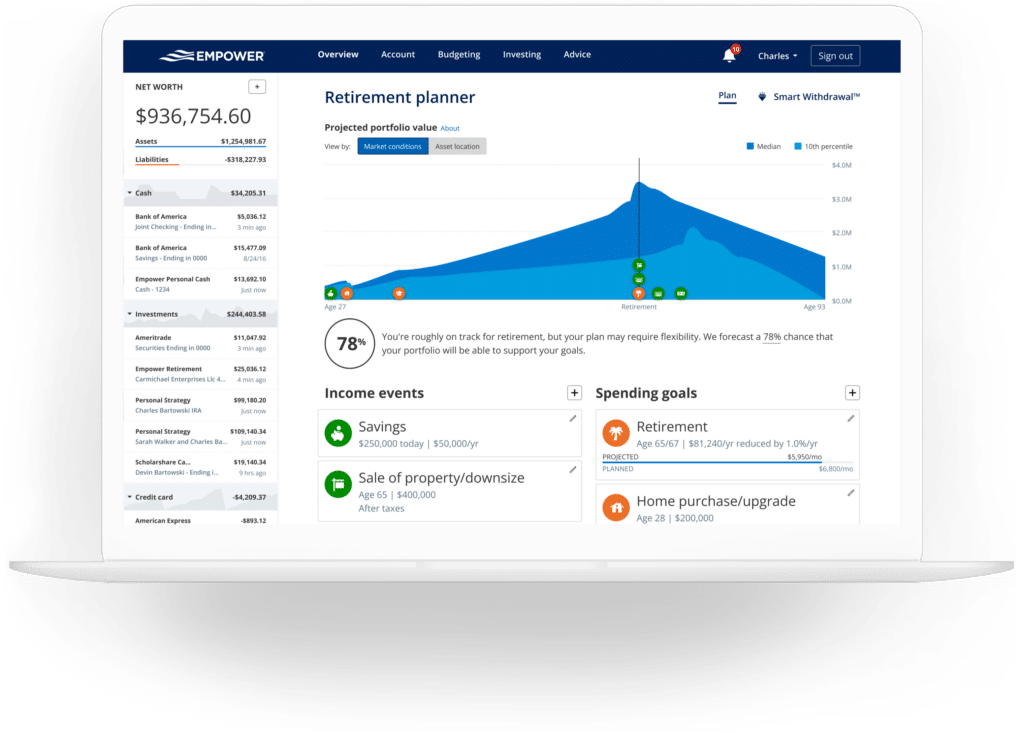
The Retirement Planner evaluates retirement readiness by leveraging data pulled directly from linked investment accounts. The calculator models future financial scenarios based on current savings rates, expected retirement ages, and projected investment returns. Users can construct multiple comparative scenarios—contrasting traditional retirement timelines with early retirement, or testing the impact of including versus excluding social security benefits. Assumptions regarding effective tax rates, inflation, and life expectancy can also be customized and analyzed side-by-side.
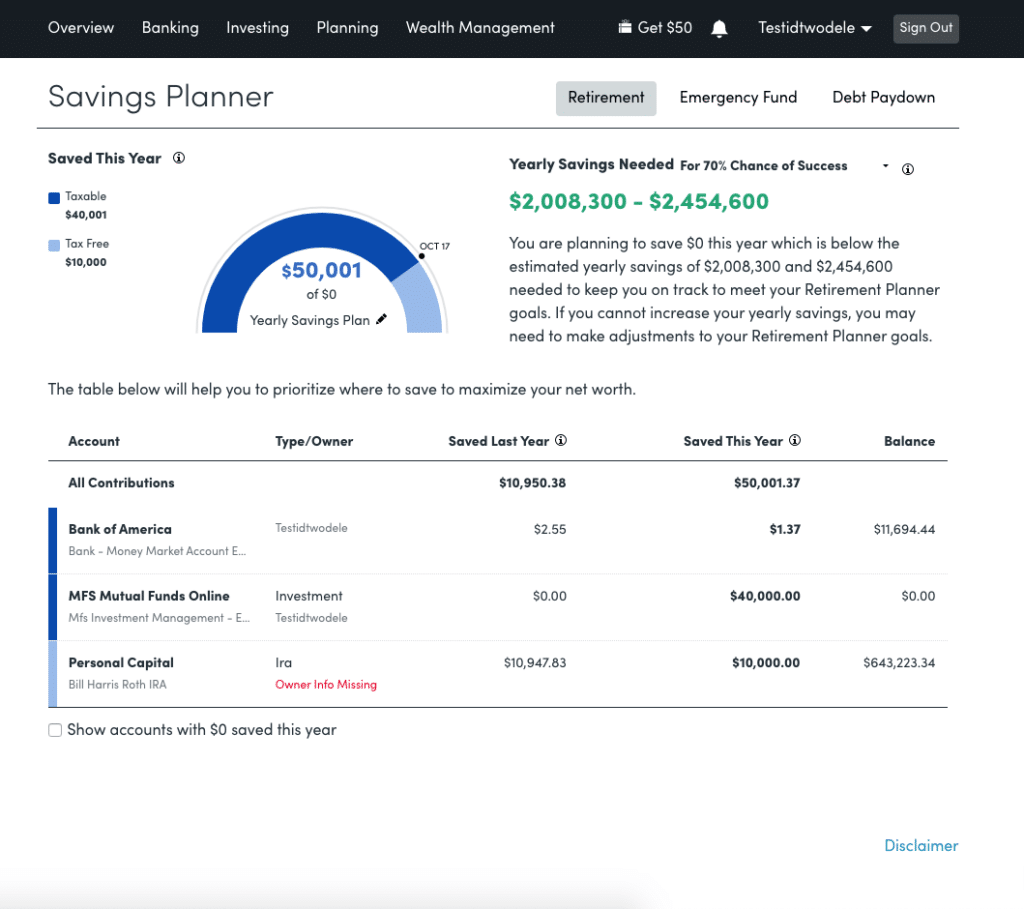
The Savings Planner integrates three distinct functionalities: Retirement Savings, Emergency Fund Savings, and Debt Paydown. The retirement savings component monitors annual contributions across tax-advantaged accounts like 401(k)s and IRAs, as well as taxable brokerage accounts, synchronizing directly with the primary retirement planner. The emergency fund planner aggregates linked bank balances and recommends a safety net equivalent to three to six months of budgeted living expenses. Meanwhile, the debt paydown planner tracks loans, mortgages, and interest-bearing credit card balances, displaying current interest rates, year-to-date balance changes, and visual trend graphs.
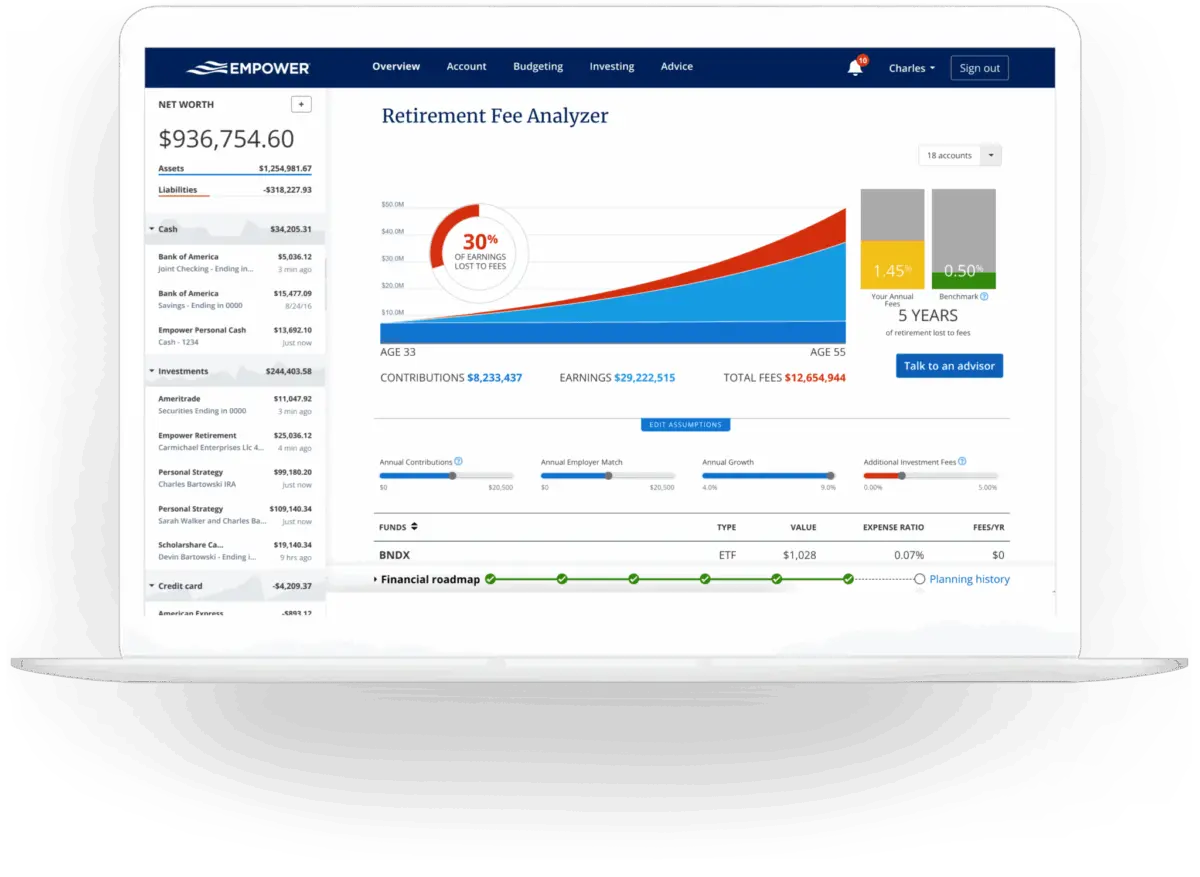
The Retirement Fee Analyzer addresses a frequently overlooked aspect of wealth accumulation: investment fees. By calculating a weighted average expense ratio across all linked accounts, the tool exposes the long-term cost of management and fund fees over decades. Even seemingly minor fees, such as a 0.06% expense ratio, can accumulate into significant monetary figures over time, making this analyzer an indispensable feature for cost-conscious investors.
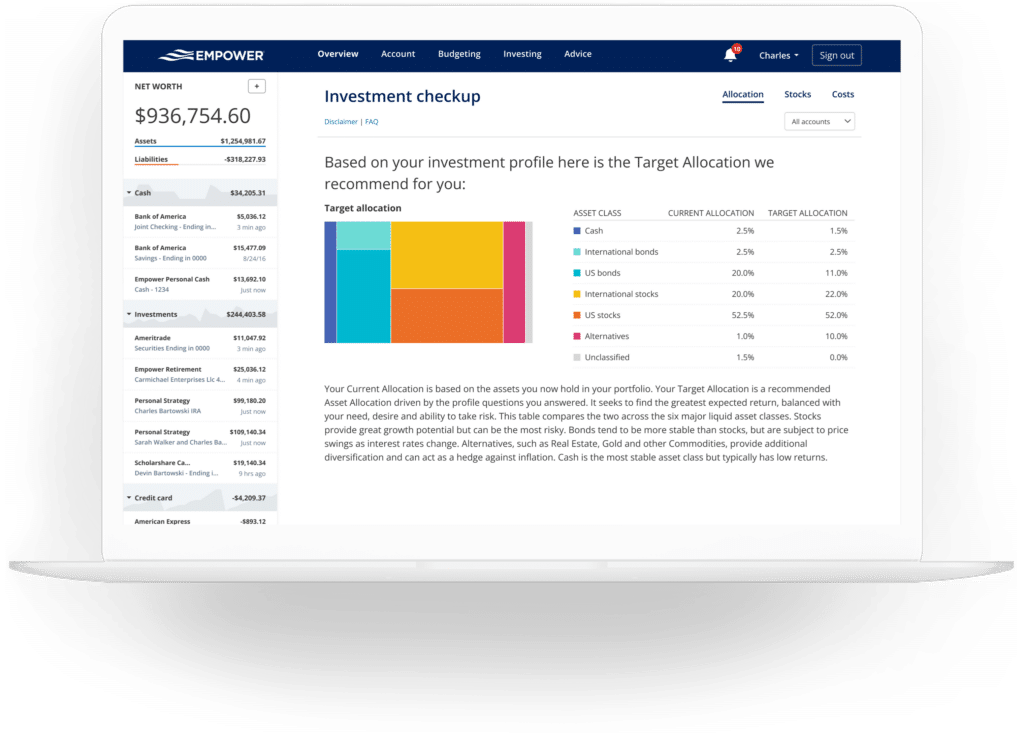
Finally, the Investment Checkup evaluates an existing portfolio against Empower’s recommended asset allocation model, which is tailored to the user’s age, time horizon, and risk tolerance. The tool displays historical performance data, future projections, risk-and-return metrics, and actionable adjustments required to align the portfolio with the recommended targets.
Empower FAQs
Is Empower safe?
Empower employs AES-256 encryption alongside multi-layer key management, which incorporates rotating user-specific keys and salts. Furthermore, internal personnel do not have access to user credentials, and device authorization requires multi-factor authentication via automated phone calls, emails, or text messages.
Is Empower really free?
Yes. While the company offers paid human advisory services, its suite of digital financial tools and dashboard features is entirely free.
Will Empower call me?
Because the financial dashboard serves as a lead-generation tool for the company’s wealth management services, users may receive outreach calls from financial advisors. However, users who prefer not to be contacted can request to opt out, and the company honors such requests.
Do I have to invest with Empower to use the dashboard?
No. Users can utilize the full financial dashboard and analytical tools without enrolling in any paid investment advisory services.
How much does Empower cost?
The financial dashboard software carries no cost. For clients electing to utilize Empower’s human investment advisory services, management fees start at 0.89% for the first $1 million under management and scale down to 0.49% for portfolios exceeding $10 million.







No comments yet. Be the first to join the conversation!