
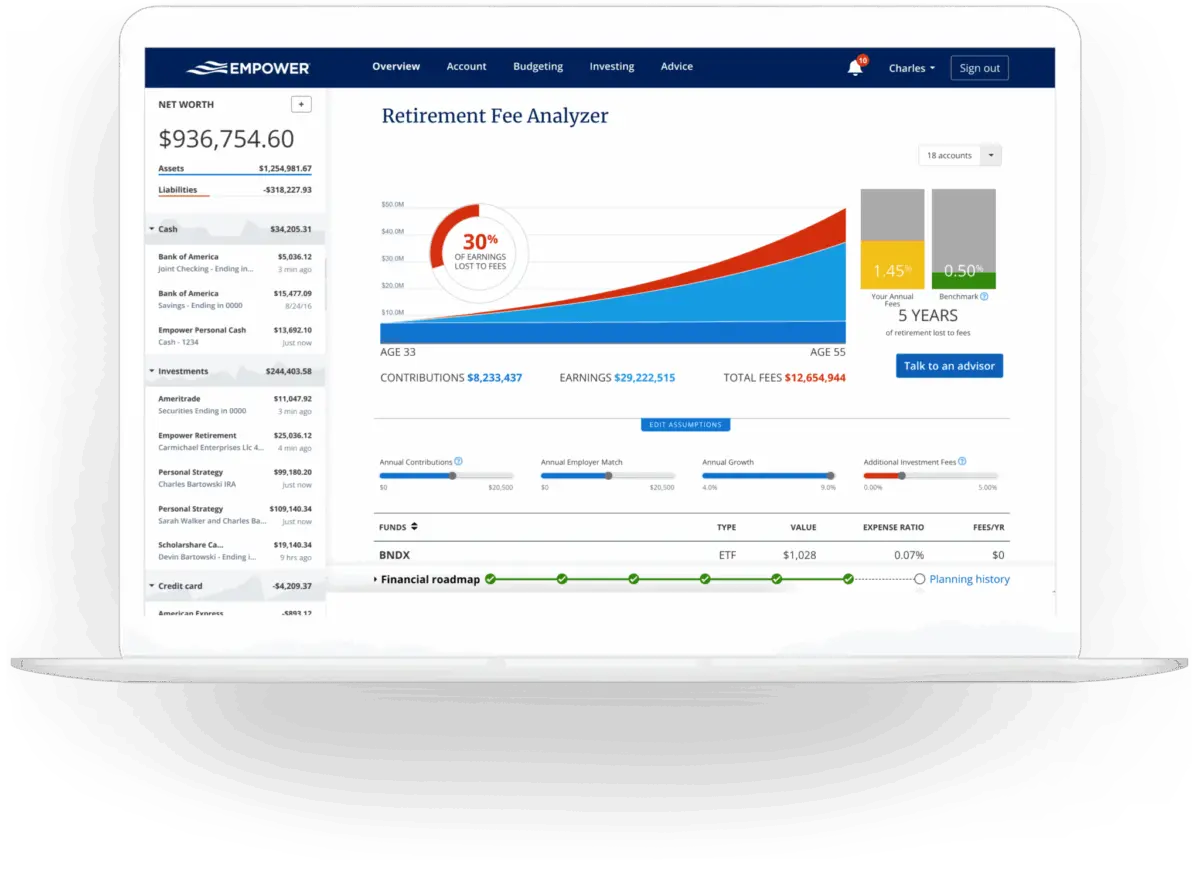
For years, users seeking a comprehensive digital view of their personal finances have turned to the robust dashboard platform previously known as Personal Capital, now operating under the name Empower. Designed to aggregate 100% of an individual’s financial life into a single interface, the tool has established a strong reputation among consumers, backed by impressive ratings of 4.8 out of 5 stars from hundreds of thousands of reviews on the Apple App Store, and a solid 4 out of 5 stars on Google Play. Providing a real-time snapshot of net worth, cash flow, investments, and retirement health completely free of charge, Empower serves as a centralized hub for modern wealth management.
Quick Take on Empower’s Capabilities
Empower delivers a complete view of your finances in one place by automatically syncing checking, savings, credit card, loan, and investment accounts—including 401(k)s and IRAs—along with mortgages and real estate assets. The platform offers core features centered on cash flow tracking, net worth monitoring, investment analysis, and retirement planning. Within its investment suite, users gain access to detailed asset allocation breakdowns, investment fee analyses, and comprehensive investment checkups. Crucially, the core financial dashboard is provided at no cost, making enterprise-grade financial tracking accessible to everyday consumers.
Getting Started and Linking Accounts
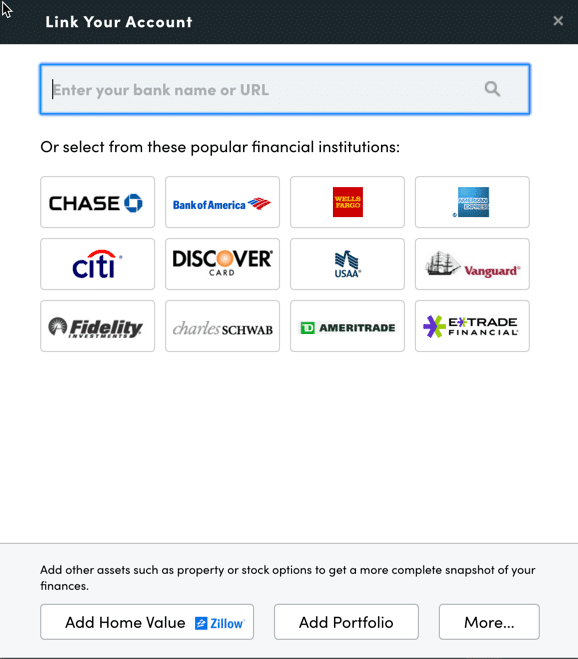
The process begins by signing up for a free account and subsequently connecting all relevant financial institutions. While the platform is widely recognized for its advanced investment tracking and analysis tools, experienced users recommend connecting checking accounts, credit cards, loans, mortgages, and even primary residences. For real estate assets, Empower integrates with data providers like Zillow to automatically pull in up-to-date home valuations, ensuring that tangible assets are accurately reflected in the user’s overall financial picture.
To link an account, users navigate to the dashboard interface and utilize the institution search function by typing the name of their bank or its official website URL. The system accommodates virtually any financial institution that offers online access, requiring only the standard username and password credentials for initial synchronization. In rare instances where an account cannot be linked digitally, the platform allows users to input the asset or liability manually.
Establishing these connections is essential because Empower functions far beyond a simple investment tracker. By centralizing disparate financial accounts, the software constructs a unified dashboard that powers budgeting, net worth tracking, bill reminders, and cash flow analysis. While users must link at least one account initially, subsequent accounts can be added flexibly, though failing to link investment accounts will naturally limit the depth of the platform’s portfolio analytics.
Navigating Settings, Profiles, and Security
Once accounts are successfully synchronized, completing the settings and user profile is critical for maximizing the utility of the platform’s planning tools. The settings menu grants users control over email subscriptions, allowing them to receive daily or weekly updates summarizing income, spending, and investment performance. Users can also configure whether investment income and dividends are factored into cash flow calculations and designate specific accounts to be excluded from advisory insights.
Security configuration remains a cornerstone of the settings menu. The platform incorporates multi-factor authentication and provides alerts whenever a login attempt originates from a foreign country. Additionally, users can review an authorized list of devices that have accessed their account, complete with timestamps of the last sign-on, allowing them to revoke access for outdated or unused hardware.
Meanwhile, the profile section captures demographic and financial data for individuals and their spouses, including savings rates, income sources, and long-term investment objectives. These variables feed directly into Empower’s sophisticated planning tools, most notably its free retirement planner, ensuring that projections align closely with individual circumstances.
The Central Dashboard and Net Worth Tracking
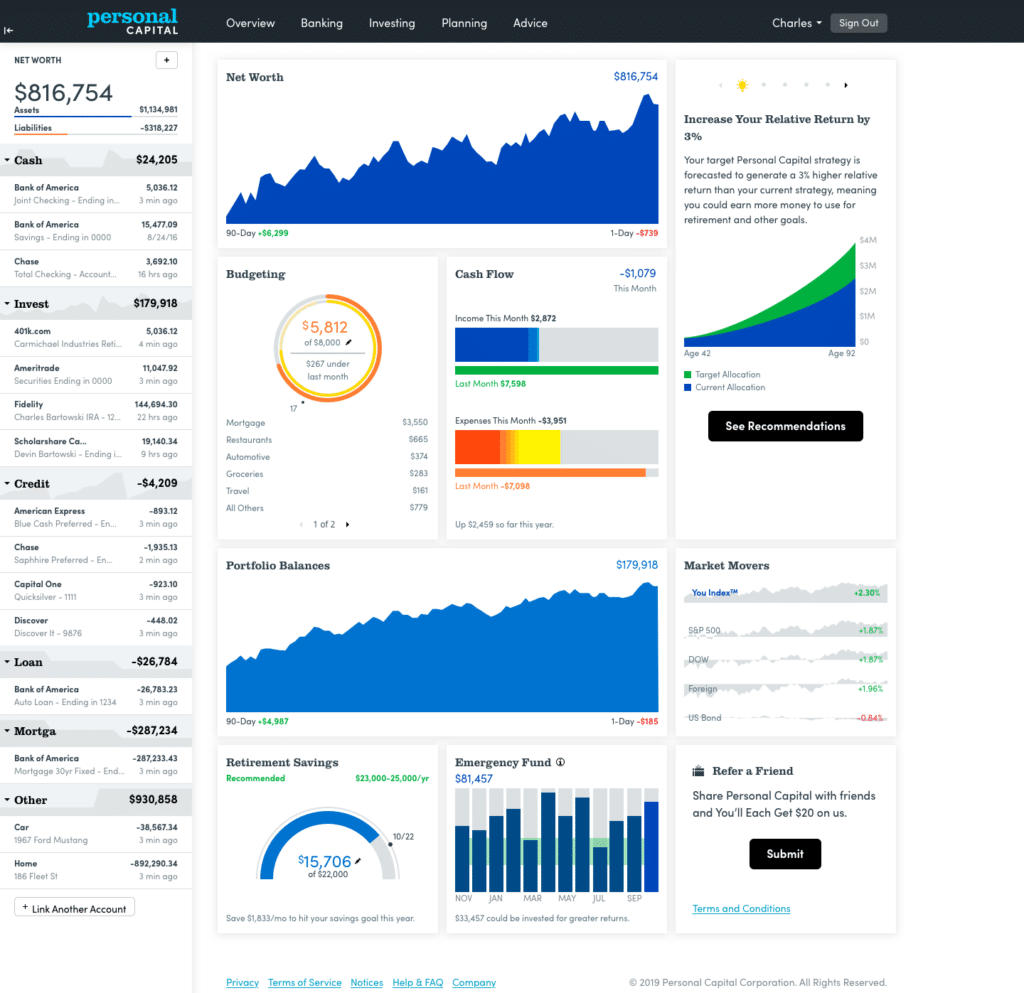
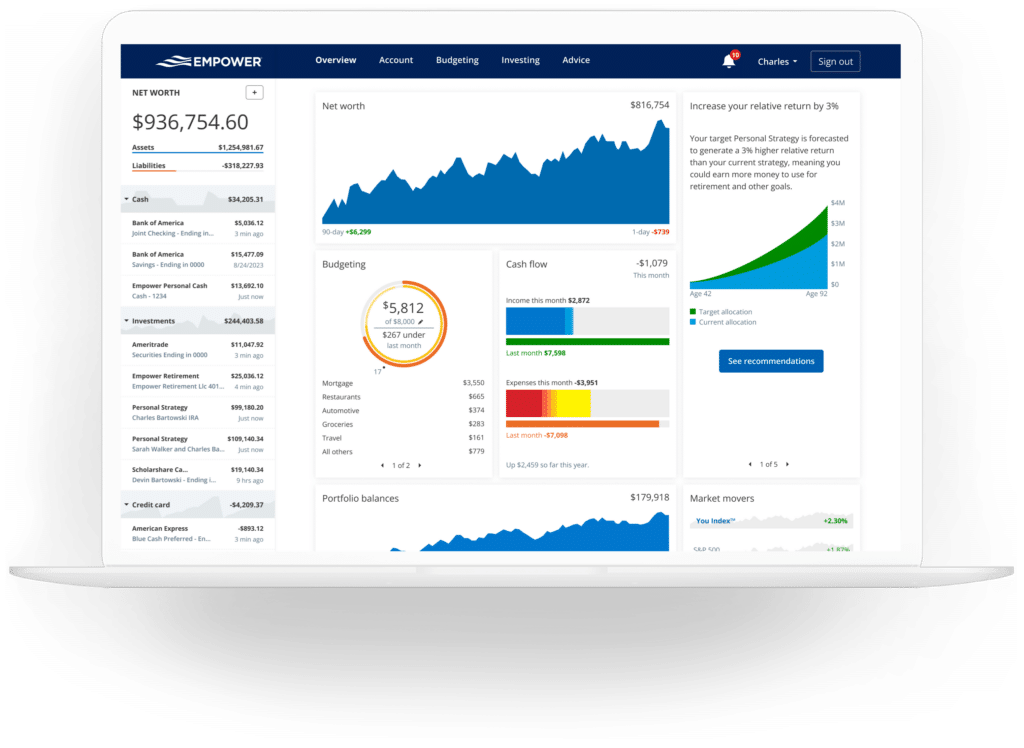
The Empower dashboard serves as the central command center for the user’s financial life, aggregating data into an intuitive interface that displays a high-level overview of net worth, monthly budgets, cash flow, investment portfolios, and progress toward emergency savings and retirement milestones.
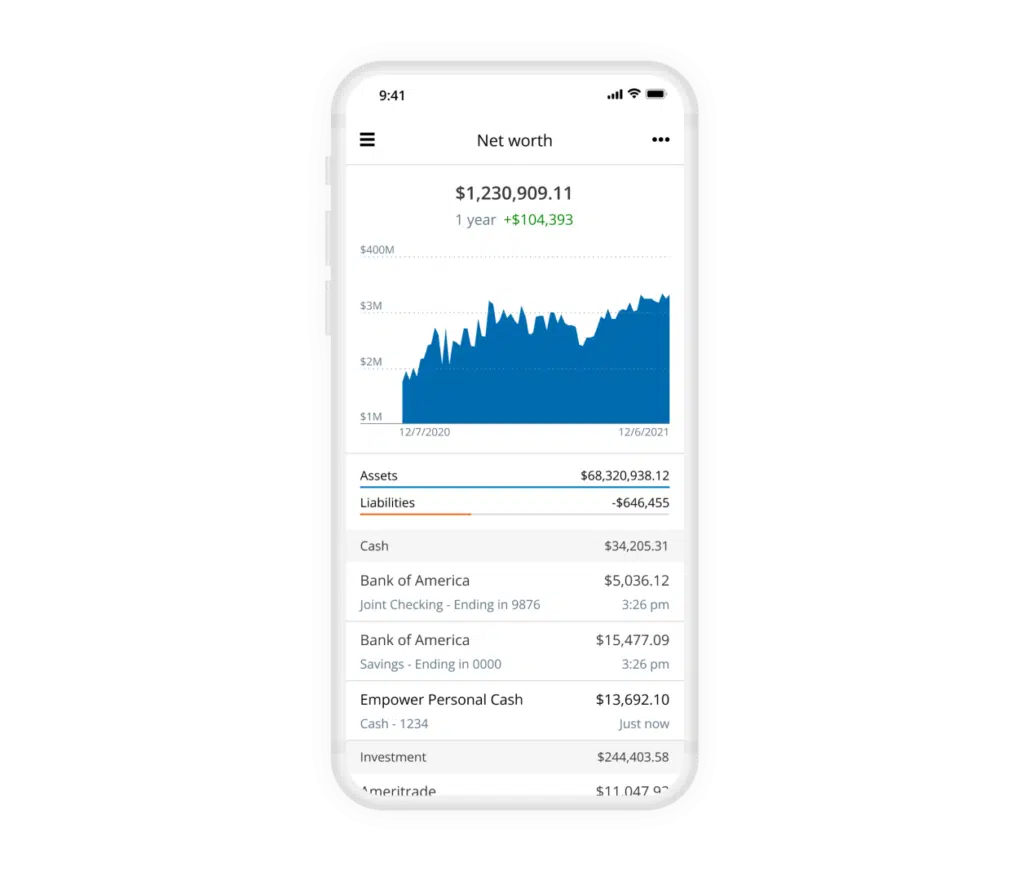
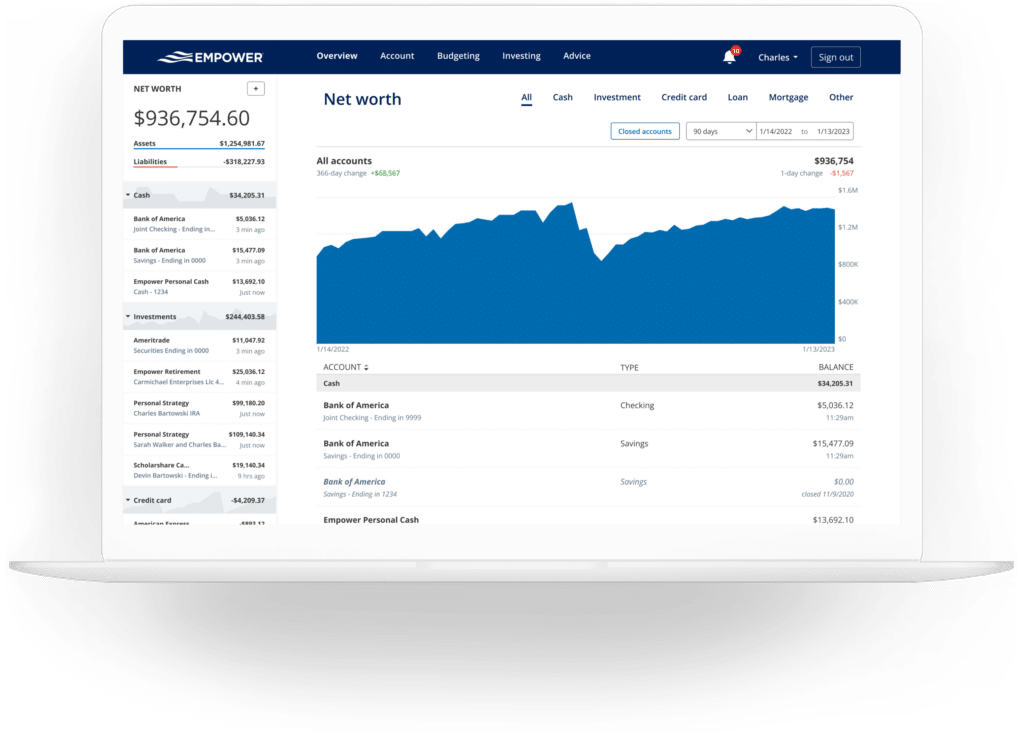
Tracking net worth remains one of the fundamental pillars of achieving financial independence. By automating the aggregation of assets and liabilities, Empower continuously updates the net worth trajectory in real time. This automated tracking removes the friction traditionally associated with maintaining manual spreadsheets, giving users an immediate visual representation of their wealth accumulation over time.
Banking, Cash Flow, and Budgeting Features
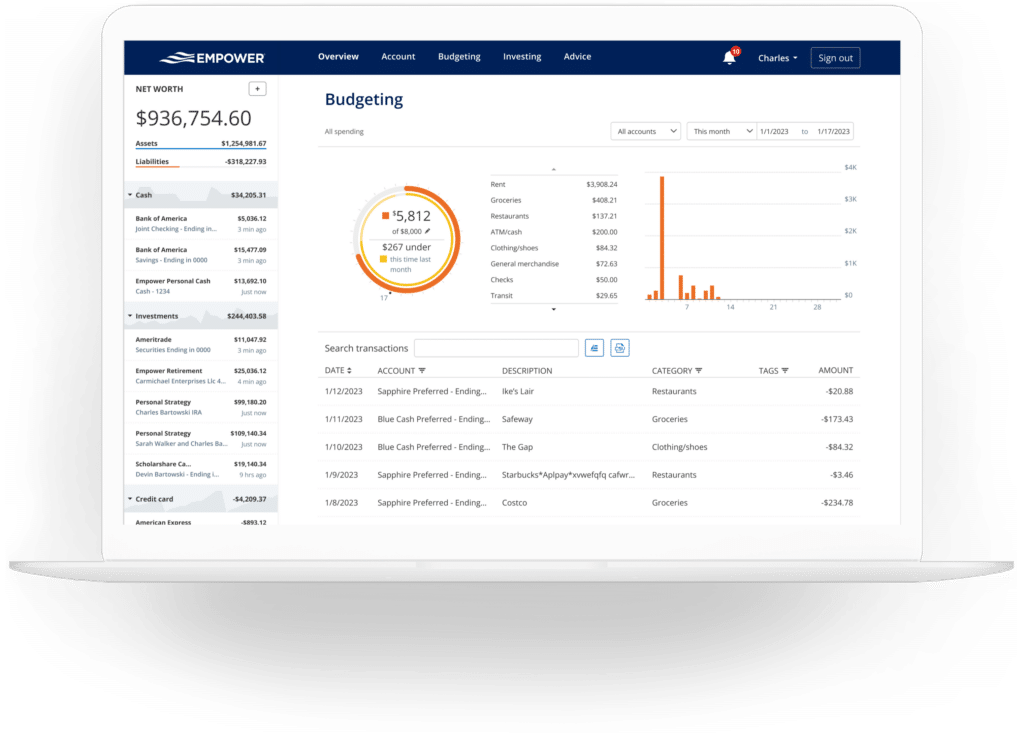
Beyond investment tracking, the platform includes robust banking and cash flow features that provide deep transparency into monthly income and expenses. The cash flow tool evaluates transactions at a granular level, automatically categorizing expenditures while allowing users to drill down into specific details. By leveraging account selection filters, users can isolate specific segments of their financial life—such as viewing exclusively business checking and credit card accounts to analyze enterprise expenses, or filtering strictly for investment accounts to monitor incoming dividends and interest.
The budgeting functionality takes a macro-level approach rather than acting as a traditional micro-budgeting application. While users can establish an overall monthly spending goal, the tool does not support setting granular spending caps by category, an area where dedicated software like YNAB is often preferred. Instead, Empower excels at categorizing historical spending imported from linked accounts, offering clear visibility into where money goes. Although the system generally categorizes transactions accurately, users typically spend a few minutes each month refining categories or applying custom tags, such as tagging specific home maintenance transactions to track pool repairs without creating entirely separate budgetary categories.
Furthermore, by linking credit cards, mortgages, and loans, Empower tracks upcoming bill due dates based on historical payment patterns. This functionality assists with cash flow planning throughout the month and helps users avoid missed or late payments.
Advanced Investment Tracking and Crypto Support
Investment monitoring is where Empower traditionally differentiates itself from standard personal finance applications. Once retirement and taxable brokerage accounts are connected, the platform automatically tracks holdings, updates asset prices throughout the trading day, monitors mutual fund expenses, and evaluates asset allocation.
The holdings interface provides a comprehensive overview of each individual asset, detailing performance metrics across various market conditions, including volatile periods such as bear markets. Simultaneously, the asset allocation tool breaks down portfolios into domestic and international stocks, bonds, and alternative assets. An interactive graphical interface allows users to click through asset classes to inspect underlying holdings, even accounting for cash positions held within stock mutual funds rather than just dedicated money market accounts.
In response to evolving market trends, Empower also incorporates tracking capabilities for digital assets such as Bitcoin, Ethereum, Litecoin, and thousands of other cryptocurrencies across hundreds of exchanges. Crucially, investors are not required to link their crypto wallets or surrender private keys; instead, they can manually input asset symbols, exchanges, and token amounts to include digital currencies seamlessly within their broader net worth and portfolio calculations.
Comprehensive Planning and Retirement Tools
The true value of the Empower platform emerges through its sophisticated suite of planning tools, which transform raw financial data into actionable long-term strategies.
The retirement planner leverages the user’s connected investment accounts to evaluate retirement readiness through an interactive calculator. Users can establish multiple hypothetical scenarios—such as comparing traditional retirement ages against early retirement timelines, or toggling the inclusion of estimated Social Security benefits. Assumptions regarding effective tax rates, future inflation, and life expectancy can also be adjusted, allowing individuals to run side-by-side comparisons of various financial futures.
Complementing the retirement projections is the savings planner, which consolidates retirement savings, emergency fund accumulation, and debt paydown goals into a unified interface. The retirement savings planner monitors annual contributions across tax-advantaged accounts like 401(k)s and IRAs alongside taxable accounts, synchronizing directly with the primary retirement calculator. The emergency fund planner aggregates linked bank balances and recommends maintaining three to six months’ worth of expenses based on the user’s established monthly budget. Meanwhile, the debt paydown planner tracks loans, mortgages, and interest-bearing credit card balances, displaying current figures, annual percentage rates, and year-to-date balance trends.
Investment Fee Analysis and Portfolio Checkups
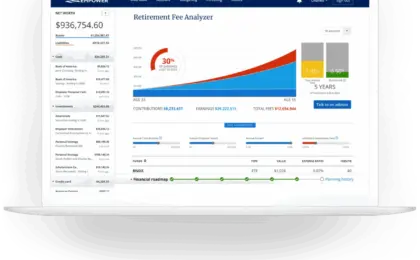
One of the most widely praised aspects of the platform is its retirement fee analyzer, which addresses the corrosive long-term impact of investment and advisory fees. By calculating a weighted average expense ratio across all linked accounts, the tool reveals hidden costs that might otherwise appear negligible. For instance, a seemingly minor weighted expense ratio of 0.06% can still accumulate thousands of dollars in costs over a period of several years, illustrating how elevated mutual fund or advisor fees can drain hundreds of thousands of dollars from a portfolio over decades.
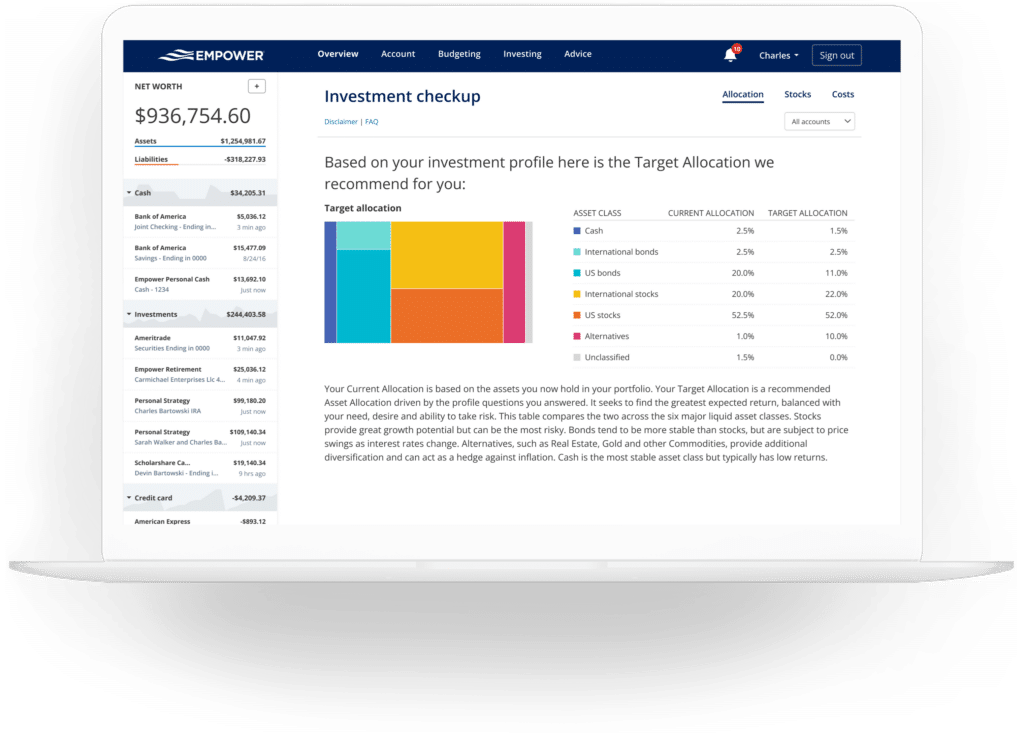
In tandem with fee analysis, the investment checkup feature evaluates current asset allocations against a recommended portfolio model tailored to the user’s age, time horizon, and risk tolerance. The tool outlines historical performance projections, risk-return profiles, and specific adjustments required to align an actual portfolio with the recommended strategy.
Frequently Asked Questions
Security remains a primary consideration for users linking multiple financial accounts to a digital platform. Empower employs AES-256 encryption accompanied by multi-layer key management, rotating user-specific keys and salts while ensuring that internal personnel cannot access user credentials. Furthermore, multi-factor authentication requires identity confirmation via phone call, email, or text message whenever an unrecognized device attempts to access an account.
While the core financial dashboard, investment tracking, and planning tools are provided entirely free of charge, Empower utilizes its software as a marketing funnel for optional paid wealth management services. The platform may contact users to offer consultations with human financial advisors. However, users who prefer not to receive sales calls can request to be removed from outreach lists, a preference the company honors. For those who choose to engage professional advisory services, management fees begin at 0.89% for the first $1 million under management and scale down to 0.49% for assets exceeding $10 million, though utilizing the advisory services is entirely optional for individuals who wish to use the software solely as a self-directed financial dashboard.







No comments yet. Be the first to join the conversation!